

Football Leagues PRO can describe your game, club, stadium, player, staff and referee pages to search engines in schema.org structured data (JSON-LD). A game page then reads as a football game between two teams on a set date, not as “an article”. A player page reads as a person who plays for a club.
It’s invisible on the page itself. Search engines and AI search tools read it from the page source.
🚀 Turn it on
Structured data is off by default. To switch it on:
- Go to Settings & Tools > Settings > Configuration > Advanced.
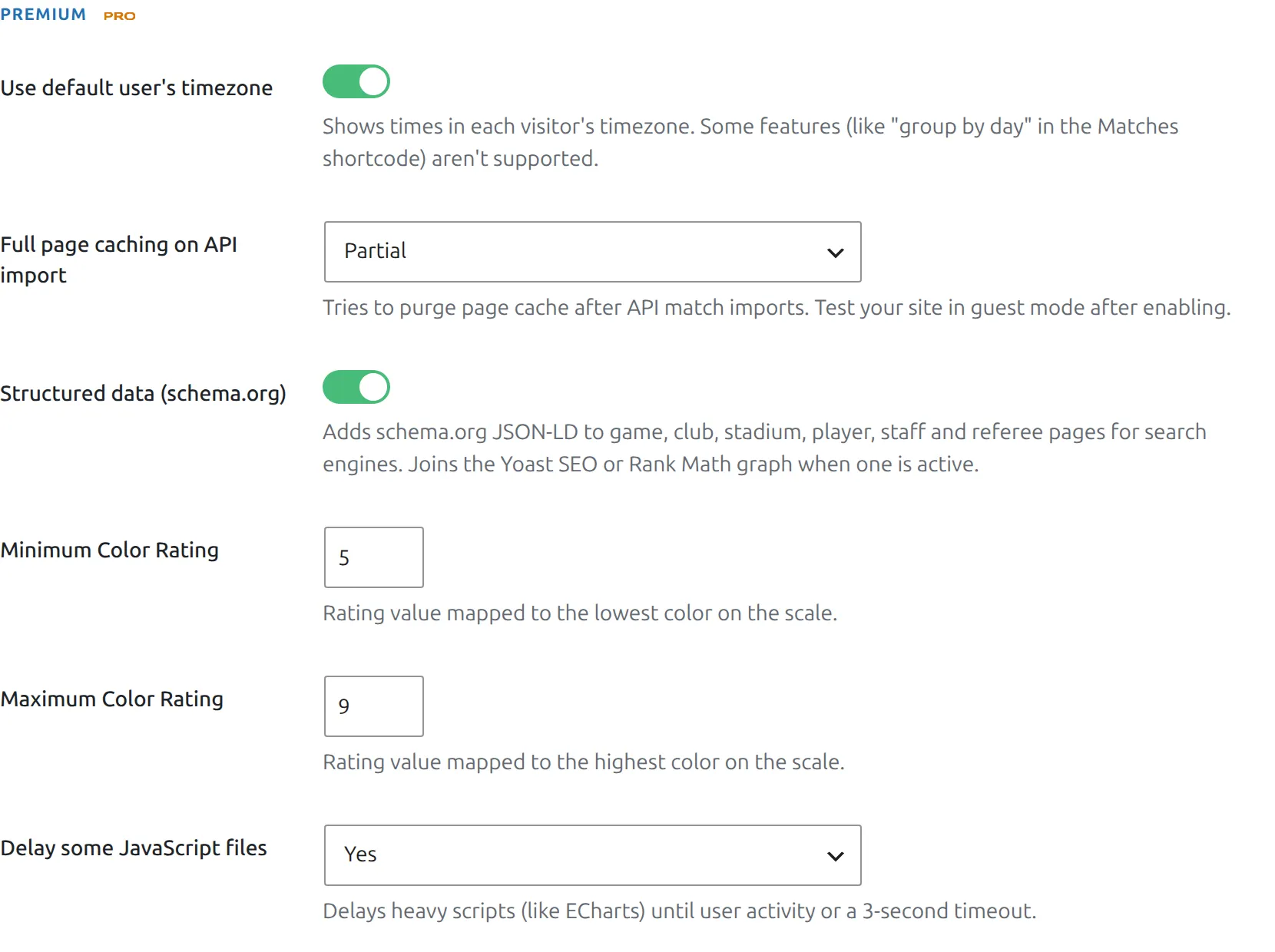
- In the Premium section, turn on Structured data (schema.org).
- Save, then purge your page cache if you use one.
To check it worked, open a game page logged out, view the page source and search for application/ld+json. You can also paste the page URL into the Schema Markup Validator.
🎯 What each page gets
| Page | schema.org type | What’s included |
|---|---|---|
| Game | SportsEvent | “Home vs Away”, start date and time, status (scheduled, postponed, cancelled), both teams with logos, stadium with address and map position, competition name, home club logo as the image |
| Club | SportsTeam | Name, logo, city and country, founding year, home stadium, website and social profiles |
| Stadium | StadiumOrArena | Name, photo, address, map position, capacity, website |
| Player | Person | Name, full name, photo, date and place of birth, date of death, nationality, height, weight, position, current club and national team |
| Staff | Person | Name, photo, date and place of birth, nationality, job title, current club |
| Referee | Person | Name, full name, photo, date and place of birth, nationality, job title (“Referee” when empty) |
Pages link to each other: the teams in a game point to their club pages, and a player points to their club. Competition and standings pages get no structured data.
The markup matches the page
- Empty fields are left out. No birth date entered means no birth date in the markup.
- Values that aren’t valid are skipped instead of guessed. A founding year of “about 1900”, a capacity of “TBA” or a height of “1.81 m” are left out. Use plain numbers (
1900,42000,181) to include them. - Hidden clubs, players and staff get no markup. A hidden club in a game appears by name only, just like on the page. See Hidden Clubs, Players & Staff.
- A staff member’s club follows Settings & Tools > Settings > Display > Player & Staff > Staff – Current Team. Set to Hide, no club is included.
- A game needs a date and a stadium with an address (street or city) to get markup. Google requires the venue address for events, so a game without one would only show up as an error in Search Console. A game with time “TBD” gets the date without a time.
- The score isn’t included. schema.org has no score field for sports events, and a finished game keeps the “scheduled” status because there is no “finished” status either.
What to expect from Google
Let’s be honest about this. Only games (SportsEvent) are an event type that Google can show as a rich result, and Google doesn’t promise to show it. Club, person and stadium markup gets no visible snippet. It helps search engines and AI tools work out who and what the page is about – two players with the same name, say.
Google’s Rich Results Test checks the game markup. It shows a few warnings for optional fields Football Leagues doesn’t have data for:
endDate,organizerandoffers(tickets)image, when the home club has no logo
Warnings are fine – the game is still valid. Search Console may list the same warnings in its Events report after you switch the feature on.
Yoast SEO and Rank Math
Football Leagues adds its data into the graph your SEO plugin already prints, linked to that plugin’s WebPage. You get one connected block, not two.
| Your SEO plugin | What happens |
|---|---|
| Yoast SEO | Added to the Yoast graph |
| Rank Math | Added to the Rank Math graph |
| Any other, or none | Football Leagues prints its own JSON-LD block |
Rank Math setup wizard
Rank Math prints nothing at all until you finish or skip its setup wizard. Until then, Football Leagues prints its own block, so your pages are covered either way.
Breadcrumbs. Football Leagues also adds the parent page to your SEO plugin’s breadcrumb trail: a game gets its competition, and a player or staff member gets their current club. So a game trail reads Home > Premier League 2026 > Arsenal vs Chelsea. Yoast SEO builds its breadcrumb data from that trail every time. Rank Math does it only when its breadcrumbs are switched on (Rank Math > General Settings > Breadcrumbs).
For developers
Each part can be changed or removed with a filter. Return an empty array from a page-type filter to drop that markup.
| Filter | Arguments | Use |
|---|---|---|
anwpfl/schema/enabled | $enabled | Switch all markup on or off in code |
anwpfl/schema/game | $node, $game_id, $game | Change or drop the game markup |
anwpfl/schema/club | $node, $club_id, $row | Change or drop the club markup |
anwpfl/schema/stadium | $node, $stadium_id | Change or drop the stadium markup |
anwpfl/schema/player | $node, $player_id, $data | Change or drop the player markup |
anwpfl/schema/staff | $node, $staff_id | Change or drop the staff markup |
anwpfl/schema/referee | $node, $referee_id | Change or drop the referee markup |
anwpfl/schema/game_requires_venue | $requires, $game_id, $game | Return false to keep game markup when the game has no stadium address (Google then reports it as invalid) |
anwpfl/schema/sport | $sport, $competition_id | Sport name on games and clubs (default Soccer) |
anwpfl/schema/event_status | $status, $special_status, $game | Map a custom game status to a schema.org event status |
A futsal-only site, for example:
add_filter( 'anwpfl/schema/sport', function () {
	return 'Futsal';
} );
🆘 Troubleshooting
No structured data in the page source
- Check the toggle is on and saved, then purge your page cache and any CDN cache.
- Check the page logged out. Some caching plugins serve logged-in users a different copy.
- With Yoast SEO or Rank Math, search the source for their block (
yoast-schema-graphorrank-math-schema). The Football Leagues data sits inside it. - Hidden entities get no markup on purpose, and neither do games without a date or without a stadium. Open the game, set its stadium, and give the stadium a city or street address.
A value is missing from the markup
Check the field holds a plain value. Free text in number or date fields (founding year, capacity, height, weight, dates) is skipped rather than guessed.