

Every design AnWP Club Kit installs is tracked item by item, so you can switch to another design or take it off your site cleanly. This page covers the My Site and Backups tabs in Football Leagues > Site Designs.
My Site
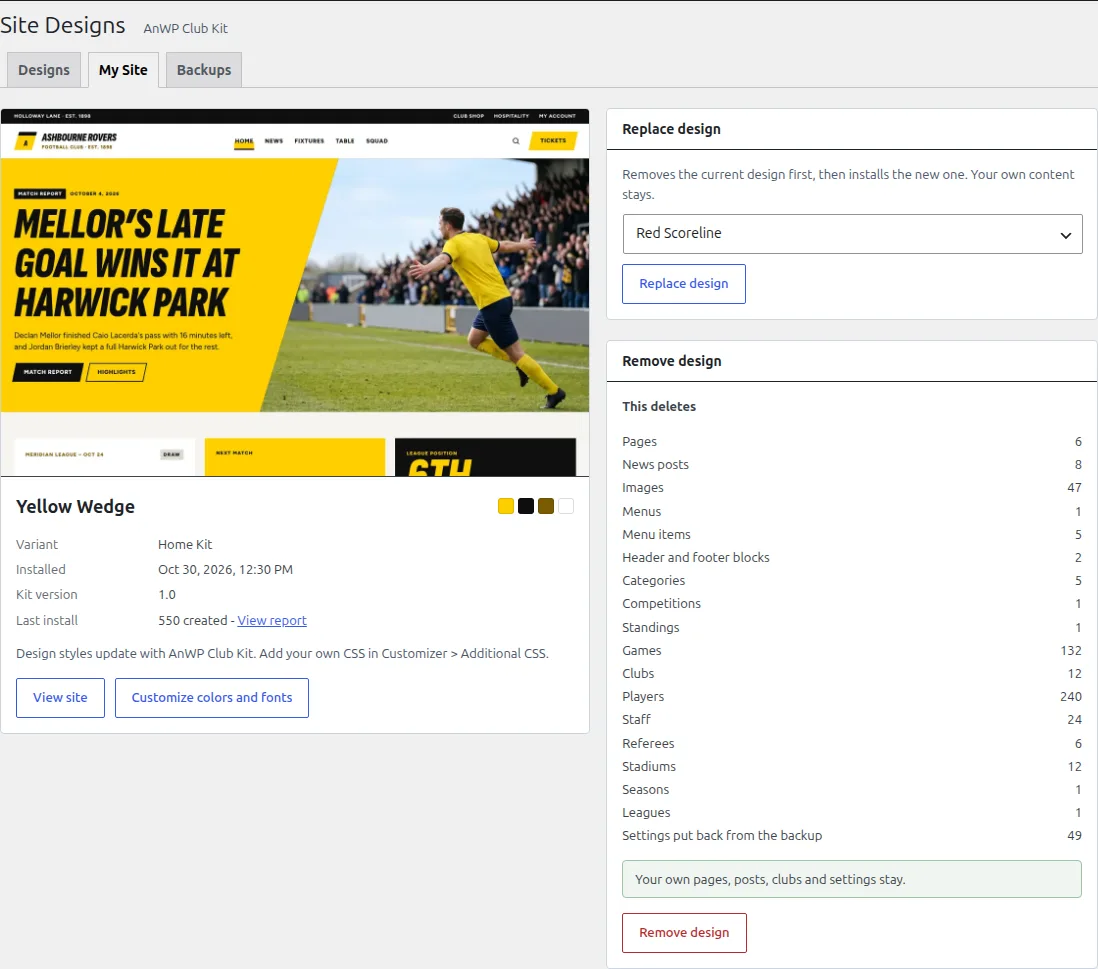
My Site shows the installed design, its variant and kit version, and what the last install created. View report opens that install’s full report, and Customize colors and fonts opens the Kadence Customizer.
Replace the design
Only one design is installed at a time. Replace removes the current design first, then installs the new one. Your own content stays.
- In Replace design, pick the new design and click Replace design.
- Check what gets deleted, and whether your settings should come back from the backup (see Remove below).
- Confirm. The report shows the removal first (“… was removed first”), then the new install.
Before anything is removed, the new design is checked against the requirements. If it can’t be installed, nothing is removed.
Remove the design
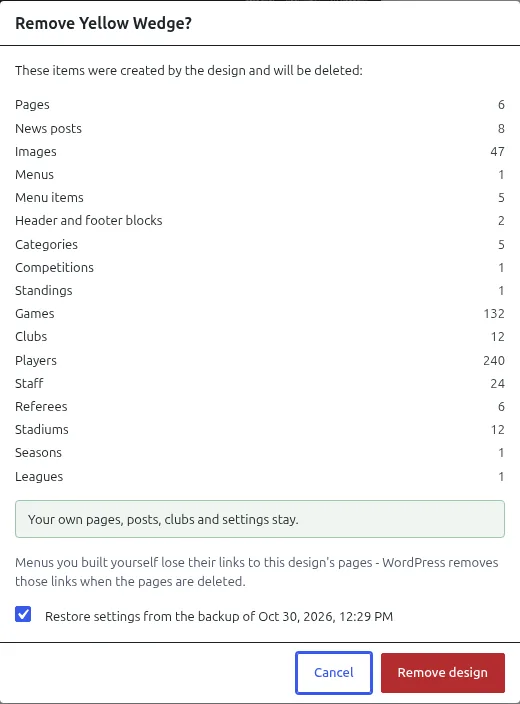
Click Remove design on My Site. The dialog lists everything the design created, with a count per type (pages, news posts, images, menus, clubs, players, games and so on). Only those items are deleted.
| Removed | Stays |
|---|---|
| Pages, news posts, images, categories and tags the design added | Pages and posts you created yourself |
| The design’s menu, header and footer blocks | Your own menus (links in them to the design’s pages are dropped, because those pages are deleted) |
| The design’s clubs, players, games, competitions and seasons | Your own football data, including seasons and leagues the design shared with yours |
| The design’s player page layout: it’s switched off and your previous layout comes back | A layout you edited after the install |
Edited design pages are deleted too
A page or post the design added is removed even if you changed it afterwards, and it doesn’t go to the trash. Copy any text you want to keep into a page of your own before you remove or replace the design. That includes the partner logos you set up on the home page.
Your settings
By default, Restore settings from the backup is ticked. The settings the design changed (theme style, Football Leagues settings, header) go back to how they were before the install. Untick it to keep your settings as they are now and delete only the design’s content.
Either way, your settings from just before the removal are saved as a new backup first, so you can get them back from the Backups tab.
Backups
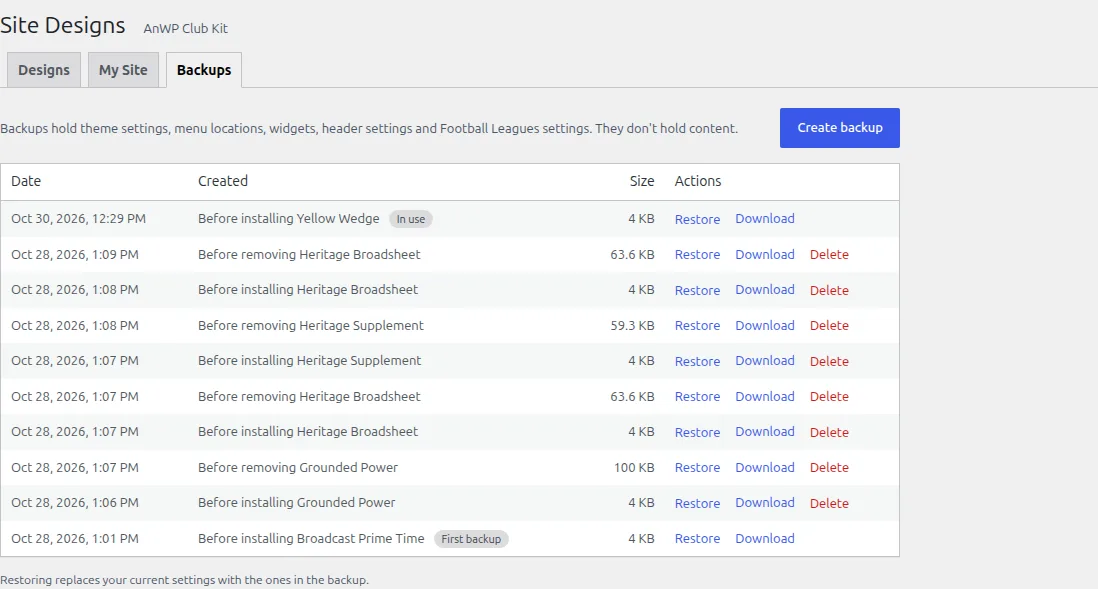
AnWP Club Kit saves a backup of your settings before every install, before every removal and before every restore. You can also click Create backup at any time. A backup holds theme settings, menu locations, widgets, header settings and Football Leagues settings. It doesn’t hold content: no pages, posts or football data.
| Action | What it does |
|---|---|
| Restore | Replaces your current settings with the ones in the backup. A backup of your current settings is created first. |
| Download | Saves the backup as a file, for your records or for support. |
| Delete | Deletes the backup. Not available for the two protected backups below. |
- First backup: your settings from before any design was installed. It can’t be deleted.
- In use: the backup taken before the installed design. Removing the design restores its settings from it, so it can’t be deleted while the design is installed.
🆘 Troubleshooting
“Not removed yet” after a removal
Some items couldn’t be deleted in that run. Click Remove again to retry. The remaining items are still tracked, so nothing is lost.
The install backup is missing
If the backup taken before the design was installed is gone, the Remove dialog says so and can’t restore your settings. You can still remove the design and keep your current settings.