

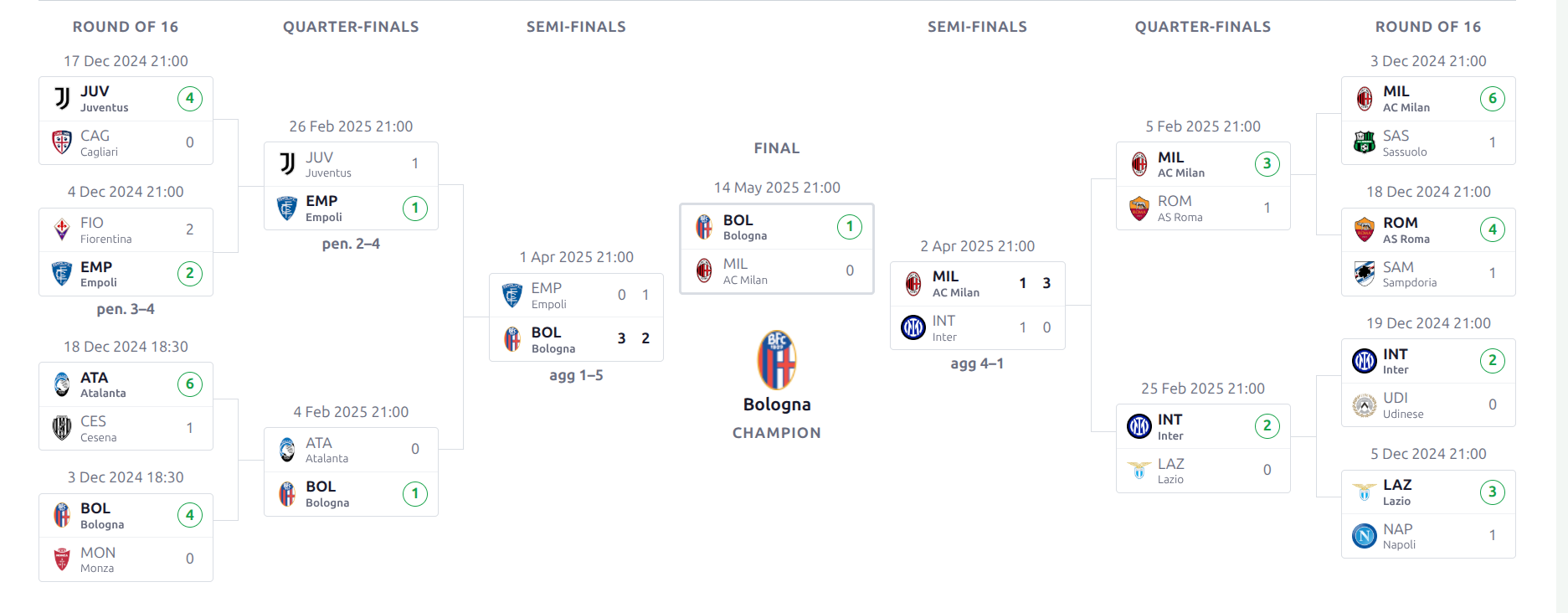
The Advanced Bracket is a knockout tournament bracket that fills itself in from your match results. Wire each slot to the winner or loser of an earlier match-up (or a group’s final standing), and as games finish the bracket advances teams automatically – all the way to the champion.
Premium Feature
The Advanced Bracket requires the Football Leagues Premium plugin. It coexists with the classic Bracket – existing competitions are untouched.
🎯 What it does
- Self-filling – winners (and losers, for 3rd-place or consolation games) advance automatically as matches finish.
- Two-legged ties – shows each leg’s score plus the aggregate.
- Group qualifiers – a slot can point at a group’s final standing position (e.g. “Winner of Group A”).
- Byes – skip a team straight through to the next round.
- Optional 3rd-place game, shown below the final.
- Two layouts – Mirror (centered) or Linear (left-to-right).
- Works on normal competitions and on imported (lazy) cup competitions.
🚀 Enable it
On a normal competition stage
Open the competition stage in the Tournament builder (Competitions > edit your competition), and set Bracket Layout to the Advanced Bracket. The bracket builder then appears for that stage.
On an imported (lazy) cup
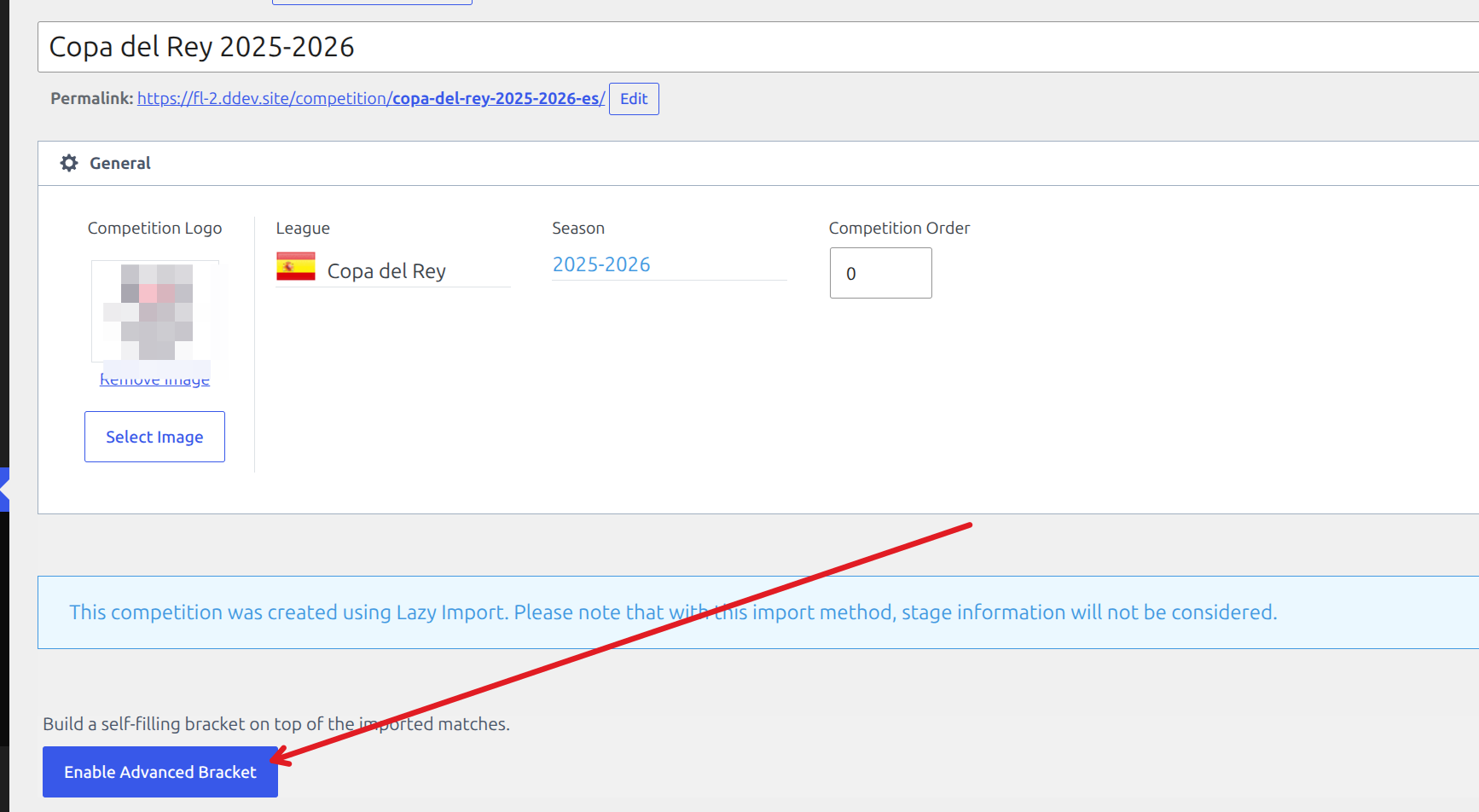
Lazy-imported competitions don’t carry stage information, so open the competition and click Enable Advanced Bracket to build a bracket on top of the imported matches.
🧱 Build the bracket
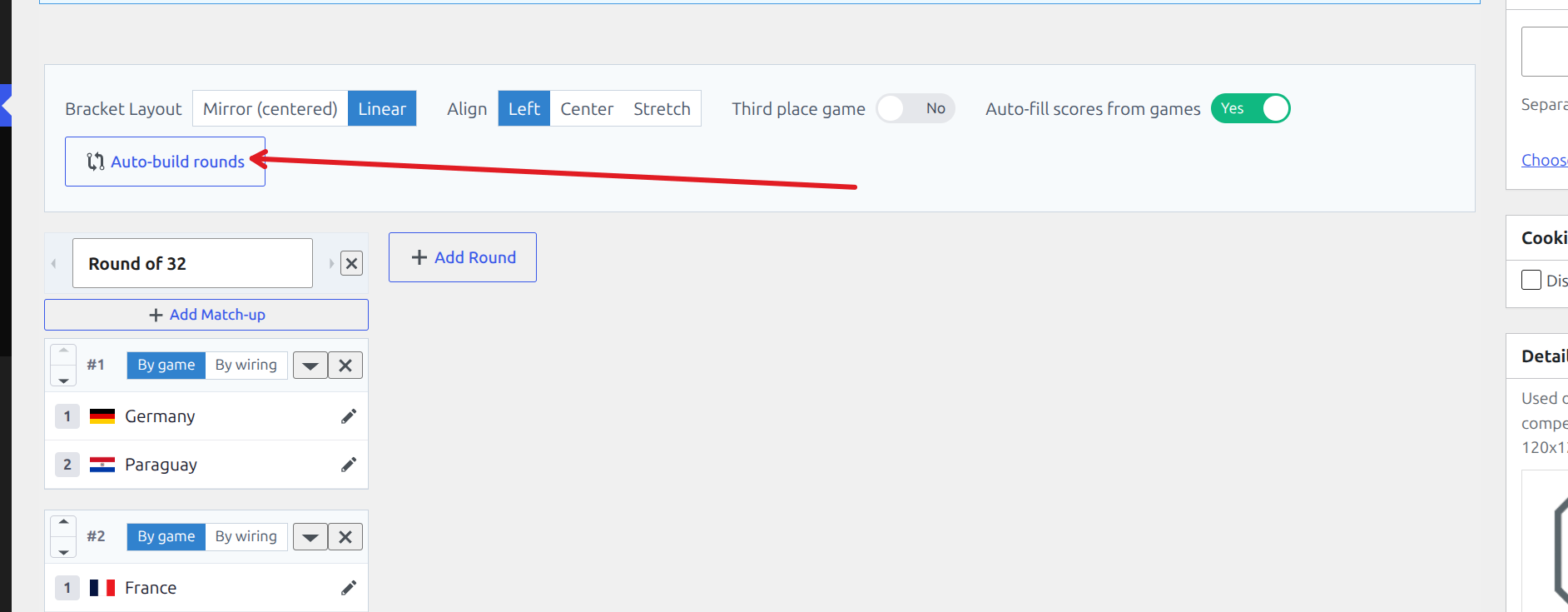
The builder toolbar holds the bracket-wide options: layout, third-place game, auto-fill, and the Auto-build rounds shortcut.
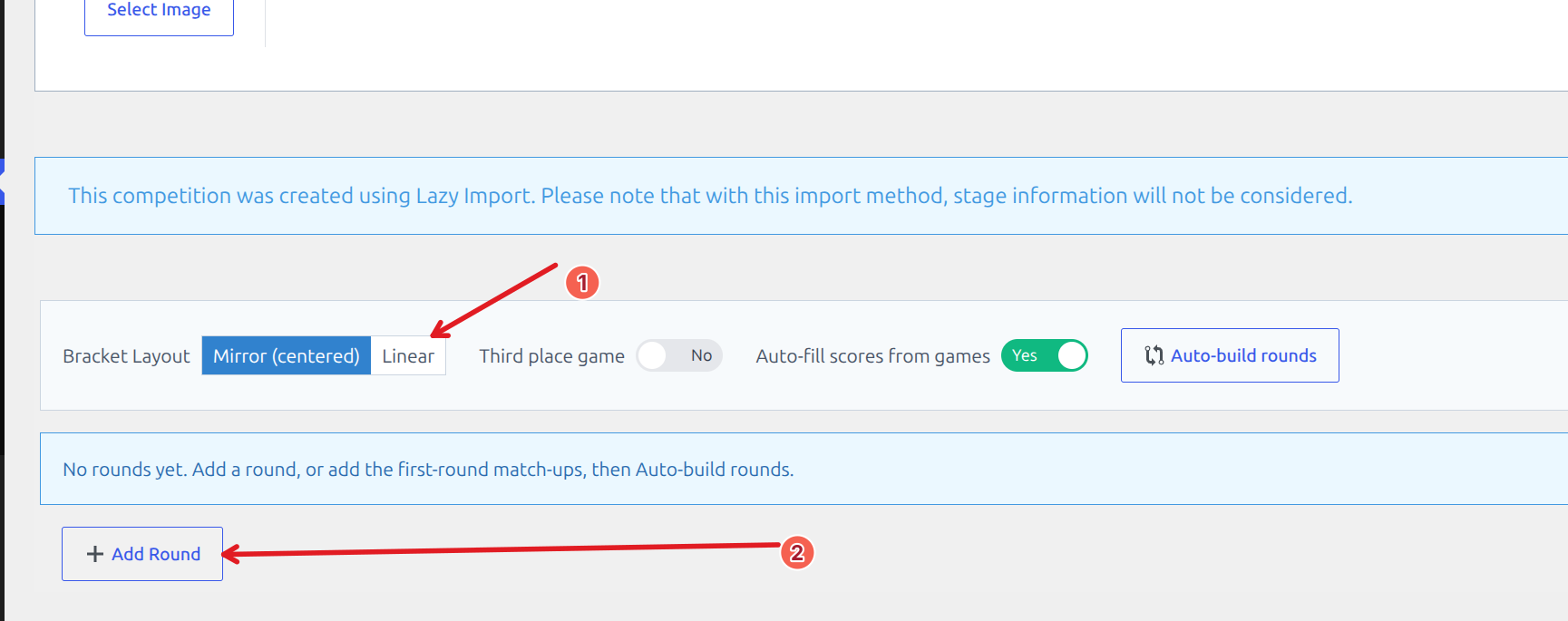
Step 1 – Add a round
Click Add Round and name it (Round of 32, Quarter-finals, and so on). Use the arrows to reorder rounds and the ✕ to remove one.
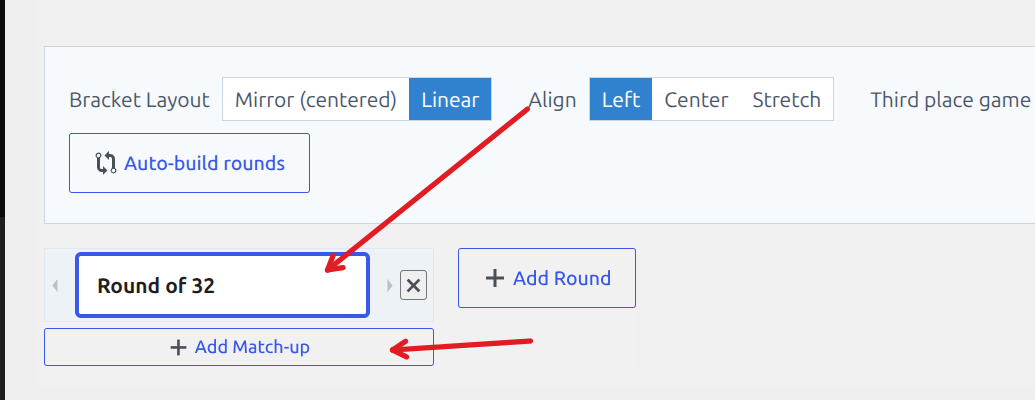
Step 2 – Add match-ups
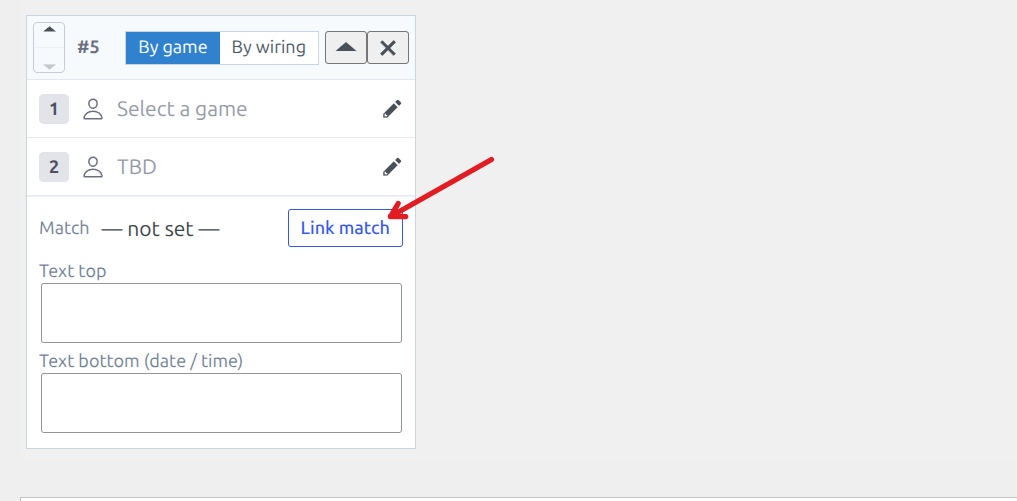
Click Add Match-up inside a round. Each match-up has two slots, and you fill them one of two ways with the By game / By wiring toggle:
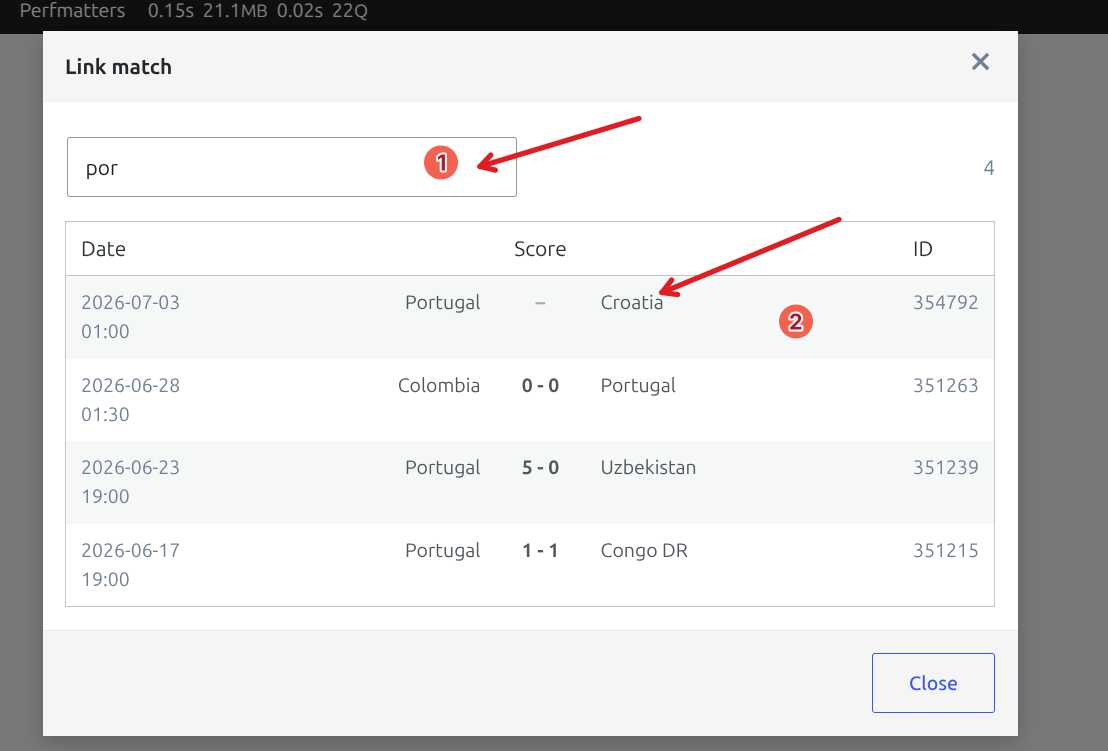
- By game – link a real match. The teams and score come straight from it. Click Link match to search and pick the game.
- By wiring – point the slot at the Winner or Loser of an earlier match-up, or a group’s standing position. The slot resolves on its own as results come in.
The Link match window lets you search by team and pick the game by date – the match ID is shown on the right.
Step 3 – Auto-build the later rounds
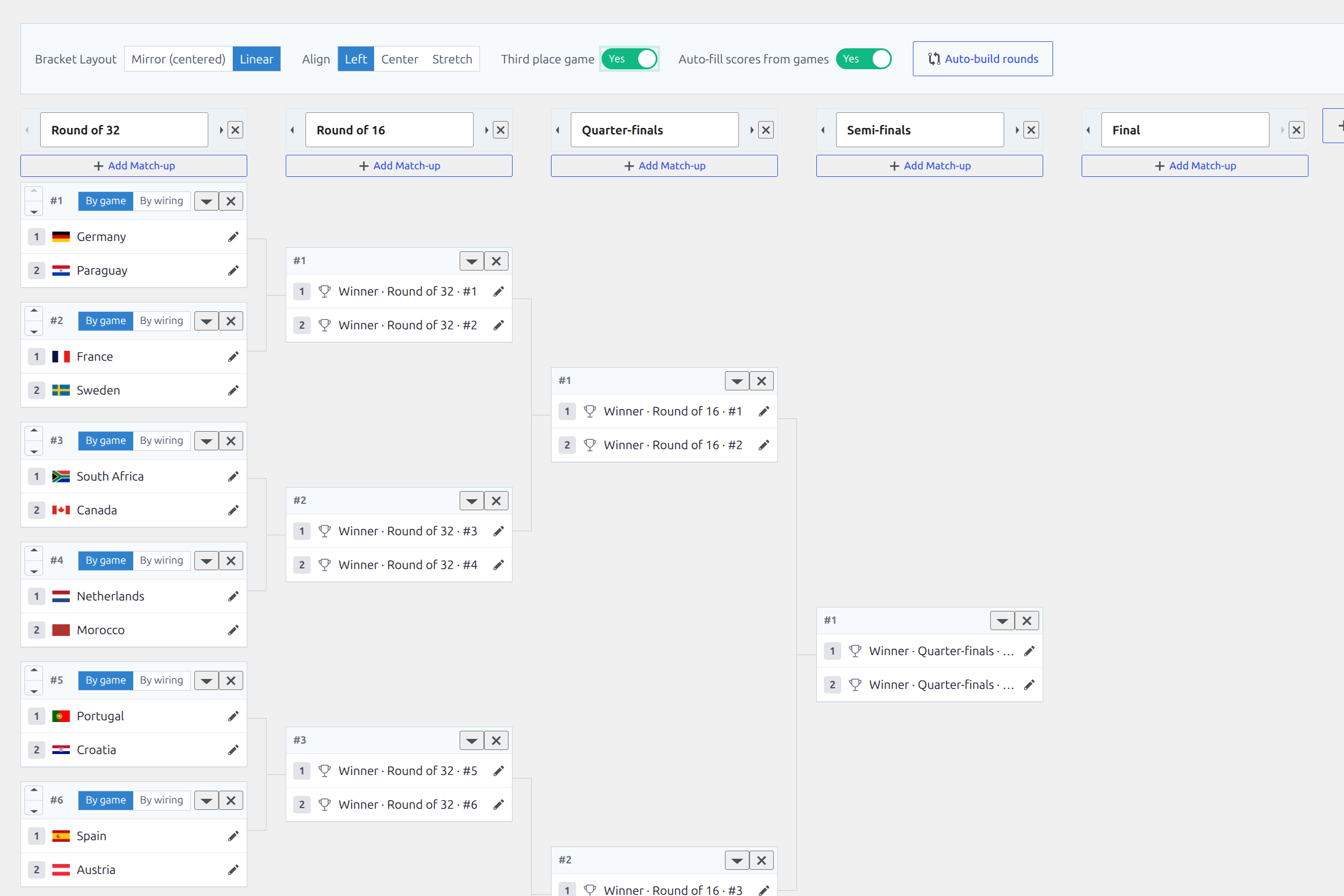
Build only the first round with real games, then click Auto-build rounds. The bracket generates every later round for you, with each slot already wired to the winner of the matching earlier match-up.
Tip
Leave Auto-fill scores from games on. When both teams in a wired match-up become known, the bracket finds the matching game between them and pulls in the score by itself.
🎨 Layout options
| Option | What it does |
|---|---|
| Mirror (centered) | Rounds fan out from both sides toward a centered final – the classic TV bracket. |
| Linear | Rounds run left-to-right. Adds an Align choice: Left, Center, or Stretch (Stretch widens the connectors to fill the width). |
| Third place game | Adds a 3rd-place match below the final. |
| Auto-fill scores from games | Pulls the score for a wired match-up once both teams are known. |
📺 Show it on your site
- Competition page – the bracket shows automatically on the competition’s page.
- Layout Builder – add a Bracket or Standings block to a layout.
- Shortcode – place it anywhere with
[anwpfl-bracket-advanced].
[anwpfl-bracket-advanced competition_id="123"]Shortcode parameters
| Parameter | Default | Description |
|---|---|---|
competition_id | (required) | The competition stage ID whose Advanced Bracket you want to show. |
🆘 Troubleshooting
- Bracket is empty or doesn’t show – confirm the Advanced Bracket is enabled: set the stage’s Bracket Layout, or on a lazy-imported cup click Enable Advanced Bracket.
- Teams aren’t advancing – check that the next round’s slots are By wiring and point at the right earlier match-up, and that the linked games are finished. Keep Auto-fill scores from games on.
- Scores not pulled in – a wired match-up only auto-fills once both teams are known and a finished game exists between them.
📚 Related
- Bracket shortcode – the classic, manually-arranged bracket.