

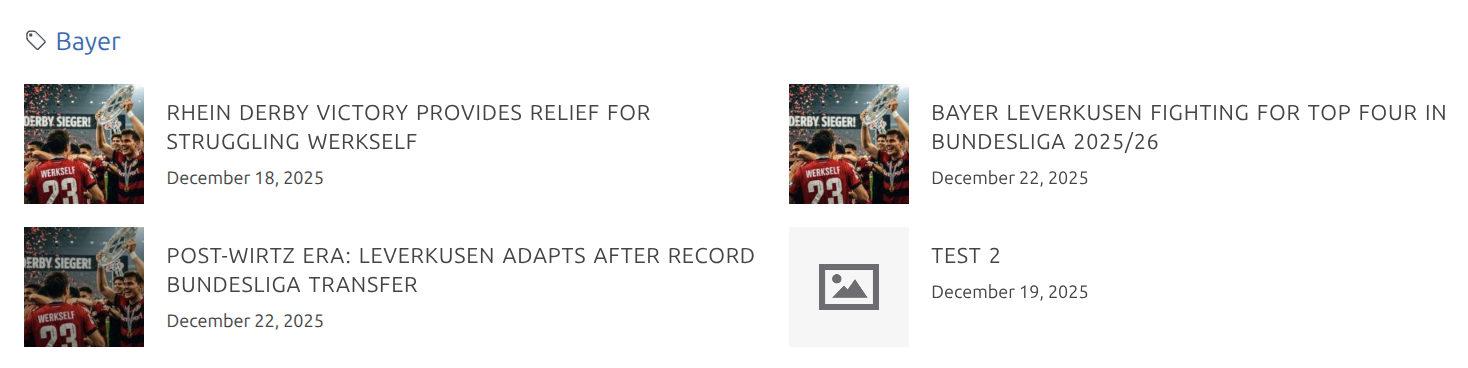
Displays blog posts linked to Football Leagues entities (clubs, players, matches, etc.). Posts can be linked via Direct Entity Links or Tag-based Links — the shortcode merges results from both methods automatically.
Basic Usage
[anwpfl-tag-posts id="123"]Replace 123 with the ID of your entity (club, player, match, competition, staff, or referee).
All Parameters
| Parameter | Type | Default | Description |
|---|---|---|---|
id * | int/string | (required) | Entity ID. Comma-separated for multiple entities |
limit | int | 10 | Maximum posts to display. Use 0 for unlimited (capped at 100) |
show_tags | int | 1 | Show tag links above posts. 1 = yes, 0 = no |
layout | string | grid | Display style: grid or simple |
min_width | int | auto | Minimum card width: 150, 200, 250, 300, 350, 400 |
* = Required
Parameter Details
id (required)
- The post ID of the entity you want to show linked posts for
- Find entity IDs in the admin edit screen URL or use FL Selector
- Can be multiple IDs separated by commas:
id="123,456,789"
limit
- Controls maximum number of posts shown
- Default: 10 posts
- Set to
0for unlimited (server-enforced max: 100)
show_tags
- When enabled (
1), displays clickable tag links above the posts - Tags link to their archive pages
- Set to
0to hide tag links
layout
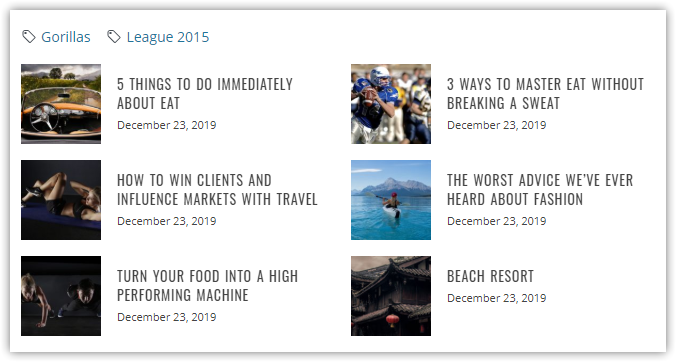
grid— Card layout with thumbnail, title, and date (default)simple— Text-only links, more compact
min_width
- Sets minimum width for grid items
- Column count auto-adjusts based on container width
- Valid values:
150,200,250,300,350,400 - If omitted:
350for grid layout,200for simple layout
Examples
Display Posts for a Club
[anwpfl-tag-posts id="42"]Shows up to 10 posts linked to club ID 42.
Limit to 6 Posts
[anwpfl-tag-posts id="42" limit="6"]Show All Linked Posts
[anwpfl-tag-posts id="42" limit="0"]Displays all posts (up to server max of 100).
Simple Text Layout
[anwpfl-tag-posts id="42" layout="simple"]Compact text links without thumbnails.
Hide Tag Links
[anwpfl-tag-posts id="42" show_tags="0"]Hides the tag links section above posts.
Multiple Entities
[anwpfl-tag-posts id="42,43,44" limit="12"]Shows posts linked to any of the specified entities, merged and deduplicated.
Wide Cards
[anwpfl-tag-posts id="42" min_width="400"]Larger cards for featured content presentation.
Compact List
[anwpfl-tag-posts id="42" layout="simple" min_width="150"]Very compact text list with narrow columns.
Full Featured Example
[anwpfl-tag-posts id="42" limit="8" show_tags="1" layout="grid" min_width="300"]8 posts, tags visible, grid layout, 300px min card width.
Layout Comparison
Grid Layout
[anwpfl-tag-posts id="42" layout="grid"]- Featured image thumbnail
- Post title
- Publication date
- Card-based presentation
- Default min-width: 350px
- Best for: Visual blogs, news sites, content-rich pages
Simple Layout
[anwpfl-tag-posts id="42" layout="simple"]- Text links only
- No thumbnails
- Compact display
- Default min-width: 200px
- Best for: Sidebars, dense information, mobile-first designs

Fluid Grid Behavior
The shortcode uses CSS Grid with auto-fit, meaning columns automatically adjust based on available width:
| Container Width | 350px min (grid) | 200px min (simple) |
|---|---|---|
| 400px | 1 column | 1-2 columns |
| 700px | 2 columns | 3 columns |
| 1050px | 3 columns | 5 columns |
| 1400px | 4 columns | 7 columns |
Template Override
The shortcode template can be overridden in your theme:
- Copy
templates/shortcode-premium-tag-posts.phpfrom the premium plugin - Paste to
yourtheme/anwp-football-leagues/shortcode-premium-tag-posts.php - Modify as needed
Troubleshooting
Shortcode Displays as Text
In Gutenberg:
- Add a Shortcode block first
- Paste the shortcode inside the block
In Classic Editor:
- Switch to Text mode (not Visual)
- Paste the shortcode
No Posts Appear
- Check the entity ID — Verify it exists and is published
- Check post status — Linked posts must be published, not draft
- Verify linking method:
- For Direct Links: Check the “FL Entity Links” metabox on the post
- For Tags: Ensure exact tag name match between entity and posts
- Check post types — By default, only
posttype is included
Wrong Posts Appear
- For tag-based linking: A shared tag may be linking unintended posts
- Check which tags are assigned to the entity
- Consider using Direct Entity Links for precise control
Widget Areas Don’t Work
Some themes/widgets don’t process shortcodes. Solutions:
- Use a widget that explicitly supports shortcodes
- Use the
do_shortcode()function in custom code - Consider Layout Builder integration instead
Tip
Use the Shortcode Builder tool in FL Settings to generate shortcodes with the correct syntax.