

Write one email template, then send a finished game’s result to your club contacts with a single click. The template is filled in from the game record: score, scorers, cards, lineups, referee, stadium, attendance, and about fifty other values.
Nothing is sent automatically
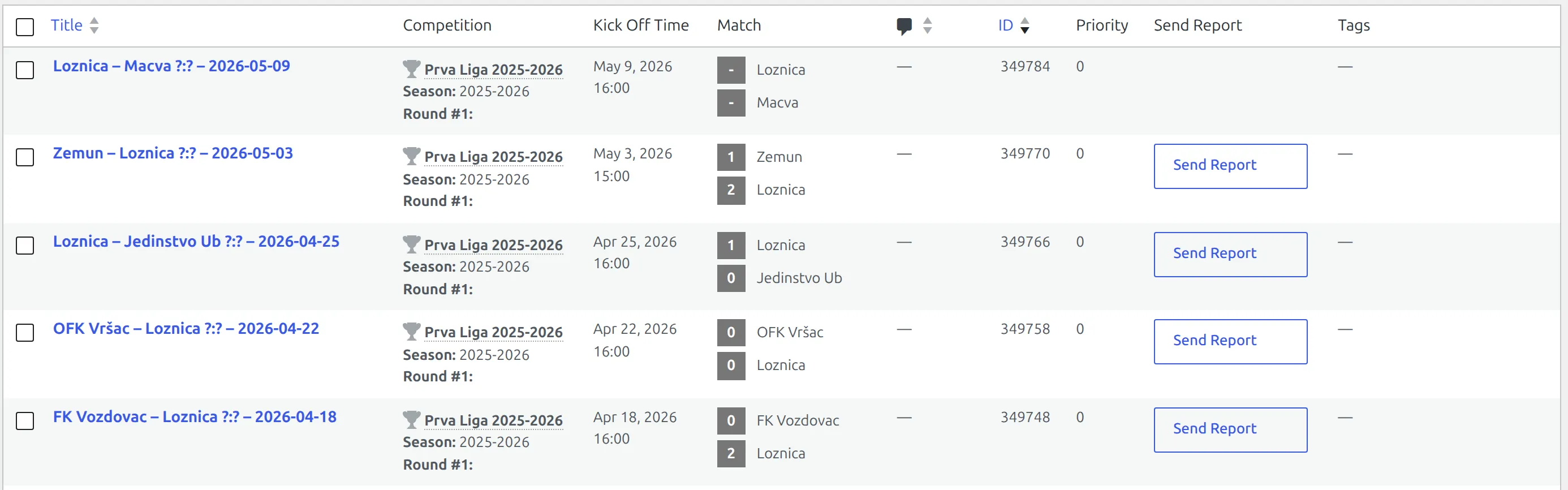
The only way a report goes out is a person clicking Send Report. Finishing a game doesn’t send one, saving a game doesn’t send one, and importing a result from the API doesn’t send one. The feature is still marked [BETA] in the settings.
🚀 Turning it on
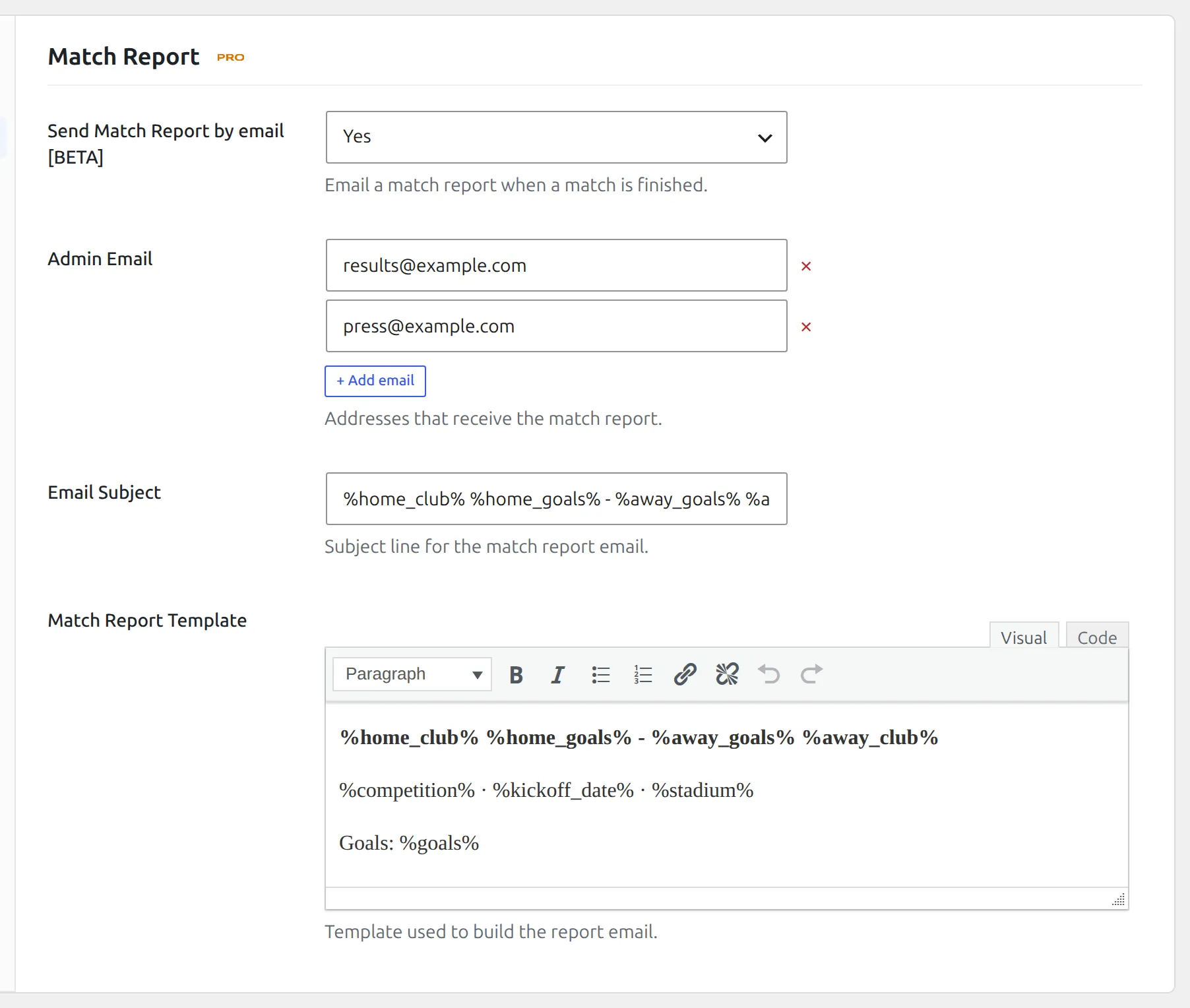
Go to Settings & Tools > Settings, open the Features group and pick Match Report. Direct link: admin.php?page=anwp-fl-settings#match_report. Set Send Match Report by email [BETA] to Yes and the other three fields appear.
| Field | Default | What it does |
|---|---|---|
| Send Match Report by email [BETA] | No | Turns the whole feature on. Adds the Send Report column to the Games list and the Report Email field to every club. |
| Admin Email | (empty) | Addresses that get a copy of every report. Click Add email for each one. |
| Email Subject | (empty) | The subject line. Placeholders work here too, so %home_club_title% %home_goals%-%away_goals% %away_club_title% is a good starting point. |
| Match Report Template | (empty) | The body of the email. This is a rich text editor and there’s no separate template file – what you type here is what gets sent. |
Line breaks in the template are converted to HTML before sending, so you can write plain paragraphs and they’ll arrive looking the way you typed them. The email goes out as HTML, so links and basic formatting work.
Who receives it
Each send builds its recipient list from two places:
- Every address in Admin Email on the settings page.
- Every address in Report Email on the home club and the away club.
The list is de-duplicated, so an address that appears in more than one of those places still gets exactly one email. Anything that isn’t a valid email address is skipped.
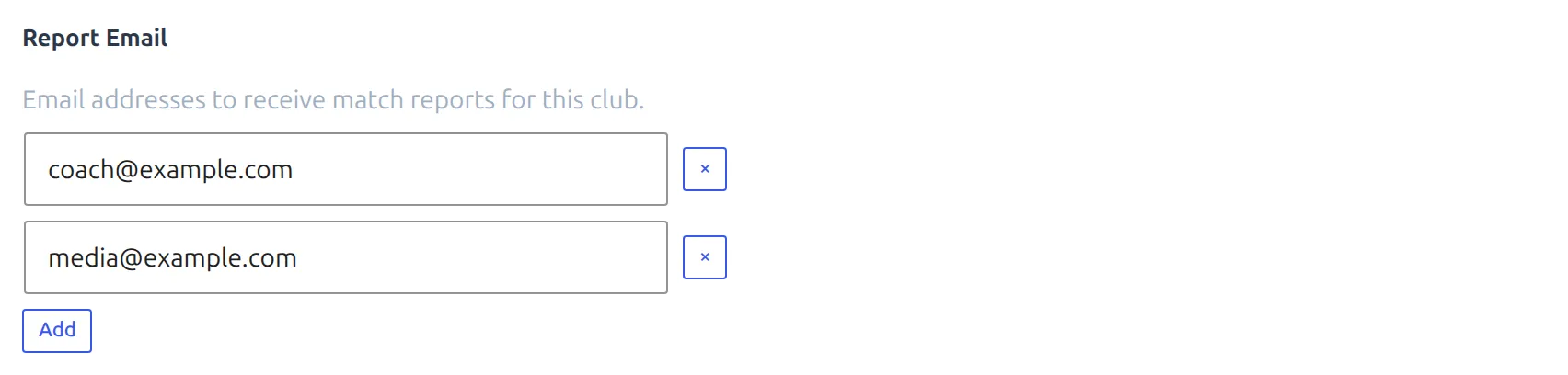
To set a club’s addresses, open the club, go to the Premium Options tab and find Report Email. Add as many as you need.
Can’t find Report Email on the club?
The field only appears once Send Match Report by email is set to Yes. Turn the feature on first, then reload the club editor.
Sending a report
Go to Competitions > Matches. With the feature on, the games list gains a Send Report column, and a Send Report button sits in it on every game marked Finished. Unfinished games show an empty cell – there’s no way to send a report for a game that hasn’t been played.
Click the button, watch the spinner, and a notification tells you what happened: Report sent to 3 recipient(s) on success, or a message explaining why nothing went out. You can send the same report as many times as you like – each click sends again.
Anyone who can edit that particular game can send its report. You don’t need to be an administrator, so a club editor with rights over their own club’s games can send those reports without you handing them the keys to the site.
📋 Placeholders
Anywhere you type one of these in the subject or the template, it’s swapped for the game’s value. Placeholder names aren’t case sensitive. A placeholder the plugin doesn’t recognise is left in the email exactly as you typed it, so a typo shows up as literal %hoem_goals% text in the message – a good reason to send yourself a test first.
Where the game has no value for something – no fourth official, no stadium – the placeholder is replaced with nothing at all rather than left behind.
IDs
| Placeholder | Value |
|---|---|
%match_id% | Game ID |
%competition_id% | Competition ID. On a multistage competition this is the ID of the main competition, not the stage. |
%season_id% | Season ID |
%league_id% | League ID |
%matchweek% | Matchweek number |
%home_id% | Home club ID |
%away_id% | Away club ID |
Names
| Placeholder | Value |
|---|---|
%home_club_title% | Home team name |
%away_club_title% | Away team name |
%competition_title% | Competition name. On a multistage competition this is the stage the game belongs to, such as “Group A”, so it won’t always match %competition_id%. |
%season_title% | Season name |
%league_title% | League name |
Date and time
| Placeholder | Value |
|---|---|
%match_date% | Game date, using your Custom Match Date format if you set one, otherwise the WordPress date format. |
%match_time% | Kick-off time, using your Custom Match Time format if you set one, otherwise the WordPress time format. |
%kickoff% | Also the game date. It uses your Custom Match Date format if you set one, and falls back to 2025-08-17 rather than to the WordPress format. It does not include the time. |
Both custom formats live under Settings & Tools > Settings > Configuration > Formats & Search, in the Date & Time Format group: admin.php?page=anwp-fl-settings#display. They’re empty by default.
Score and match numbers
| Placeholder | Value |
|---|---|
%home_goals% / %away_goals% | Final score |
%home_goals_half% / %away_goals_half% | Half-time score |
%attendance% | Attendance |
%home_cards_y% / %away_cards_y% | Yellow cards |
%home_cards_yr% / %away_cards_yr% | Second yellows |
%home_cards_r% / %away_cards_r% | Straight reds |
%home_cards% / %away_cards% | All cards added up – yellows plus second yellows plus straight reds |
%home_corners% / %away_corners% | Corners |
%home_fouls% / %away_fouls% | Fouls |
These read the team statistics saved on the game. A stat you never filled in comes through as 0, not as blank.
Officials, stadium and coaches
| Placeholder | Value |
|---|---|
%ref_main_name% | Main referee |
%ref_a1_name% | First assistant |
%ref_a2_name% | Second assistant |
%ref_4_name% | Fourth official |
%stadium_title% | Stadium name |
%stadium_address% | Stadium address |
%stadium_city% | Stadium city |
%stadium_capacity% | Stadium capacity |
%stadium_surface% | Playing surface |
%coach_home% | Home coach |
%coach_away% | Away coach |
Lineups, scorers and cards as text
These build a ready-made sentence out of the game’s events, so you don’t have to assemble one yourself.
| Placeholder | Value |
|---|---|
%lineups_home% | Home starting eleven, with substitutes in brackets after the player they replaced |
%lineups_away% | Away starting eleven, same format |
%goals_text% | Scorers with minutes, marking own goals and penalties |
%goals_text_player_club% | The same, with each scorer’s club in brackets |
%cards_text% | Every booked player with the minute, labelling second yellows and straight reds |
%cards_text_y% | Yellow cards only |
%cards_text_yr% | Second yellows only |
%cards_text_r% | Straight reds only |
%cards_text_player_club% | All cards, with each player’s club in brackets |
%cards_text_y_player_club% | Yellow cards, with club |
%cards_text_yr_player_club% | Second yellows, with club |
%cards_text_r_player_club% | Straight reds, with club |
%comments_list% | A bulleted list of the game’s commentary and key-moment entries |
A lineups line comes out looking like this:
C. Williams, L. Russell, B. Goodwin, O. Douglas, W. Hall, C. Fitzgerald (D. Cook 46'), V. Schmidt (G. Wade 64'), B. Mitchell (J. Mendez 58'), T. Banks (B. Sparks 83', V. Burgess 88'), C. GoodmanThe filtered card placeholders drop the label. %cards_text% gives you J. Mendez 34′ (2nd yellow > red card), while %cards_text_yr% gives you just J. Mendez 34′, because the list is already only second yellows.
A template to start from
%competition_title% - Matchweek %matchweek%

%home_club_title% %home_goals% - %away_goals% %away_club_title%
Half time: %home_goals_half% - %away_goals_half%

%match_date% at %match_time%, %stadium_title%, %stadium_city%
Referee: %ref_main_name%
Attendance: %attendance%

Goals: %goals_text_player_club%
Cards: %cards_text_player_club%

%home_club_title%: %lineups_home%
%away_club_title%: %lineups_away%
Subject line to go with it:
%home_club_title% %home_goals%-%away_goals% %away_club_title% - %match_date%🆘 Troubleshooting
There’s no Send Report button
Two things have to be true. Send Match Report by email must be Yes, which is what creates the column, and the game must be marked Finished, which is what puts a button in that game’s cell. If the whole column is missing, it’s the setting. If the column is there but one row is empty, it’s that game.
“No recipients found”
Neither club in that game has a Report Email, and there’s no Admin Email on the settings page either. Add at least one of them. This is also what you’ll see if every address on file is malformed, since invalid addresses are skipped.
“The report could not be sent”
There were recipients but WordPress couldn’t hand a single message to your mail server. This is a site-wide mail problem rather than a plugin one – most WordPress installs can’t send mail reliably without an SMTP plugin. Test with any mail-logging or SMTP plugin and you’ll usually find the same failure on password resets and comment notifications.
The email arrived empty
Match Report Template is blank. There’s no built-in default body, so an empty template sends an empty email. Write the template before you send anything.
Goals, cards or lineups came through empty
Those placeholders read the game’s events and lineups, not the score. A game where you typed 2-1 into the score boxes but never added the goal events has nothing for %goals_text% to list. Open the game, fill in Match Events and the line-ups, save, and send again.
📚 Related
- Match Commentary – the entries
%comments_list%collects - Match Statistics – where the corners, fouls and attendance numbers come from
- Match Scoreboard – the half-time and full-time scores the report reads