

Display a single match with full details including score, goals, cards, lineups, statistics, and more. Perfect for match reports and featured game displays.
Basic Usage
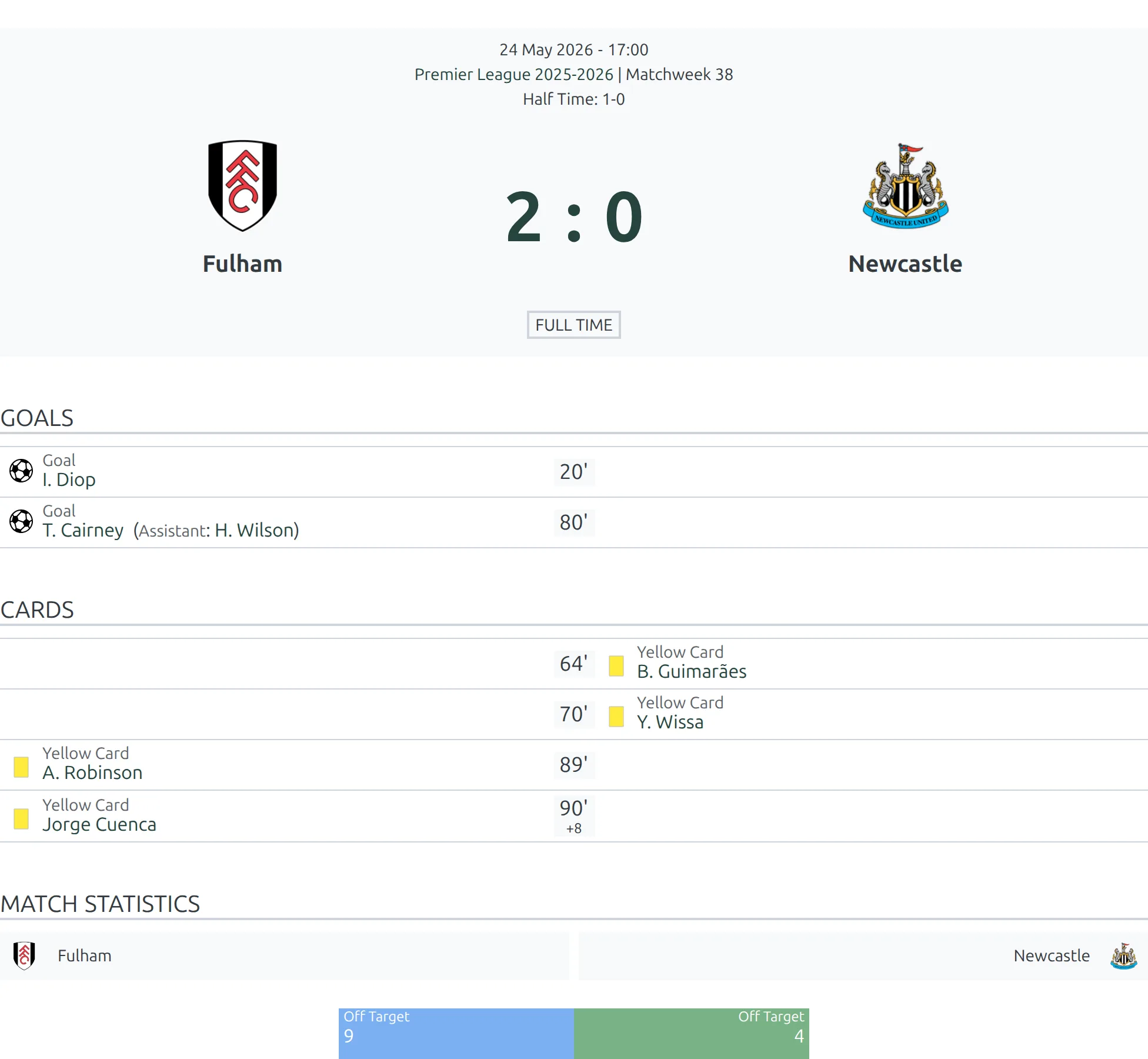
[anwpfl-match match_id="456"]This displays the full match details for match ID 456, including all available sections.
Finding the Match ID
- Go to Football Leagues > Matches in your WordPress admin
- Hover over the match you want to display
- Look at the URL in your browser’s status bar:
post=456 - The number after
post=is your Match ID
All Parameters
| Parameter | Default | Description |
|---|---|---|
match_id |
(empty) | Specific Match ID to display |
club_last |
(empty) | Club ID – displays their most recent finished match |
club_next |
(empty) | Club ID – displays their next upcoming match |
layout |
default | Display layout: default (full details) or slim (compact) |
sections |
(all) | Comma-separated list of sections to display (see below) |
show_header |
1 | Show match header with teams and score. Use 0 to hide |
Tip
Use club_last or club_next instead of match_id to create dynamic displays that automatically update as matches are played.
Available Sections
Control which parts of the match display appear using the sections parameter:
| Section | Description |
|---|---|
goals |
Goal scorers with minute and assist info |
cards |
Yellow and red cards issued |
line_ups |
Starting lineup formations |
substitutes |
Bench players and substitutions made |
stats |
Match statistics (possession, shots, etc.) |
referees |
Match officials |
missed_penalties |
Penalties missed during regular play |
penalty_shootout |
Penalty shootout results (knockout matches) |
summary |
Match summary/description text |
video |
Embedded match video |
missing |
Players who missed the match (injuries, suspensions) |
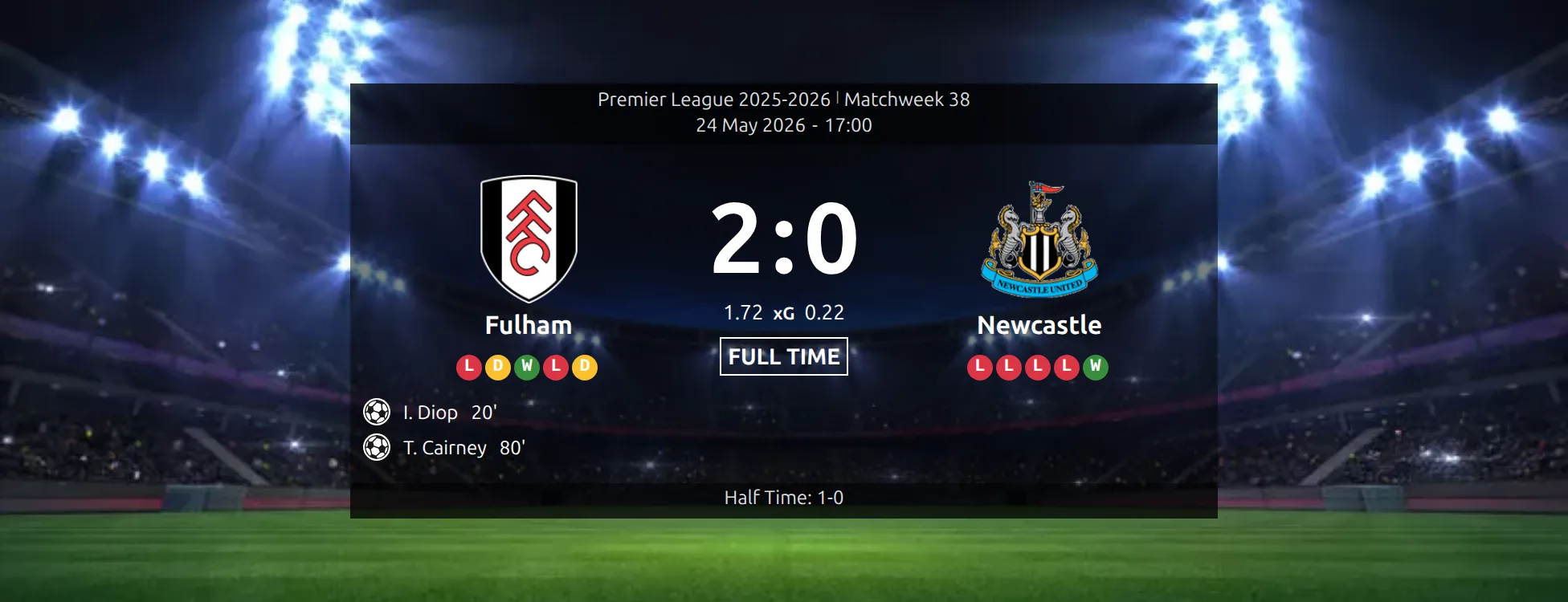
scoreboard (PRO) |
Score panel drawn over a background image, in place of the standard match header |
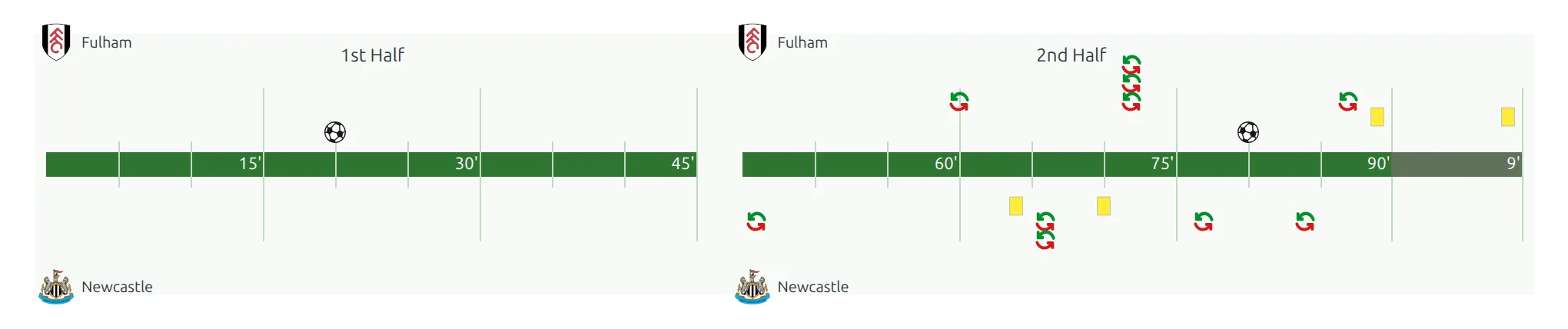
timeline (PRO) |
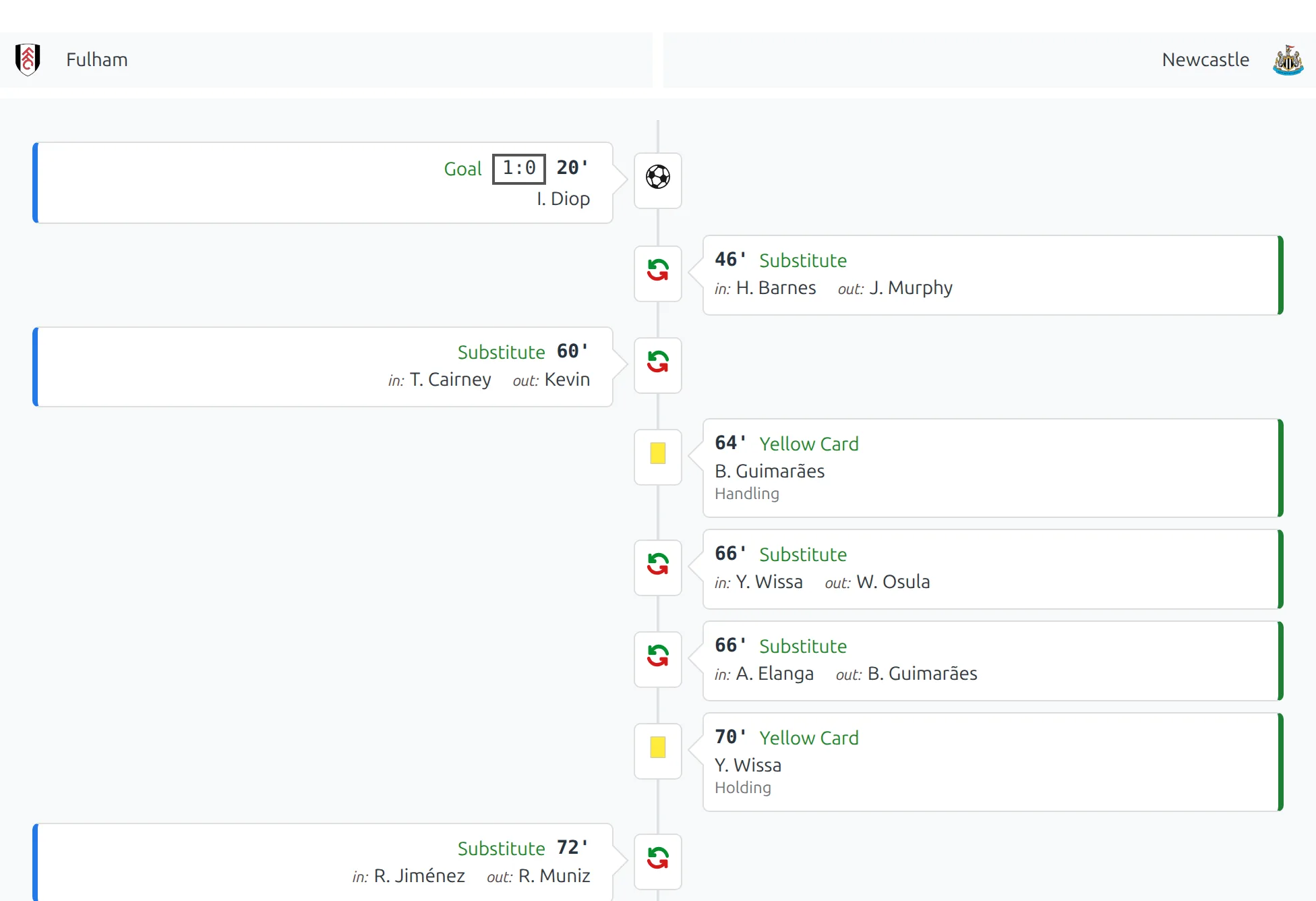
Match events plotted minute by minute across both halves |
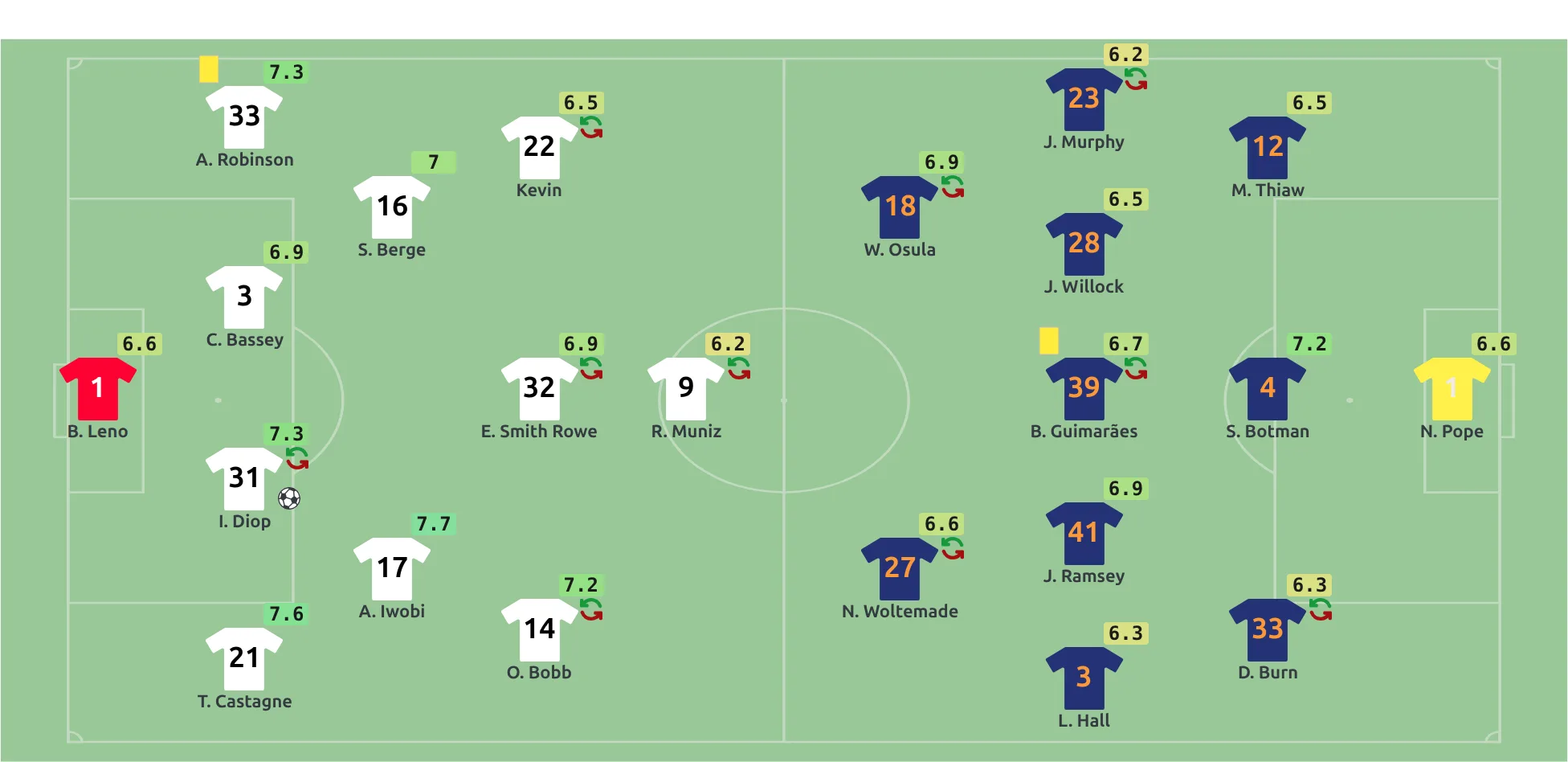
formation (PRO) |
Both starting elevens drawn on the field in their formation, with shirt numbers and player ratings |
commentary (PRO) |
Minute-by-minute written commentary |
h2h (PRO) |
Previous meetings between the same two clubs |
custom-code (PRO) |
Whatever custom HTML you entered on the match edit screen. Renders nothing if that field is empty |
Six sections need the PRO add-on
The free plugin covers the first eleven. PRO adds the six marked above to the same sections parameter, and they appear in the shortcode builder’s Sections dropdown once PRO is active. Without PRO those values are ignored and the section is skipped.
scoreboard replaces the match header
Listing scoreboard in sections suppresses the standard header even when show_header is 1, so you get the scoreboard instead of both. It also needs a background image: set one on the match, its stadium, or the home club. With no image anywhere, the section quietly falls back to the plain match header.
PRO Sections at a Glance
The same game, rendered by each of the four visual PRO sections:
scoreboard
timeline
formation
commentary
Examples
Example 1: Full Match Report
When to use: Dedicated match report page with all details.
[anwpfl-match match_id="456"]Result: Complete match display with all available sections.
Example 2: Goals and Cards Only
When to use: Quick match summary showing only key events.
[anwpfl-match match_id="456" sections="goals,cards"]Result: Compact display showing only goals and disciplinary actions.
Example 3: Lineups and Stats
When to use: Tactical analysis or pre-match preview.
[anwpfl-match match_id="456" sections="line_ups,substitutes,stats"]Result: Starting lineups, bench players, and match statistics.
Example 4: Club’s Last Result (Dynamic)
When to use: On a club page showing their most recent match.
[anwpfl-match club_last="8" sections="goals,cards"]Result: Automatically displays club 8’s most recent finished match. Updates after each game.
Example 5: Club’s Next Match (Dynamic)
When to use: Homepage or sidebar showing upcoming fixture.
[anwpfl-match club_next="8" layout="slim"]Result: Compact display of club 8’s next scheduled match.
Example 6: Slim Layout for Widgets
When to use: Sidebar or small widget area.
[anwpfl-match match_id="456" layout="slim"]Result: Condensed match display suitable for narrow spaces.
Layout Comparison
| Layout | Best For | Features |
|---|---|---|
default |
Match report pages, main content | Full width, all details, section headers |
slim |
Sidebars, widgets, compact spaces | Minimal design, essential info only |
The same game, rendered by each layout:
Default
slim

Troubleshooting
Nothing displays?
- Verify the Match ID exists and is published
- If using
club_last, ensure the club has finished matches - If using
club_next, ensure the club has scheduled fixtures
Section not appearing?
- Sections only show if data exists (e.g., no lineups section if lineups weren’t entered)
- Check spelling: use underscores (e.g.,
line_upsnotlineups)
Dynamic match not updating?
- Clear the plugin cache: FL Settings & Tools > Toolbox > Clear Cache
- Verify new matches are marked as “Finished” for
club_last
Related
[anwpfl-matches]– Display multiple matches with filtering[anwpfl-match-next]– Simpler next match widget (card style)[anwpfl-match-last]– Simpler last result widget (card style)- Gutenberg Block: FL Match block with visual editing