

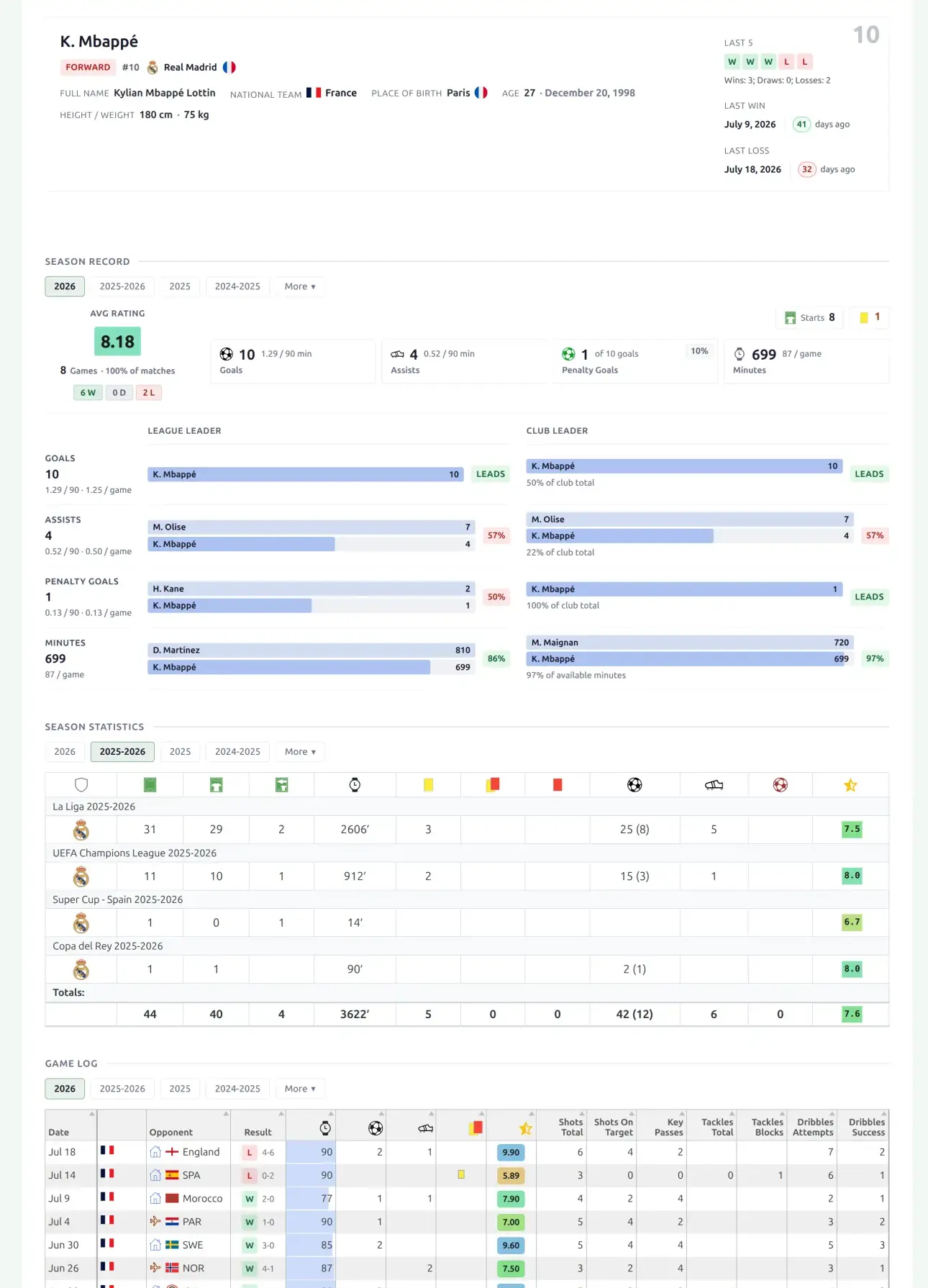
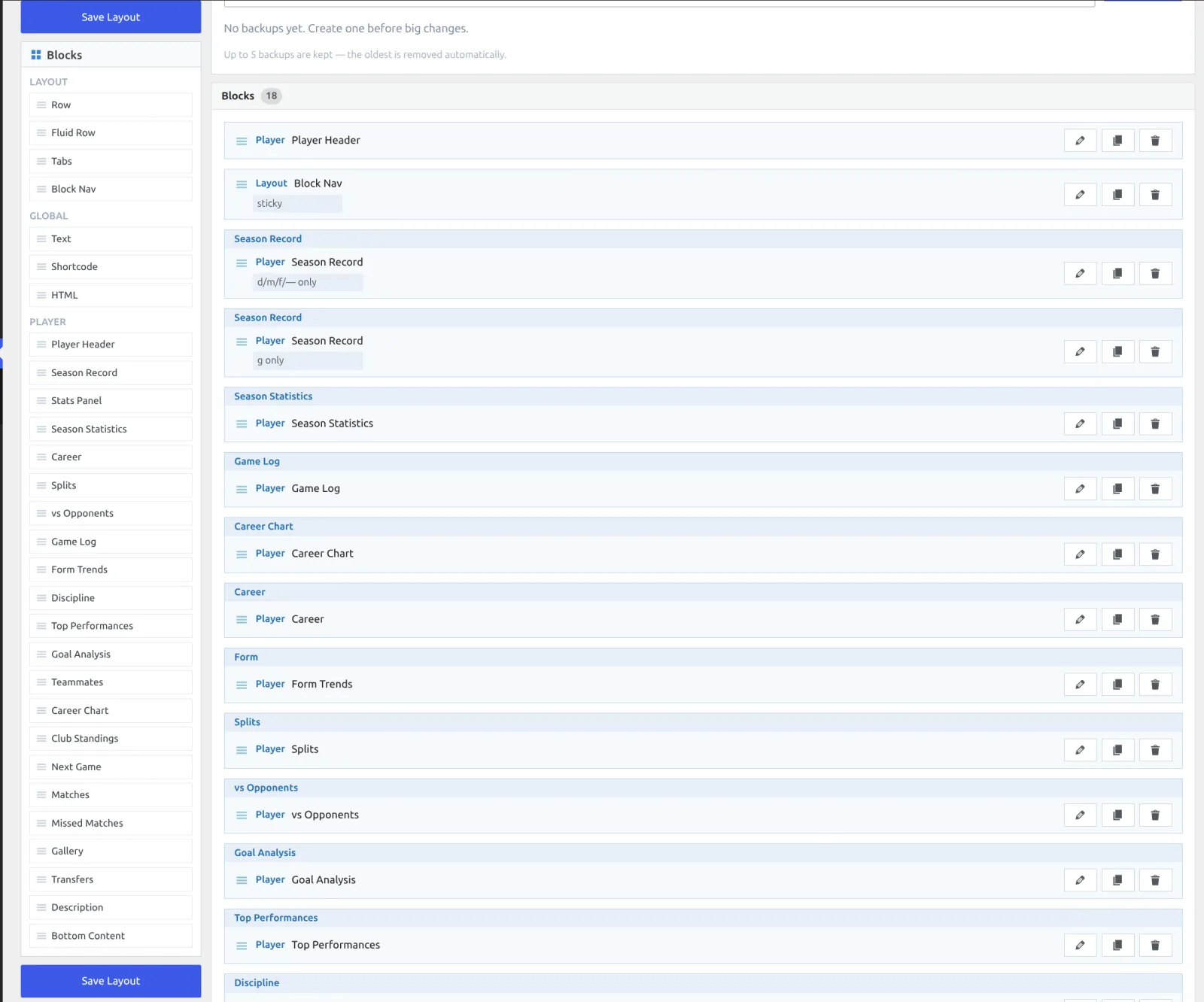
Layout Builder v2 gives your player pages a new, modern design built from drag-and-drop blocks. The default layout is a full profile out of the box: player header, season record, season statistics, game log, career chart and career table, form, splits, vs opponents, goal analysis, top performances, discipline, teammates, missed matches, transfers and bio. Blocks can show or hide by player position, so goalkeepers and field players each get the stats that fit them.
🚀 Turn it on
The new player layout is off until you activate it. Default player pages keep their current look until you do.
- In wp-admin, open Layout Builder → Layouts (v2).
- Open the Player layout.
- Click Activate.
That’s it. Every player page now renders the new design.
What’s on the page
The default player layout ships with these blocks, in this order. You can reorder, hide, or regroup any of them in the builder.
| Block | Shows |
|---|---|
| Player header | Photo, name, position, club, nationality and key facts, plus a last-5 form strip. |
| Section navigation | Jump links to the blocks below. |
| Season record | Games, goals, assists, cards and minutes for the selected season. The default layout ships two copies – one for field players, one for goalkeepers – using position visibility. |
| Season statistics | Season totals broken out per competition. |
| Game Log | Every match with per-game stats in a sortable table – pick which stat columns to show. Goalkeepers get conceded and clean-sheet columns. |
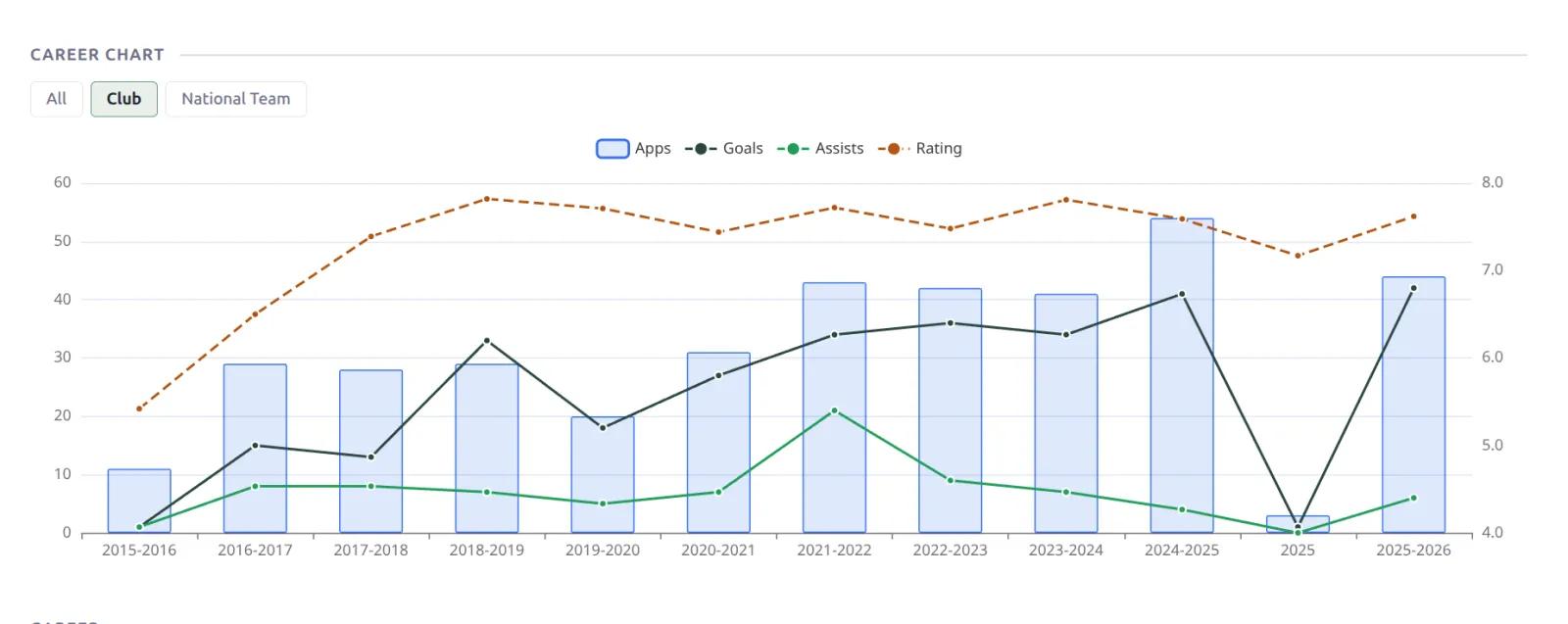
| Career Chart | A season-by-season trajectory of apps, minutes, goals, assists and rating, with All / Club / National Team scope switching when the player has both. |
| Career | The season-by-season career table, grouped by club, with by-season and by-competition rollups and a career total. |
| Form | Rating, goals, assists and G+A as a color-bar timeline, per match or per month. |
| Splits | Home/away, monthly and by-result breakdowns. |
| vs Opponents | The player’s record against each opponent he’s faced most often. |
| Goal Analysis | Penalty vs open-play split, goals per 90, and goal minutes by 15-minute band. |
| Top Performances | The 5 highest-rated matches, with a “matches top rated” counter. |
| Discipline | Card tiles with a cards-per-game rate, plus the player’s suspension history. |
| Teammates | The 10 most frequent teammates by shared appearances. |
| Missed matches | Matches missed through injury or suspension. |
| Transfers | The player’s transfer history. |
| Description | The player’s description text. |
More blocks in the palette
Six more player blocks sit in the builder palette, left out of the default because they need data many sites don’t enter, or because they overlap something already on the page. Drag any of them in:
| Block | Shows |
|---|---|
| Stat panels | Custom stat tiles built from your Player Statistics columns – a wider stat list than Season Record, including your own custom columns. |
| Matches | The season match list, grouped under a competition heading and logo. Game Log covers the same games as a flat sortable table, so pick whichever reads better for you. |
| Club standings | The standings table of the player’s club. |
| Next game | The club’s upcoming fixture. |
| Gallery | The player photo gallery. |
| Bottom content | Your own custom content, below everything else. |
Blocks hide themselves when there’s nothing to show
The career blocks need real data to earn their place: Top Performances wants 5 rated matches, Teammates wants 3 teammates with 5 shared games, Career Chart wants 3 seasons, Goal Analysis wants at least one goal, and Discipline hides on a clean record. A player who doesn’t qualify simply doesn’t get the block – no empty boxes. That’s why the default layout can carry all of them: a squad player with a handful of appearances still gets a short, tidy page, while your stars get the full profile.
Switching seasons
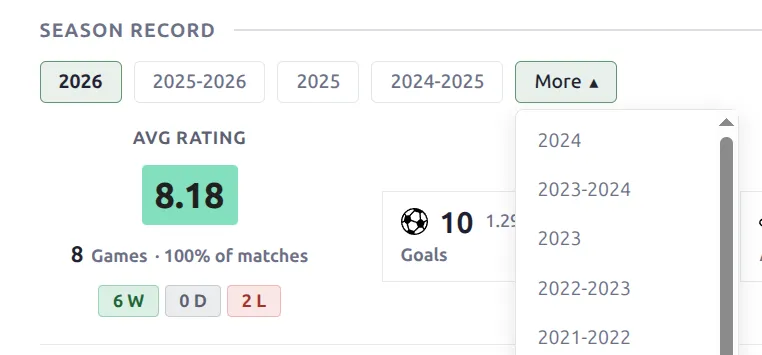
Season-scoped blocks carry their own season pills. Click a pill and just that block updates in place, no reload. Career-profile blocks (Splits, Game Log, Discipline, Top Performances, Goal Analysis, Teammates) default to the whole career, while vs Opponents and Missed matches open on the most recent season with data and keep an All pill one click away – a long career against a hundred opponents is a lot to land on. Blocks with nothing to show for a chosen season say so and keep the pills, so you can always get back to the full-career view.
Show blocks by position
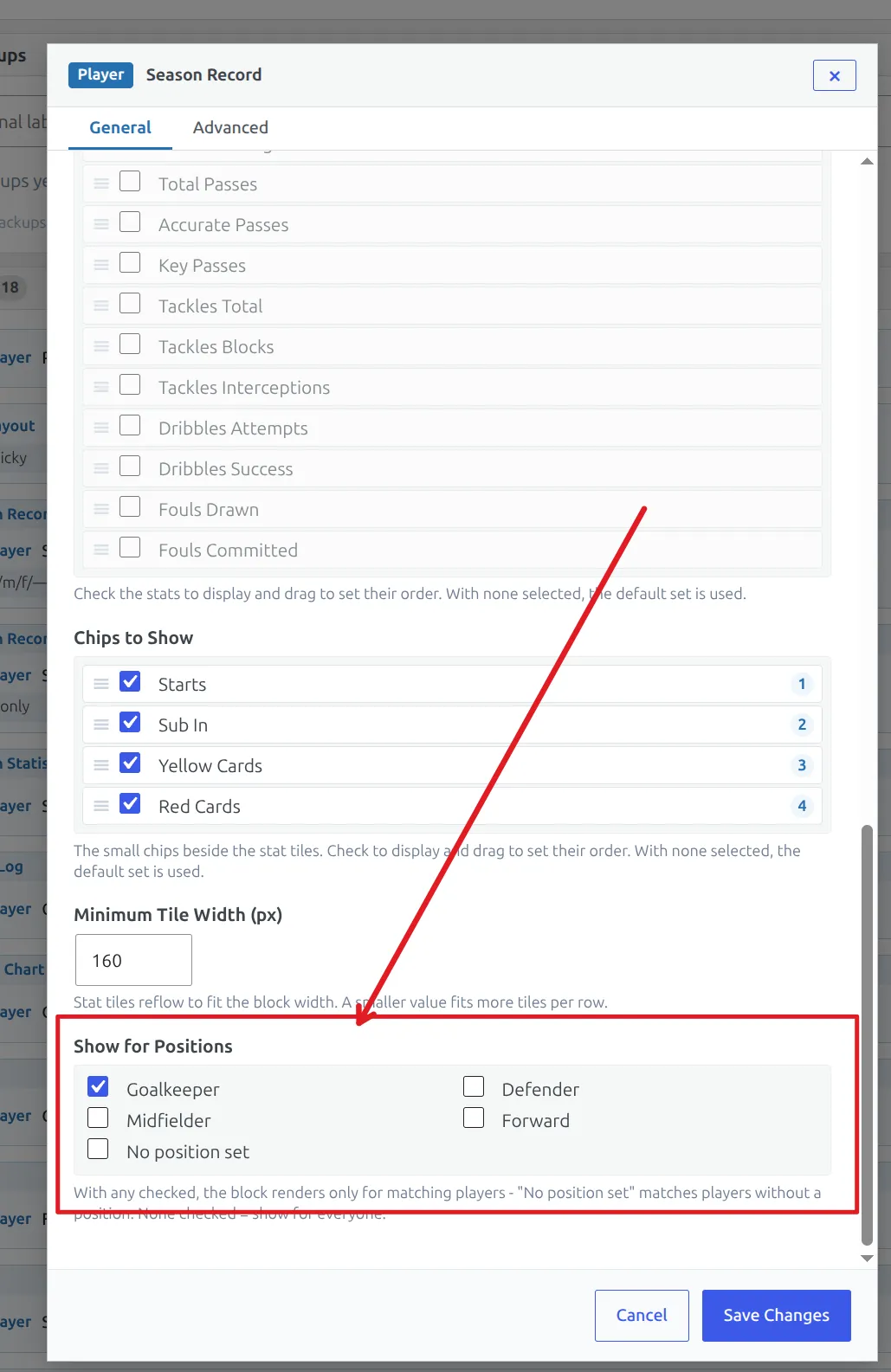
Every block has a Visible for positions setting in its Tools panel. Use it to build one layout that adapts per player: the default layout already ships a field-player Season Record (defenders, midfielders, forwards) and a goalkeeper one with keeper stats. The same trick works for any block – for example, a Game Log with saves and conceded columns for goalkeepers only.
Customize the layout
Open the Player layout in Layouts (v2) to change it. You can drag blocks into rows, reorder them, hide ones you don’t need, and set per-block spacing and colors. Save, and your player pages update right away.
📚 Related
The club pages have their own Layout Builder v2 guide: Team Pages with Layout Builder v2. Player statistics columns used by the Stat panels and Game Log are configured under Football Leagues → Player Statistics.