

Set up a league page once and it keeps showing the current table, season after season. Give the Standings shortcode a league and the word current instead of a season ID – no more editing every page when a new season starts.
[anwpfl-standings league_id="16" season_id="current"]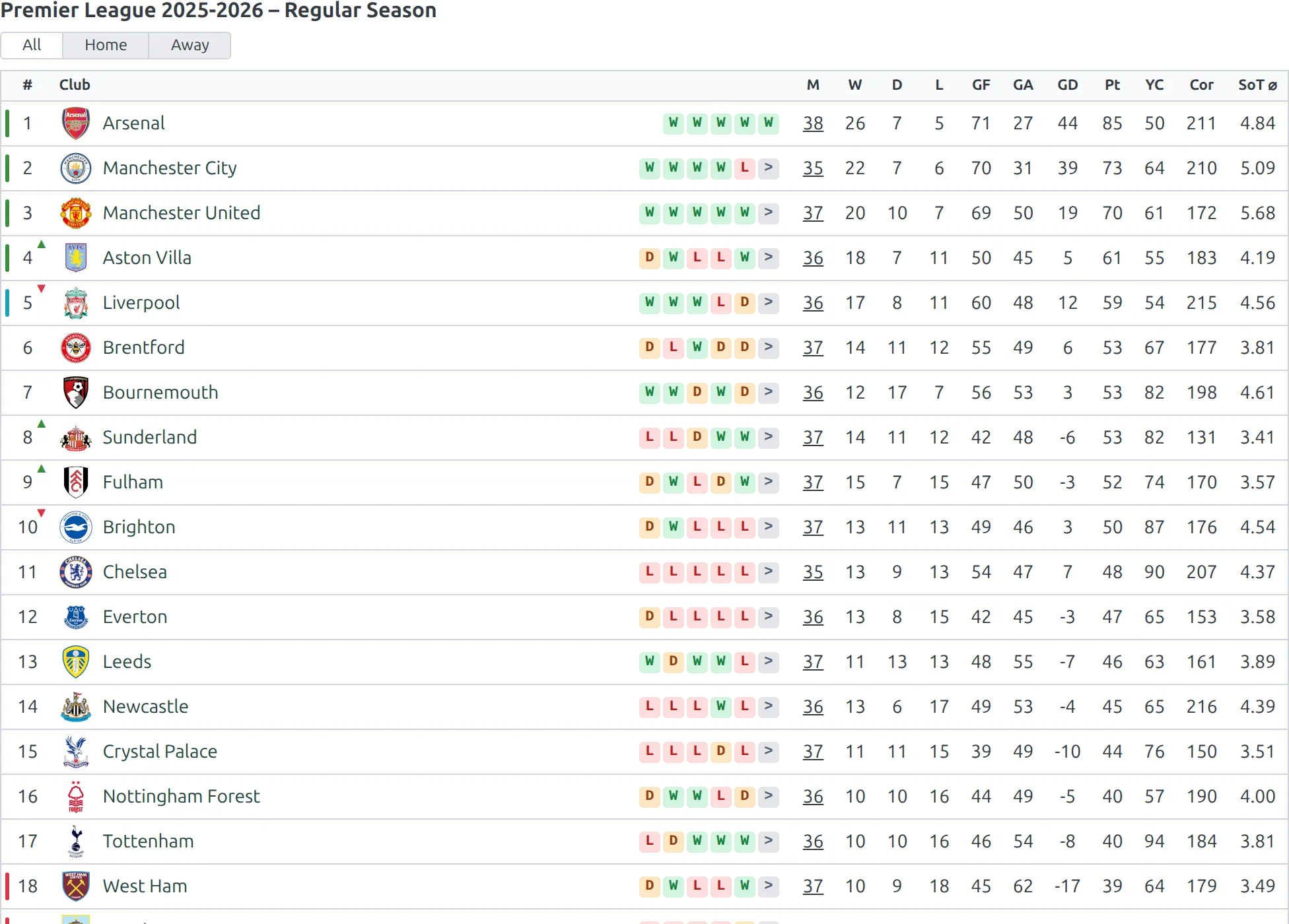
On our demo site the Active Season is already 2026-2027, but the Premier League 2026-2027 competition doesn’t exist yet. So current shows 2025-2026 – the last season the league actually played – instead of an empty page.
🚀 Set It Up
- Go to Football Leagues > Shortcodes and pick Standings.
- In League ID, click the magnifier and choose the league.
- In Season ID, type
current. - Copy the shortcode into your league page.
A league ID is a term ID, not a post ID – see Finding Entity IDs if you’d rather look it up by hand.
The page shows every competition the league has in that season, with all its stages and groups. Display options like layout, show_bracket and filter_stages work exactly as they do with competition_id.
🎯 How “current” Picks the Season
The shortcode checks the league’s seasons in this order and stops at the first match:
- Your Active Season, if the league has a competition in it. Set it at Settings & Tools > Settings > Configuration > General > Season > Active Season.
- The latest season with at least one finished game.
- The newest season the league has, when nothing has been played yet.
That’s what makes mixed calendars work without edits. Say your Active Season is 2025-2026. England has a 2025-2026 competition, so it follows the Active Season. Norway plays in calendar years, so its page shows 2026.
And when you create or import next season early, the page doesn’t jump to a table full of zeros. It moves over when the new season’s first game is finished – or straight away, once you switch the Active Season to it.
Note
“Newest” goes by season name, so 2026 beats 2025-2026. Only published competitions count – a draft for next season is ignored.
Other Ways to Use It
| Shortcode | What it shows |
|---|---|
[anwpfl-standings league_id="16" season_id="current"] | The league’s current season |
[anwpfl-standings league_id="16" season_id="80"] | Every competition of the league in season 80 – a fixed season works too |
[anwpfl-standings club_id="8" season_id="current"] | Every table the club is in, for the club’s current season (same rule, using the club’s games) |
[anwpfl-standings season_id="current"] | Every current league, each in its own season – see the warning below |
Use one league per page
season_id="current" on its own prints every league with a competition in your Active Season or a finished game in the last 12 months. On a site with many imported leagues that’s a huge page – on our demo site, 69 leagues and nearly 200 tables. Put league_id on each page instead.
🆘 Troubleshooting
Nothing shows with league_id?
league_idneeds aseason_id– eithercurrentor a season ID. Without one, nothing renders.- Check the competitions are published and assigned to that league.
The club’s tables don’t show?
- With both
league_idandclub_id, the league wins andclub_idis ignored. Use one or the other. competition_id,main_stage_idandmatch_idalso take priority overleague_id– remove them.
Still showing last season?
- That’s expected until the new season’s first game is finished. To switch now, set the new season as your Active Season.
📚 Related
[anwpfl-standings]– every parameter of the Standings shortcode- Finding Entity IDs – where to find league, club and season IDs