

Display multiple standing tables together based on competition, season, or club. Ideal for showing all groups in a competition, all competitions in a season, or all standings involving a specific club.
Premium Feature
This shortcode requires the Football Leagues Premium plugin.
Basic Usage
[anwpfl-standings competition_id="12"]This displays all standing tables from competition 12.
All Parameters
Query Parameters
| Parameter | Default | Description |
|---|---|---|
competition_id |
(empty) | Show all standings from this competition |
main_stage_id |
(empty) | Show standings from main stage ID |
match_id |
(empty) | Show standing for a specific match’s competition |
season_id |
(empty) | Show all standings from this season |
club_id |
(empty) | Show all standings containing this club |
Display Parameters
| Parameter | Default | Description |
|---|---|---|
layout |
default | Display layout: default or mini |
partial |
(empty) | Show partial data: “1-5” (positions 1-5), or team ID to center on |
show_titles |
1 | Show standing titles. Use 0 to hide |
title_short |
1 | Use short titles. Use 0 for full titles |
show_notes |
1 | Show notes below standings. Use 0 to hide |
club_links |
(from settings) | Link team names to their club pages. 1 yes, 0 no, empty follows the global Settings > Display > Standing setting |
show_bracket |
0 | Show knockout bracket after standings. Use 1 to enable |
filter_stages |
0 | Show stage filter dropdown. Use 1 to enable |
grid_width |
(empty) | Grid width in pixels for multi-table layout |
bottom_link |
(empty) | Show link: competition or standing |
cache |
(empty) | Cache the rendered output for this many seconds (3600 = 1 hour). Overrides the global setting for this shortcode only. Recalculating a table clears it right away – club renames and label changes wait for the time to run out |
What the Output Looks Like
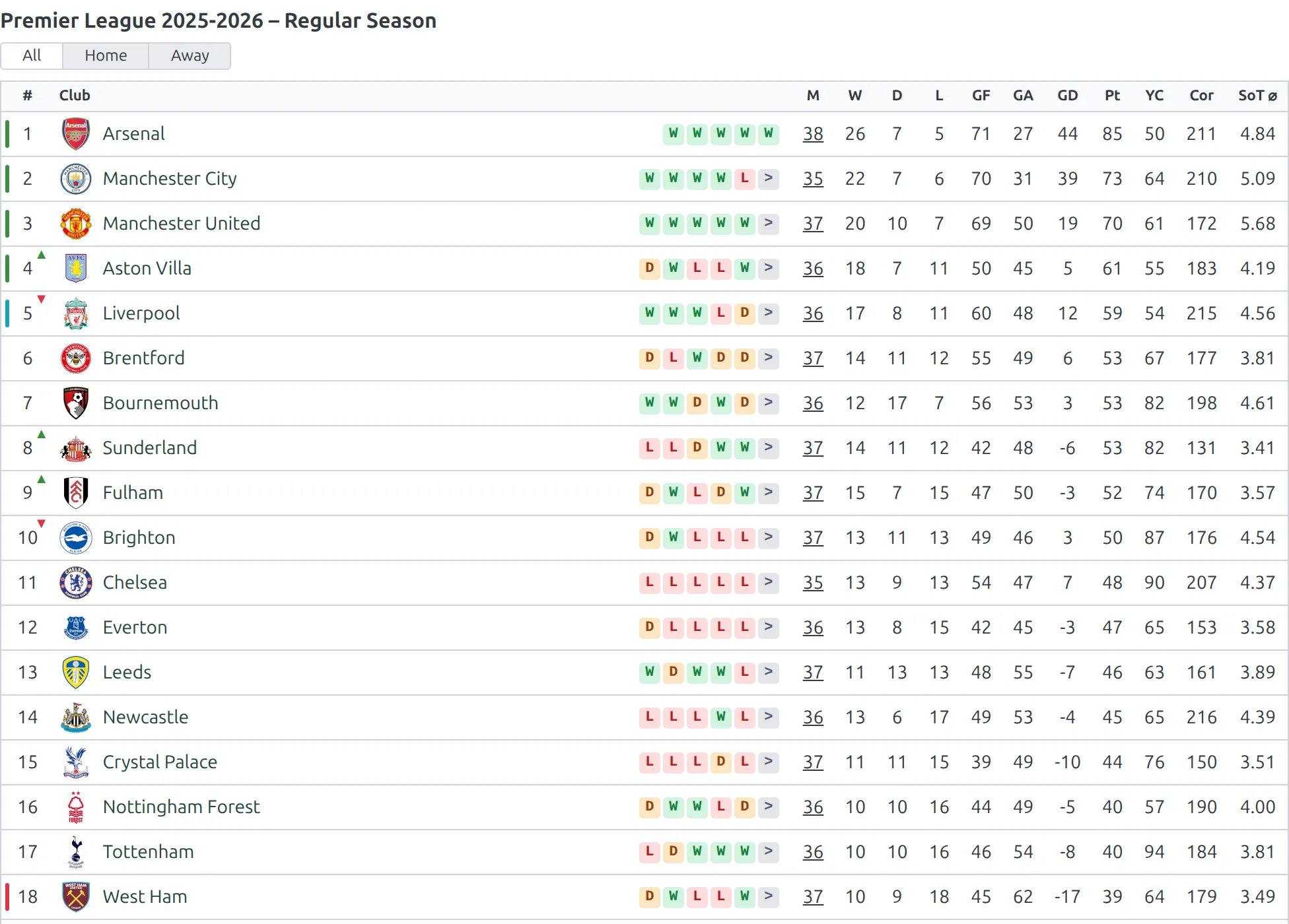
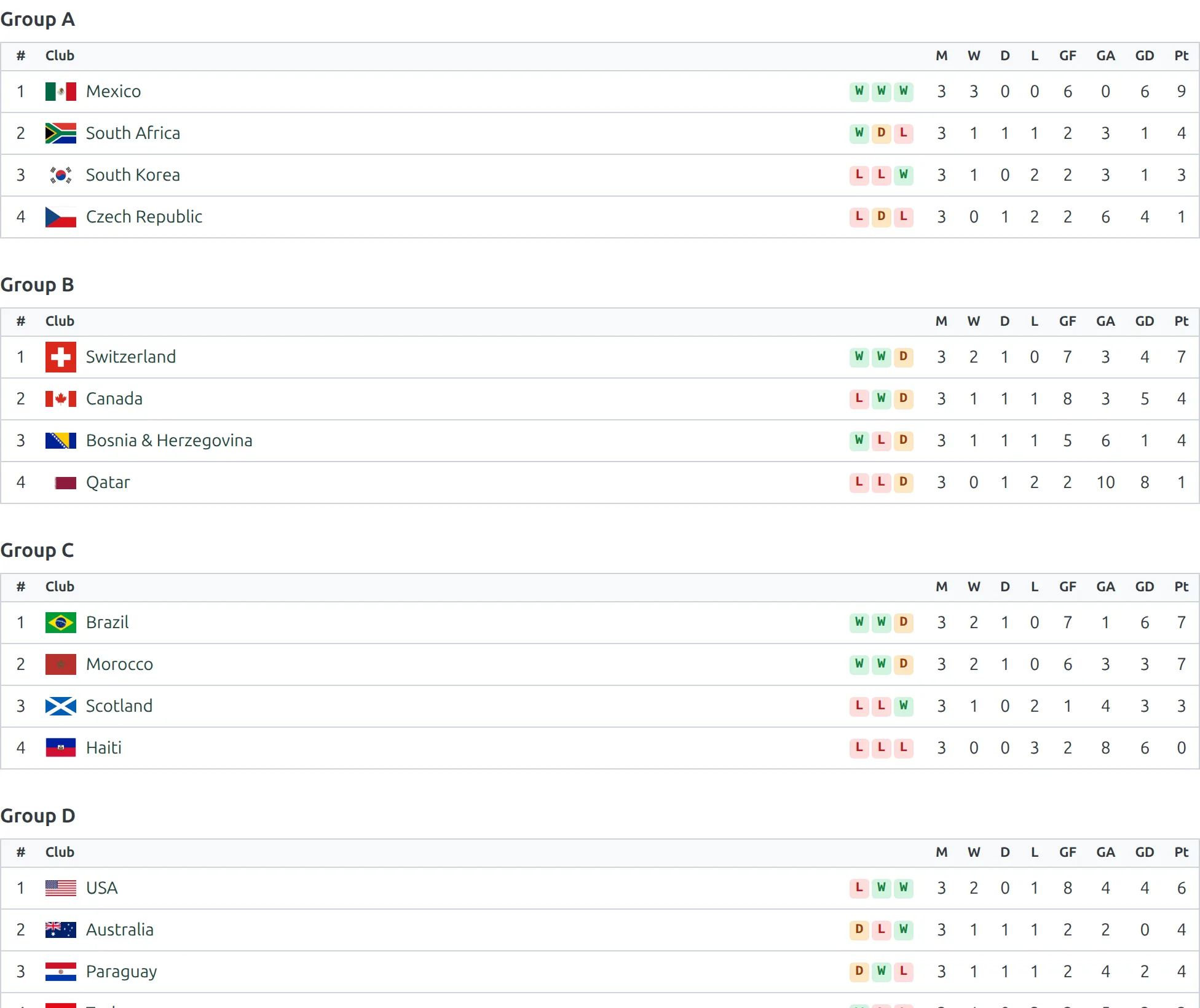
One shortcode call prints every table the competition holds – one table for a single-group competition, and every group in order for a multi-group one:
Single-group competition
Multi-group competition
Examples
Example 1: All Groups in Competition
When to use: Champions League or World Cup group stages.
[anwpfl-standings competition_id="12"]Result: All group standings displayed together (Group A, B, C, etc.).
Example 2: Season Overview
When to use: Show all league tables from a season on one page.
[anwpfl-standings season_id="5" show_titles="1"]Result: All competition standings from season 5.
Example 3: Club’s All Standings
When to use: Club page showing all competitions they’re in.
[anwpfl-standings club_id="8" layout="mini" partial="8"]Result: Mini standings centered on the club’s position in each competition.
Example 4: Groups with Bracket
When to use: Tournament with groups leading to knockouts.
[anwpfl-standings competition_id="12" show_bracket="1"]Result: Group standings followed by the knockout bracket.
Example 5: With Stage Filter
When to use: Multi-stage competitions (group stage, knockout stage).
[anwpfl-standings competition_id="12" filter_stages="1"]Result: Dropdown to switch between different stages.
Example 6: Grid Layout
When to use: Display multiple tables in a grid format.
[anwpfl-standings competition_id="12" grid_width="400"]Result: Tables arranged in columns, each 400px wide.
Tip
Use partial with a club ID to always show that team’s position in each table, even in large leagues. Combined with layout="mini", this creates compact “My Team’s Position” widgets.
Troubleshooting
No standings showing?
- Verify the competition/season/club ID exists
- Check that standings are configured for the competition
- Ensure matches are assigned to the correct stages
Bracket not appearing?
- Enable with
show_bracket="1" - Competition must have a knockout stage configured
Related
[anwpfl-standing]– Single standing table (Core)[anwpfl-standing-advanced]– Single standing with advanced filtering[anwpfl-bracket]– Standalone bracket display