

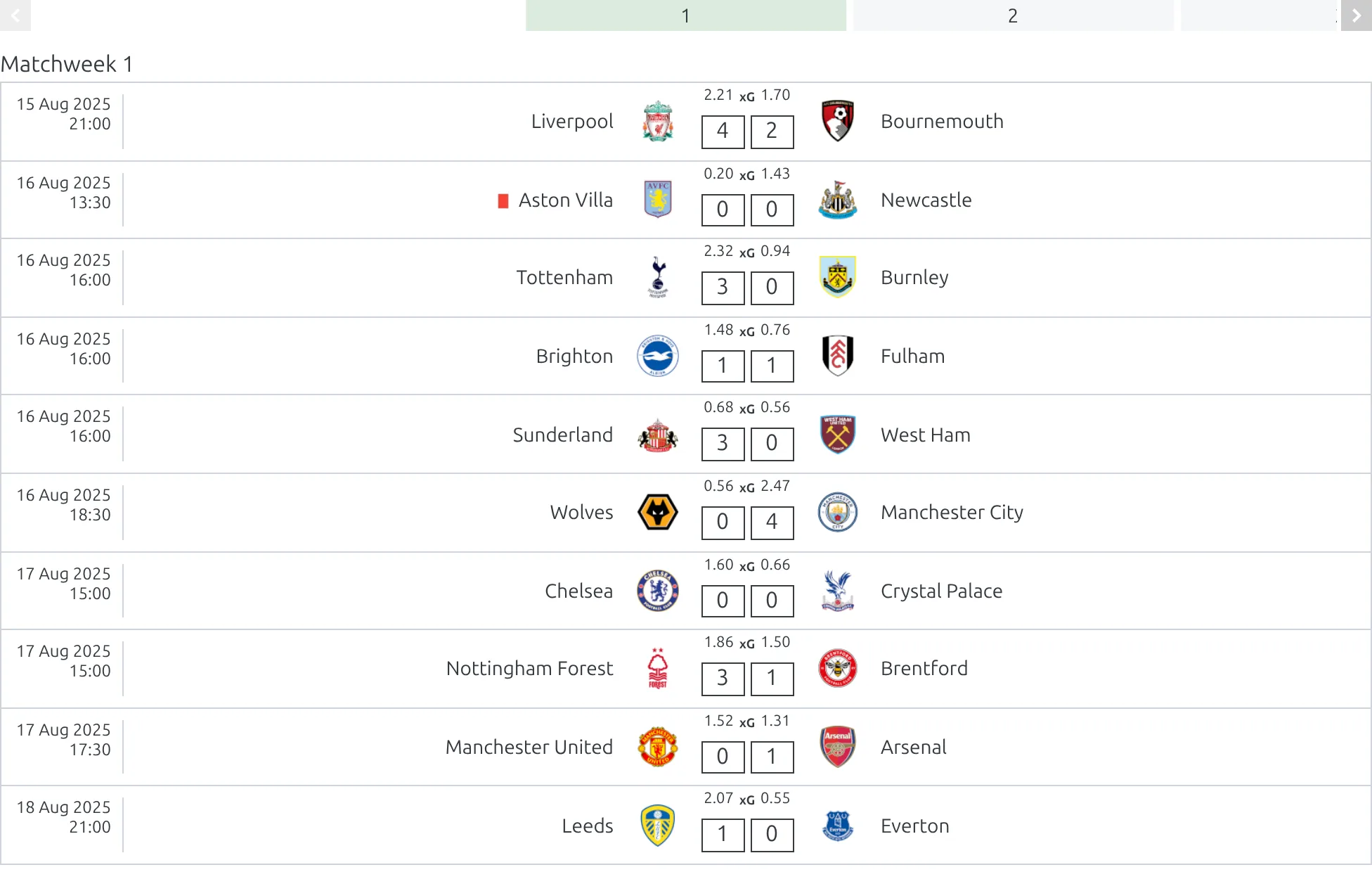
Display matches organized by matchweek in a horizontal slider with navigation. Users can click through matchweeks to see all fixtures/results for each round. Ideal for competition pages where you want to show the full schedule by round.
Premium Feature
This shortcode requires the Football Leagues Premium plugin.
Basic Usage
[anwpfl-matchweeks-slides competition_id="12"]This displays all matchweeks from competition 12 in a navigable slider.
All Parameters
Query Parameters
| Parameter | Default | Description |
|---|---|---|
competition_id * |
(required) | Competition ID to display matchweeks from |
group_id |
(empty) | Filter by group ID (for group stage competitions) |
matchweek |
(empty) | Which matchweek the slider opens on. A number opens that round; -1 opens the competition’s Current MatchWeek. Left empty, it opens the first matchweek |
Display Parameters
| Parameter | Default | Description |
|---|---|---|
show_club_logos |
1 | Show club logos. Use 0 to hide |
show_match_datetime |
1 | Show match date/time. Use 0 to hide |
match_card |
slim | Card style: slim, simple or modern. Any other value, including empty, renders slim |
Slider Options
| Parameter | Default | Description |
|---|---|---|
slides_to_show |
4 | Number of matchweek tabs visible in navigation |
* Required parameter
Examples
Example 1: Competition Schedule Browser
When to use: Main competition page showing all rounds.
[anwpfl-matchweeks-slides competition_id="12"]Result: Slider opens on the first matchweek, with navigation to all rounds. Add matchweek="-1" to open on the competition’s Current MatchWeek instead.
Example 2: Start at Specific Matchweek
When to use: Force display of a particular round.
[anwpfl-matchweeks-slides competition_id="12" matchweek="15"]Result: Opens directly to matchweek 15.
Example 3: Group Stage Display
When to use: Show specific group in Champions League style competition.
[anwpfl-matchweeks-slides competition_id="25" group_id="2"]Result: Only matchweeks/matchdays for Group B.
Example 4: Compact Display
When to use: Smaller sidebar widget.
[anwpfl-matchweeks-slides competition_id="12" slides_to_show="3" show_club_logos="0"]Result: Narrow navigation with text-only match cards.
Example 5: Wide Navigation
When to use: Full-width competition page.
[anwpfl-matchweeks-slides competition_id="12" slides_to_show="6" match_card="simple"]Result: Shows 6 matchweek tabs with the compact simple card, which renders roughly a third less markup than slim.
Opening on the current round
Pass matchweek="-1" and the slider opens on the competition’s Current MatchWeek – a number you set on the round-robin stage, which the API Import keeps up to date for you. Without it the slider opens on matchweek 1, which on a season-long page is rarely the round anyone wants.
How It Works
- Navigation bar: Shows matchweek numbers/names as clickable tabs
- Content area: Displays all matches for the selected matchweek
- Opening slide: Matchweek 1 by default; the round you name in
matchweek; or the Current MatchWeek withmatchweek="-1" - Responsive: Navigation adjusts based on screen size
Troubleshooting
No matchweeks appearing?
- Verify matches have matchweek numbers assigned
- Check that competition_id is correct
- Ensure matches are published
Wrong starting matchweek?
- Use
matchweekparameter to force specific round - With
matchweek="-1", check the stage’s Current MatchWeek value – if it is empty the slider quietly falls back to matchweek 1
Related
[anwpfl-matches]– Vertical match list with matchweek filter (Core)[anwpfl-calendar-slider]– Date-based match slider[anwpfl-matches-scoreboard]– Horizontal match ticker- Current MatchWeek – the number
matchweek="-1"reads