

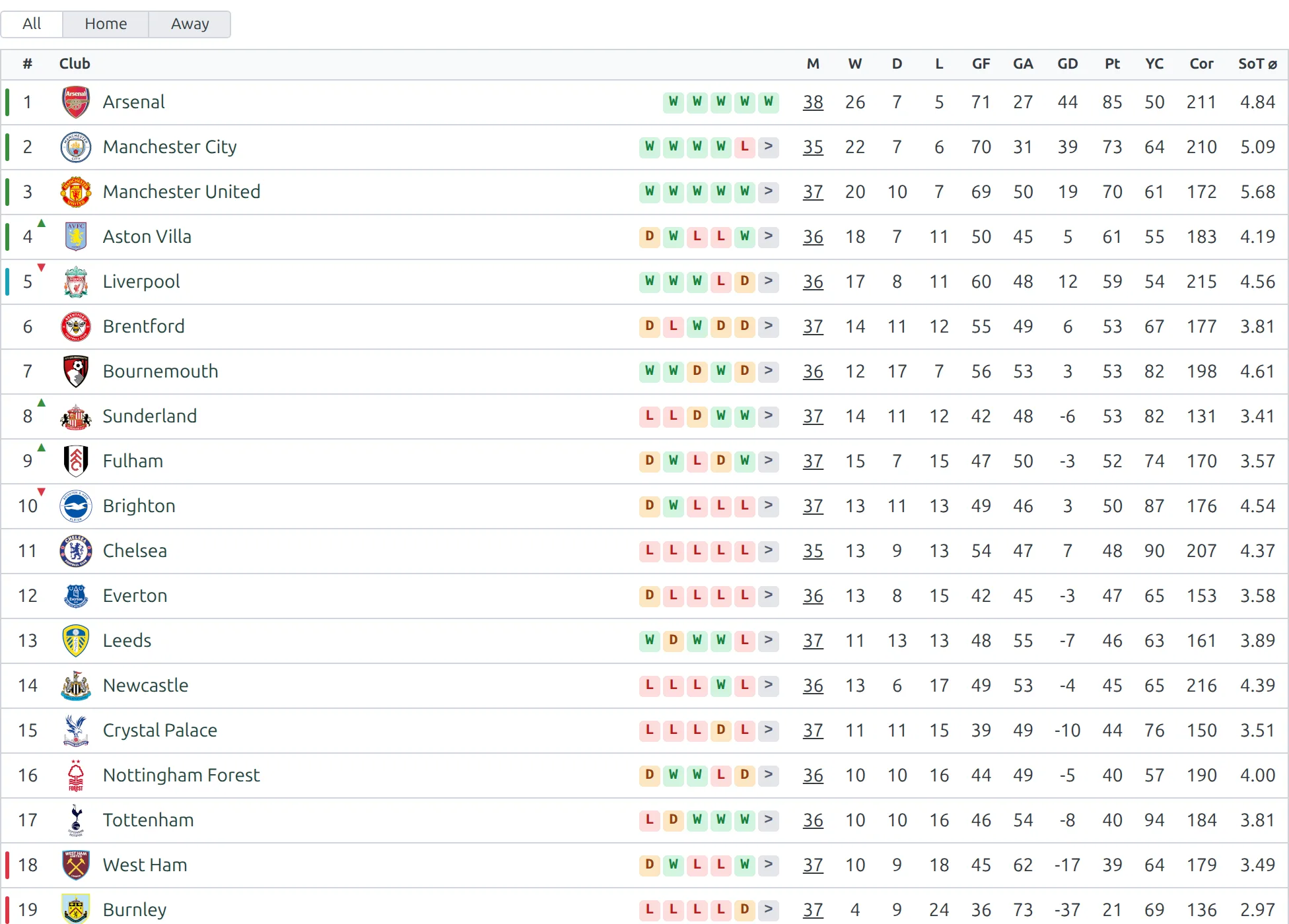
Display league standings and tables on any page. This shortcode renders a complete standings table with team positions, points, wins, draws, losses, and goal difference.
Basic Usage
[anwpfl-standing id="123"]Replace 123 with your Standing Table ID. This displays the full standings with all teams and columns.
Finding the Standing Table ID
- Go to Football Leagues > Standing Tables in your WordPress admin
- Hover over the standing table name
- Look at the URL in your browser’s status bar:
post=123 - The number after
post=is your Standing Table ID
Tip
You can also use the Shortcode Builder at Football Leagues > Shortcodes to generate the shortcode with a visual interface.
All Parameters
| Parameter | Default | Description |
|---|---|---|
id * |
(required) | Standing Table ID to display |
title |
(empty) | Custom title displayed above the table |
layout |
default | Display layout: default (full table) or mini (compact widget style) |
partial |
(empty) | Show only part of the table. Use 1-5 for positions 1-5, or a club ID to show teams around that club |
exclude_ids |
(empty) | Comma-separated list of Club IDs to exclude from the table |
show_notes |
1 | Show table notes/legend below the standings. Use 0 to hide |
club_links |
(from settings) | Link team names to their club pages. 1 yes, 0 no, empty follows the global Settings > Display > Standing setting |
bottom_link |
(none) | Add a link at the bottom: competition or standing |
link_text |
(auto) | Custom text for the bottom link |
cache |
(empty) | Cache the rendered output for this many seconds (3600 = 1 hour). Overrides the global setting for this shortcode only. Recalculating a table clears it right away – club renames and label changes wait for the time to run out |
* Required parameter
Examples
Example 1: Full Standings Page
When to use: On a dedicated league page showing complete standings.
[anwpfl-standing id="23" title="Premier League 2024/25"]Result: Full standings table with a custom title header.
Example 2: Sidebar Widget (Top 5)
When to use: In a sidebar or small widget area showing only the top positions.
[anwpfl-standing id="23" layout="mini" partial="1-5"]Result: Compact table showing only positions 1 through 5.
Example 3: Team-Focused View
When to use: On a club page showing their position relative to nearby teams.
[anwpfl-standing id="23" partial="45" show_notes="0"]Result: Shows a slice of the table centered around the team with ID 45, without the notes legend.
Example 4: With Link to Full Standings
When to use: When displaying a partial table with a link to see the complete standings.
[anwpfl-standing id="23" partial="1-5" bottom_link="standing" link_text="View Full Table"]Result: Top 5 positions with a “View Full Table” link at the bottom.
Example 5: Exclude Specific Teams
When to use: When you need to hide certain teams from the display (e.g., teams that have withdrawn).
[anwpfl-standing id="23" exclude_ids="12,34,56"]Result: Full standings without the clubs with IDs 12, 34, and 56.
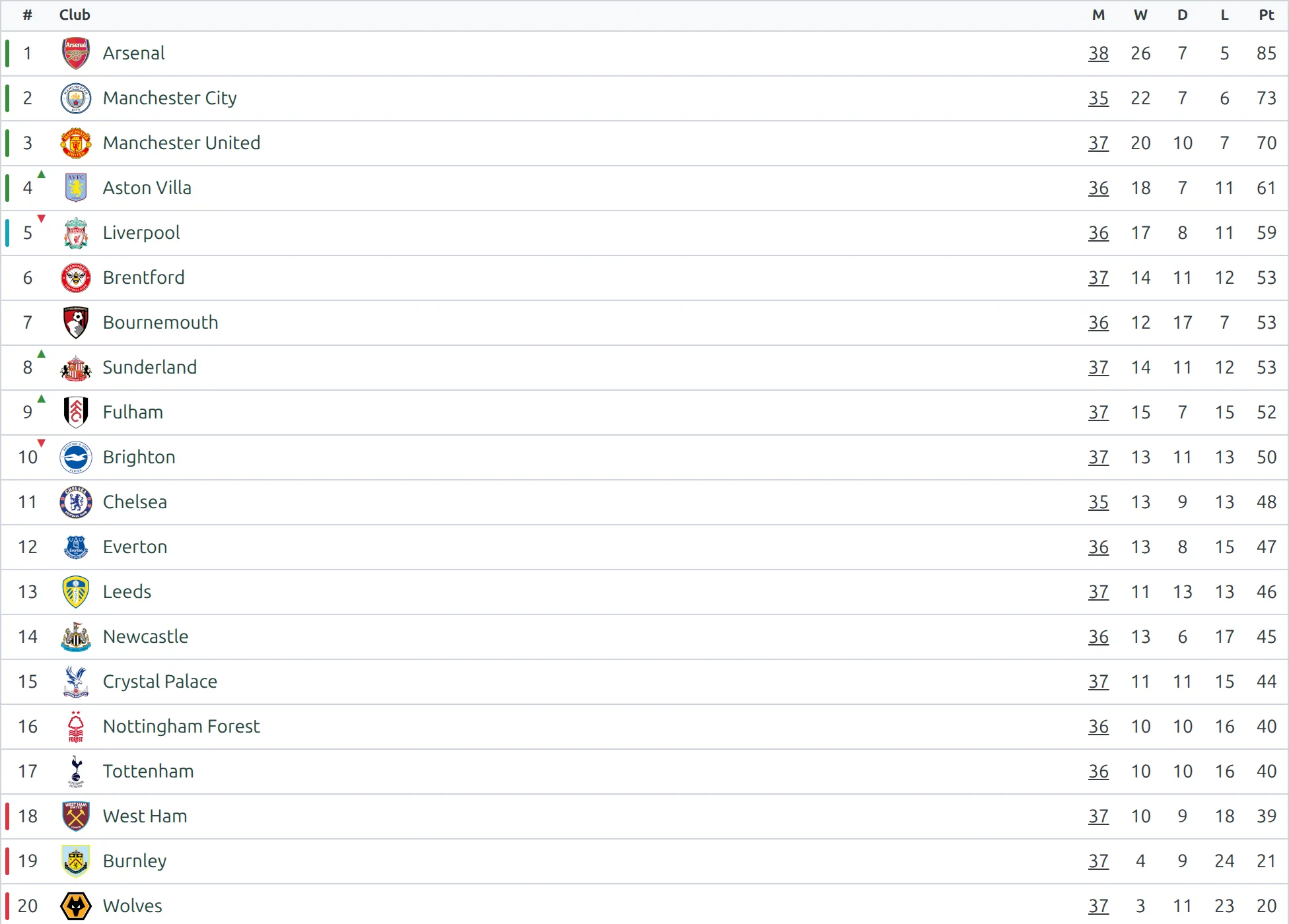
Layout Comparison
| Layout | Best For | Features |
|---|---|---|
default |
Main content area, full pages | All columns visible, full statistics, team logos |
mini |
Sidebars, widgets, small spaces | Condensed view, essential columns only |
Note
The plugin automatically hides some columns when the container width falls below 600px for better mobile display.
The same table, rendered by each layout:
Default
mini
Troubleshooting
Shortcode shows as text?
- In Gutenberg: Use the Shortcode block, not a Paragraph block
- Check that you’re using straight quotes
"not curly quotes - Verify the plugin is activated
Table is empty or shows “Nothing found”?
- Verify the Standing Table ID exists (check Football Leagues > Standing Tables)
- Ensure the competition has clubs assigned
- Check that at least one match is marked as “Finished”
- Clear the cache: FL Settings & Tools > Toolbox > Clear Cache
Standings not updating after entering results?
- Clear the plugin cache
- Verify matches are marked as “Finished” (not just scheduled)
- Check that matches belong to the correct competition
Related
- Gutenberg Block: FL Standing Table block (same options, visual editing)
- Widget: FL Standing Table widget for sidebar placement
- Premium:
[anwpfl-standing-advanced]for multiple standings with tabs