

Display a full player profile with multiple sections including header, statistics, matches played, gallery, and more. This shortcode creates a comprehensive player page.
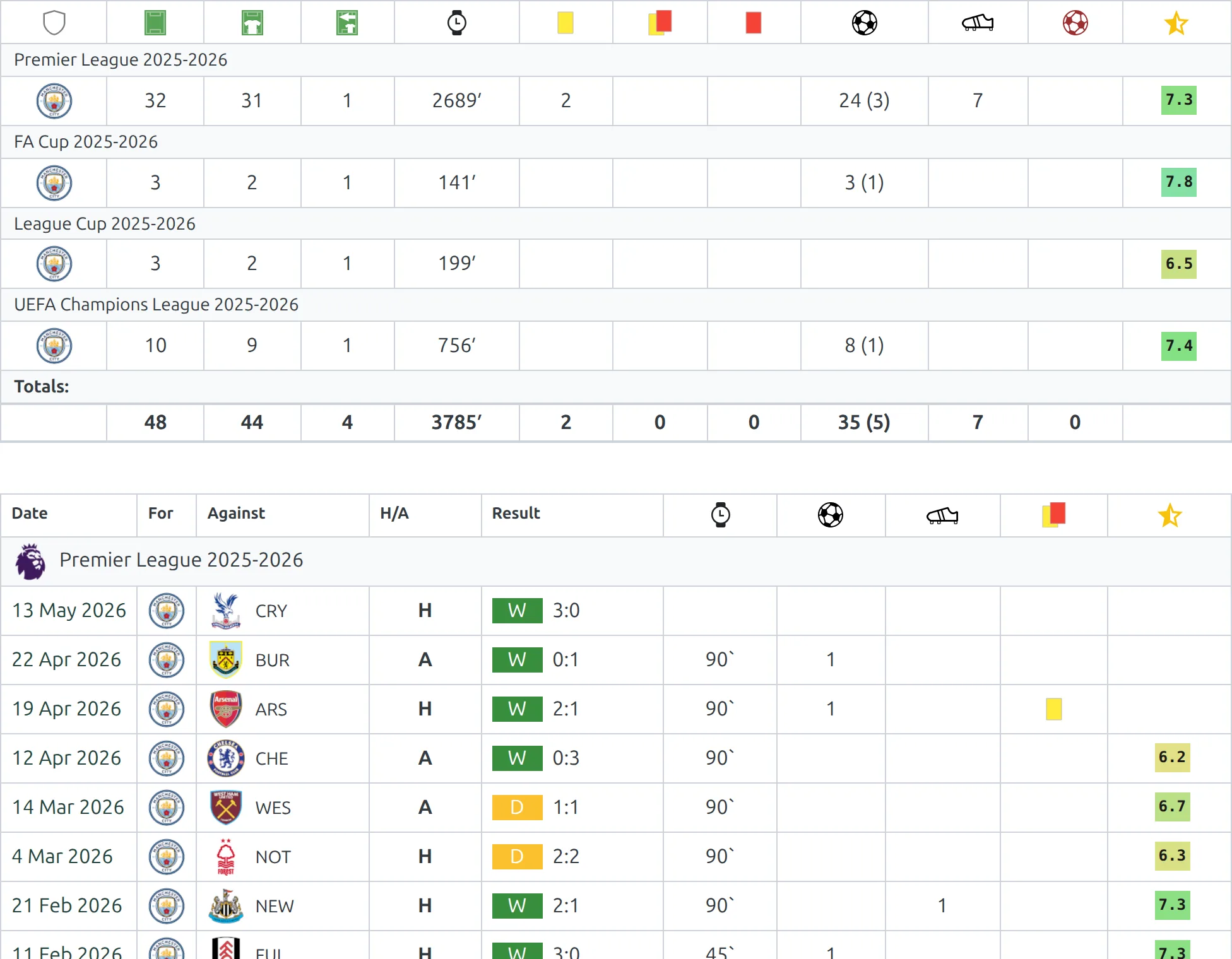
Basic Usage
[anwpfl-player-data player_id="45"]This displays the full player profile with all available sections.
All Parameters
| Parameter | Default | Description |
|---|---|---|
player_id * |
(required) | Player ID to display |
season_id |
(current) | Filter stats and matches to specific season |
sections |
(all) | Comma-separated list of sections to display (see below) |
* Required parameter
Available Sections
| Section | Description |
|---|---|
header |
Player photo, name, position, nationality, age, physical attributes |
description |
Player biography and description text |
stats |
Season statistics (goals, assists, cards, minutes played) |
matches |
List of matches the player appeared in |
missed |
Matches missed due to injury or suspension |
gallery |
Player photo gallery |
Examples
Example 1: Full Player Profile
When to use: Dedicated player page showing all information.
[anwpfl-player-data player_id="45"]Result: Complete profile with all available sections.
Example 2: Stats and Matches Only
When to use: Focus on performance data without biography.
[anwpfl-player-data player_id="45" sections="stats,matches"]Result: Statistics table and match appearances list.
Example 3: Season-Specific Data
When to use: Show player data for a specific season only.
[anwpfl-player-data player_id="45" season_id="5" sections="stats,matches"]Result: Stats and matches filtered to season 5.
Example 4: Header and Gallery
When to use: Visual-focused player feature.
[anwpfl-player-data player_id="45" sections="header,gallery"]Result: Player header with photo gallery below.
Example 5: Header and Description
When to use: Biography-focused content.
[anwpfl-player-data player_id="45" sections="header,description"]Result: Player info with their biography text.
Tip
Use the season_id parameter to create archive pages showing historical player performance for past seasons.
Troubleshooting
Sections not showing?
- Sections only appear if data exists (e.g., no gallery section if no images uploaded)
- Verify section names are spelled correctly with commas between them
Stats showing zero?
- Player must be included in match lineups to have statistics
- Check if filtering by wrong season
Matches list empty?
- Player must be added to match lineups (not just squad)
- Check season filter
Related
[anwpfl-player]– Compact player card[anwpfl-squad]– Team roster display- Premium:
[anwpfl-player-stats-panel]– Advanced statistics panel