

Display a club’s next upcoming match as a compact card widget. This shortcode automatically updates to show the nearest scheduled fixture.
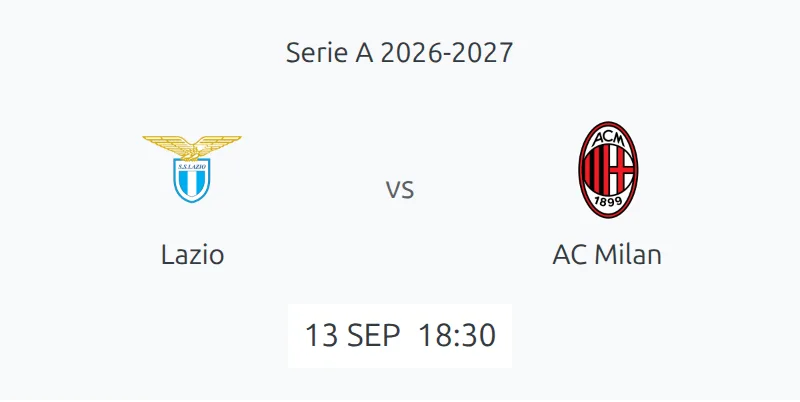
Basic Usage
[anwpfl-match-next club_id="5"]This displays the next upcoming match for club ID 5, showing both teams, date/time, and a link to match details.
All Parameters
Query Parameters
| Parameter | Default | Description |
|---|---|---|
club_id * |
(required) | Club ID to show next match for |
competition_id |
(empty) | Filter to specific competition(s). Comma-separated for multiple |
season_id |
(empty) | Filter to specific season |
exclude_ids |
(empty) | Match IDs to exclude (comma-separated) |
include_ids |
(empty) | Match IDs to include only (comma-separated) |
offset |
(empty) | Skip matches. Use 1 to show 2nd next match, 2 for 3rd, etc. |
Display Parameters
| Parameter | Default | Description |
|---|---|---|
show_club_name |
1 | Show club names below logos. Use 0 to hide |
match_link_text |
“- match preview -“ | Custom text for the link to full match details |
transparent_bg |
(empty) | Use transparent background. Set to 1 for transparent |
* Required parameter
Examples
Example 1: Basic Next Match Widget
When to use: Sidebar or homepage showing your club’s next fixture.
[anwpfl-match-next club_id="5"]Result: Card showing next match with team logos, date, time, and match link.
Example 2: League-Specific Next Match
When to use: When a club plays in multiple competitions and you want to show only their next league game.
[anwpfl-match-next club_id="5" competition_id="12"]Result: Next match in competition 12 only, ignoring cup matches.
Example 3: Compact Display Without Names
When to use: Very tight spaces where only logos are needed.
[anwpfl-match-next club_id="5" show_club_name="0"]Result: Minimalist display with logos only.
Example 4: Skip the Immediate Next Match
When to use: Show a future match while the next one is already being displayed elsewhere.
[anwpfl-match-next club_id="5" offset="1"]Result: Shows the second upcoming match (skips the very next one).
Example 5: Custom Link Text
When to use: When you want different call-to-action text.
[anwpfl-match-next club_id="5" match_link_text="View Match Details"]Result: Link displays “View Match Details” instead of default text.
Tip
This shortcode automatically updates after each match is played. No manual updating needed!
Troubleshooting
Nothing displays?
- Verify the club has scheduled fixtures (matches not yet finished)
- Check that the club ID exists
- If using
competition_id, ensure the club has matches in that competition
Wrong match showing?
- Clear the plugin cache: FL Settings & Tools > Toolbox > Clear Cache
- Verify match dates are correct
- Check if
offsetparameter is set
Related
[anwpfl-match-last]– Show most recent finished match[anwpfl-match]– Full match details with sections[anwpfl-matches]– List multiple matches- Widget: FL Next Match widget for sidebar