

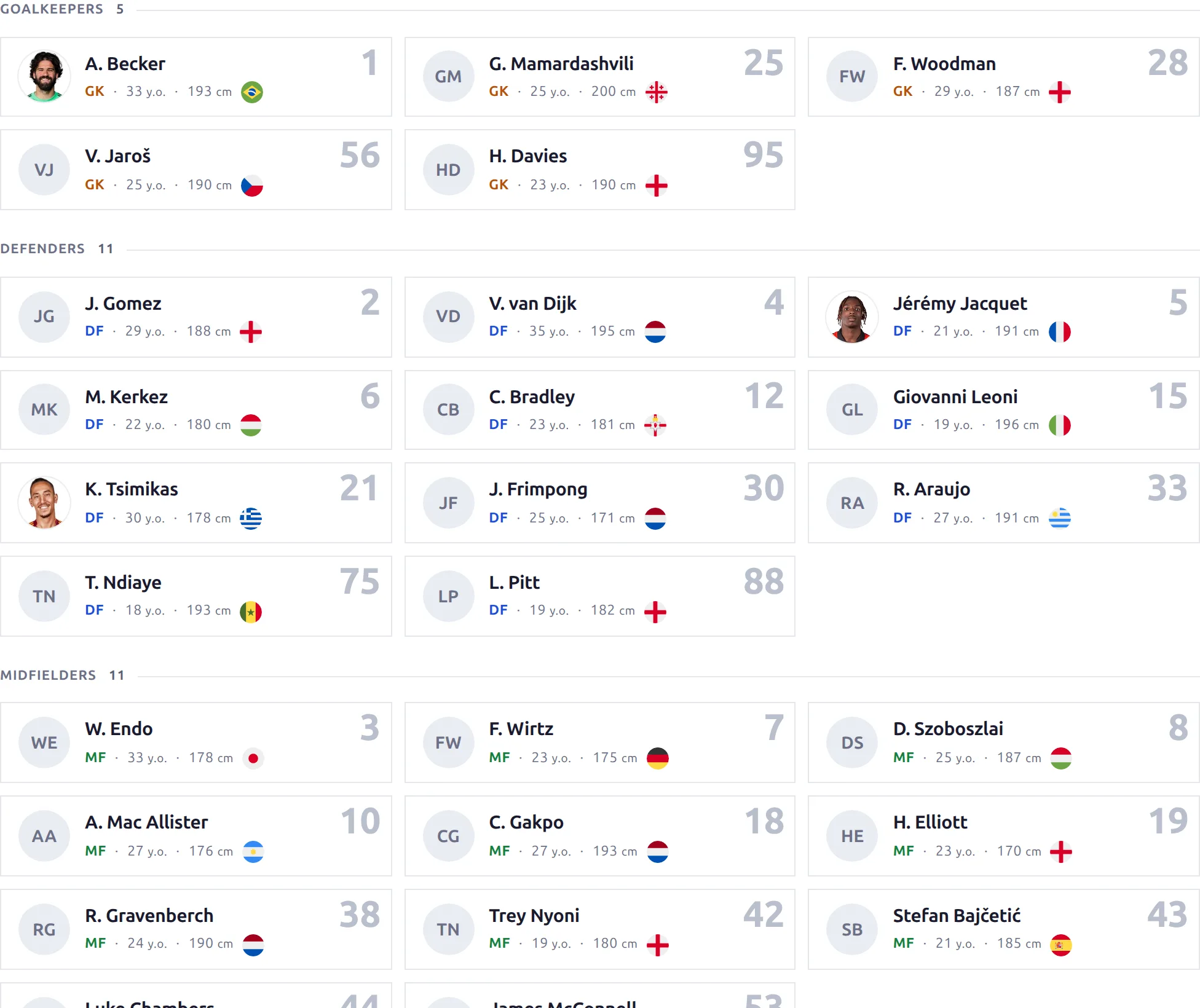
Display a full club profile with multiple sections including header, description, squad, fixtures, and recent results. This shortcode creates a comprehensive club page.
Basic Usage
[anwpfl-club club_id="8"]This displays the full club profile with all available sections.
All Parameters
| Parameter | Default | Description |
|---|---|---|
club_id * |
(required) | Club ID to display |
season_id |
(current) | Filter data to specific season |
sections |
(all) | Comma-separated list of sections to display (see below) |
* Required parameter
Available Sections
| Section | Description |
|---|---|
header |
Club logo, name, stadium, and basic info |
description |
Club description/history text |
gallery |
Club photo gallery |
fixtures |
Upcoming matches |
latest |
Recent match results |
squad |
Current team roster |
Examples
Example 1: Full Club Profile
When to use: Dedicated club page with all information.
[anwpfl-club club_id="8"]Result: Complete club profile with all available sections.
Example 2: Header and Squad Only
When to use: Simple team overview page.
[anwpfl-club club_id="8" sections="header,squad"]Result: Club header with team roster below.
Example 3: Season-Specific View
When to use: Historical season archive page.
[anwpfl-club club_id="8" season_id="5" sections="header,squad,latest"]Result: Club data filtered to season 5.
Example 4: Matches Focus
When to use: Club fixtures and results page.
[anwpfl-club club_id="8" sections="header,fixtures,latest"]Result: Club header with upcoming fixtures and recent results.
Example 5: About the Club
When to use: Club history/about page.
[anwpfl-club club_id="8" sections="header,description,gallery"]Result: Club info with description text and photo gallery.
Tip
The sections parameter accepts sections in any order. The display order follows the order you specify, so you can customize the page layout.
Troubleshooting
Section not showing?
- Sections only appear if data exists (e.g., no gallery without images)
- Verify section names are spelled correctly
Squad empty?
- Players must be assigned to the club for the specified season
- Check the season filter
Wrong fixtures showing?
- Verify the season_id parameter if used
- Check match dates and competition assignments
Related
[anwpfl-clubs]– Grid of club logos[anwpfl-squad]– Standalone squad display[anwpfl-matches]– Advanced match filtering