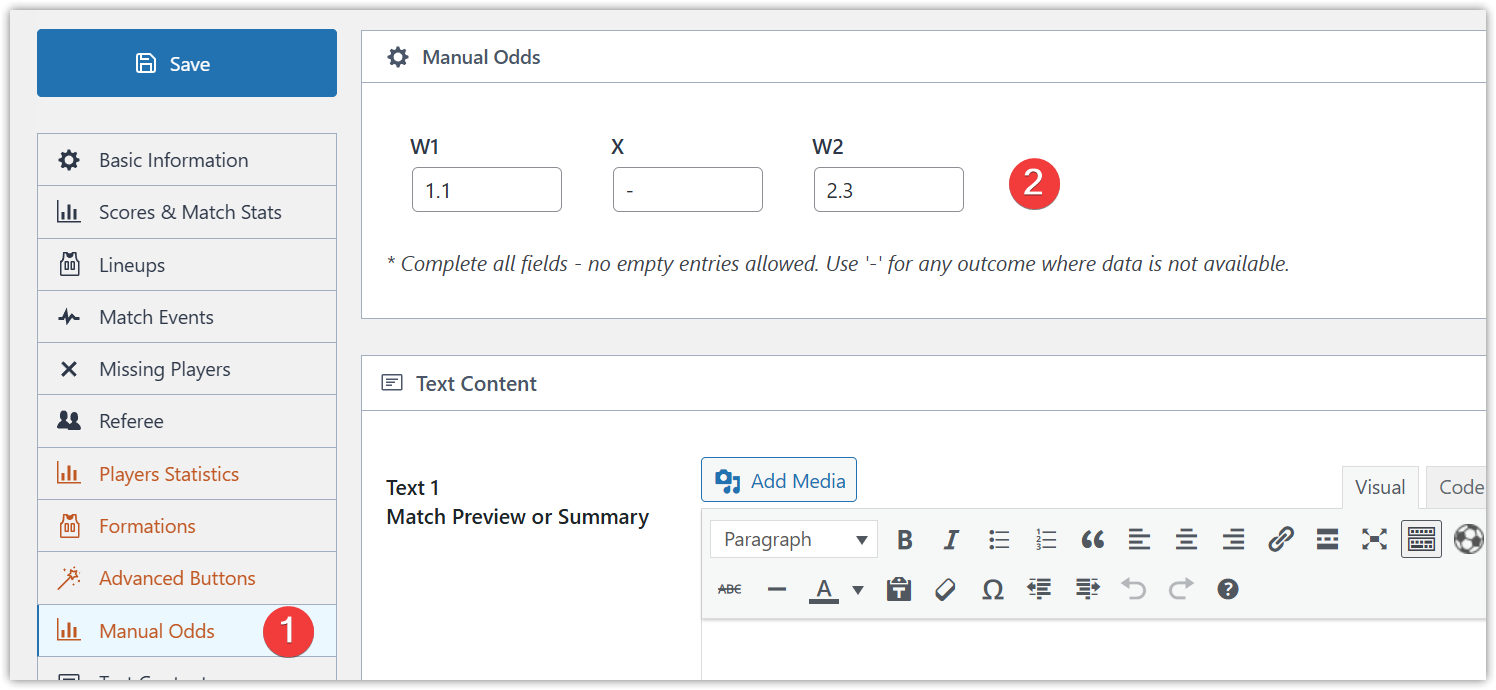
Version 0.16.18 introduced the ability to manually configure Match Result Odds (W1-X-W2), allowing you to set custom odds for home wins, draws, and away wins.
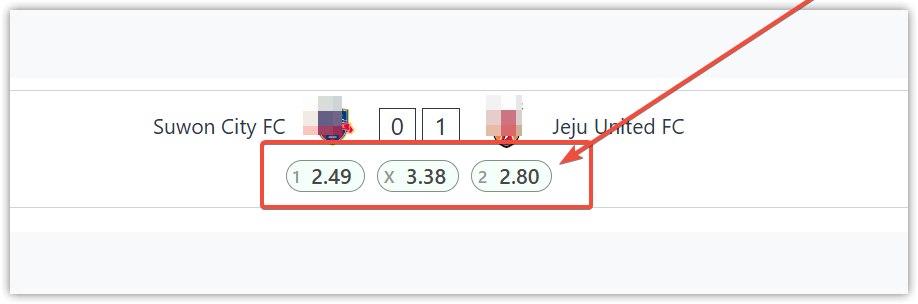
How to Activate Manual Odds
To enable manual odds functionality, follow these steps:
- Navigate to Settings & Tools > FL+ Configurator
- Select the General tab
- Locate the Manual Odds section
- Enable the “Enable Manual Match Result Odds (W1-X-W2)” option
- Once activated, you’ll be able to add manual odds on the game edit page
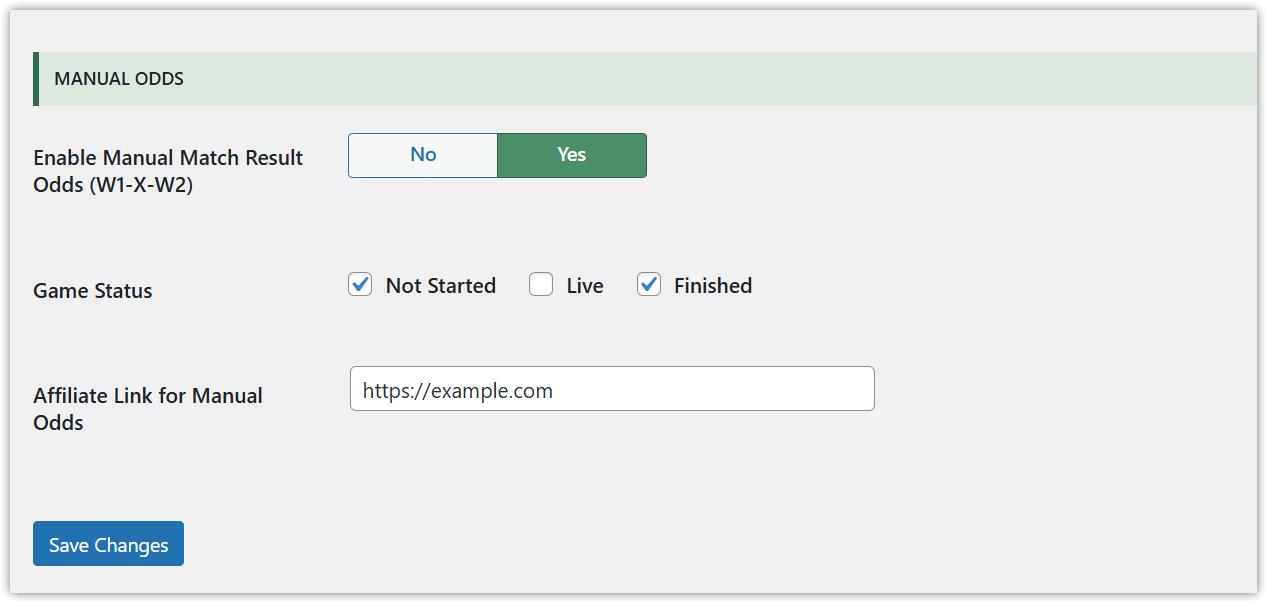
In the FL+ Configurator, you can also specify which game statuses should display odds (Not Started, Live, Finished) and add a custom affiliate link for manual odds.
How to Add Manual Game Odds
Once you’ve enabled manual odds in the FL+ Configurator (as configured earlier), follow these steps to add custom odds to individual games:
- Open the desired game for editing
- Navigate to the Manual Odds section within the game editor
- Enter odds values for each betting outcome:
- W1 – Home team win odds
- X – Draw/tie odds
- W2 – Away team win odds
Important Guidelines:
- Never leave inputs empty – all three fields must contain values
- Use hyphens (-) for missing data – if you don’t have specific odds data, enter a hyphen in each field rather than leaving them blank