

Imported an old season and ended up with the games but no league table? Missing Standings finds every group on your site that has clubs but no standing table, and creates the table from the provider’s final standings – one click per group.
It’s a Beta tool for finished seasons. The table it creates is a fixed copy of the final standings, not one calculated from your games.
🚀 Where to find it
FL API Import > Missing Standings. The tab opens with the Beta notice, then a Leagues table.
What it can’t do
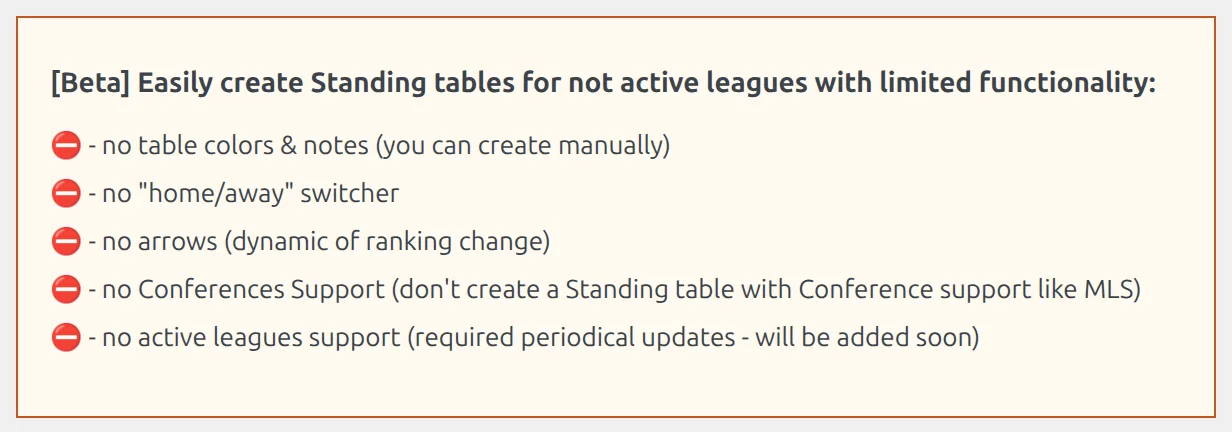
The tab lists its own limits at the top. Read them before you create anything:
| Limit | What it means for you |
|---|---|
| No table colors & notes | The table arrives plain. Add the promotion and relegation colors and the notes yourself in the standing editor. |
| No home/away switcher | Only the overall table is imported, not the provider’s home and away splits, so visitors can’t switch the table to home or away games. |
| No arrows | The up and down arrows that show a club’s change of position aren’t shown. |
| No Conferences Support | Don’t use it for a league split into conferences, such as MLS. Each conference would need its own table, and this tool doesn’t make them. |
| No active leagues | The table is created once and never updated. Only the finished seasons are listed, for that reason. |
Which groups are listed
A group shows up when all of these are true:
- The competition was imported with an import configuration – it has a row on the API Leagues tab. It doesn’t have to be on the Dashboard.
- The provider marks that season as finished. The current season is never listed.
- The stage is round-robin. Knockout stages have no tables.
- The group has clubs on your site but no standing table yet.
Competitions imported with Lazy Import get their tables during the import, so they don’t need this tool.
Create a table
- Find the competition and season in the list. Each group sits on its own line, with its clubs listed after Teams.
- Click the wand button at the start of the group’s line (tooltip Find & Create API Standing).
- The plugin loads the provider’s final standings for that season and looks for the table with exactly the same clubs. When it finds it, it creates the standing and shows New Standing table created with a preview link.
- Repeat for the other groups.
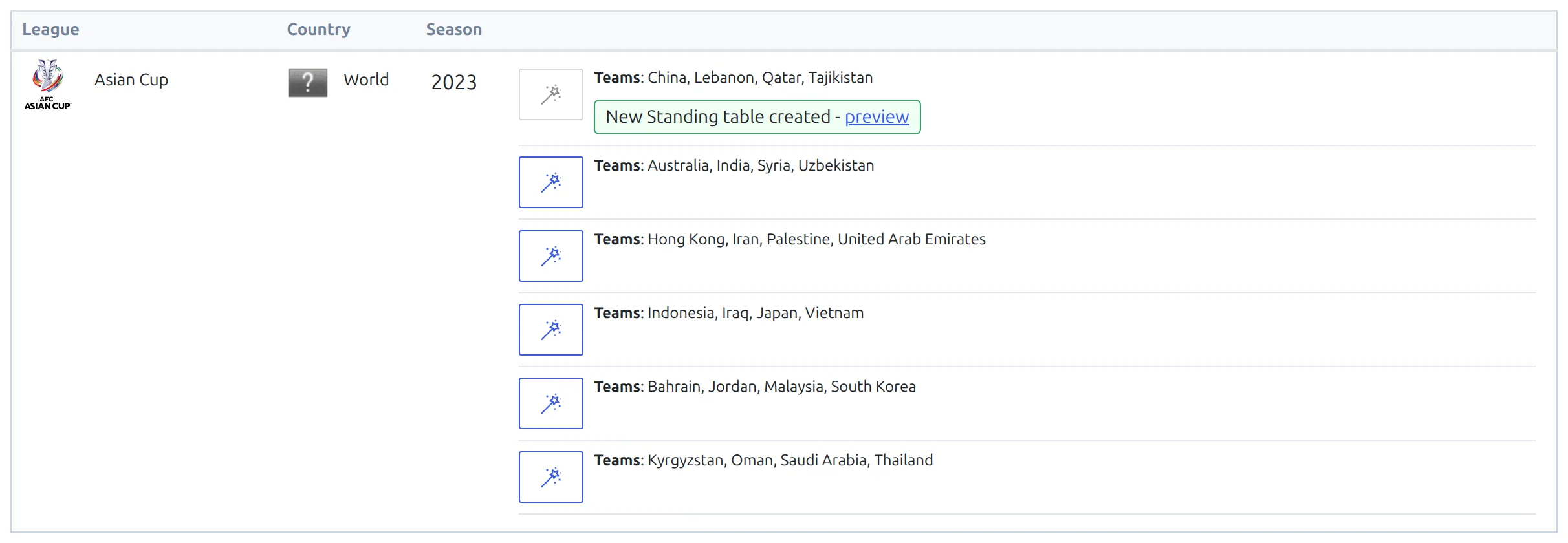
The new table is named after the stage and the group, for example Asian Cup 2023-2024 – Group A. It holds each club’s final position, games played, wins, draws, losses, goals for and against, goal difference, points and recent form.
It’s created with Automatic data filling off, so it shows the provider’s numbers as they are and doesn’t recalculate from your games. You can still correct any number by hand – see Manual Standing Edit.
Large sites
The tab checks up to 50 of your competitions that have a group without a table, including ones you created by hand. When it hits that limit, a blue note under the list says so. Create the tables you see, reload, and the next ones appear.
🆘 Troubleshooting
“Standing not found”
The provider has no table with exactly the clubs in your group. The usual causes: a club in the group was added by hand and isn’t linked to the API, a club is missing from the group, or the group holds clubs from two of the provider’s tables. Fix the group’s clubs in the competition editor so they match the provider, then try again.
A club is missing from the created table
Clubs are matched through their API link. A row whose club isn’t on your site is left out of the table. Import the club, delete the table and create it again.
My competition isn’t listed
Check the list in Which groups are listed above. The most common reason is the season: while the provider still counts it as the current season, it stays off the list. For a season that’s still running, use the standing created by the import – it calculates from your games.
📚 Related
- Manual Standing Edit – correct a table’s numbers by hand
- Lazy Import – imports a season with its tables in one go
- API Import for a Round-Robin League – the full import, standing table included