

Some visitors don’t want to know the result yet. If you post match highlights or video reviews, the score at the top of the page spoils the video before they press play. Hide score before click keeps the result of a finished game hidden until the visitor clicks Show Score.
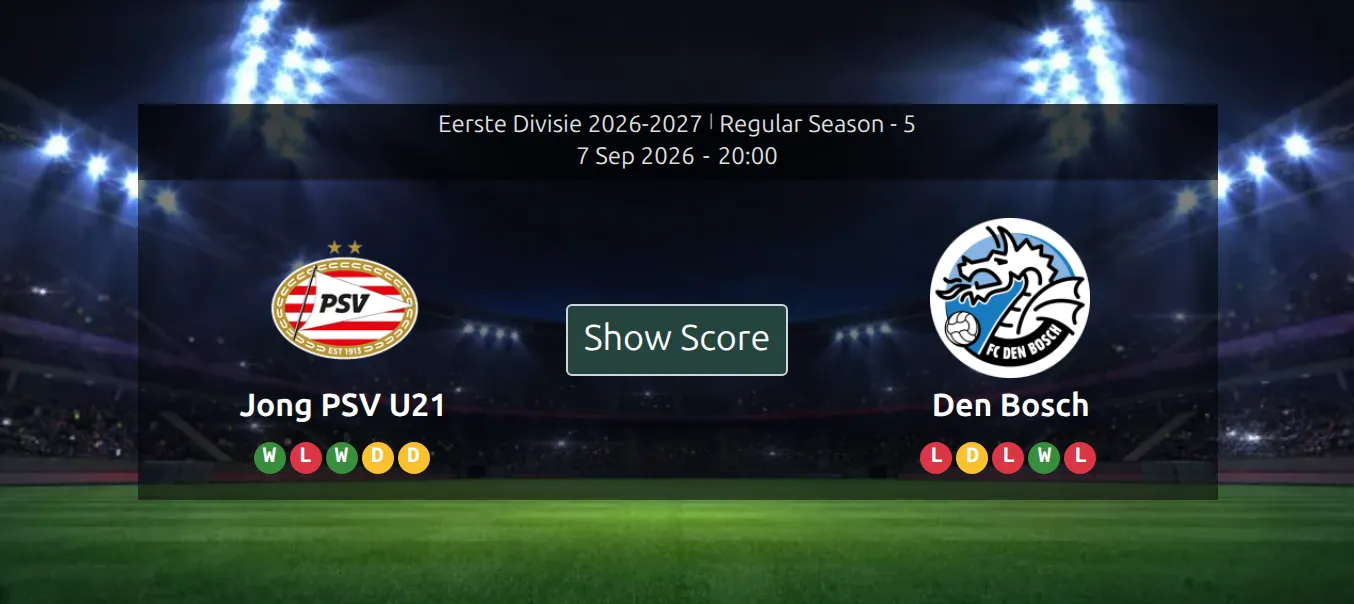
It’s one switch for the whole site, and it only affects finished games. Upcoming and live games look the same as always – there’s no result to spoil yet.
🚀 Switch it on
- Go to Settings & Tools > Settings.
- In the Display group, open the Match Display tab. Scoreboard is the first block on it.
- Switch on Hide score before click and save.
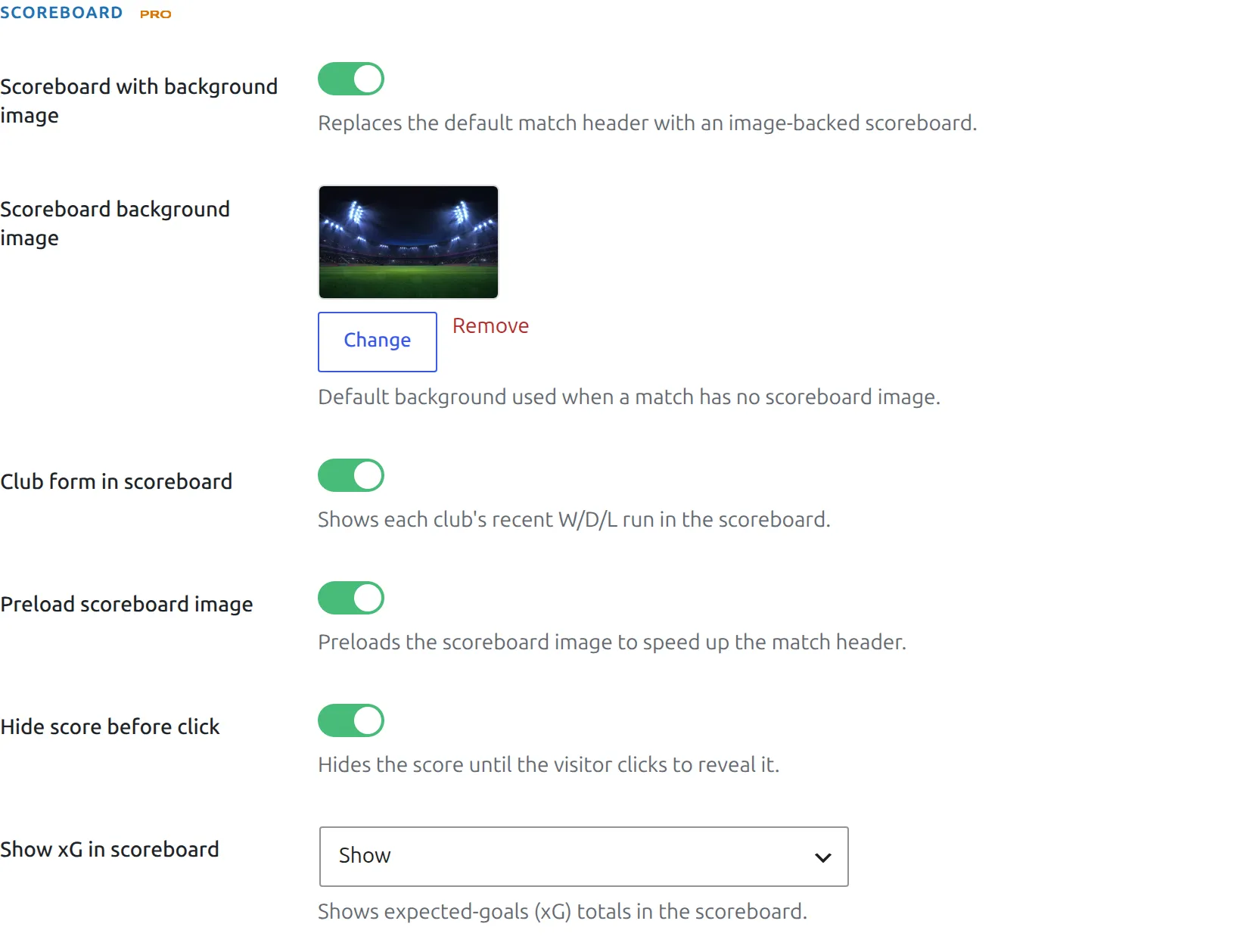
Older guides send you to the FL+ Configurator and a Match Display Options section. That screen is gone – the option lives on the Settings page now.
It needs the Scoreboard
The Show Score button lives inside the image-backed Match Scoreboard. If a game shows the plain header instead – the Scoreboard switched off, or no background picture found for that game – nothing is hidden. Check the Scoreboard first.
👀 What visitors see
On a finished game, the scoreboard shows the clubs, the competition and the kickoff date, with the Show Score button in the middle. Everything on the same game page that would give the result away stays hidden with it:
| Hidden until the click | Still shown |
|---|---|
| The score, and the Full Time / AET / Penalties line under it, including the shootout score | Club names, logos and form |
| Goal scorers in the scoreboard, and its footer (half-time score, attendance, referee) | Competition, matchweek, date and stadium |
| xG totals in the scoreboard | Lineups and substitutes – without the goal icons |
| Timeline, Goals, Penalty Shootout and Missed Penalties | Cards, formation (without goal icons), video, gallery |
| Commentary and player statistics | Match statistics – without the Goals row |
| Latest games, which would list this game’s result first | Head-to-head, which only lists earlier games |
One click brings all of it back at once.
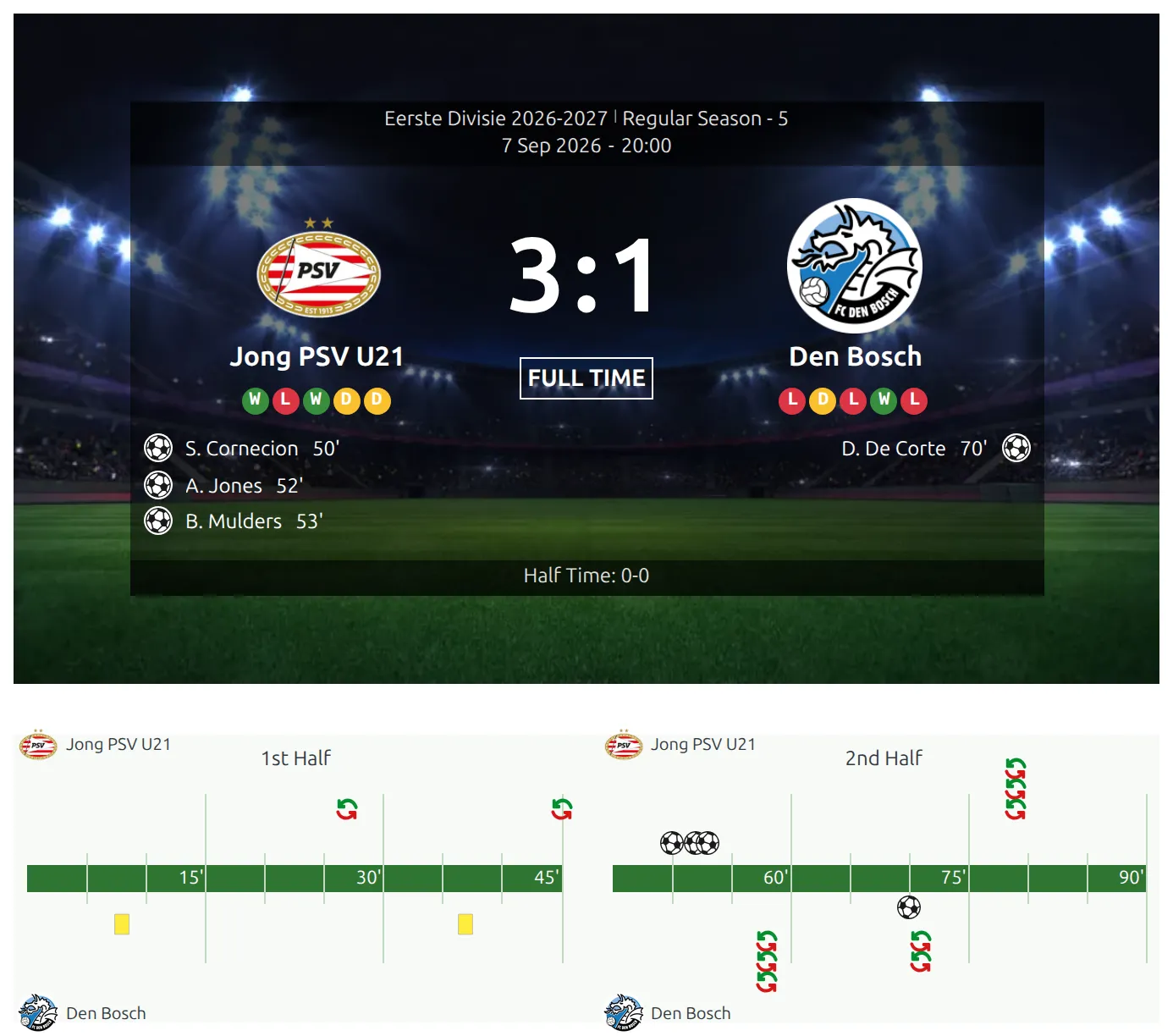
The click isn’t remembered. Reload the page, or come back to it later, and the score is hidden again.
Where it works
- Game pages, both the default layout and your own Layout Builder layouts, as long as the layout has a Scoreboard block.
- The match shortcode with the scoreboard section, for example
[anwpfl-match match_id="123" sections="scoreboard,goals"]. Put two of them in one post and each gets its own button. - The Matches Section shortcode with the Scoreboard header. Each game has its own button, and the section printed under it stays hidden until that button is clicked.
It does not hide results anywhere else: match lists, calendar sliders, standings, club and player pages, and statistics blocks all show scores as usual. If your home page lists this weekend’s results, the spoiler is there, not on the game page.
Change the button text
Go to Translations > Text Strings and type Show Score into the search box. In its row – context match :: scoreboard – type your own caption into the New box, such as “Reveal result” or the same words in your language, and save. Leave the box empty to keep the default.

🆘 Troubleshooting
I switched it on, but the score is still visible
Almost always the game isn’t using the Scoreboard. Open the game: if the header has no background picture, it’s the plain header, and the option has nothing to work with. Turn on Scoreboard with background image in the same Scoreboard block and give it a picture, or check that the Scoreboard isn’t switched off for that one game. The Match Scoreboard page explains where the picture comes from.
On a Layout Builder game layout, also check that the layout contains the Scoreboard block. A layout that uses the plain Header block has no button either.
The game isn’t finished yet, but I want the score hidden
That’s by design. Only games marked as finished are hidden, so a live game keeps its running score on screen.
A block I added with a Shortcode block still shows the result
Only the game’s own blocks are hidden. A match list or a standings table dropped into the page through a Shortcode block or a Custom Code block isn’t part of the game, so it shows its scores. Move it below the fold, or leave it off the game layout.
Very old browsers
Hiding the blocks below the scoreboard relies on a CSS feature every current browser has. In a browser older than 2023 the score in the scoreboard is still hidden, but on some layouts the timeline and goals may show.
📚 Related
- Match Scoreboard – the background picture, the other Scoreboard settings, and switching it off for one game
- Match Timeline
- Match shortcode
- Matches Section shortcode