

Line-ups, match events, formations and club squads store player IDs, not player names. Delete a player and those IDs stay behind, pointing at a record that no longer exists – so a lineup slot renders as nothing at all, a goal has no scorer, and a squad row is blank. The Broken Player References tool finds every one of those leftovers and lets you either move them to a real player or strip them out.
🚀 Where to find it
Football Leagues > API Import > Toolkit, under Data Cleanup. It sits next to the Player Merge Tool and works on any site – the data does not have to come from an API import.
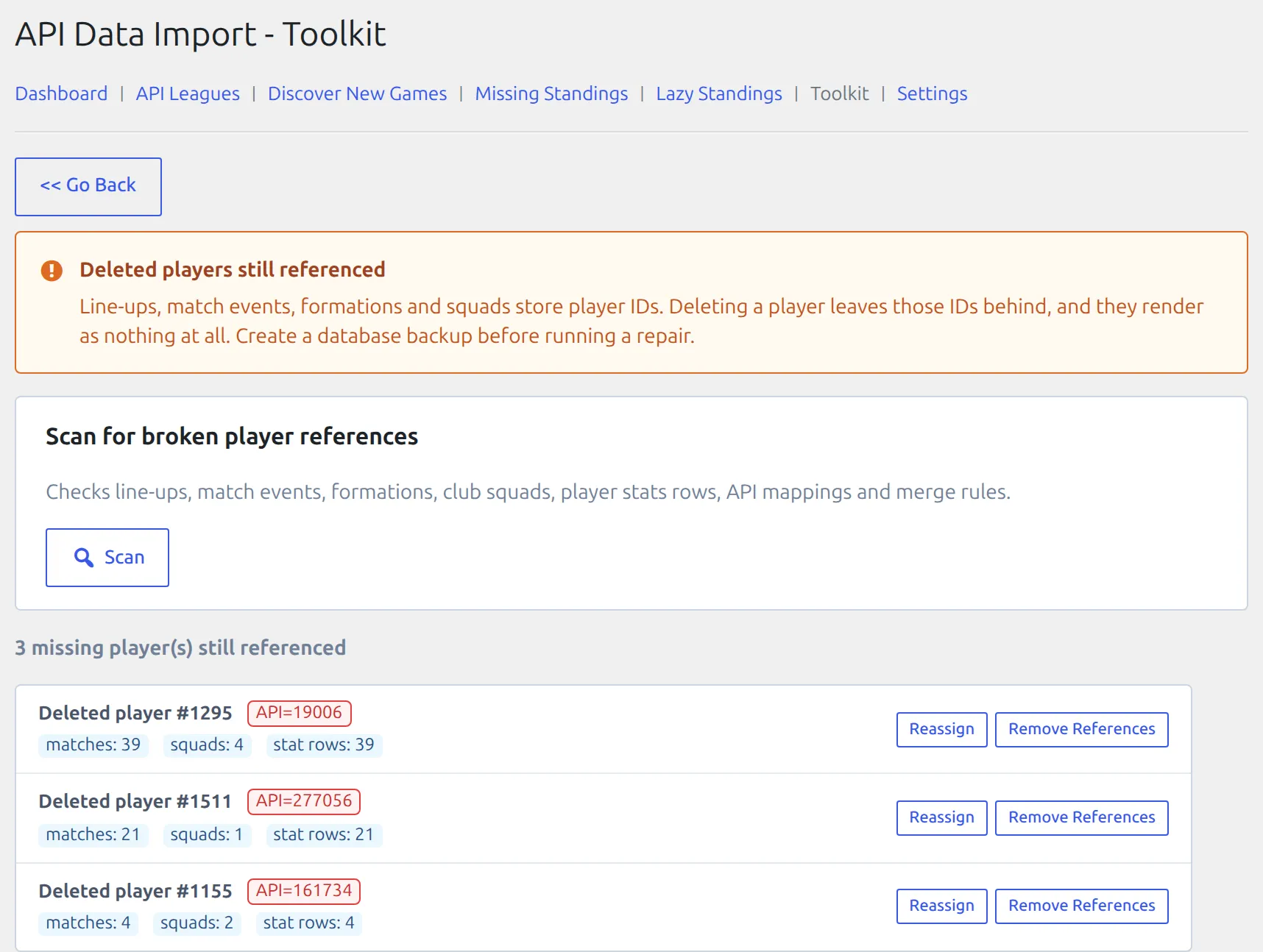
Back up first
Both repairs rewrite match and club records directly and cannot be undone from the admin. Take a database backup before you run one.
Scanning
Press Scan. The tool checks line-ups, match events, formations, club squads, player statistics rows, API mappings and player merge rules, and lists every player ID that is referenced somewhere but no longer exists.
Each result shows the deleted player’s ID, any API IDs still mapped to it, and three counts:
| Count | Means |
|---|---|
| matches | Matches whose line-up, events or formation still name this ID |
| squads | Club squads that still list it |
| stat rows | Stored player statistics rows attached to it |
Scanning changes nothing. If the result is “No broken player references found”, there is nothing to repair.
Choosing a repair
Reassign – when the player still exists under another record
Use this when the deletion was a duplicate cleanup: the same person is on the site under a different ID, and the history should follow them. Press Reassign, start typing a name to pick the surviving player, then press Reassign References.
Line-ups, events, formations, squads, statistics and the API mapping all move to the player you picked. Because the API mapping moves too, the next import writes the surviving player instead of re-creating the deleted one.
Remove References – when the player should be gone
Use this when the record was created in error and its appearances are not real. The ID is stripped out of every line-up, event, formation and squad that named it. The affected matches and clubs keep everything else.
Which one?
If the goals and appearances belong to somebody, reassign. If nobody actually played those minutes, remove. When in doubt, reassign to a placeholder player you create for the purpose – you can always move the references again later.
After a repair
- Run Scan again – the repaired entry should be gone.
- Open one of the affected matches and check the lineup and events read correctly.
- Clear the plugin cache: Settings & Tools > Toolbox > Clear Cache.
- If the repair changed who scored, re-save the matches so player statistics are rebuilt.
Avoiding the problem
Since Premium 0.18.4, deleting a player also clears any merge rules pointing at it, so the specific case where a deleted merge target broke every later import no longer happens. Two habits still help:
- Merge duplicates instead of deleting them. The Player Merge Tool moves the history across; deleting throws it away and leaves the IDs behind.
- Hide rather than delete when you only want a player off the front end. See Hidden Clubs & Players.
🆘 Troubleshooting
A blank slot in a lineup, but the scan finds nothing
The scan only reports IDs with no player record at all. A player who exists but is Hidden, a draft, or in the trash renders as plain text rather than blank – that is a different, deliberate behaviour. Check the player’s status on the Players list.
The buttons are greyed out
Another toolkit request is still running. Wait for it to finish – only one runs at a time.
The same broken ID comes back after the next import
An API mapping is still sending that provider ID to the deleted player. Reassigning moves the mapping, so prefer Reassign over Remove References on any entry that shows an API= badge.
📚 Related
- Hidden Clubs & Players – hide a player instead of deleting it
- API Data Import