

In futsal, minifootball and a lot of amateur leagues, a substituted player can come straight back on. Football Leagues can track every spell a player has on the field, add them up into one minutes total, and still show you when each spell started and ended.
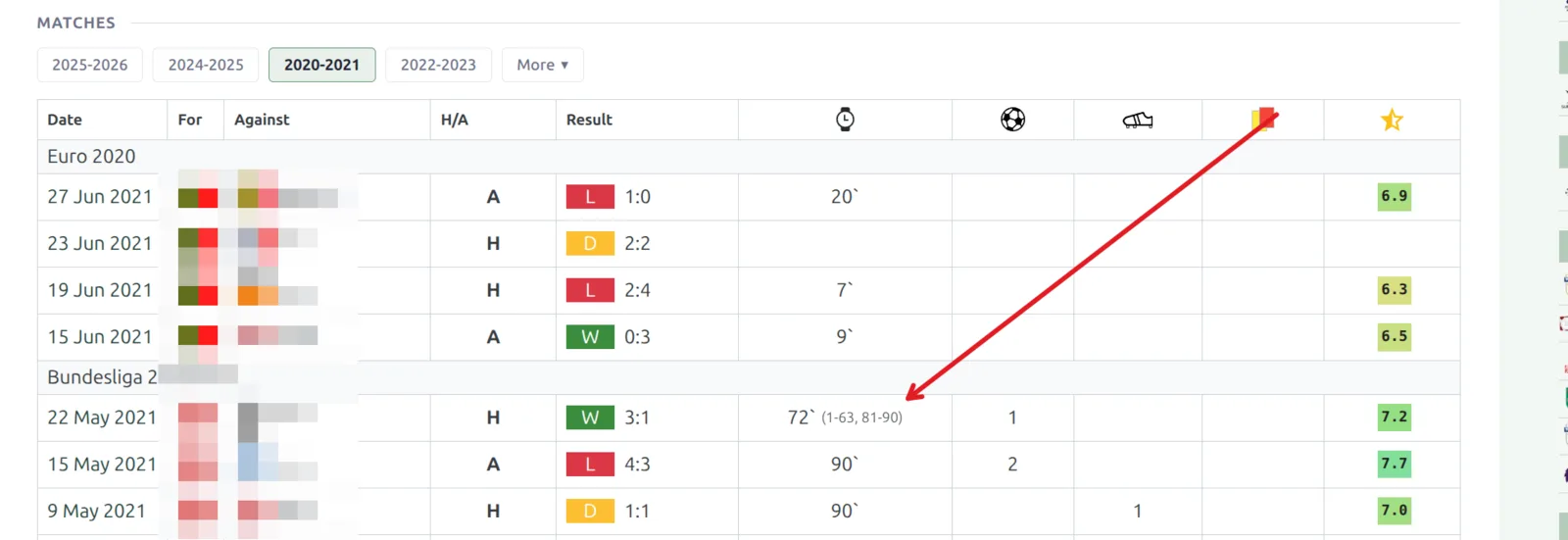
Here’s what a rolling-substitution match looks like on a player’s profile. The player was on for 72 minutes across two spells – minute 1 to 63, then back on from 81 to the end.
🎯 What you’ll set up
- Rolling substitutions turned on for the competition stages that need them
- A match duration that matches your sport, so a 40-minute futsal game isn’t measured against 90
- Per-match positions, so a field player who goes in goal gets goalkeeper stats for that game only
Before you start
You need Football Leagues PRO. Rolling substitutions are off by default, and they’re set per competition stage – so a site running an 11-a-side league and a futsal cup side by side keeps normal substitutions in the league.
🚀 Step 1 – Turn on rolling substitutions
Go to Settings & Tools > Settings, open the Rolling Substitutions tab in the Features group, and switch it on.
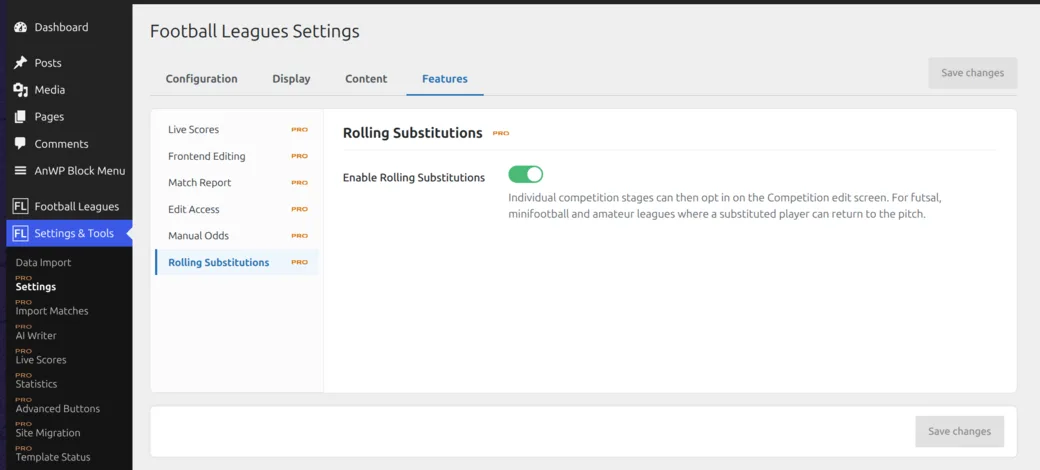
This switch on its own doesn’t change any match. It just makes the per-stage option appear on the competition editor – until it’s on, that option stays hidden so it doesn’t clutter the screen for everyone else.
Step 2 – Set up the competition stage
Edit the competition and open the stage you want. Three fields matter here:
| Field | What to set |
|---|---|
| Match Duration: Full Time | Your regulation length. Futsal is usually 40, minifootball often 50 or 60. Leave it at 90 for regular football. |
| Match Duration: Extra Time | Extra time length, if your competition uses it. |
| Allow Rolling Substitutions | Turn on for this stage. Players substituted off can then come back on. |
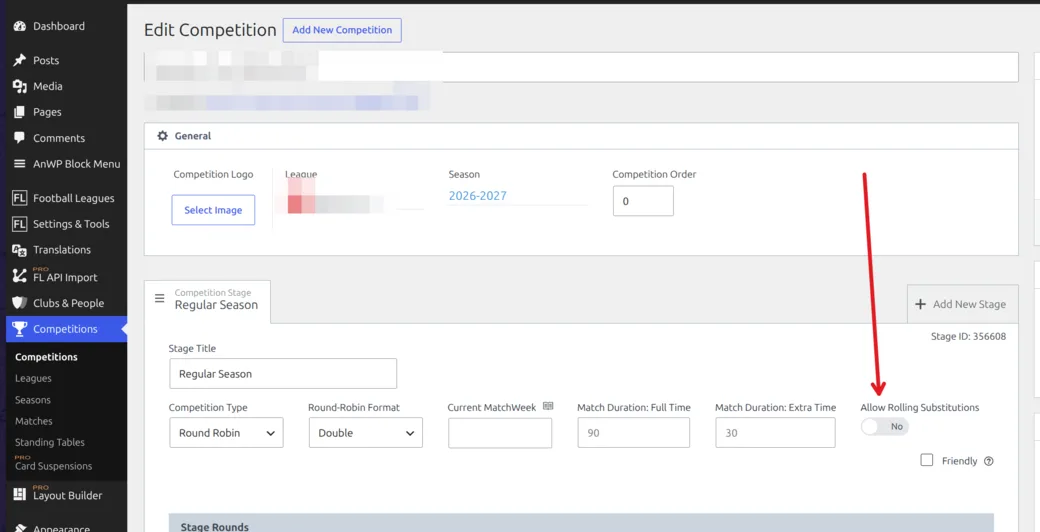
Set the duration before you create fixtures
A new game copies the stage’s duration values when it’s created. Games that already exist keep the duration they were created with, so if you change the stage from 90 to 40 later, open and re-save those games to pick up the new value.
Step 3 – Record the substitutions
Nothing changes in how you enter a match. Add the lineups, then add substitution events the way you always do. The difference is that bringing a player back on is now allowed – Football Leagues records it as a second spell instead of treating it as a mistake.
Each spell is stored with its own start and end minute. A player who goes off at 20 and returns at 28 in a 40-minute game ends up with 32 minutes, shown as 32` (1-20, 28-40).
Step 4 – Set a position for one match
Small-sided games often have an outfield player take over in goal. You can set the position a player actually played in a single game, without touching their normal position.
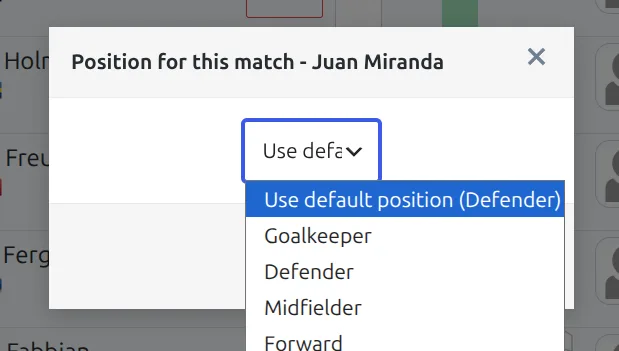
In the match lineups, click the colored position letter next to the player.
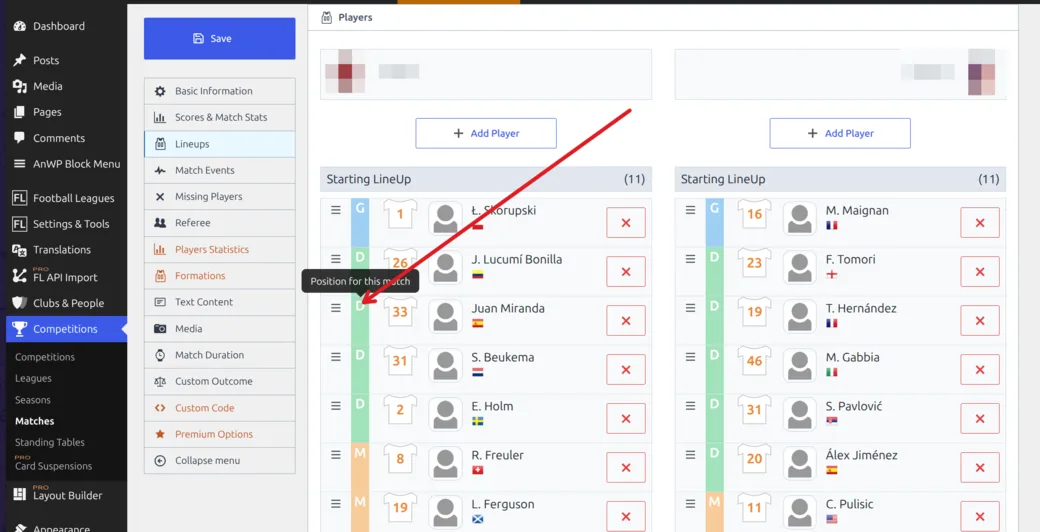
Pick the position for this game. Leaving it on Use default position keeps the player’s normal one.
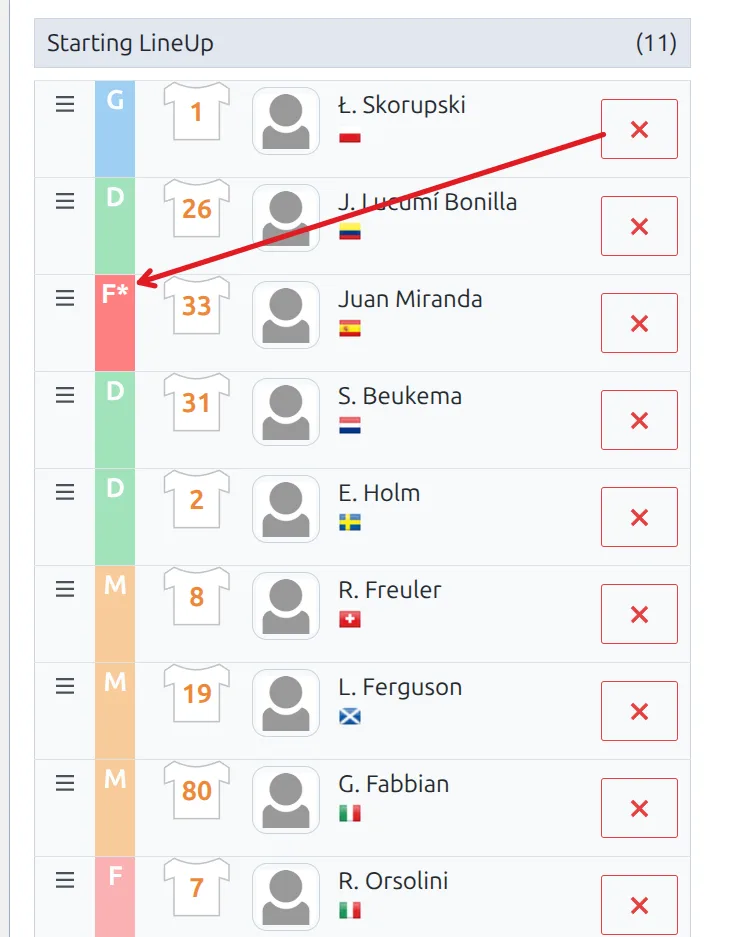
Once a player has a position set for that game, an asterisk appears after the letter. That’s how you spot an override at a glance when you come back to the match later.
Check that it worked
Save the match and open the player’s profile. In the match list you should see the total minutes with the spells beside them, like 72` (1-63, 81-90). A player who was on for one uninterrupted spell just shows the total, with no periods – that’s expected.
How minutes and stats are worked out
- Minutes are the sum of every spell, not the gap between the first and last one.
- Half-time follows the match duration you set. A 40-minute futsal game breaks at 21, not at 46, so nobody loses a minute at the wrong mark.
- Clean sheets are judged against the match duration too. A keeper who played 30 minutes of a 40-minute game gets the clean sheet – the old fixed 60-minute rule would have given them nothing.
- Goals conceded only count while the goalkeeper was actually on the field. A goal scored during a spell they sat out isn’t charged to them.
- Goalkeeper columns follow the per-match position. If a player kept goal in some games and played outfield in others, their profile shows both sets of columns.
🆘 Troubleshooting
Old matches still show the wrong minutes
Turning the feature on only affects matches saved from that point on. Matches recorded before you enabled it keep the totals they were saved with.
To fix one, open the match and save it again. The spells are rebuilt from the substitution events already stored, so you don’t have to re-enter anything.
Turn it on before the season starts
There’s no bulk re-save. If you switch rolling substitutions on halfway through a season, every affected match has to be opened and saved one by one – so it’s worth setting up before you record your first game.
The per-stage option isn’t there
The stage option only appears once the master switch in Settings & Tools > Settings > Rolling Substitutions is on. Check Step 1.
A 40-minute game still measures against 90
The game was created before you set the stage duration. Open it and save it again to pick up the stage values.
Nothing changed on my regular league
That’s the point. Stages without Allow Rolling Substitutions behave exactly as before, and so does any match where a player had a single uninterrupted spell.
📚 Related
Running futsal usually means trimming the position list too – most small-sided leagues only need a goalkeeper and one outfield position. You can do that in the Player Positions section of the settings, and rename the labels to suit your sport.
The playing periods also show on the Game Log block if you build player pages with the Player Layout Builder.