

[anwpfl-stat-clubs] ranks clubs by one statistic: most goals, fewest conceded, most home wins, corners per game, or a team stat you track yourself. You get a short numbered list with club logos, five clubs by default.
Use it for “Best attack” and “Best defence” boxes on a competition page, or a sidebar next to the standings.
Premium Feature
This shortcode requires the Football Leagues Premium plugin.
🚀 Basic usage
[anwpfl-stat-clubs stat="goals" competition_id="12"]That’s the five highest-scoring clubs of competition 12. stat is the only required attribute. Leave it out, or give it a value that doesn’t match a stat, and the shortcode prints nothing at all.
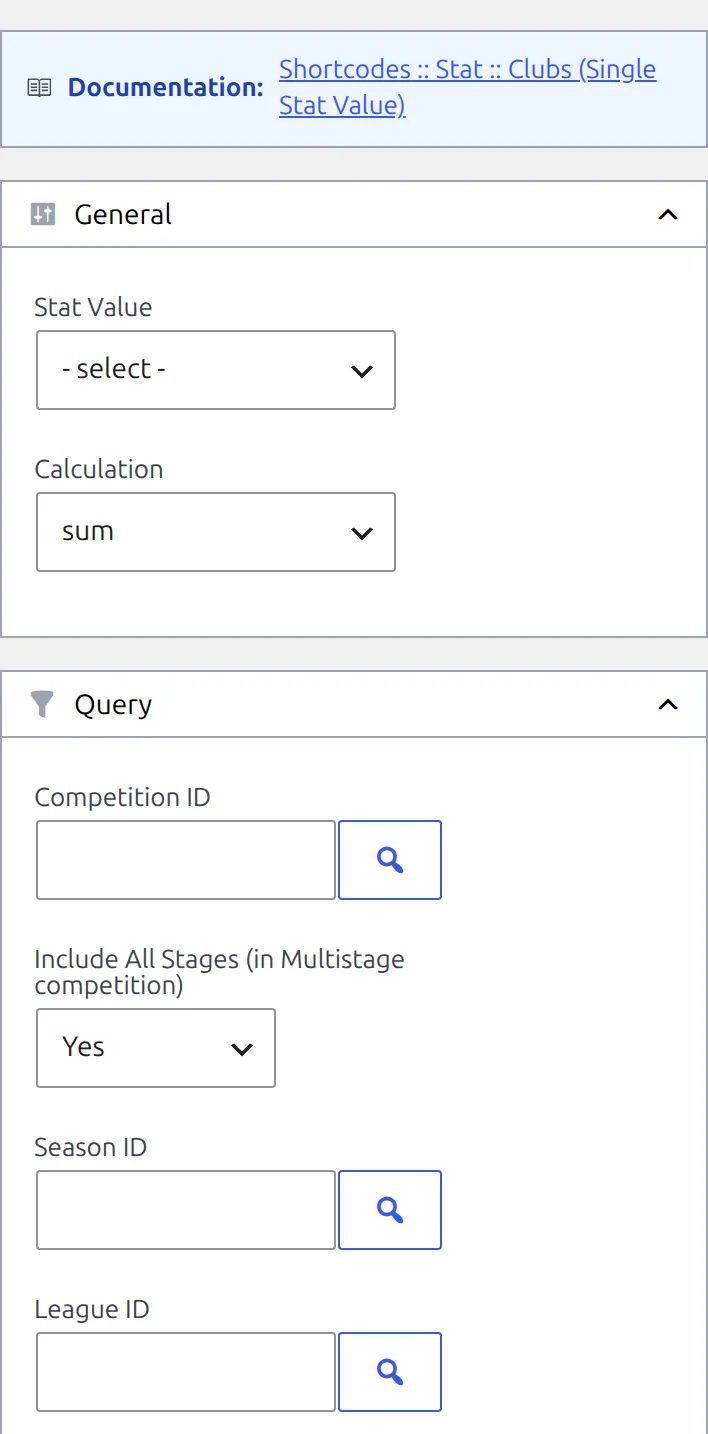
To build one with a live preview, go to Football Leagues > Shortcodes and pick 🔸 Stat :: Clubs (Single Stat Value). Two neighbours in the dropdown have nearly the same name: 🔸 Stats :: Clubs is the club statistics table and 🔸 Stats :: Club is one club’s panel.
Stat Clubs or Stats Clubs?
One number, many clubs, ranked: this page. Many numbers, many clubs: Stats Clubs. Many numbers, one club: Stats Club.
| Shortcode | Shows | Use it for |
|---|---|---|
[anwpfl-stat-clubs] | One statistic, ranked, top 5 | “Best attack”, “Most clean sheets” boxes |
[anwpfl-stats-clubs] | A table with the columns you pick | A club statistics page comparing many numbers |
[anwpfl-stats-club] | One club’s stats as a panel | A club page |
[anwpfl-stats-h2h] | Two clubs side by side | A match preview |
Moving attributes between them? The names differ. Stats Clubs uses side, date_after and date_before; Stat Clubs uses home_away, date_from and date_to. An attribute the shortcode doesn’t know is ignored without a warning.
Choosing the statistic
stat | Counts, per game |
|---|---|
wins / draws / losses | The result by the score. Penalty shootouts aren’t taken into account, so a game decided on penalties counts as a draw for both clubs. |
goals | Goals scored |
goals_conceded | Goals conceded |
clean_sheets | Games where the opponent didn’t score |
cards_y / cards_r | Yellow and red cards – see the setting below |
corners | Corners won |
possession | Ball possession, in %. Use it with calculation="avg_game"; a total means nothing. |
fouls | Fouls |
offsides | Offsides |
shots | Shots |
shots_on_goal | Shots on goal |
Cards follow Settings & Tools > Settings > Configuration > General, Second yellow in club & referee stats in the Statistics & Display group. With the default, Red Card, a second yellow is counted in cards_r only. Yellow + Red Card counts it in both, and Yellow Card counts it in cards_y only.
Your own team stats. The Stat Value dropdown also lists the custom team statistics from the Statistics Configurator, after the built-in ones. Pick them in the builder; in the shortcode they appear as their numeric column ID.
Games without team stats count as 0. Corners, possession, fouls, offsides, shots and custom stats come from what’s entered in each game’s Match Stats box. A game where nothing was entered still counts as a game played, with a value of 0 – which pulls averages down and makes the lowest single game 0.
Totals, averages and highs
calculation | Value per club |
|---|---|
sum (default) | The total across every game in scope |
avg_game | Total divided by games played |
max | The highest single game |
min | The lowest single game |
There’s no per-90 option for clubs. Set digits with avg_game – it defaults to 0, so 1.87 prints as 2. For the other calculations digits does nothing, and a custom stat uses its own Digits setting from the Statistics Configurator instead.
Parameters
Which games count
| Parameter | Default | Description |
|---|---|---|
competition_id | (empty) | One or more competition IDs, comma-separated. The builder’s picker lists main stages only – type a stage’s ID by hand to rank a single stage. |
multistage | 1 | Include every stage of a multistage competition. In the builder: Include All Stages (in Multistage competition), set to Yes. 0 counts only the games of the first stage. The builder field arrived in FL+ 0.18.4 – on older versions, type multistage="0" by hand. |
season_id | (empty) | Season ID |
league_id | (empty) | League ID |
home_away | (empty = both) | h for home games only, a for away games only |
matchweeks | (empty) | Comma-separated matchweek numbers, or round IDs in a knockout stage |
stadium_id | (empty) | Games at one stadium |
date_from / date_to | (empty) | YYYY-MM-DD. Both days are included. |
days_offset | (empty) | Relative start date. -7 = from 7 days ago. |
days_offset_to | (empty) | Relative end date, not included. 1 = up to the end of today. |
Only finished, official games count. Friendlies never do, even when competition_id points at a friendly competition.
Ranking
| Parameter | Default | Description |
|---|---|---|
stat | (required) | See Choosing the statistic above |
calculation | sum | sum, avg_game, max or min |
sort | desc | asc puts the lowest value first |
limit | 5 | How many clubs. 0 lists them all. |
Every club with a finished game in scope is ranked, including clubs on 0 – there’s no option to hide them. Clubs on the same value get different position numbers, in no guaranteed order.
Display
| Parameter | Default | Description |
|---|---|---|
show_logo | 1 | Club logo, or the default logo when a club has none |
links | 0 | Link club names to their club pages (builder: Link to Team) |
team_title | (empty) | abbr shows the club abbreviation, or the full name when a club has none |
show_games_played | 0 | Games played, as a small number beside the club name |
digits | 0 | Decimal places for avg_game |
show_full | 0 | A Show full list button under the block, opening a window that loads 10 clubs at a time. Not shown with limit="0", where every club is already listed. |
custom_header | (empty) | Heading text above the list |
custom_header_tag | div | h2, h3, h4 or h5 |
max_width / min_width | (empty) | Block width limits in px |
border_color | (empty) | Border colour as a hex value, with or without the #. Not in the builder. |
The Show full list button text can be changed in Settings & Tools > Settings > Content > Text & Labels.
Examples
Expected goals per game
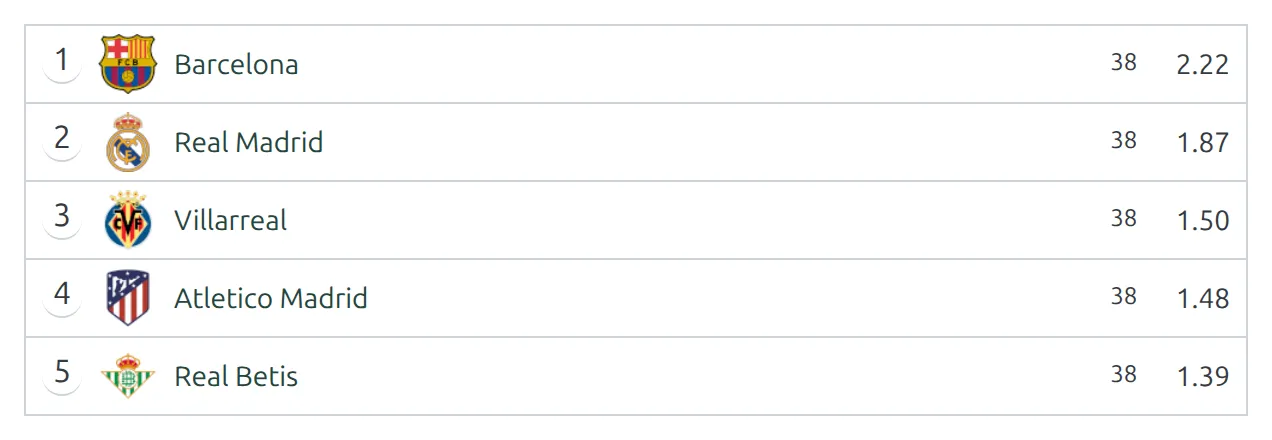
[anwpfl-stat-clubs stat="18" calculation="avg_game" digits="2" competition_id="12" show_games_played="1" links="1"]18 stands for the ID of a custom Expected Goals column – pick yours from the Stat Value dropdown. This is the list at the top of the page.
Best home record
[anwpfl-stat-clubs stat="wins" home_away="h" competition_id="12" custom_header="Most home wins" custom_header_tag="h3"]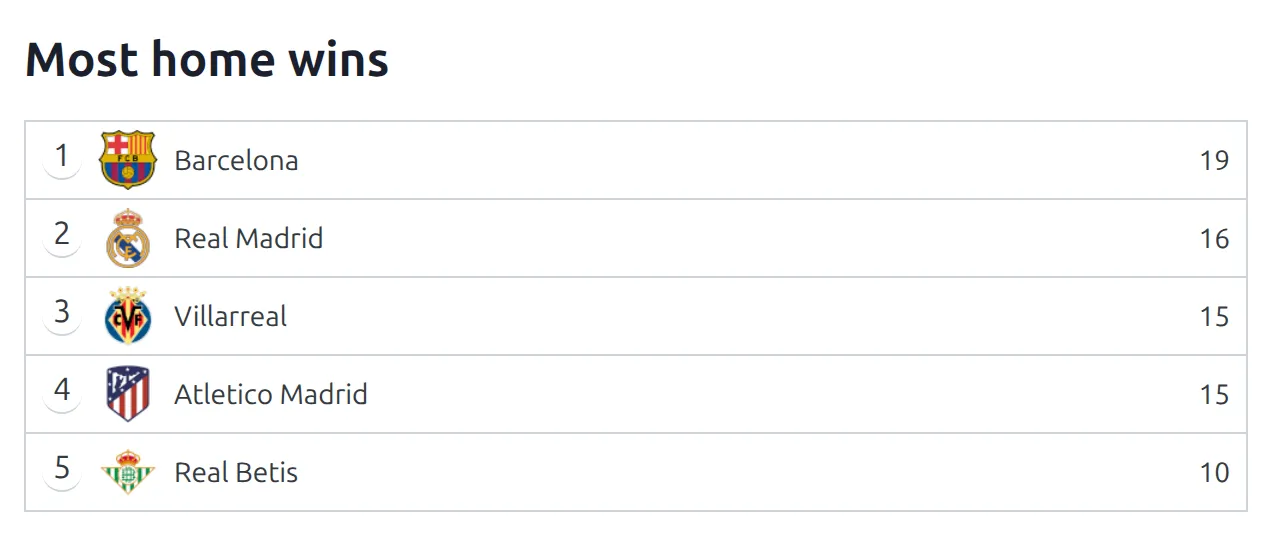
Best defence
[anwpfl-stat-clubs stat="goals_conceded" sort="asc" competition_id="12"]Corners per game
[anwpfl-stat-clubs stat="corners" calculation="avg_game" digits="1" competition_id="12"]Most goals in a single game
[anwpfl-stat-clubs stat="goals" calculation="max" competition_id="12"]In-form attacks, with a full list
[anwpfl-stat-clubs stat="goals" days_offset="-30" show_full="1"]Goals from every official game of the last 30 days, top five, with a button to open the rest.
First stage only
[anwpfl-stat-clubs stat="goals" competition_id="12" multistage="0"]On a multistage competition, this counts the games of the first stage and leaves out the later ones.
Using it in the Layout Builder
On a competition layout, put the shortcode in a Global Shortcode block and let the layout fill in the competition. All stages are already included by default.
[anwpfl-stat-clubs stat="clean_sheets" competition_id="%competition_id%"]Other ways to add it
The Gutenberg block Stat::Clubs draws the same list with the same options. The one default that differs is limit: the block shows 10 clubs, the shortcode 5. There’s no classic widget for clubs.
🆘 Troubleshooting
Nothing renders
The shortcode prints no message when it has nothing to show. Check that stat is set and spelled correctly, then that the competition, season or dates you gave cover at least one finished official game. A competition made up of friendlies shows nothing, because friendlies never count.
Averages look too low, or the lowest game is 0
Some games have no team stats entered. They count as 0 and still count as games. Fill in the Match Stats box on those games, or narrow the list with dates or matchweeks to the games that have data.
Card numbers don’t match another page
Check Second yellow in club & referee stats (see Choosing the statistic above). Player lists use a separate setting, Second yellow in player stats, so a club’s red cards here can differ from its players’ red cards added up.
The list hasn’t updated
Results are cached for up to an hour. Saving any game clears the cache straight away.
Notes
When competition_id holds several competitions, the Show full list window currently counts only the first one.
📚 Related
- Stats Clubs – the club statistics table
- Club Statistics – adding your own team stats
- Stat Players – the same leaderboard, for players
- Standing – the league table