

Football Leagues Premium is sold through Freemius, which handles the checkout, the licence keys, the renewal charges and the invoices. Billing questions go to Freemius. Questions about the plugin come to us.
This page covers three things: where your licence is shown inside WordPress, how to stop a recurring subscription, and what actually changes on your site when a licence lapses.
🚀 The Account screen
Go to Football Leagues > Account in wp-admin. This screen comes from Freemius – we don’t change anything on it – and it’s the quickest way to see what licence this site is actually running.
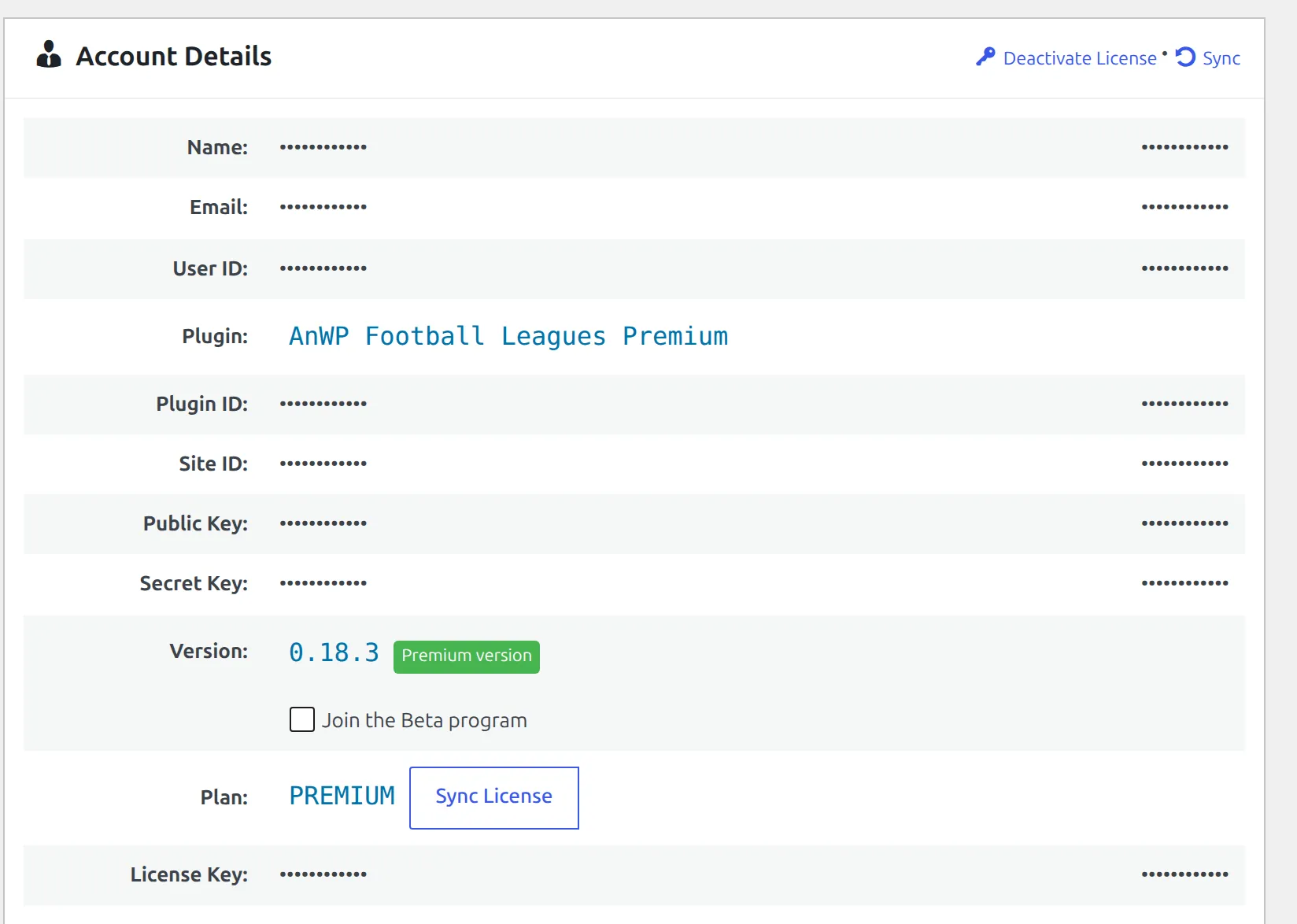
Under Account Details you’ll find the account name and email, the plugin version, the plan you’re on and the licence key. The row that matters most here is Plan, because of the small tag next to it:
| Tag next to the plan | What it means |
|---|---|
| Auto renews in … | A subscription is running and will charge again on that date |
| Expires in … | No subscription. The licence simply runs out on that date |
| Expired … ago | It already ran out |
| No tag at all | A lifetime licence – nothing to renew and nothing to cancel |
Above those rows sits a row of action links. Which ones you see depends on your licence, but on a paying site it’s usually Deactivate License, Change Plan, and – when there’s something to cancel – Cancel Subscription. Once the account has payments on it, a Billing & Invoices link appears too.
Deactivate License is not the same as cancelling
Deactivate License releases this one site from the licence so you can use the slot somewhere else. The subscription carries on charging. That’s the move-to-another-site flow, not the stop-billing one.
Cancelling from wp-admin
On the Account screen, click Cancel Subscription. A browser confirmation appears first. Read it – it tells you the date your access actually ends, which is not today:
Cancelling the subscription will immediately stop all future recurring payments and your Premium plan license will expire in [time remaining]. Once your license expires you can still use the Free version but you will NOT have access to the Premium features.
The same dialog adds a pricing note worth knowing before you click through: Freemius won’t hold your old price for a later renewal. If you cancel now and resubscribe after a price rise – which typically happens about once a year – you pay the new price.
The Cancel Subscription link only appears when there’s a live subscription to cancel. All three of these have to be true:
- the site is running a paid licence, not the free plugin
- the licence is not a lifetime one
- a recurring subscription is actually active against it
Miss any of those and the link isn’t rendered. That’s not a fault – it means there is no recurring charge attached to this licence. A one-off or lifetime purchase never had one, and a subscription you already cancelled doesn’t have one any more.
Cancelling from the Freemius User Dashboard
Freemius runs a customer portal called the User Dashboard, at users.freemius.com. Sign in with the email address you bought with. Your subscriptions, payment method and invoices all live there, and you can cancel from there too.
Use the User Dashboard rather than wp-admin when the site has already been taken down, when you’ve lost admin access to it, or when one subscription covers more than one site. The plugin itself points you there in the same situation – its Disconnect dialog says, word for word, that if you wish to cancel your plan’s subscription instead you should navigate to the User Dashboard and cancel it there.
The portal moved
Older instructions, ours included, sent people to freemius.com and a “Buyers Dashboard”. That name is gone. The portal is the User Dashboard and it lives at users.freemius.com.
⚠️ What happens when the licence expires
Cancelling doesn’t switch anything off. It stops the next charge, and the licence keeps working until the date it was already paid up to. Everything below happens at that date, not when you click cancel.
Once the licence expires, Football Leagues Premium checks its licence on every page load and, finding it invalid, stops registering itself entirely. Not a degraded mode – nothing. The premium shortcodes, blocks and widgets stop rendering, the premium admin pages disappear from the menu, the premium sections of a match page stop being drawn, live scores stop, and the API Import stops running.
The free plugin carries on. Football Leagues ships inside the Premium download and loads independently of the licence, so it keeps running after Premium goes quiet – and if you installed the free plugin separately, that one keeps running too. Your competitions, clubs, players, matches and standings stay in the database and keep rendering through the free plugin’s own templates.
| After the licence expires | State |
|---|---|
| Your data – competitions, clubs, players, matches, standings | Untouched, still in the database |
| Free plugin features | Keep working |
| Premium shortcodes, blocks, widgets and admin pages | Stop |
| Live scores and API Import | Stop |
| Layout Builder layouts | Stop being applied |
| Plugin updates and email support | End with the licence |
Nothing is deleted. Put a valid licence back on the site and every premium feature returns as it was, because all of it renders live from the same data.
Changing your mind
Before the expiry date, you still have the plan you paid for – there’s nothing to restore. To start a new subscription, buy again from anwp.pro and activate the new key on the site. Remember the pricing note above: the price you get is the price on the day.
If your card was simply declined and you want the same subscription to continue, fix the payment method in the User Dashboard rather than cancelling and starting over.
🆘 Common questions
There’s no Cancel Subscription link on my Account screen. Check the tag next to Plan. No tag means a lifetime licence and there is nothing recurring to stop. “Expires in …” means the subscription is already cancelled, or you bought a single term rather than a recurring plan.
I cancelled but the plugin still works. That’s correct. You keep the plan until the expiry date shown in the confirmation.
I deleted the site. Am I still being charged? Probably, yes – removing a WordPress install doesn’t tell the billing system anything. Sign in at users.freemius.com and cancel there.
I want to move the licence, not end it. That’s License Migration – use Deactivate License, not Cancel Subscription.
Freemius emailed me about a failed renewal. Update the card in the User Dashboard. If you do nothing, the licence lapses at its expiry date and the section above describes what follows.
Where do I ask about a charge or a refund? Freemius, through the User Dashboard – they took the payment and they hold the billing record. We can’t see or reverse charges from our side.
📚 Related
- Invoices – getting a copy of a receipt
- License Upgrades – moving to a plan with more sites
- License Migration – moving a licence to a different site
- How to Get Support – plugin questions, while your licence is active