

Add custom content sections (sponsors, CTAs, announcements) to any location on your SL Kit homepage using Gutenberg blocks – no coding required.
🎯 Overview
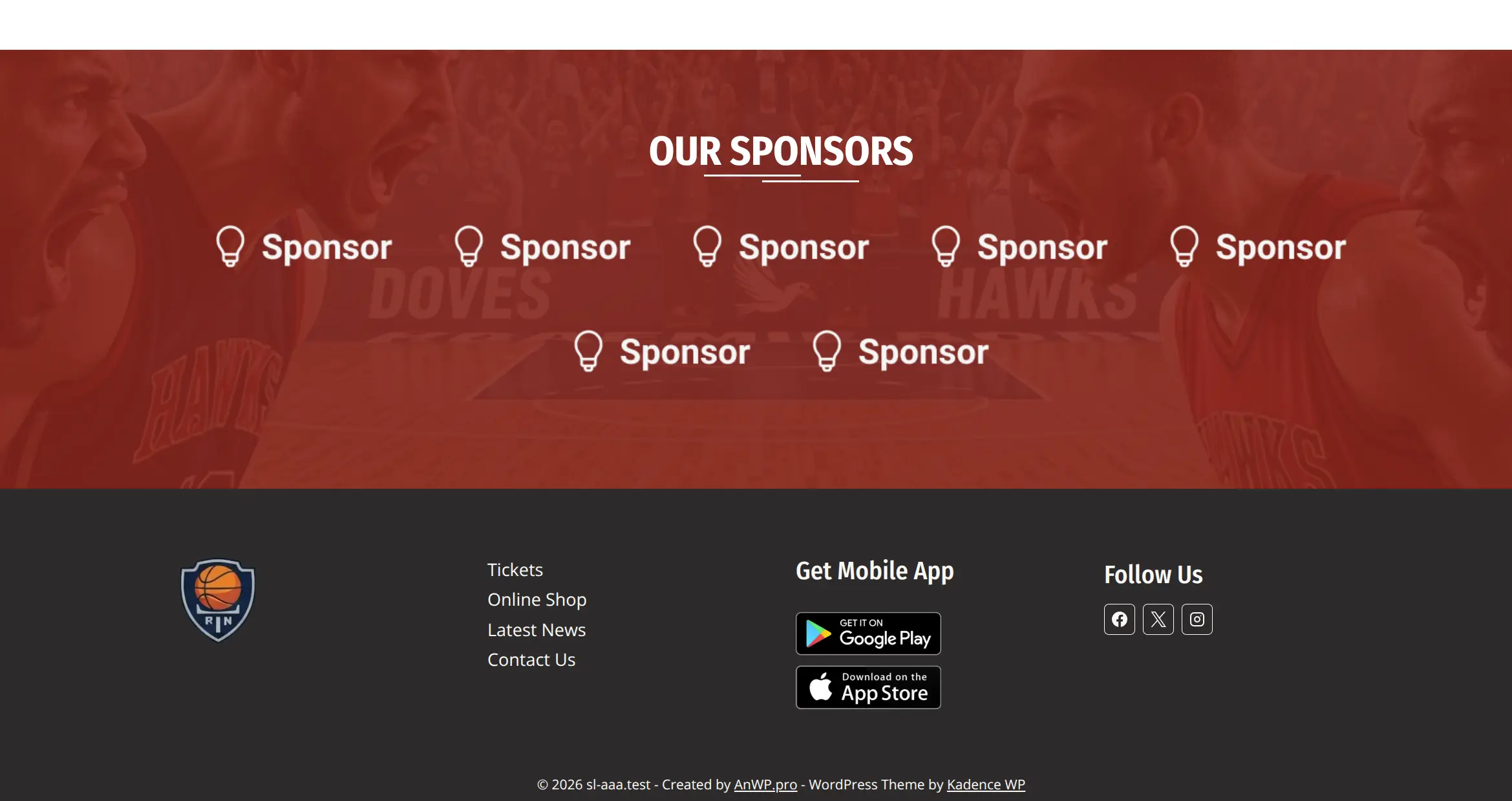
Blocks Everywhere is a Sports Leagues Premium add-on that lets you inject block content at specific locations using WordPress action hooks. Combined with SL Kit’s pre-built pages, you can easily add sponsor sections, promotional banners, or custom content anywhere on your site.
Example: Add a sponsors section above the footer on every page.
Requirements
| Requirement | Details |
|---|---|
| AnWP Sports Leagues Premium | Active |
| AnWP SL Kit | Active |
| Blocks Everywhere add-on | Activated in Sports Leagues > Add-ons |
| Kadence theme | For theme-specific hooks like kadence_before_footer |
🚀 Getting Started
Step 1: Activate Blocks Everywhere
- Navigate to Sports Leagues > Add-ons
- Find “AnWP Blocks Everywhere” card
- Click Activate
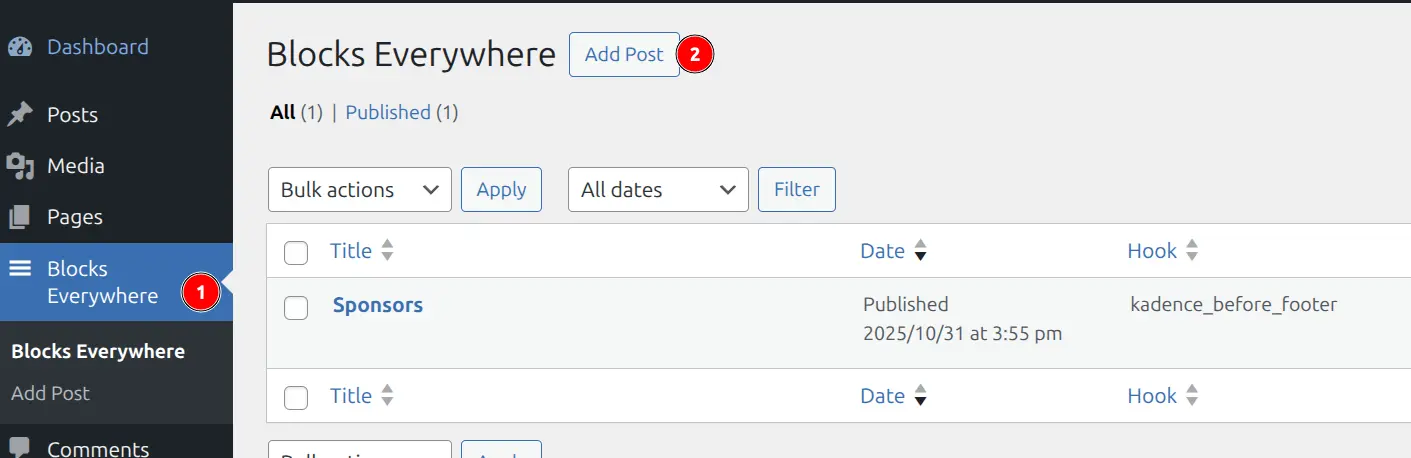
After activation, Blocks Everywhere appears in your admin menu.
Step 2: Create Content Block
- Go to Blocks Everywhere > Add New
- Enter a descriptive title (e.g., “Sponsors”)
- Design your content using any Gutenberg blocks
Tip
For SL Kit pages, match your theme’s color scheme, use full-width layouts for consistent appearance, and consider using Kadence Blocks for advanced layouts.
Step 3: Configure Hook Settings
In the right sidebar panel “AnWP Blocks Everywhere”:
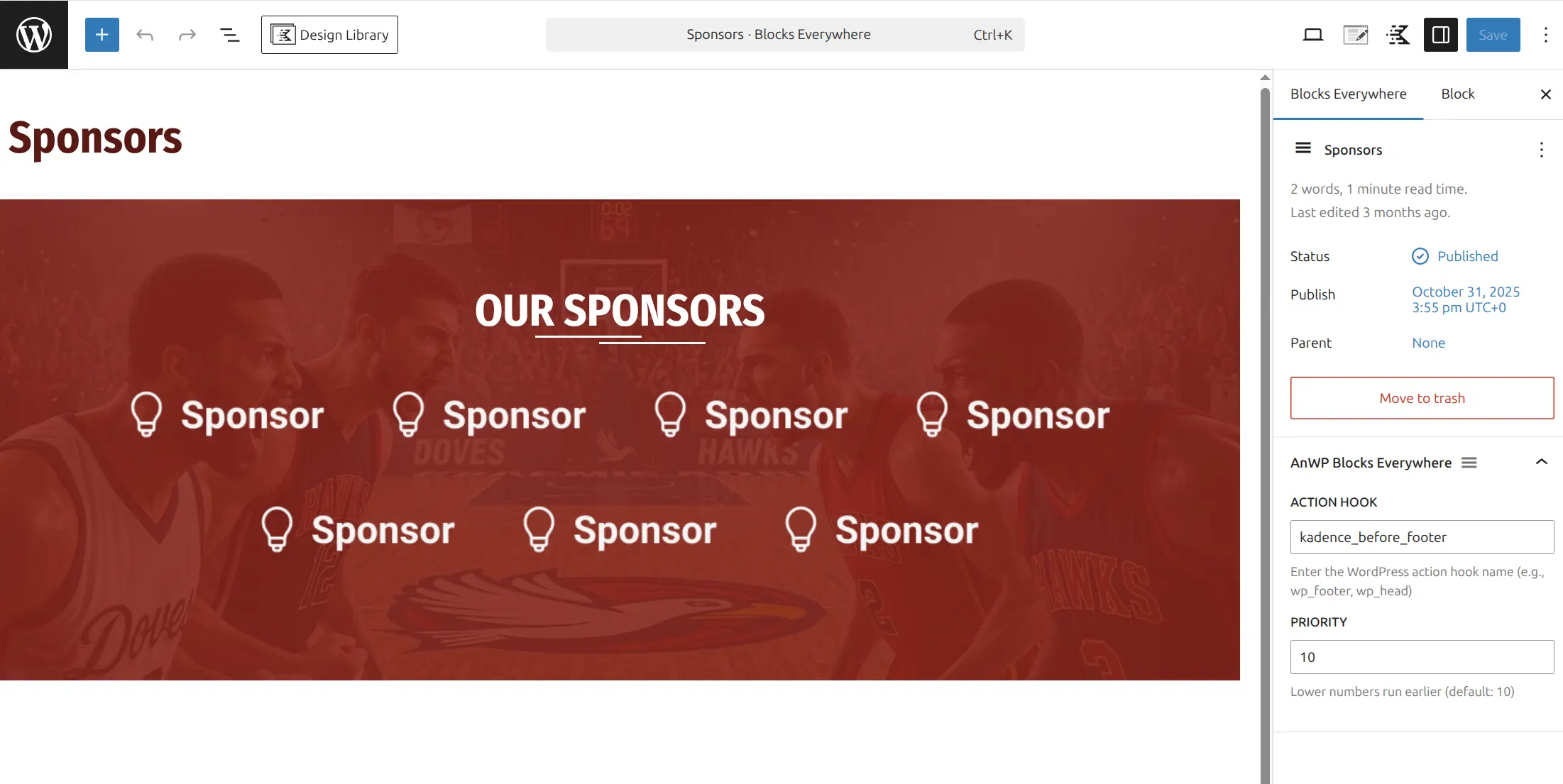
Action Hook – Enter the hook name where content should appear.
Priority – Controls display order (default: 10). Lower numbers appear first.
Step 4: Publish
Click Publish. Your content now appears at the selected location on all pages where that hook fires.
Common Kadence Theme Hooks
SL Kit works best with the Kadence theme. Use these hooks to place content at key locations:
| Hook Name | Location |
|---|---|
kadence_before_footer | Above footer |
kadence_after_header | Below header |
kadence_before_content | Before main content |
kadence_after_content | After main content |
Finding Hook Names
Use the Hooks Visualizer add-on to discover available hooks:
- Activate “AnWP Hooks” in Sports Leagues > Add-ons
- View any frontend page while logged in
- Click “Show Action Hooks” in admin toolbar
- Click any hook indicator to copy its name
See Hooks Visualizer documentation for details.
💡 Common Use Cases
| Use Case | Recommended Hook | Priority |
|---|---|---|
| Sponsor logos above footer | kadence_before_footer | 10 |
| Announcement banner below header | kadence_after_header | 10 |
| Newsletter signup before footer | kadence_before_footer | 5 |
| CTA after content | kadence_after_content | 10 |
Managing Items
- Edit: Click item in Blocks Everywhere list, modify, click Update
- Disable temporarily: Change status to Draft
- Delete: Hover over item, click Trash
🆘 Troubleshooting
Content not appearing
- Verify hook name spelling
- Confirm you’re viewing a page where that hook fires
- Clear all caches (WordPress, page cache, browser)
Content in wrong location
- Use Hooks Visualizer to confirm correct hook
- Adjust priority to reorder multiple items
Styling looks wrong
- Check block width settings
- Verify colors match theme
- Test on frontend (editor preview may differ)
📚 Related Documentation
- Blocks Everywhere Add-on – Full add-on documentation
- Hooks Visualizer Add-on – Discover available hooks
- SL Kit Block Patterns – Pre-built page sections