

Overview
Sports Leagues Premium adds a custom “Hidden” post status to all Sports Leagues entity types. Hidden entities remain visible in shortcodes, standings, and game displays—but without clickable links to their dedicated pages.
Key benefit: Display entities (teams, players) in your content without creating individual pages for them.
🎯 Common Use Case: Single-Team Website
If you run a website focused on one team, you still need opponent teams in the database for games, standings, and statistics. The Hidden status lets you:
- Show opponent teams in standings and game results
- Display opponent players in game lineups and statistics
- Avoid creating WordPress pages for entities you don’t want to feature
Example: Your website covers “Chicago Bulls”. All NBA opponent teams can be set to Hidden. They appear in game scores and standings, but visitors can’t click through to their team pages.
How to Set Hidden Status
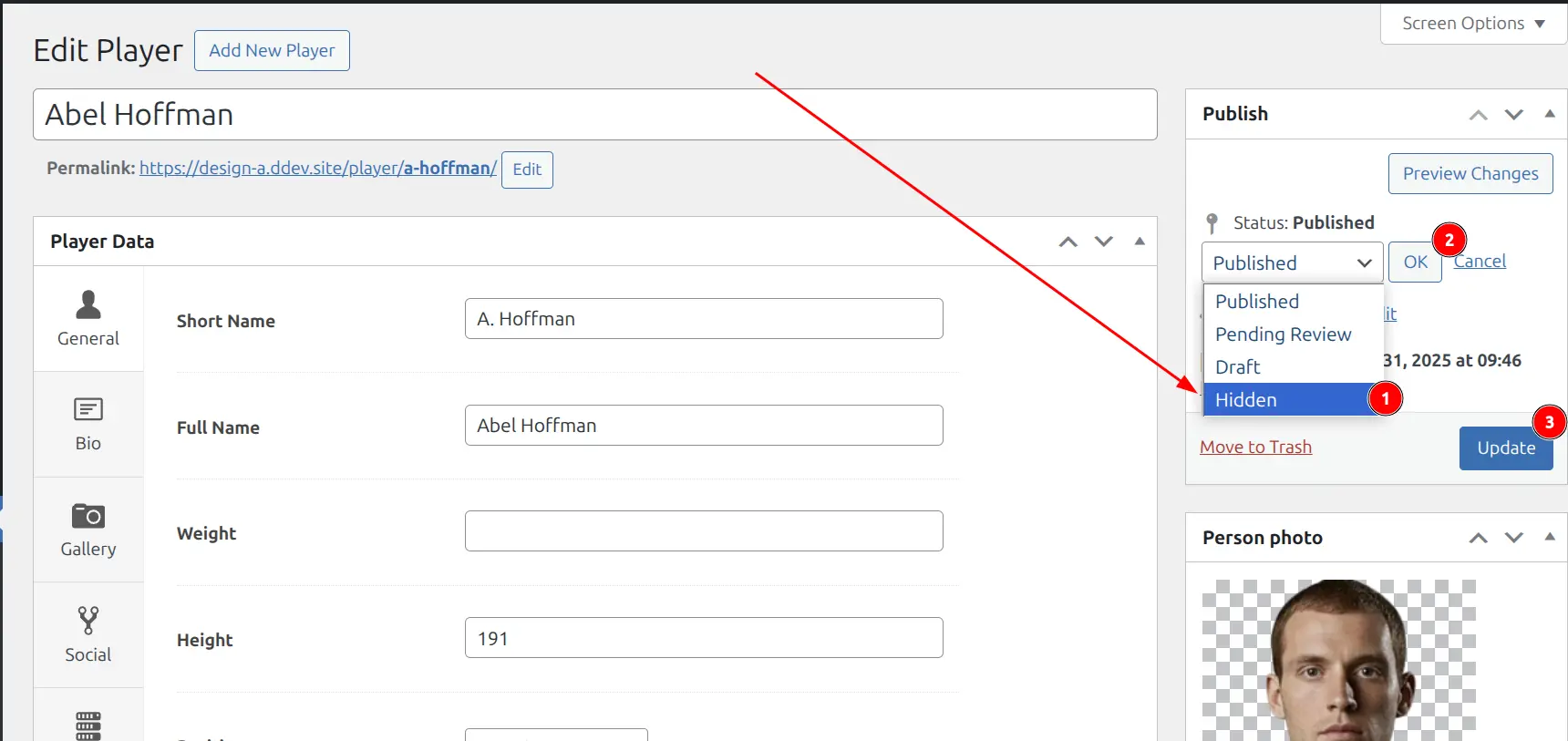
Method 1: Edit Page
- Edit any Sports Leagues entity (Player, Team, Game, etc.)
- In the Publish metabox, click “Edit” next to Status
- Select “Hidden” from the dropdown
- Click OK, then Update
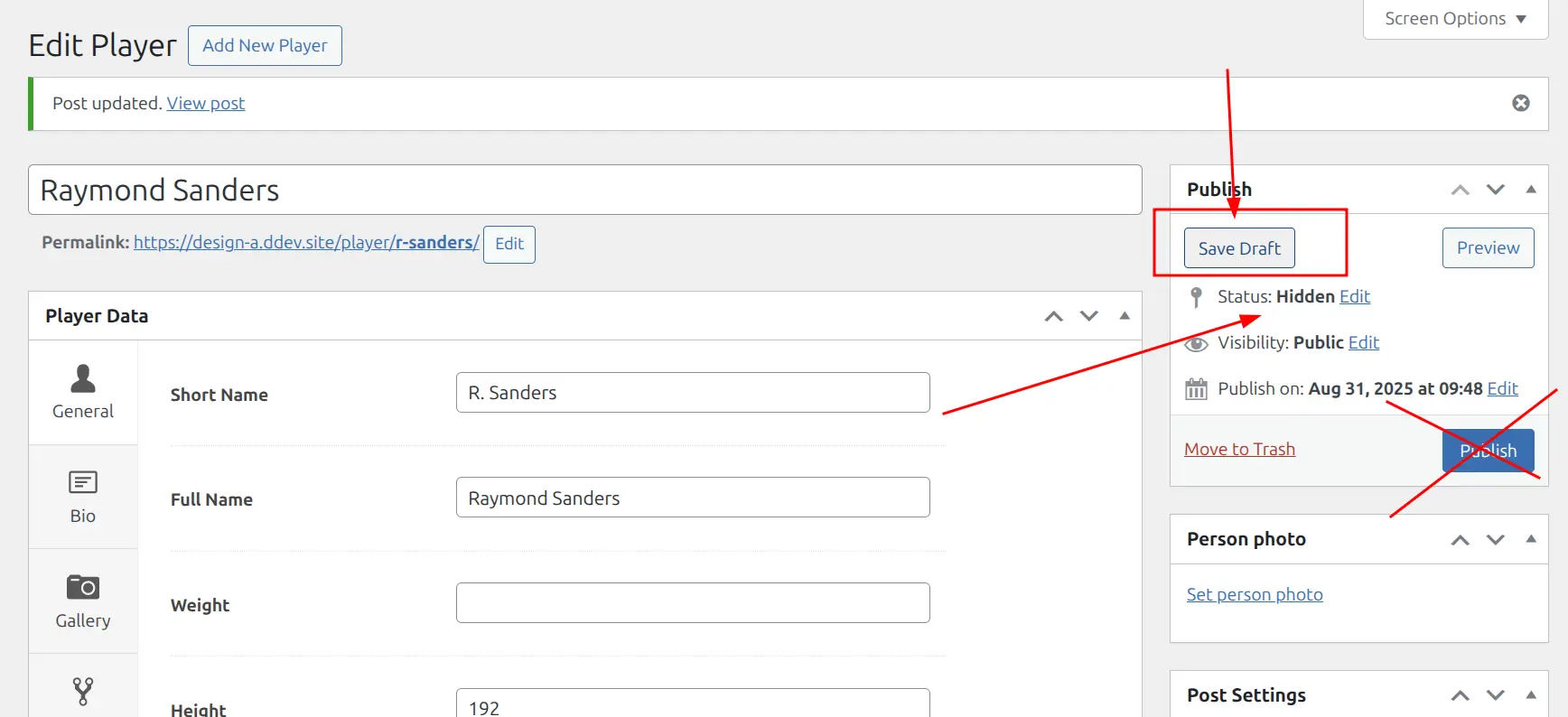
Warning
When editing a Hidden post, click “Save Draft” to save changes. Clicking “Publish” will change the status from Hidden to Published.
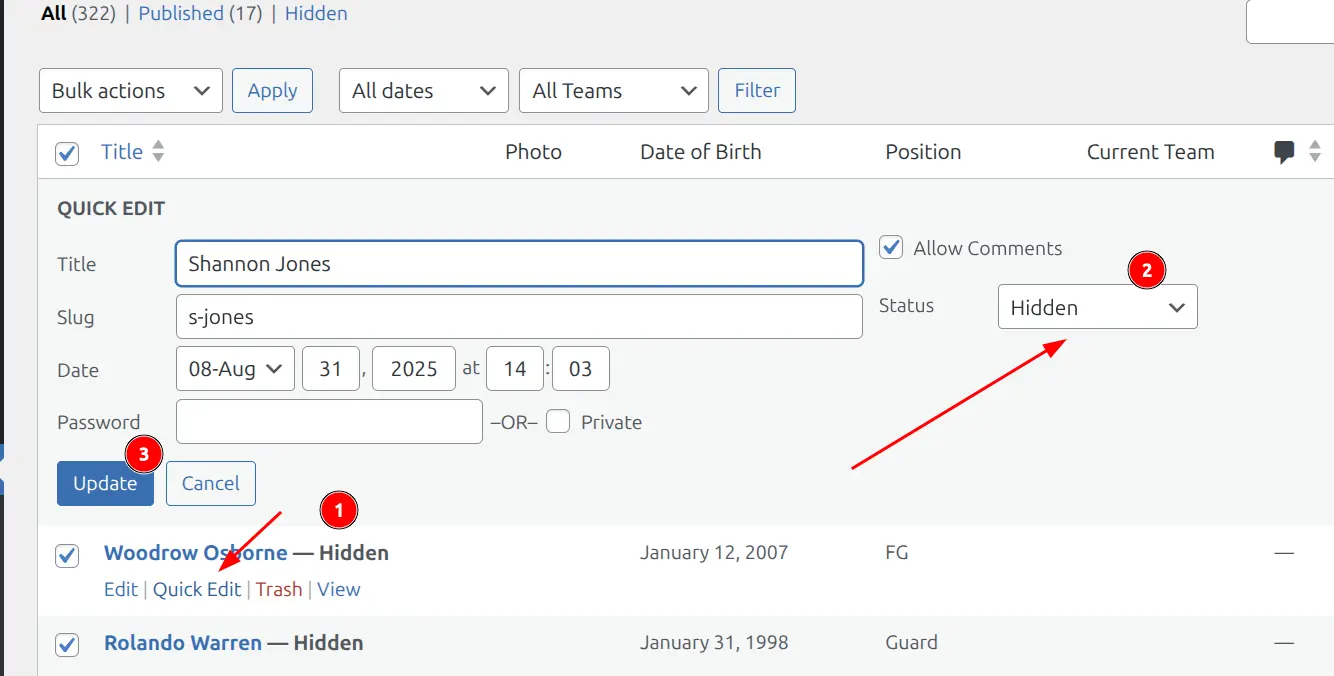
Method 2: Quick Edit
- Go to the entity list (Players, Teams, etc.)
- Hover over an item and click “Quick Edit”
- Change Status to “Hidden”
- Click “Update”
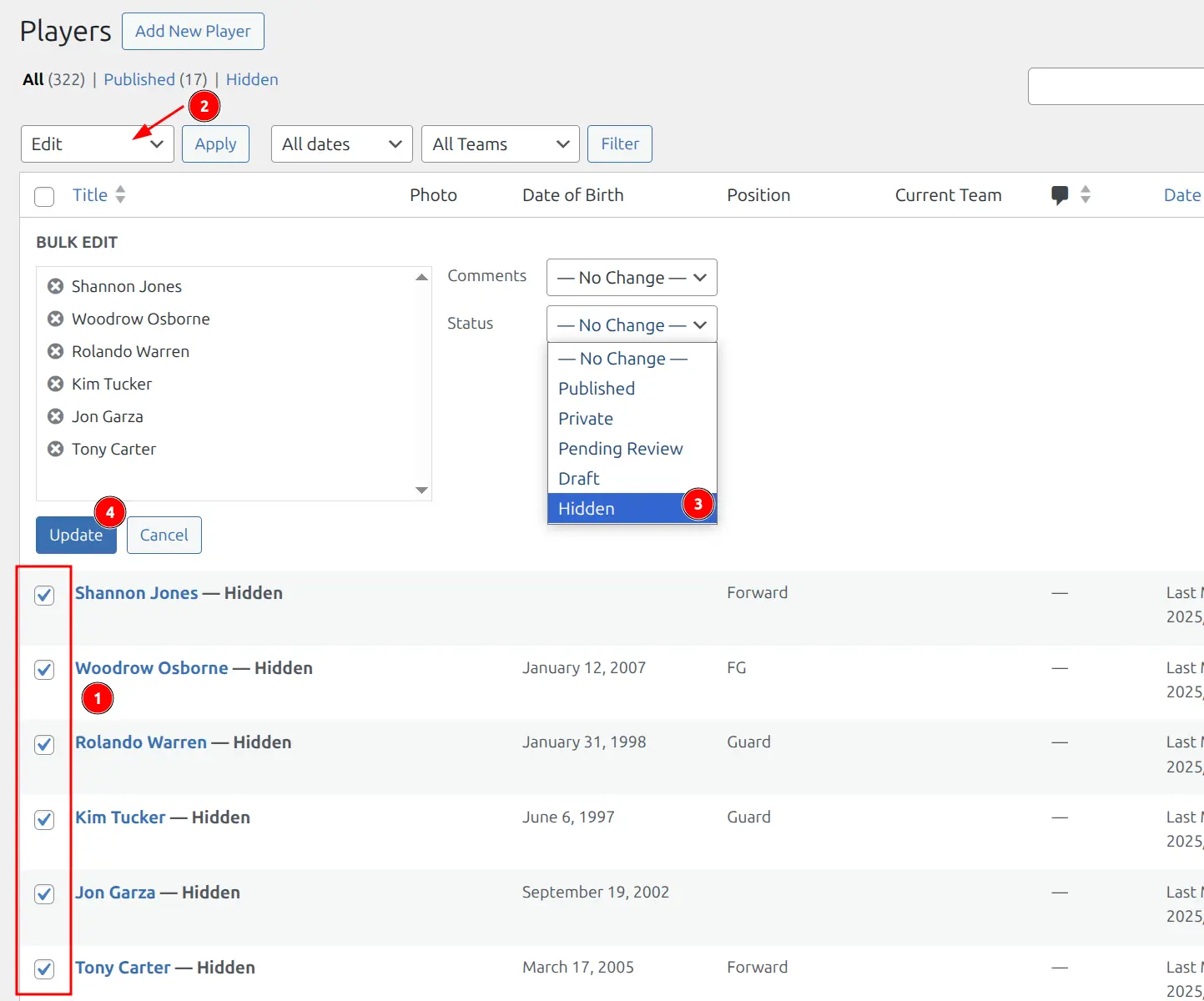
Method 3: Bulk Edit
Change multiple items at once:
- Go to entity list (e.g., All Players)
- Check the items you want to hide
- Select “Edit” from Bulk Actions dropdown
- Click “Apply”
- Set Status to “Hidden”
- Click “Update”
Behavior
When an entity has “Hidden” status:
| Aspect | Behavior |
|---|---|
| Frontend page | Returns 404 (not accessible) |
| Search results | Excluded |
| Shortcodes | Displayed (name only, no link) |
| Standings | Displayed (name only, no link) |
| Game displays | Displayed (name only, no link) |
| Statistics | Included in calculations |
| Admin lists | Visible with “Hidden” label |
| Admin editing | Fully accessible |
Tip
Hidden entities show “Hidden” label in admin list tables. Use the “Hidden” filter link above the list to view only hidden items.
📚 More Use Cases
Opponent Players
When using API import to fetch game lineups, opponent player posts are auto-created. Set them to Hidden so they appear in game statistics without dedicated pages.
Retired Players
Hide players no longer active. Historical stats remain in games—players just won’t have accessible profile pages.
Postponed/Cancelled Games
Hide games temporarily removed from schedule. Change back to “Publish” when rescheduled.
Draft Content
Work on entities before public announcement. When ready, change to “Publish”.
Frequently Asked Questions
Does Hidden status affect standings calculations?
For Teams: No. Hidden teams appear in standings.
For Games: Games with Hidden status are excluded from standings calculations. Hiding a finished game will change standings.
What’s the difference between Hidden and Draft?
| Status | Frontend | Shortcodes | Stats |
|---|---|---|---|
| Draft | Not visible | Not included | Not included |
| Hidden | 404 page | Included (no link) | Included |
Will hidden entities break existing links?
Direct links to hidden entities return 404. Search engines will eventually remove them. Consider redirects if the pages had significant traffic.
Can I schedule automatic hiding?
No. Hidden status is a manual change only.
Technical Reference
Status slug: sl-hidden
Supported Post Types:
sl_player– Playerssl_team– Teamssl_game– Gamessl_tournament– Tournamentssl_standing– Standingssl_staff– Staffsl_official– Officialssl_venue– Venues
Querying Hidden Posts (developers)
$hidden_players = get_posts( [
    'post_type'   => 'sl_player',
    'post_status' => 'sl-hidden',
    'numberposts' => -1,
] );
Including Hidden in queries
$all_teams = get_posts( [
    'post_type'   => 'sl_team',
    'post_status' => [ 'publish', 'sl-hidden' ],
    'numberposts' => -1,
] );