

By default, players in a game display their roster number from the team roster. However, you can override this with a custom number for a specific game without changing the permanent roster data.
🎯 When to Use This
- Temporary squad number changes for a single match
- Player wearing a different number for a specific game
- Fixing incorrect roster data for one game without updating the roster
🚀 How to Change Player Number
Step 1: Open Game for Editing
- Go to Sports Leagues → Games
- Click Edit on the game you want to modify
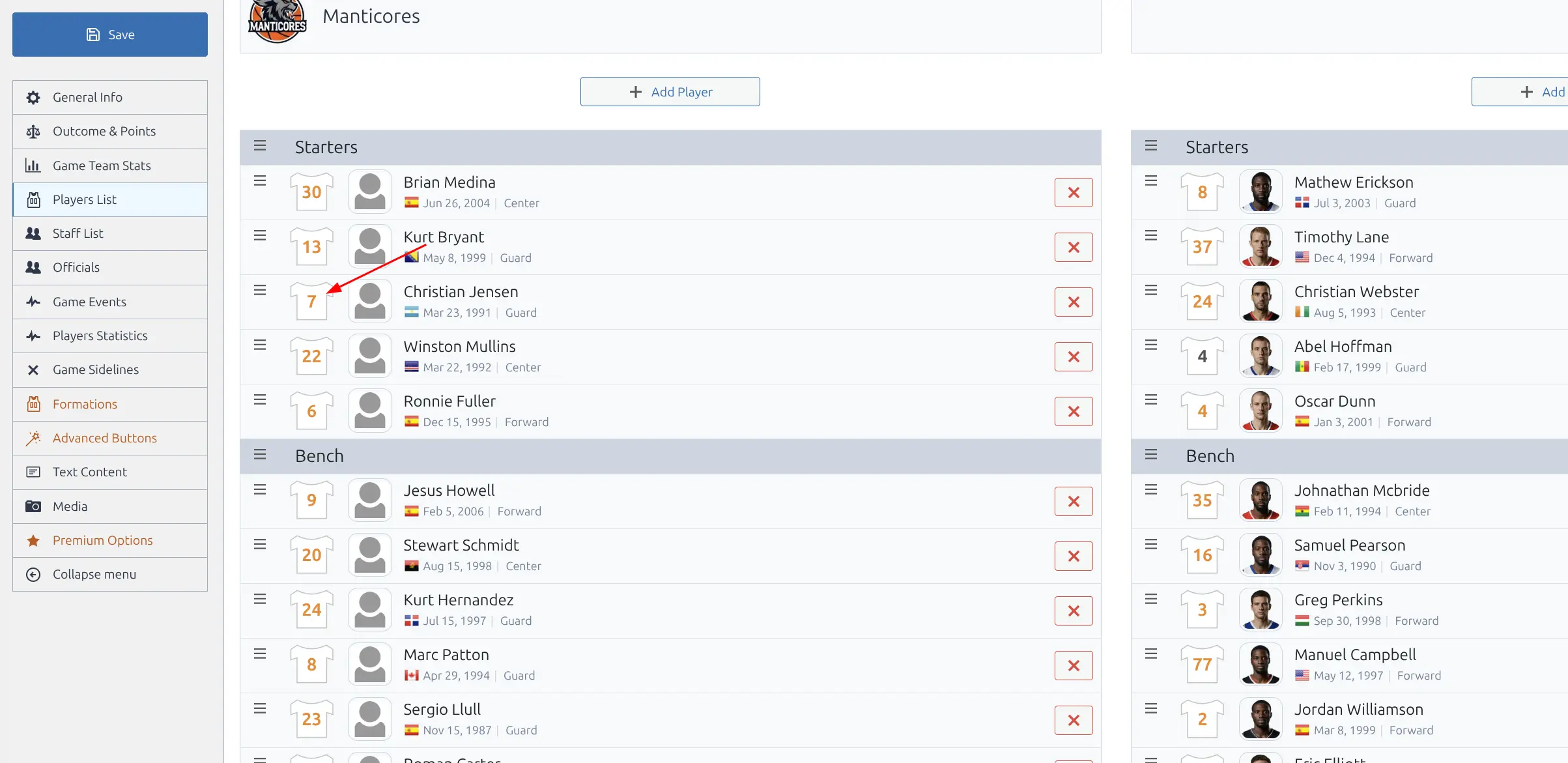
Step 2: Click on Player’s Jersey
In the lineup section, click on the jersey icon with the number next to the player’s name.
Step 3: Enter Custom Number
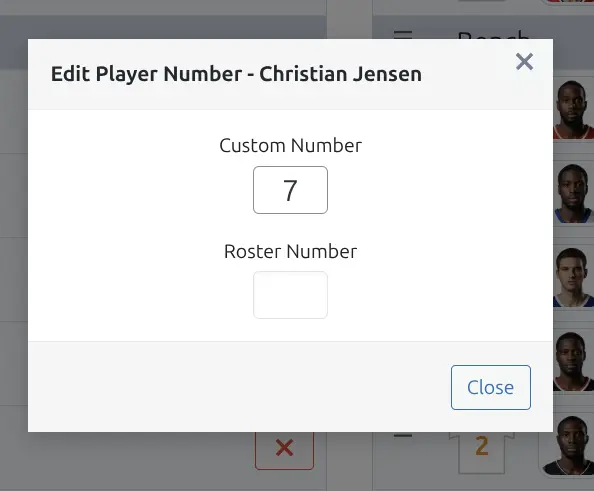
Type the new number in the input field.
Step 4: Save the Game
Click Update to save your changes.
🎨 Visual Indicators
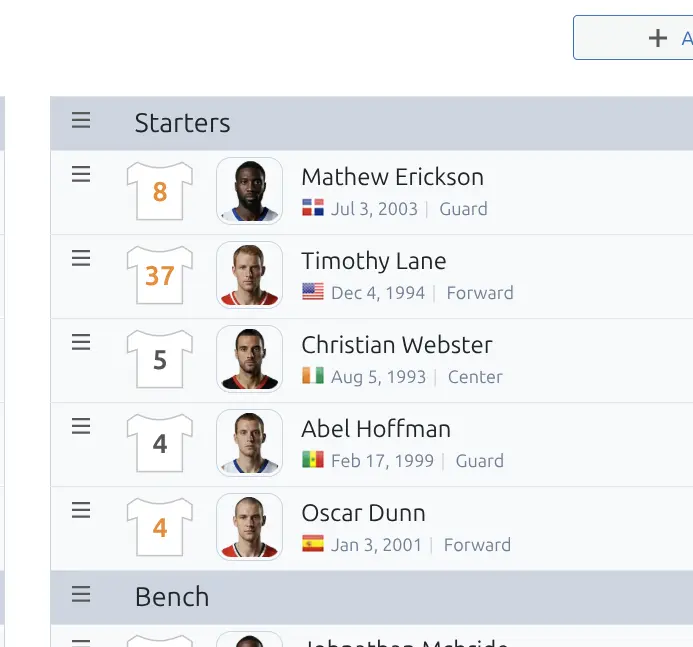
The jersey number color indicates where the number comes from:
| Color | Meaning |
|---|---|
| Gray | Roster number (from team roster) |
| Orange | Custom number (game-specific override) |
🔄 Removing Custom Number
To revert to the roster number:
- Click on the orange jersey number
- Clear the input field (leave it empty)
- Save the game
The number will return to gray and display the roster value.
Tip
Custom numbers only affect the specific game. The player’s roster number remains unchanged for other games and on the team roster page.
📚 Related Documentation
- Team Roster – Managing permanent roster numbers