

Seasons and Leagues are the organizational foundation of your sports data. They work together with Tournaments to structure your competitions hierarchically.
📋 Understanding the Hierarchy
Before creating data, understand how Seasons, Leagues, and Tournaments relate:
| Entity | Purpose | Example |
|---|---|---|
| Season | Time period | “2024-25”, “2024” |
| League | Category/brand | “Premier Division”, “Youth League” |
| Tournament | Specific competition | “Premier Division 2024-25” |
Hierarchy example:
Season: 2024-25
├── League: Premier Division
│   └── Tournament: Premier Division 2024-25
├── League: Youth League
│   └── Tournament: Youth League 2024-25
└── League: Women's League
    └── Tournament: Women's League 2024-25
Tip
Create Seasons and Leagues before creating Tournaments. Tournaments require both to be assigned.
📅 Seasons
Seasons represent time periods for your competitions. One season can contain multiple tournaments across different leagues.
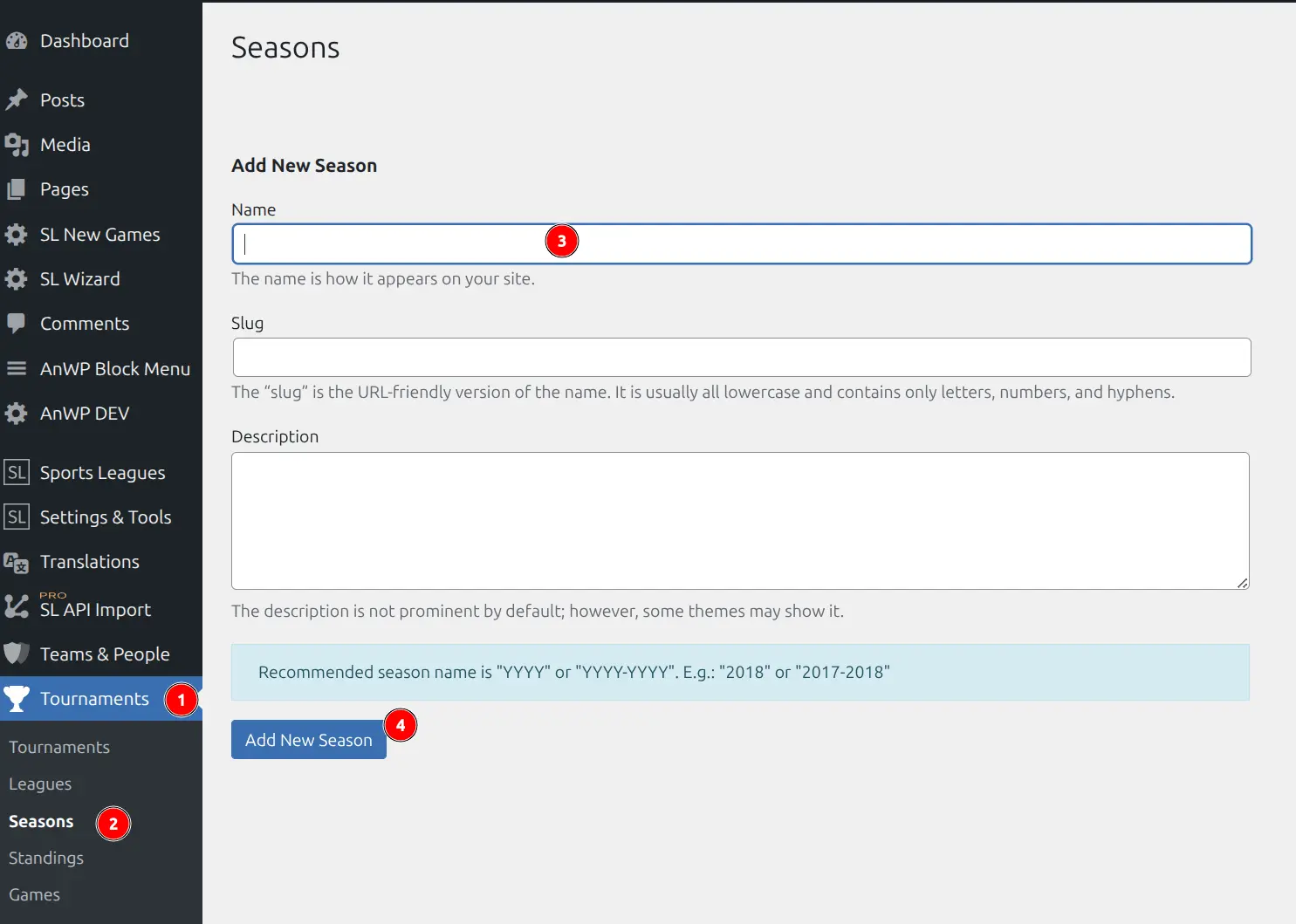
Creating a Season
- Go to Sports Leagues > Seasons
- Enter the season name in the Name field
- Optionally add a slug (auto-generated from name)
- Click Add New Season
Editing a Season
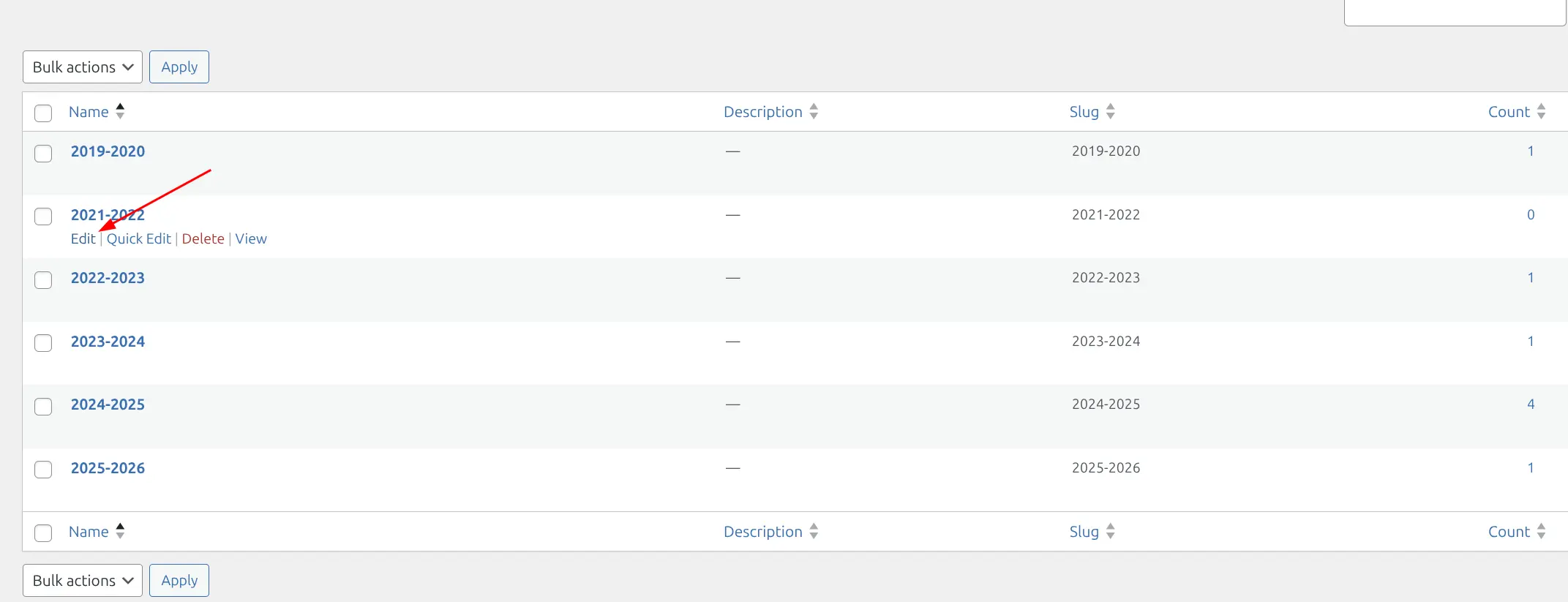
To edit an existing season:
- Go to Sports Leagues > Seasons
- Hover over the season name and click Edit
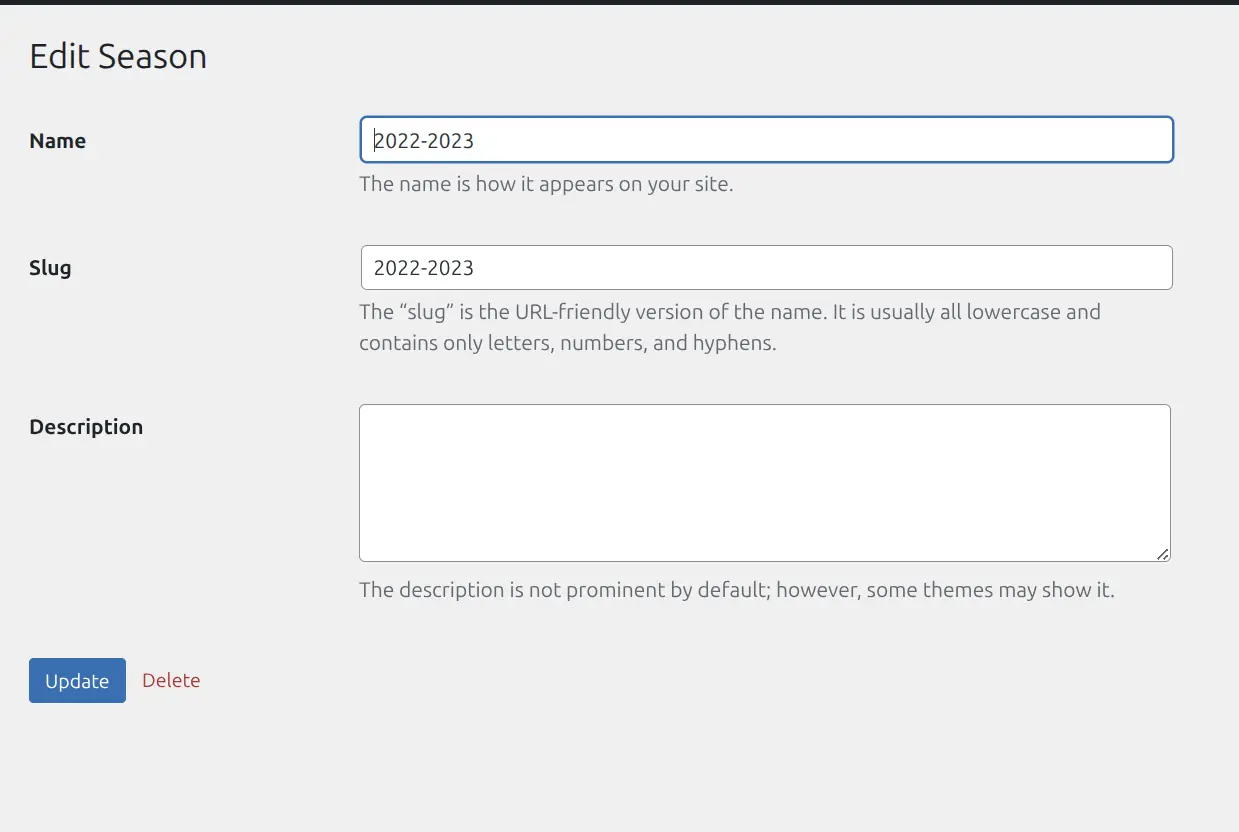
- Update the name or slug
- Click Update
Season Naming Best Practices
| Format | Example | Best For |
|---|---|---|
| Year-Year | 2024-25 | Split-year seasons (European soccer, NBA) |
| Single Year | 2024 | Calendar-year seasons (MLB, F1) |
| Named | Spring 2024 | Short seasons, tournaments |
Tip
Use consistent naming across all seasons. “2024-25” and “2024/25” may look similar but are different seasons in the system.
🏆 Leagues
Leagues categorize your tournaments. Unlike seasons (which change yearly), leagues persist and are reused across multiple seasons.
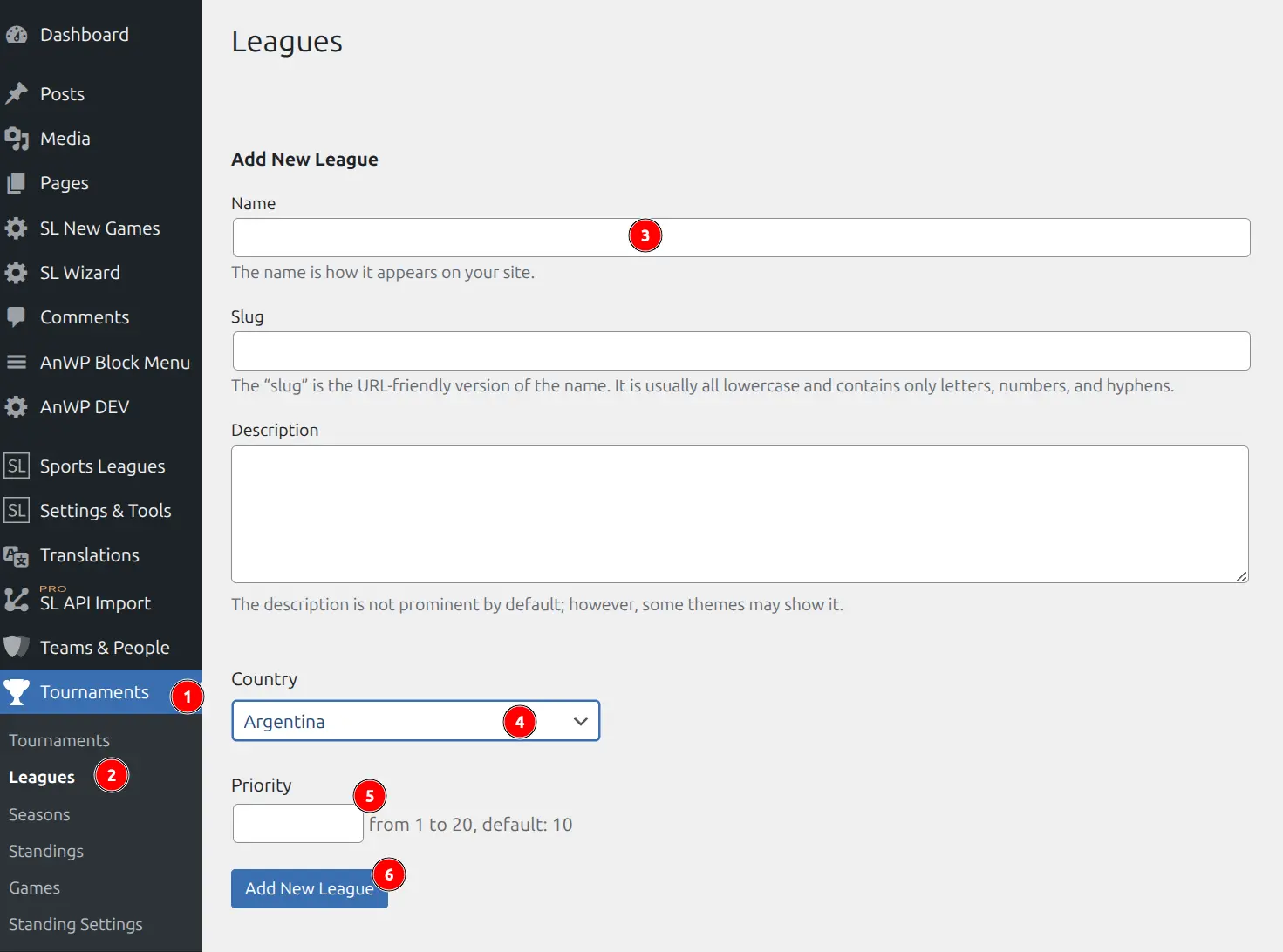
Creating a League
- Go to Sports Leagues > Leagues
- Enter the league name in the Name field
- Optionally add:
- Slug — URL-friendly version (auto-generated)
- Description — League description for frontend display
- Image — League logo (shows in listings)
- Click Add New League
Editing a League
To edit an existing league:
- Go to Sports Leagues > Leagues
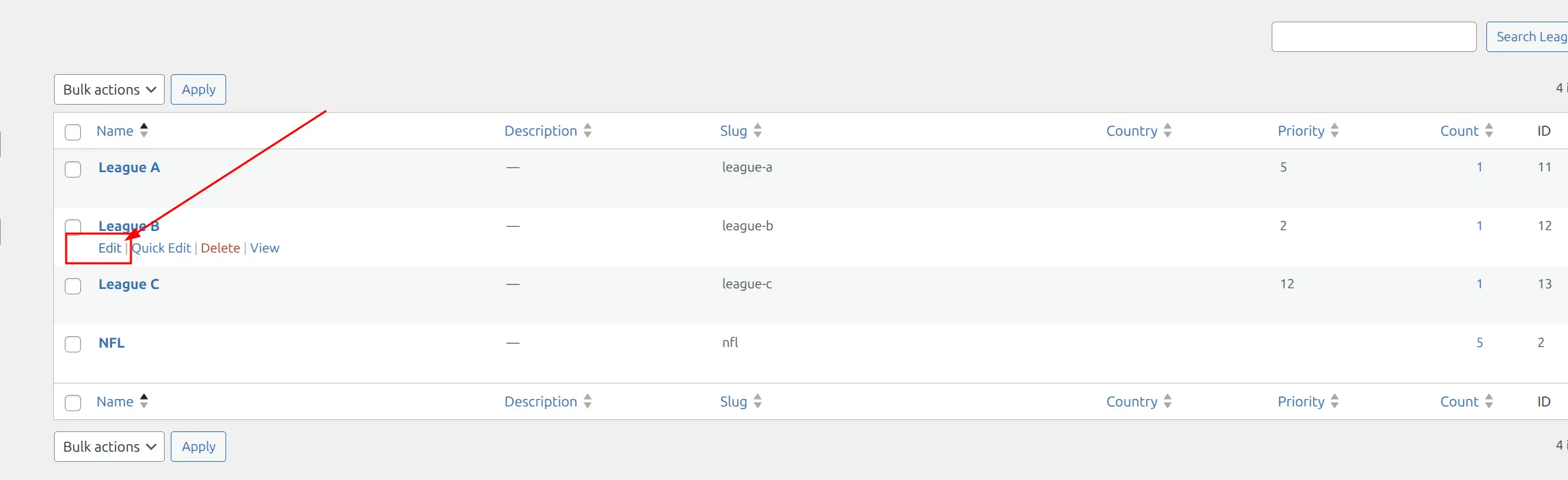
- Hover over the league name and click Edit
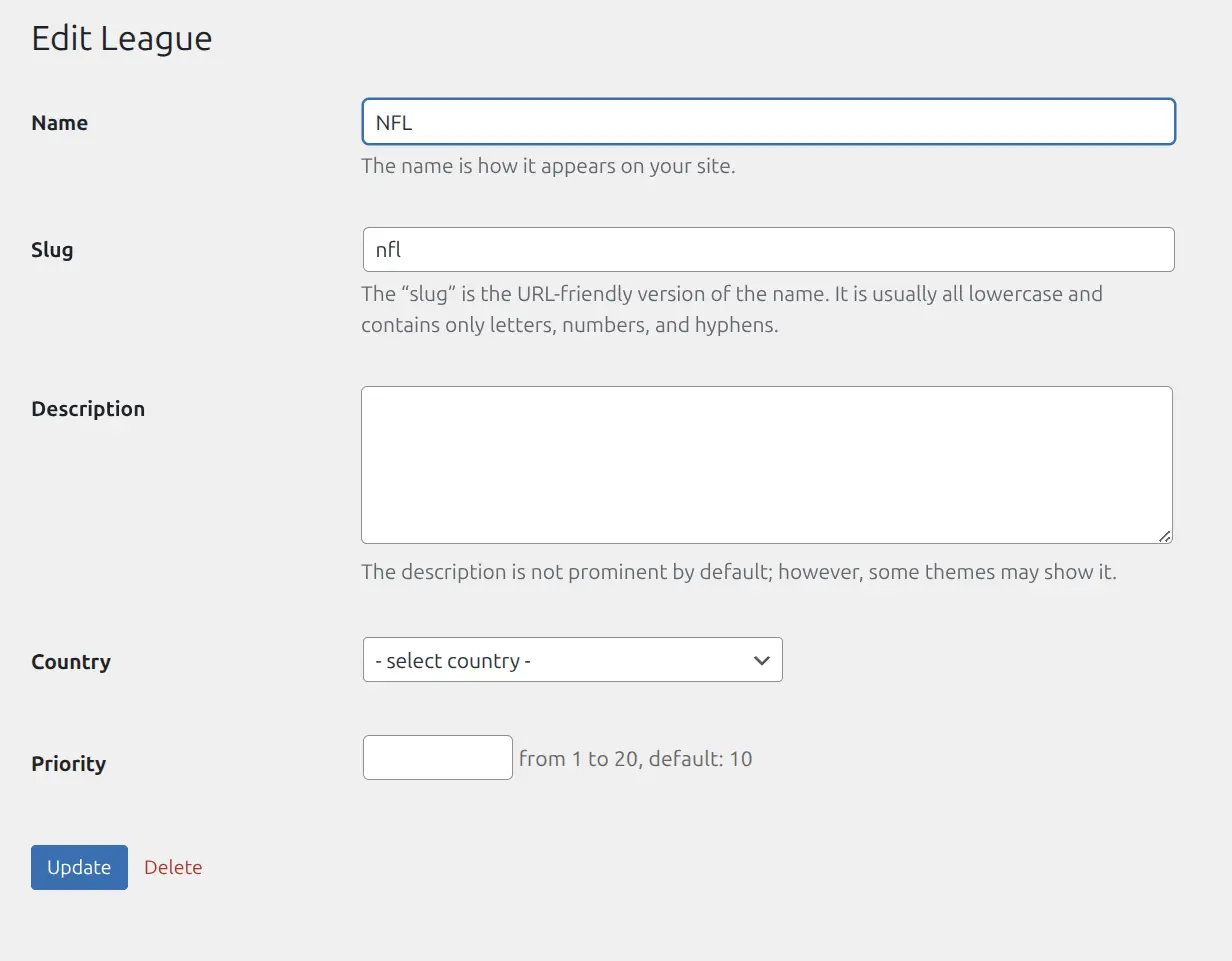
- Update name, description, or image
- Click Update
League vs Tournament: Key Differences
| Aspect | League | Tournament |
|---|---|---|
| What it is | Category/brand | Specific competition instance |
| Example | “Premier Division” | “Premier Division 2024-25” |
| Lifespan | Permanent, reused | Unique per season |
| Contains | Multiple tournaments | Teams, games, standings |
| Where games go | Never directly | All games belong here |
🔗 Using Seasons and Leagues
Once created, Seasons and Leagues are used when creating Tournaments:
- Create a new Tournament (Sports Leagues > Tournaments > Add New)
- In the sidebar, select the League taxonomy
- In the sidebar, select the Season taxonomy
- Complete tournament setup and publish
They also enable filtering throughout the plugin:
- Admin lists — Filter games, standings by season/league
- Shortcodes — Display data for specific season/league
- Archive pages — Browse content by season or league
📚 Related Documentation
- Getting Started — Complete setup guide including seasons and leagues
- Standing Table — Create standings for tournaments