

The Hooks Visualizer displays all WordPress action hooks on any page of your website. It helps you identify exactly where you can inject custom content using the Blocks Everywhere add-on or custom PHP code.
🎯 How It Works
- Enable – Click “Show Action Hooks” in the admin toolbar
- Discover – See all hook locations highlighted on the page
- Copy – Click any hook indicator to copy its name
- Use – Paste the hook name in Blocks Everywhere or your PHP code
🚀 Activation
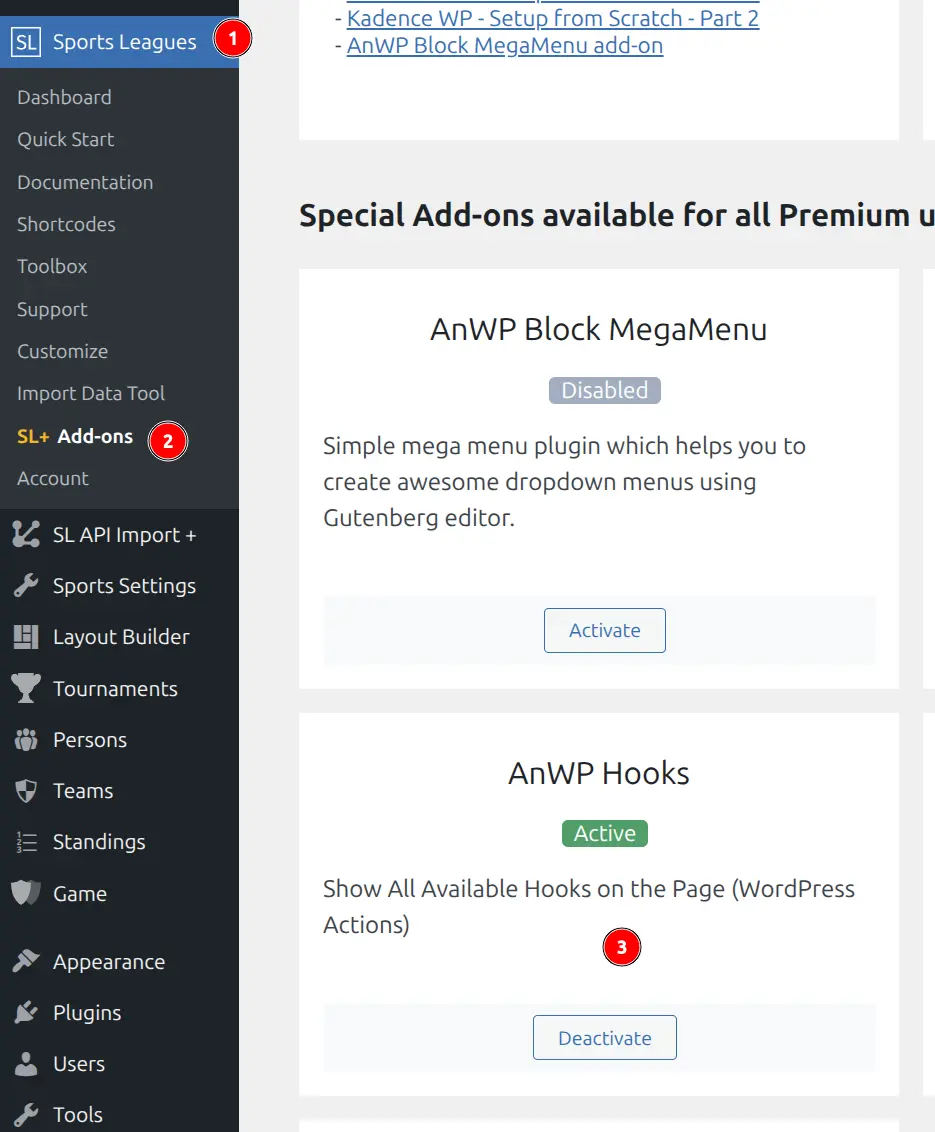
- Navigate to Sports Leagues > Add-ons
- Find the “AnWP Hooks” card
- Click Activate
Using the Hooks Visualizer
Enable Hook Display
While on any frontend page (logged in as admin), click “Show Action Hooks” in the admin toolbar.
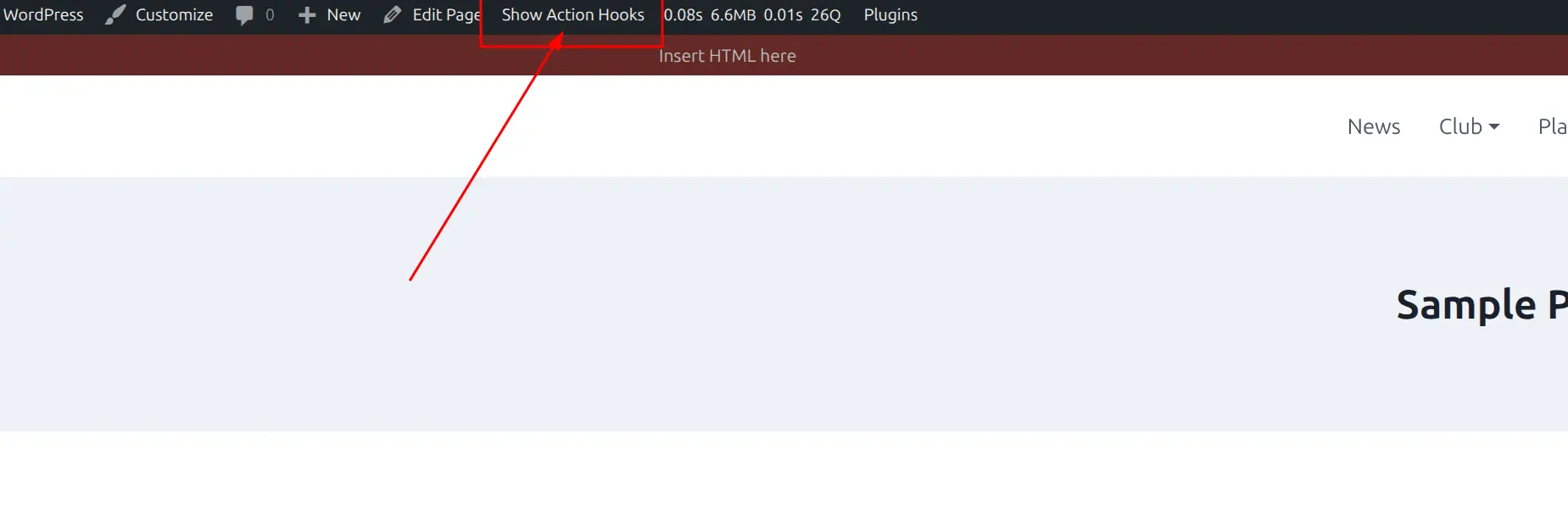
The page will reload with hook indicators visible throughout the page.
Tip
You can also add ?anwp_hooks=1 to any frontend URL to enable hook display.
Copy Hook Names
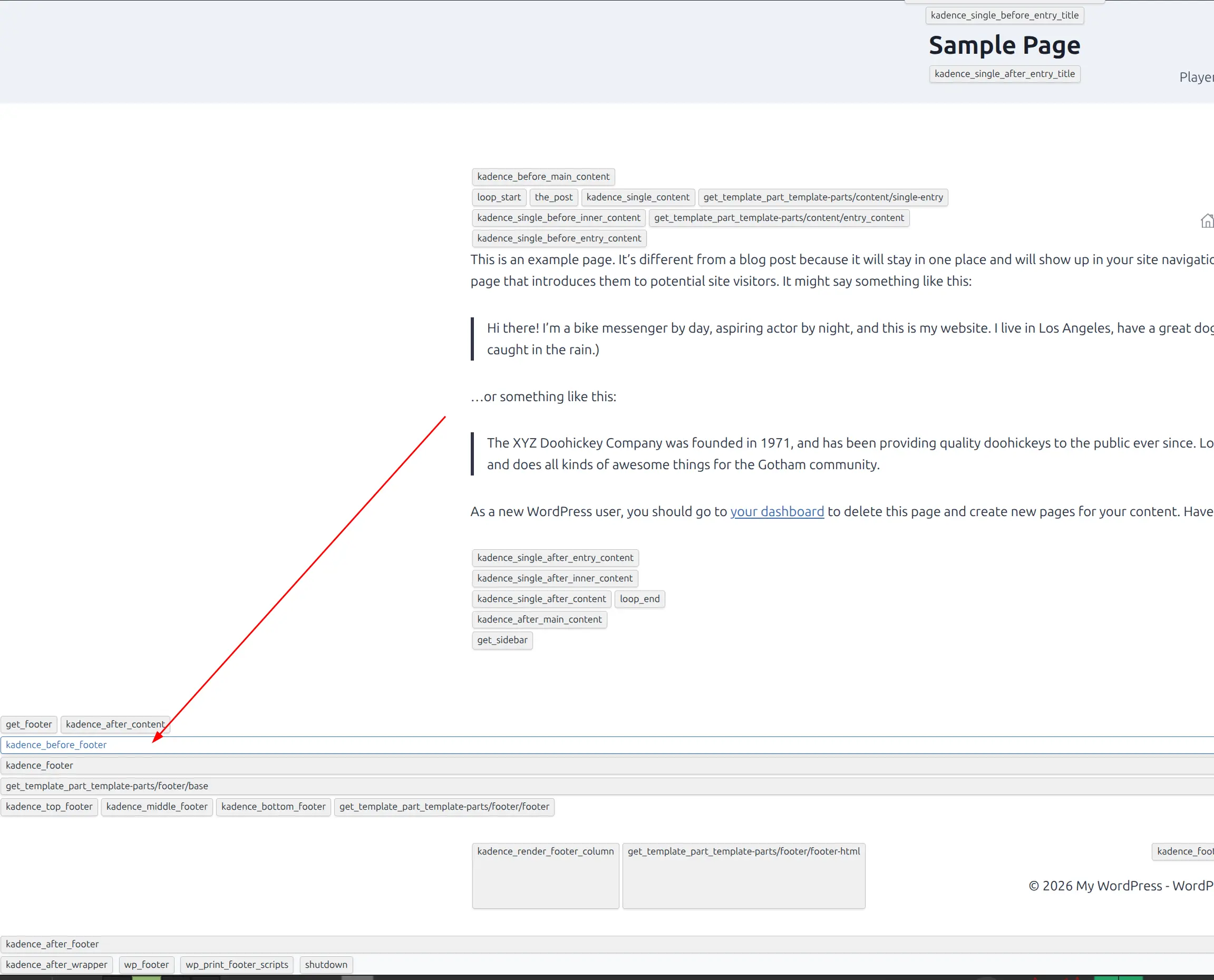
Click on any hook indicator to copy its name to clipboard. A brief confirmation appears when copied.
Disable Hook Display
Click “Hide Action Hooks” in the admin toolbar, or remove ?anwp_hooks=1 from the URL.
Using Discovered Hooks
With Blocks Everywhere (No Coding)
- Copy hook name from Hooks Visualizer
- Create new item in Blocks Everywhere
- Paste hook name in the Action Hook field
- Design content with Gutenberg blocks
- Publish
See Blocks Everywhere documentation for detailed instructions.
With PHP Code
Add to your theme’s functions.php or a code snippets plugin:
add_action( 'hook-name-here', 'my_custom_function' );

function my_custom_function() {
    echo '<div>Your custom content</div>';
}
🆘 Troubleshooting
Hooks Not Visible
- Verify add-on is active in Sports Leagues > Add-ons
- Confirm you’re logged in as administrator
- Check you’re on a frontend page (not admin area)
- Clear all caches
Too Many Hooks Displayed
This is normal – WordPress pages contain many hooks. Focus on hooks with sports-leagues/ prefix for plugin-specific hooks. Use your browser’s Find feature (Ctrl+F / Cmd+F) to search for specific patterns.
❓ FAQ
Can visitors see the hooks?
No. Only administrators can see hook indicators.
Does it work in the admin dashboard?
No. The Hooks Visualizer only works on frontend pages.
Does it show filters too?
No. Only action hooks are displayed. Filters require code to use and aren’t practical to visualize.
📚 Additional Resources
- Blocks Everywhere Add-on – Use discovered hooks without coding
- Add-ons Overview