

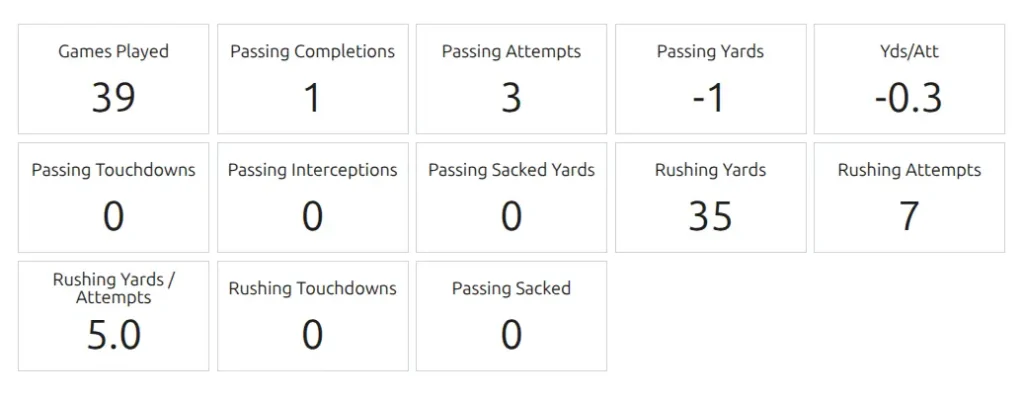
The Player Stats Panel shortcode displays a visual statistics panel for a specific player with stat blocks. Create attractive stat panels showing key metrics for a player in block format – perfect for player profile pages, featured player sections, or player of the match displays.
Shortcode
[sl-player-stats-panel]Screenshot
When to Use
- Player profile stats section
- Featured player showcase
- Player of the match display
- Career statistics panel
- Season summary blocks
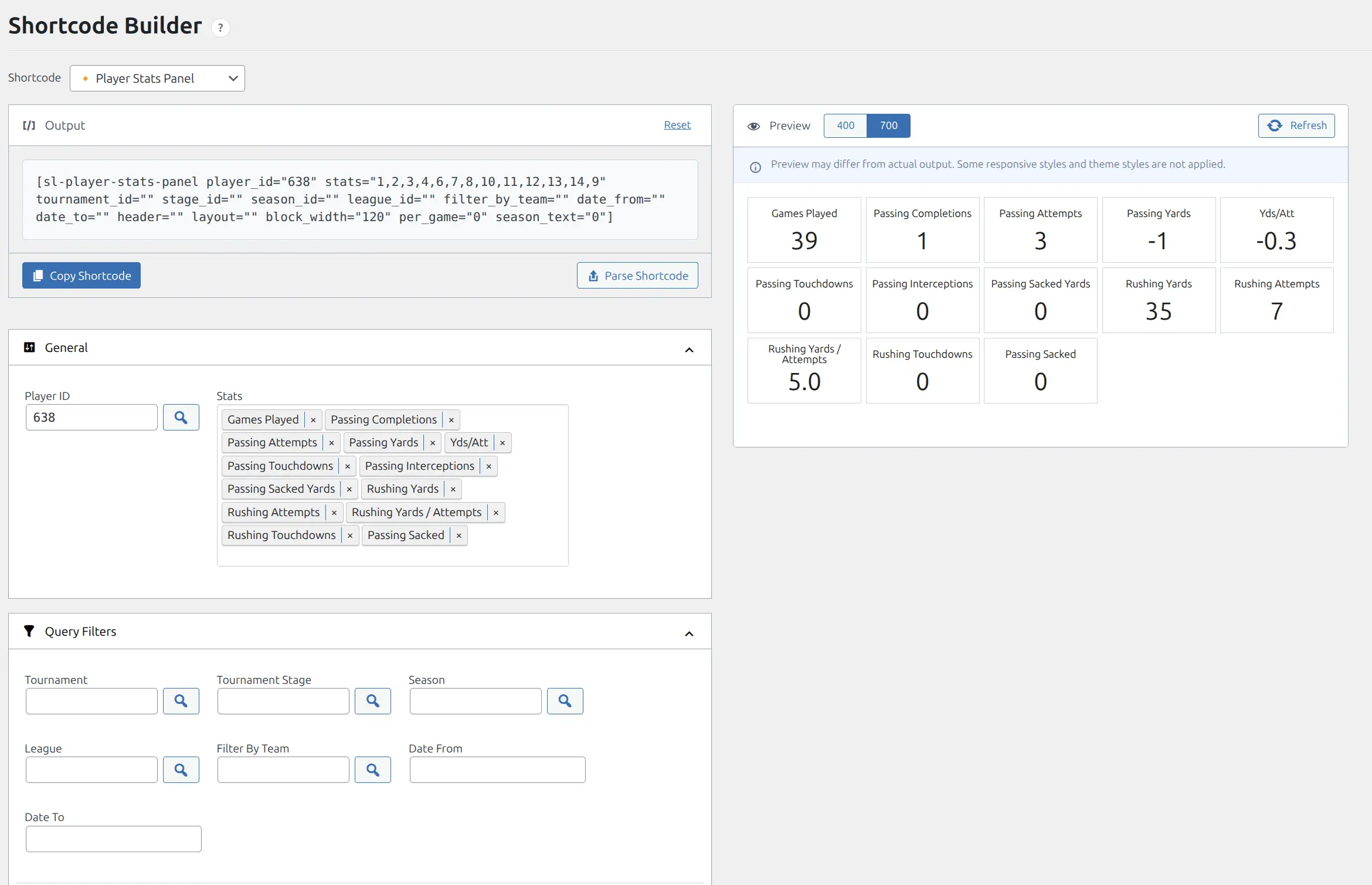
Shortcode Builder
The easiest way to create this shortcode is through the Shortcode Builder in WordPress admin. Navigate to Sports Leagues > Shortcodes, select “Player Stats Panel” from the list, and configure your options visually.
Parameters
Player Selection
| Parameter | Default | Description |
|---|---|---|
player_id | (required) | Player ID to display stats for |
stats | – | Comma-separated stat IDs to display (e.g., “goals,assists,yellow_cards”) |
Query Filters
| Parameter | Default | Description |
|---|---|---|
tournament_id | – | Filter stats by tournament ID |
stage_id | – | Filter stats by tournament stage ID |
season_id | – | Filter stats by season ID |
league_id | – | Filter stats by league ID |
filter_by_team | – | Filter stats by team ID |
date_from | – | Start date for stats (format: YYYY-MM-DD) |
date_to | – | End date for stats (format: YYYY-MM-DD) |
Display Options
| Parameter | Default | Description |
|---|---|---|
header | – | Custom header text above the panel |
layout | default | Layout style: empty for default, or cards |
block_width | 120 | Width of each stat block in pixels |
per_game | 0 | Show per-game averages: 1 to enable |
season_text | 0 | Show season name text: 1 to enable |
stat_title | – | Set to abbr to show abbreviations instead of full stat names |
notes | – | Additional notes to display below the panel |
class | – | Additional CSS classes for styling |
Examples
Basic Player Stats Panel
Display selected statistics for a player:
[sl-player-stats-panel player_id="156" stats="goals,assists,yellow_cards"]Season Statistics with Header
Show stats filtered by season with a custom header:
[sl-player-stats-panel player_id="156" season_id="45" stats="goals,assists,games_played" header="2024 Season Stats"]Per-Game Averages
Display stats with per-game average calculations:
[sl-player-stats-panel player_id="156" tournament_id="15" per_game="1" stats="goals,assists,shots"]Date Range Stats
Show statistics for a specific date range:
[sl-player-stats-panel player_id="156" date_from="2024-01-01" date_to="2024-06-30" stats="goals,assists"]Cards Layout with Season Text
Use the cards layout and display the season name:
[sl-player-stats-panel player_id="156" stats="goals,assists,games_played" layout="cards" season_id="45" season_text="1"]Custom Block Width
Adjust the width of stat blocks for more or fewer stats per row:
[sl-player-stats-panel player_id="156" stats="goals,assists,yellow_cards,red_cards" block_width="100"]Finding Stat IDs
The stats parameter requires stat IDs from your Sport Configuration. To find these:
- Go to Sports Leagues > Settings > Sport Configuration
- Look at the Season Player Statistics section
- Use the stat ID values (e.g., goals, assists, yellow_cards)
Tip
Use the Shortcode Builder to select stats from a dropdown – it will automatically generate the correct stat IDs for you.
Related
- Shortcode Builder – Visual shortcode generator