

Add custom action buttons to games – tickets, live streams, highlights, and more. The SL Kit demo includes pre-configured buttons for the Games Slider block.
🎯 Overview
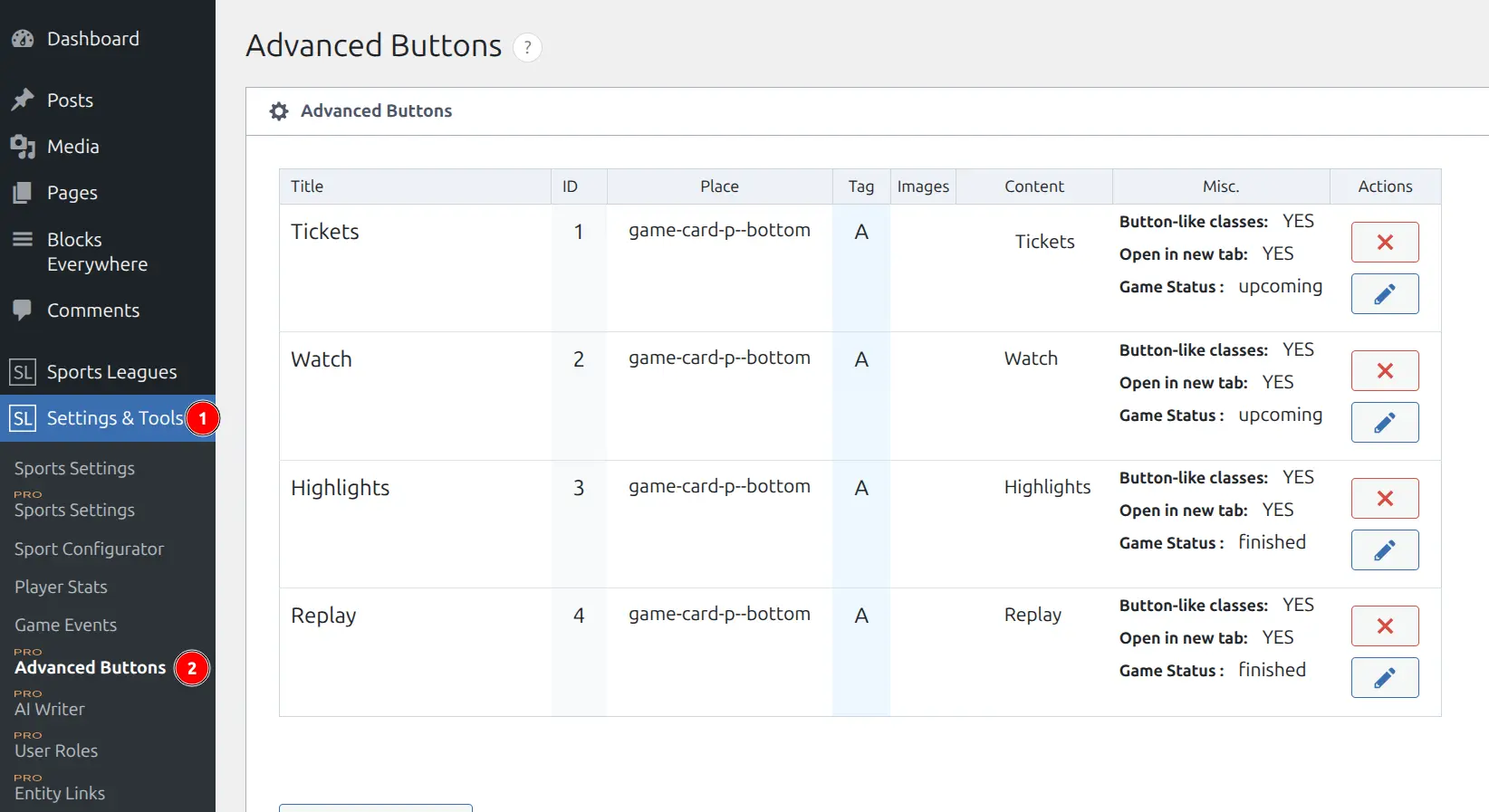
Advanced Buttons let you create reusable button templates that can be assigned to individual games with unique URLs. When you import the SL Kit demo, several pre-configured buttons are included.
Pre-Imported Buttons
The SL Kit demo includes these ready-to-use button templates:
| Button | Purpose | Game Status |
|---|---|---|
| 🎟️ Tickets | Ticket purchase links | Upcoming only |
| 📺 Watch | Streaming service links | Upcoming only |
| 🎬 Highlights | Video highlight links | Finished only |
| 📹 Replay | Full game replay links | Finished only |
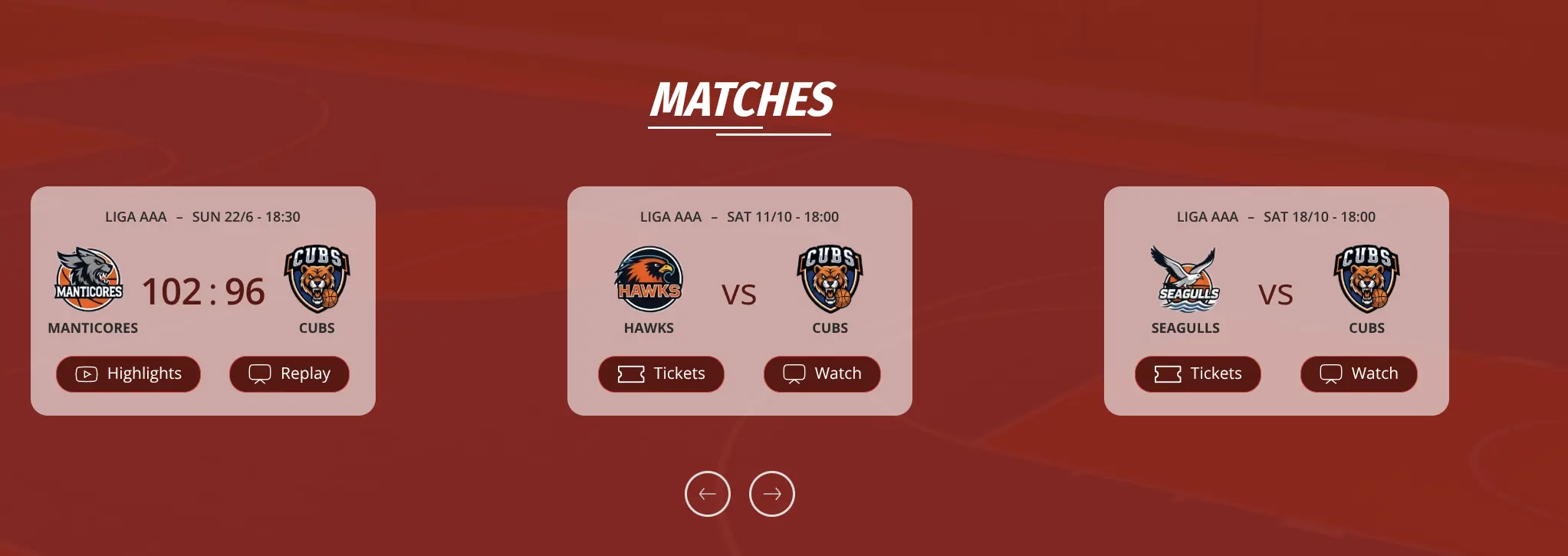
These buttons use the Card P – Bottom placement and appear in the Games Slider block.
SL Kit Places
SL Kit adds two button placement locations for the Games Slider block:
| Place | Description |
|---|---|
| Card P – Bottom | Below the scores area |
| Card P – Center | Between scores and team logos |
These places only appear in the dropdown when SL Kit is active.
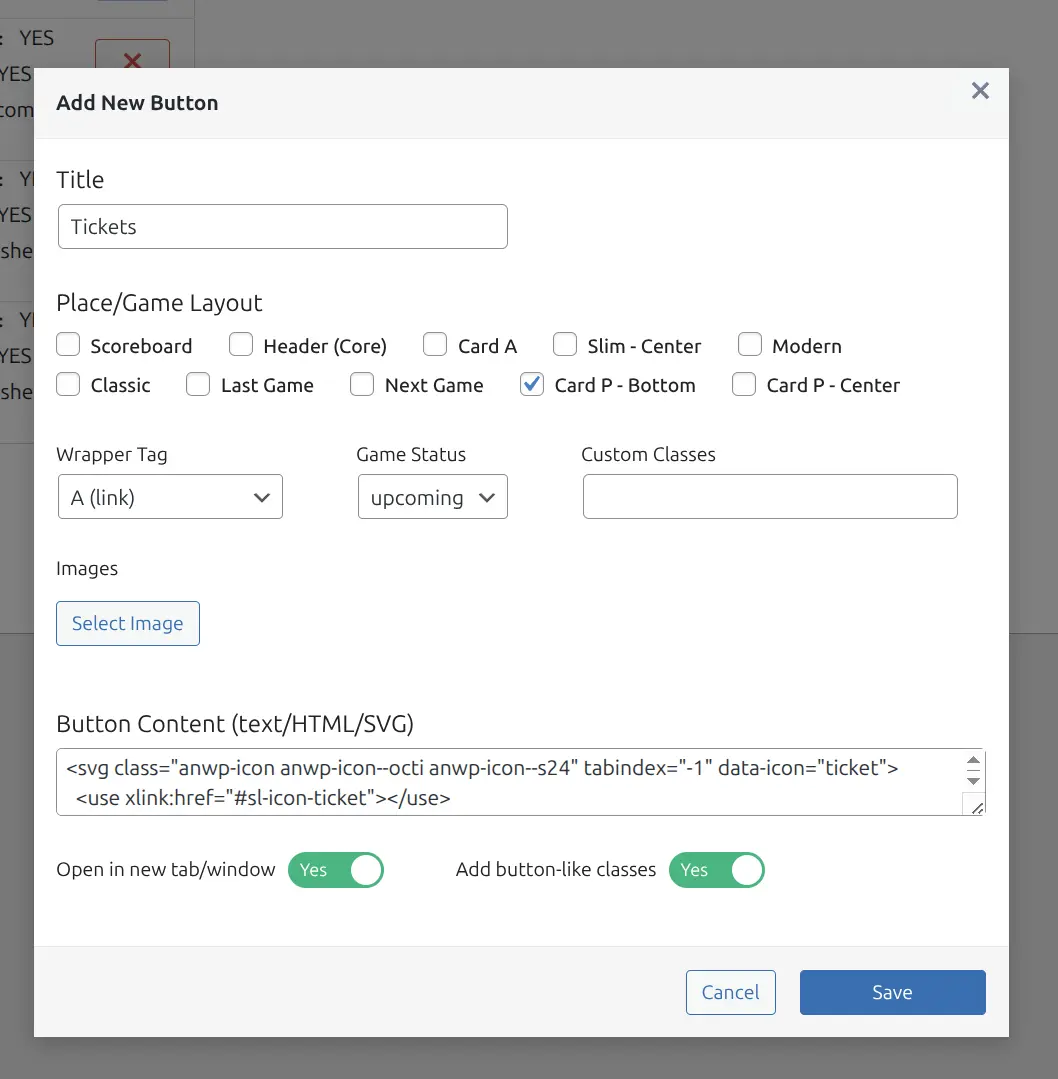
🚀 Customizing Buttons
- Navigate to Sports Leagues → Settings → Advanced Buttons
- Click the edit icon on any button
- Modify title, content, or styling
- Save changes
Assigning Buttons to Games
Buttons are assigned per-game with individual URLs:
- Edit a Game post
- Find the Advanced Buttons metabox
- Select a button from the dropdown
- Enter the URL for that specific game
- Save the game
📚 Full Documentation
For complete details on creating new buttons, all available settings, and placement options:
Covers:
- Creating new button templates
- All placement locations (Scoreboard, Header, Card A, Modern, Classic, etc.)
- Game status filtering (upcoming/finished)
- Custom classes and styling
- Technical hooks for developers
Related Documentation
- SL Kit Overview – Theme kit features
- Demo Import – Importing demo content
- Block Patterns – Pre-built page sections