

Shortcode: [sl-games-scoreboard]
Display a modern scoreboard carousel showing multiple games with filtering options and automatic scrolling.
Overview
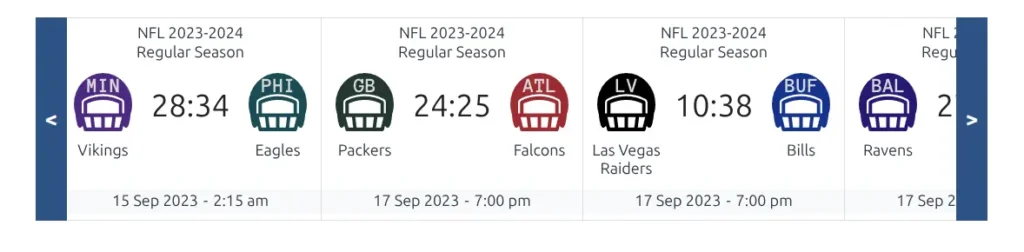
The Games Scoreboard shortcode creates an interactive carousel of game cards, perfect for homepages or tournament pages. It supports automatic rotation, filtering by teams, tournaments, and date ranges, and scrolls to today’s games by default.
Use Cases
- Display live and upcoming games on your homepage
- Show tournament games in a scrollable format
- Feature games for a specific team
- Create a “Games Today” section with automatic focus
- Display recent results with final scores
Using the Shortcode Builder
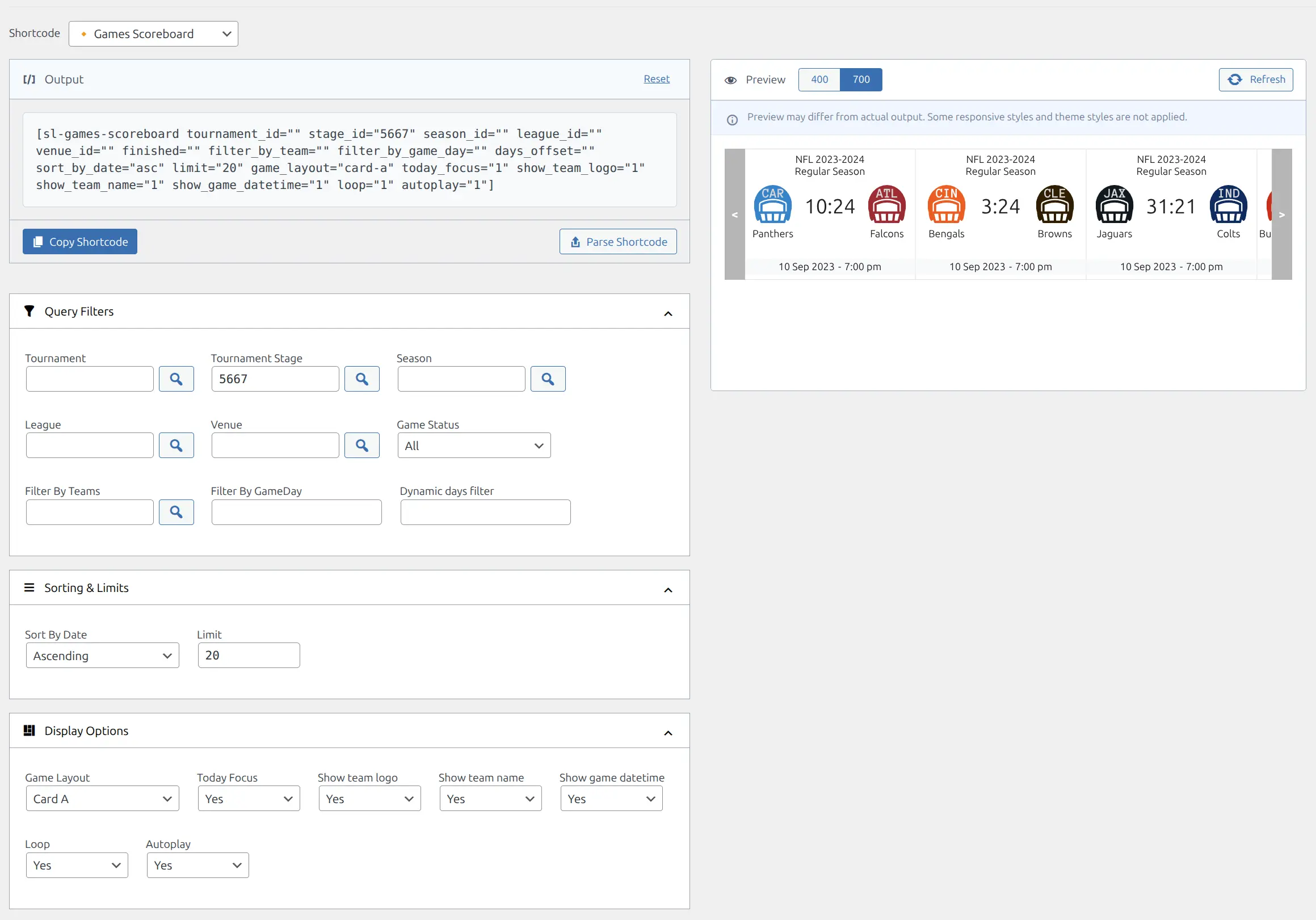
The easiest way to create the shortcode is through the visual Shortcode Builder:
- Go to Sports Leagues > Shortcodes
- Select Games Horizontal Scoreboard from the list
- Configure your filters and display options
- Copy the generated shortcode
Parameters
Query Filters
| Parameter | Type | Default | Description |
|---|---|---|---|
tournament_id | Integer | – | Filter games by tournament ID |
stage_id | Integer | – | Filter games by tournament stage ID |
season_id | Integer | – | Filter games by season ID |
league_id | Integer | – | Filter games by league ID |
venue_id | Integer | – | Filter games by venue ID |
finished | String | – | Filter by game status: 1 (finished), 0 (upcoming), empty (all) |
filter_by_team | Integer/CSV | – | Filter by team ID(s), comma-separated for multiple |
filter_by_game_day | Integer | – | Filter by specific game day number |
days_offset | Integer | – | Dynamic date filter: negative for past days, positive for future |
priority | Integer | – | Filter by game priority level |
Sorting and Limits
| Parameter | Type | Default | Description |
|---|---|---|---|
sort_by_date | String | asc | Sort order: asc (oldest first) or desc (newest first) |
limit | Integer | 20 | Maximum number of games to display |
Display Options
| Parameter | Type | Default | Description |
|---|---|---|---|
game_layout | String | card-a | Game card layout style |
today_focus | Integer | 1 | Auto-scroll to today’s games: 1 (yes) or 0 (no) |
show_team_logo | Integer | 1 | Show team logos: 1 (yes) or 0 (no) |
show_team_name | Integer | 1 | Show team names: 1 (yes) or 0 (no) |
show_game_datetime | Integer | 1 | Show game date/time: 1 (yes) or 0 (no) |
loop | Integer | 1 | Enable carousel infinite loop: 1 (yes) or 0 (no) |
autoplay | Integer | 1 | Enable automatic sliding: 1 (yes) or 0 (no) |
Examples
Basic Usage
Display all games with default settings:
[sl-games-scoreboard]Tournament Scoreboard
Show games from a specific tournament:
[sl-games-scoreboard tournament_id="15" limit="10"]Team Recent Results
Display last 5 finished games for a specific team:
[sl-games-scoreboard filter_by_team="42" finished="1" limit="5" sort_by_date="desc"]Today’s Games
Show upcoming games with today’s matches in focus:
[sl-games-scoreboard finished="0" today_focus="1" autoplay="1"]Static Display (No Animation)
Disable autoplay and looping for manual navigation:
[sl-games-scoreboard tournament_id="15" autoplay="0" loop="0"]Minimal Display
Show only team logos and scores:
[sl-games-scoreboard stage_id="23" show_team_name="0" show_game_datetime="0"]Related
- GameDay Slides – Display games organized by matchweek
- Calendar Slider – Date-based game calendar
- Game – Single game display