

Text Options lets you change any text string displayed on your website’s frontend without editing code or translation files. Customize labels like “Full Time”, “Attendance”, “Position”, “Nationality” and 100+ other strings directly from the admin panel.
🎯 Use Cases
- Change terminology – Rename “Full Time” to “Final Score”
- Customize venues – Change “Venue” to “Stadium” or “Arena”
- Adapt for your sport – Use sport-specific terms
- Translate specific terms – Override individual strings for your audience
🚀 How to Change Text Strings
Follow these four steps to customize any frontend text label.
Step 1: Open Text Options
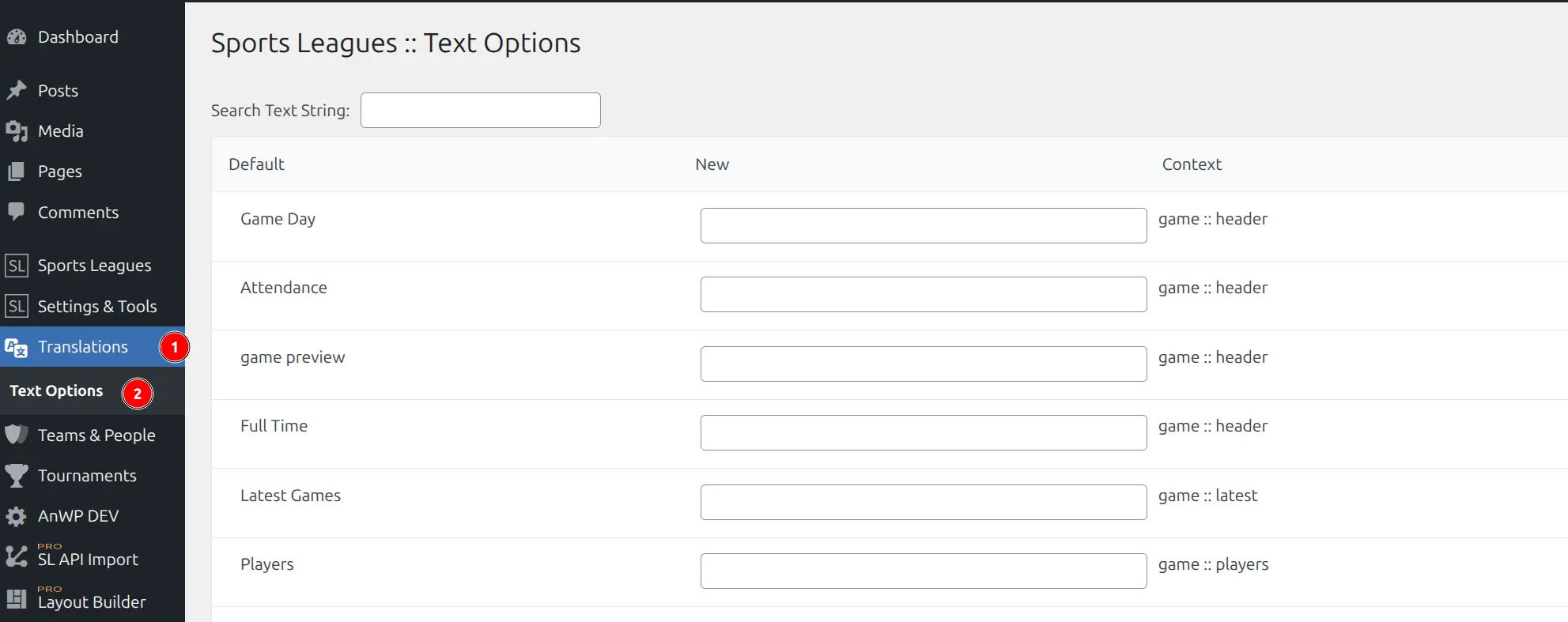
Go to Sports Leagues → Text Options in your WordPress admin menu.
Step 2: Find the Text String
Use the Search Text String field at the top to filter the list. Type any part of the text you want to change.
Each row shows three columns:
| Column | Description |
|---|---|
| Default | Original text string |
| New | Your custom replacement |
| Context | Where this text appears (e.g., “game :: header”) |
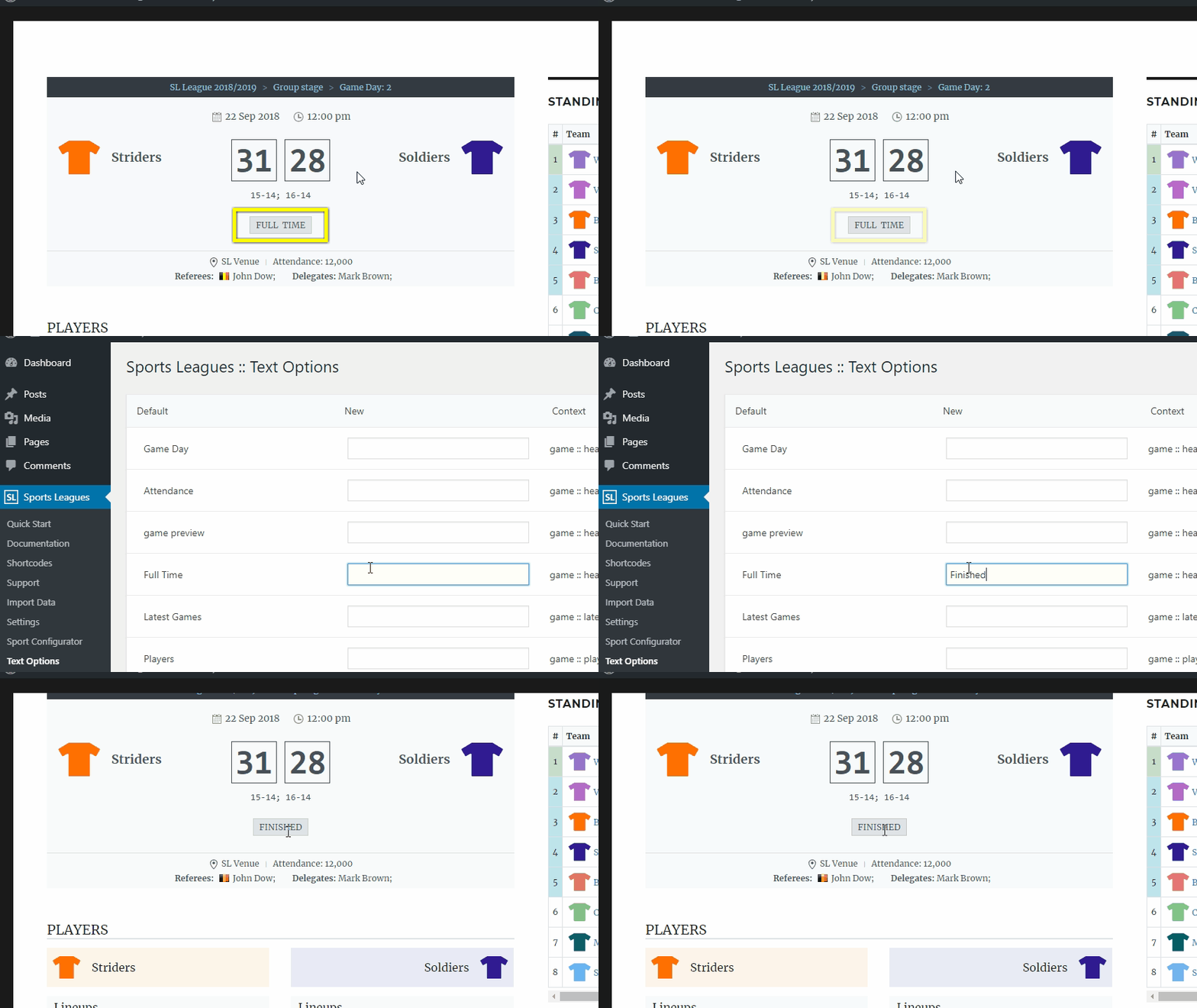
Step 3: Enter New Text
Type your replacement text in the New column for any string you want to customize.
Example: To change “Attendance” to “Crowd Size”:
- Search for “Attendance”
- Find the row with context “game :: header”
- Enter “Crowd Size” in the New column
Step 4: Save Changes
Click Save Changes at the bottom of the page. Your customized text will immediately appear on the frontend.
Available Text Strings
Text Options includes 100+ customizable strings organized by context:
| Context | Examples |
|---|---|
| Game Header | Game Day, Attendance, Full Time, Game Preview |
| Game Content | Players, Staff, Game Summary, Team Statistics, Video, Gallery |
| Player Header | Position, Full Name, Nationality, Date of Birth, Age, Weight, Height |
| Player Content | Played Games, Player Stats, Total Stats, Missed Games |
| Team Header | City, Country, Address, Website, Founded, Venue, Conference, Division |
| Team Content | Finished Games, Upcoming, Players Stats, Roster |
| Staff | Job, Career, Current Team, Nationality |
| Official | Group, Nationality, Date of Birth, Age |
| Venue | City, Address, Capacity, Opened, Location |
| Tournament | Game Day, All, Latest Scores, Upcoming Games, Standing Tables |
| Shortcodes | Player, Team, Age, Position, Nationality, Games Played |
| Widgets | No Upcoming Birthdays |
| General | Load More, Show Full List |
💡 Tips
- Search efficiently – The search filters all columns, so you can search by default text or context
- Context format – Context uses
entity :: sectionformat (e.g., “player :: header” means player page header section) - Leave blank for default – If you clear a field and save, the original default text will be used
- Multiple instances – Some text appears in different contexts (e.g., “Gallery” for games, teams, and players). Each has its own field so you can customize them independently
Alternative: Translation Files
For complete plugin translation or RTL languages, use WordPress translation files instead:
- Use a translation plugin like Loco Translate
- Text domain:
sports-leagues - POT file location:
sports-leagues/languages/sports-leagues.pot
Note
Text Options overrides take precedence over translation files. If you set a custom value in Text Options, it will be used instead of the translation.