

This guide walks you through installing AnWP SL Kit from the moment you complete your purchase to having both plugins active on your WordPress site.
📦 What You Get
Your SL Kit purchase includes two plugins:
| Plugin | Purpose |
|---|---|
| AnWP Sports Leagues Premium | Core premium features, shortcodes, and pro settings |
| AnWP SL Kit | Theme kit with blocks, patterns, demo import, and Layout Builder |
Note
Both plugins require the free AnWP Sports Leagues plugin from WordPress.org. If you haven’t installed it yet, see the main installation guide first.
🚀 Step 1: Complete Your Purchase
After completing checkout, you’ll see a confirmation modal with your download links.
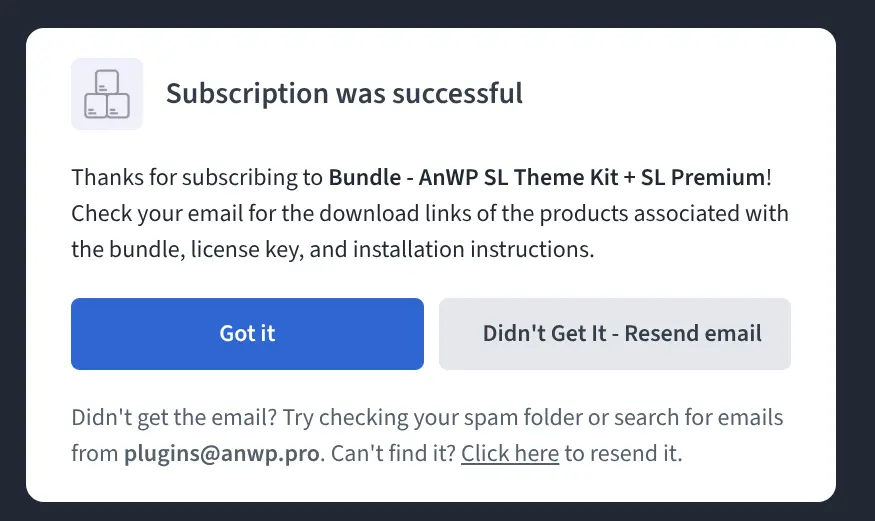
Before Closing This Modal
Check your email first! Open a new browser tab and verify you received the download links email before closing this modal. The modal serves as your backup if the email is delayed.
📧 Step 2: Check Your Email
Open your email inbox in a new tab (keep the purchase modal open). You’ll receive two emails:
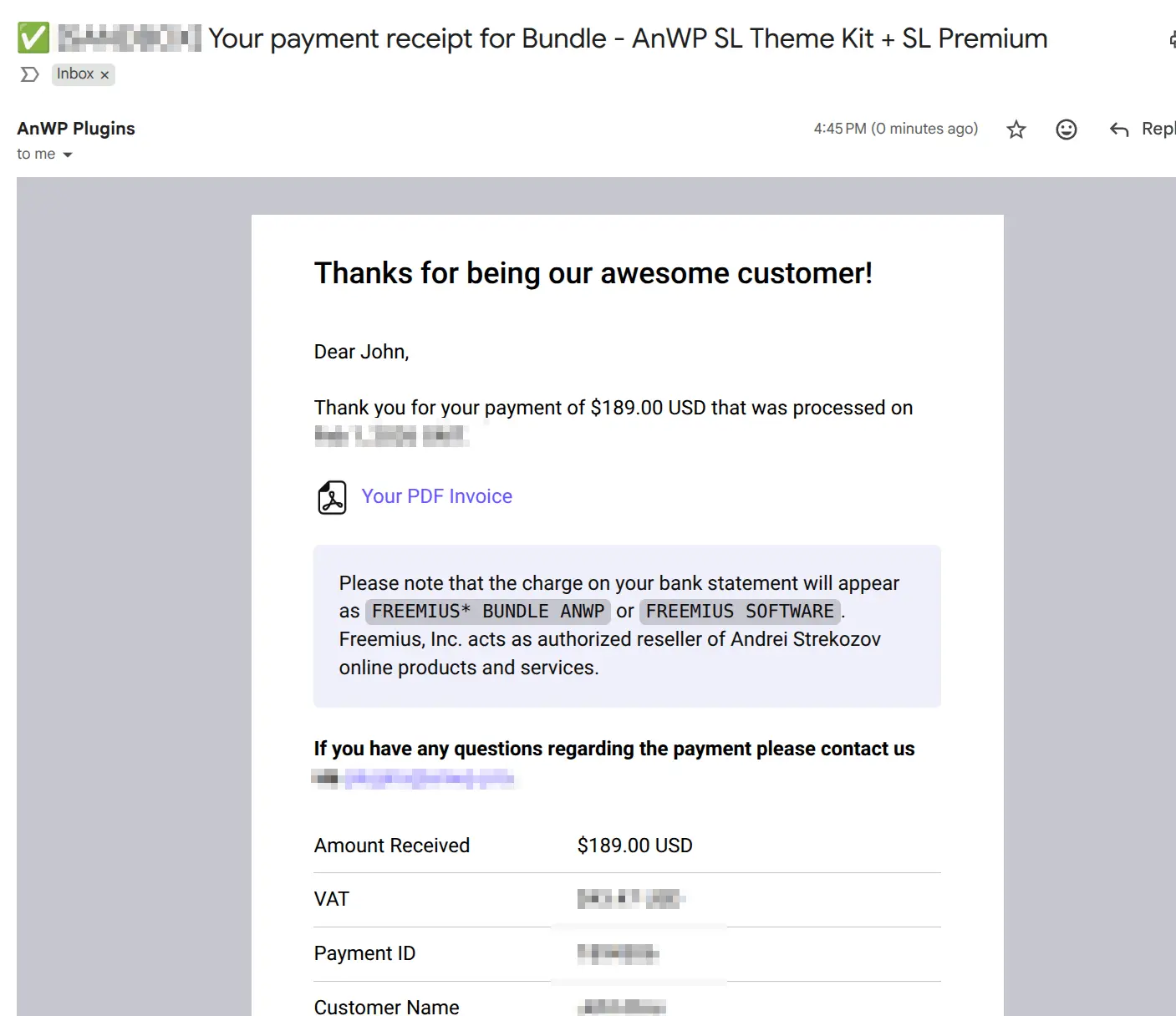
Email 1: Invoice
Contains your payment receipt and order details.
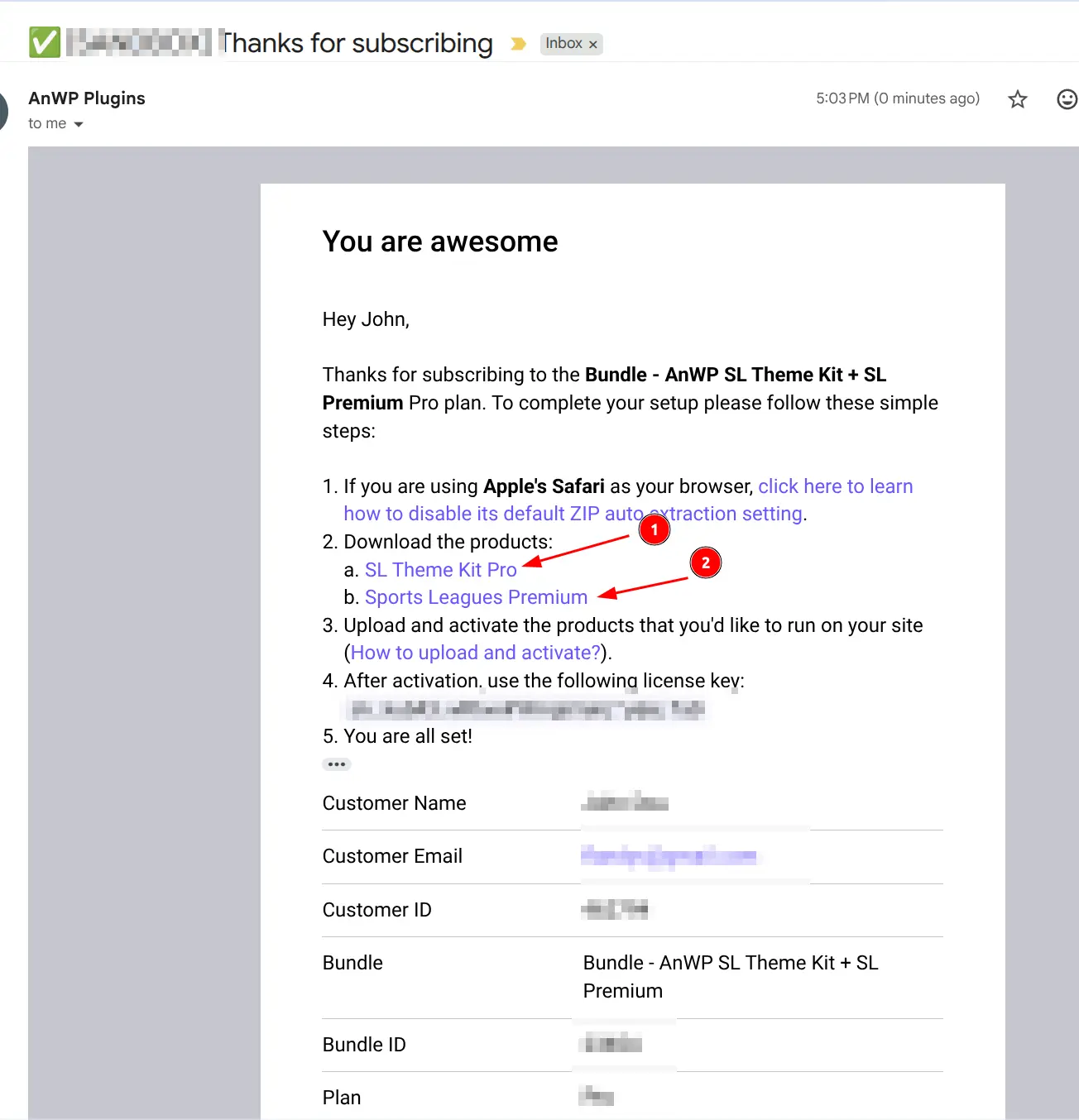
Email 2: Download Links and License Key
This email contains:
- Download links for both plugin ZIP files
- Your license key (save this – you’ll need it for activation)
- License expiration date
Tip
Copy your license key now and save it somewhere safe. You’ll need it in Step 5.
⬇️ Step 3: Download the Plugins
Click the download links to get both ZIP files:
anwp-sports-leagues-premium.zipanwp-sl-kit.zip
Save both files to your computer. Do not extract them – WordPress needs the ZIP files.
📤 Step 4: Upload and Install
Install the plugins in this order: Sports Leagues Premium first, then SL Kit.
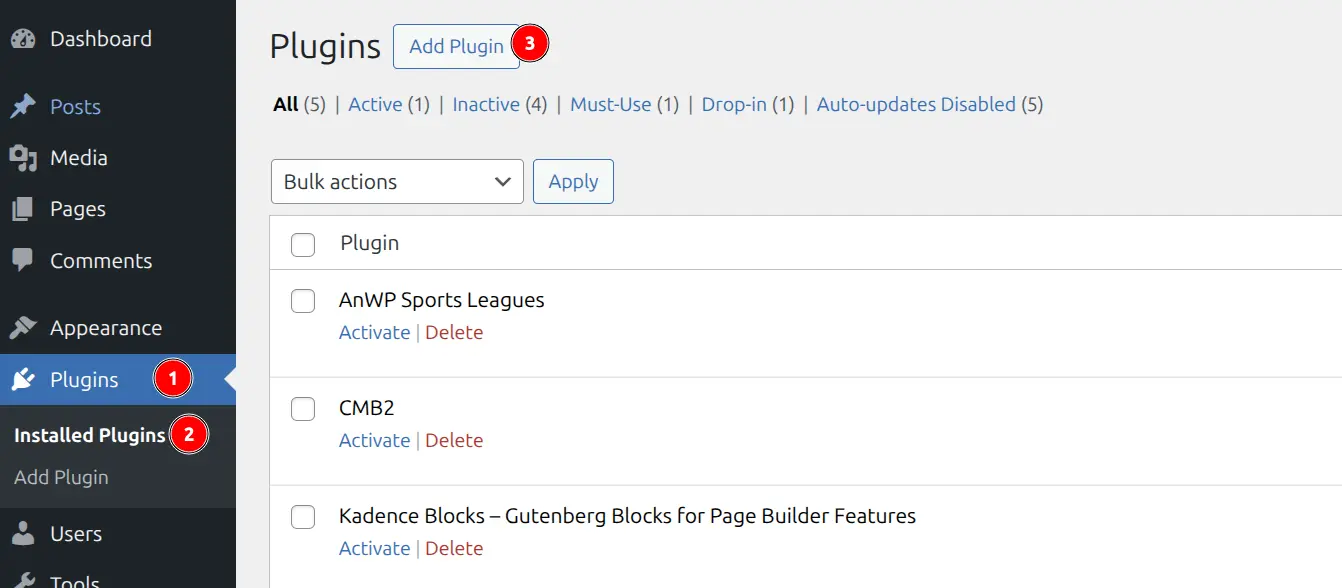
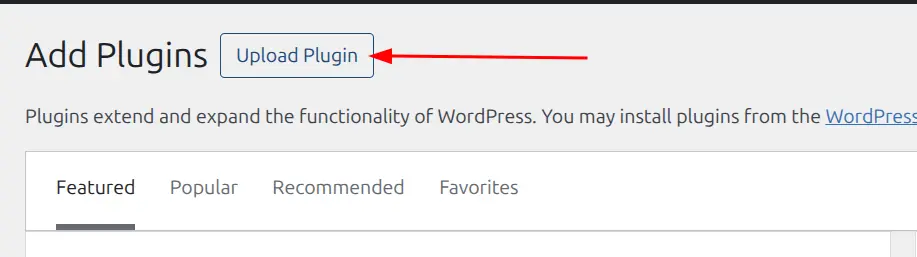
4a. Upload the Plugin
- In WordPress admin, go to Plugins > Add New
- Click Upload Plugin at the top
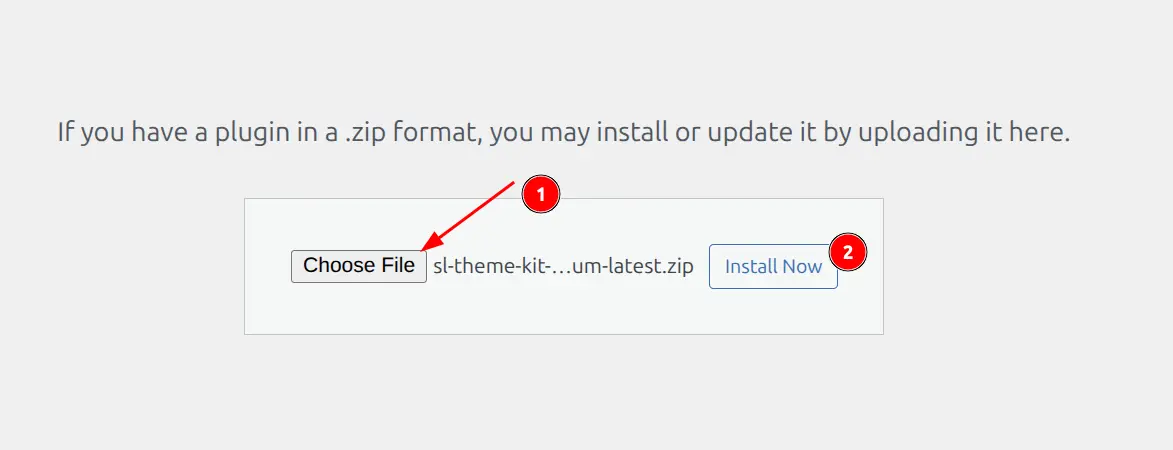
4b. Select and Install
- Click Choose File
- Select
anwp-sports-leagues-premium.zip - Click Install Now
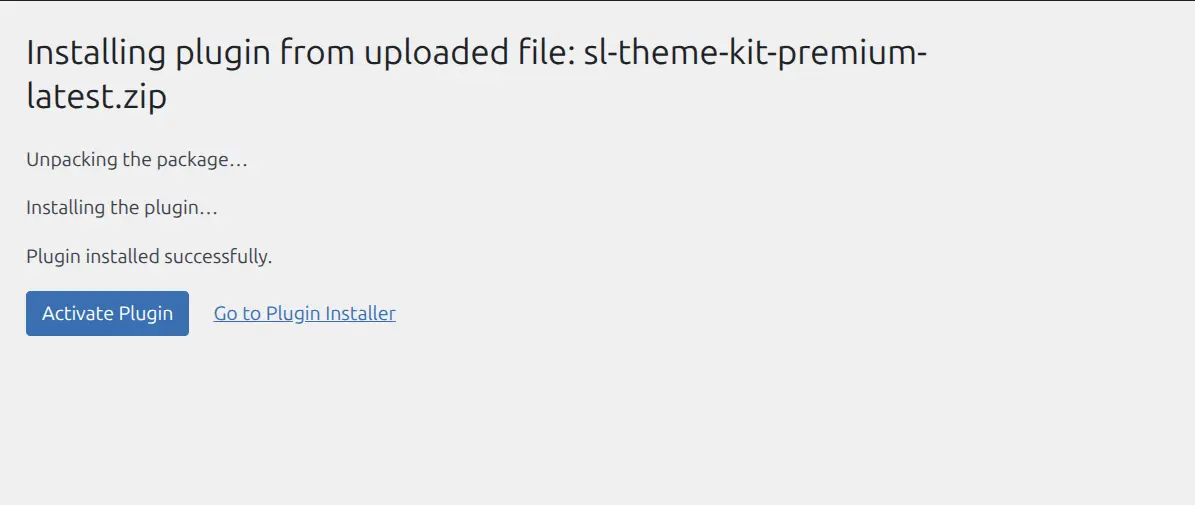
4c. Activate the Plugin
After installation completes, click Activate Plugin.
4d. Repeat for SL Kit
Repeat steps 4a-4c with anwp-sl-kit.zip.
Important
SL Kit requires Sports Leagues Premium. If you try to activate SL Kit first, you’ll see a “Parent Plugin Not Found” error. Always install Sports Leagues Premium first.
🔑 Step 5: Activate Your License
Both plugins share the same license key.
- Go to Sports Settings > License
- Paste your license key from the email
- Click Activate
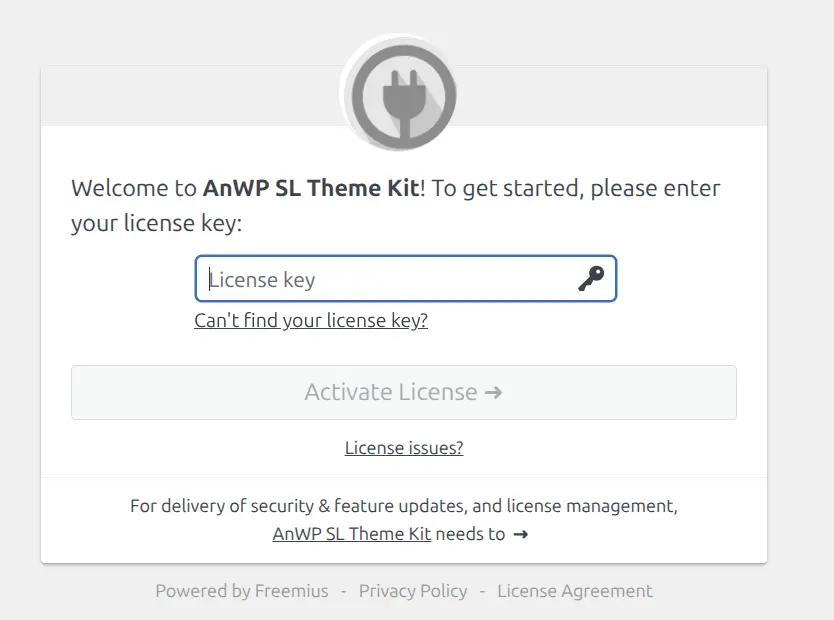
After activation, you’ll see a green “Active” status for both plugins.
✅ Step 6: Verify Installation
Confirm everything is working:
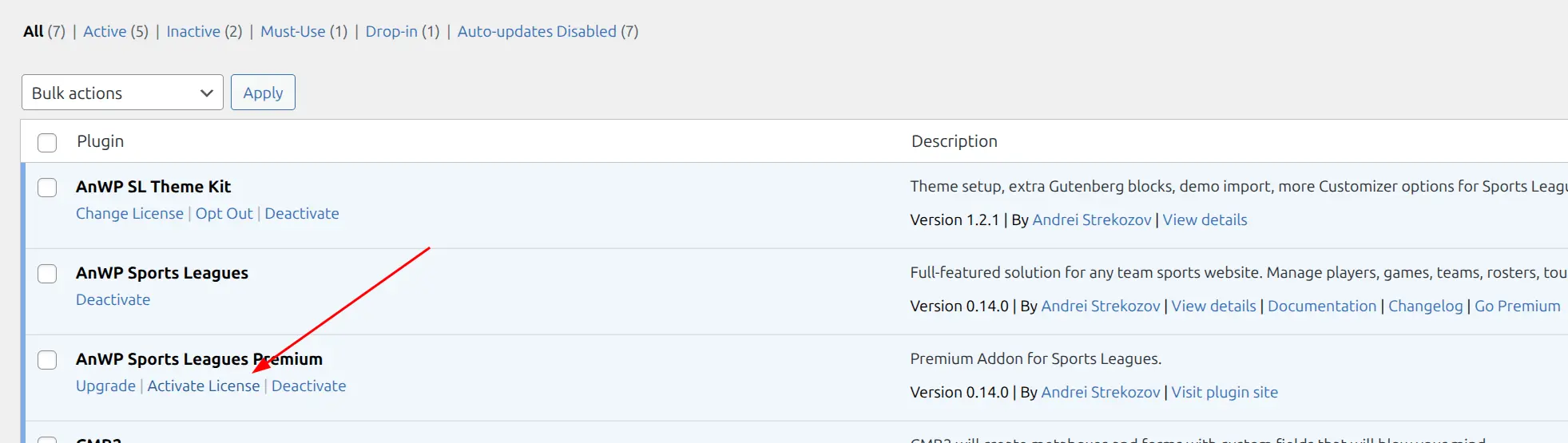
- Go to Plugins > Installed Plugins
- Verify both plugins show as active
- Check that SL Kit appears in your admin menu
🎊 Installation Complete!
You now have full access to:
- Premium shortcodes and features
- SL Kit Gutenberg blocks (sliders, roster, staff)
- Block patterns for rapid page building
- Demo Import to set up a complete site
- Layout Builder for custom entity pages
- Blocks Everywhere for hook-based content
📚 What’s Next
Choose your path:
| Goal | Next Step |
|---|---|
| Quick site setup | Demo Import – Full site in minutes |
| Build custom pages | Block Patterns – Pre-built sections |
| Explore blocks | Blocks Reference – All SL Kit blocks |
| Customize layouts | Blocks Everywhere – Hook-based content |
🆘 Troubleshooting
Upload fails or times out
Cause: PHP upload limits too low.
Solutions:
- Contact your host to increase
upload_max_filesizeto at least 32MB - Upload via FTP: Extract ZIP and upload to
/wp-content/plugins/
“Parent Plugin Not Found” error
Cause: Trying to activate SL Kit before Sports Leagues Premium.
Solution: Install and activate Sports Leagues Premium first, then activate SL Kit.
License key not working
Check:
- Copy the key directly from the email (no extra spaces)
- Verify your license hasn’t expired
- Check you haven’t exceeded the activation limit (1 site per license)
Need more help? See the full SL Kit Troubleshooting Guide or contact support.