

Overview
When running a single-team website (e.g., your local club), you need opponent teams and players in the database for games, standings, and statistics—but you don’t want dedicated pages for them. This guide covers strategies for managing content visibility in SL Kit sites.
🏆 Hiding Teams
If you don’t want to show other club pages, set opponent teams to Hidden status.
Result: Teams appear in games, standings, and statistics but have no clickable profile pages.
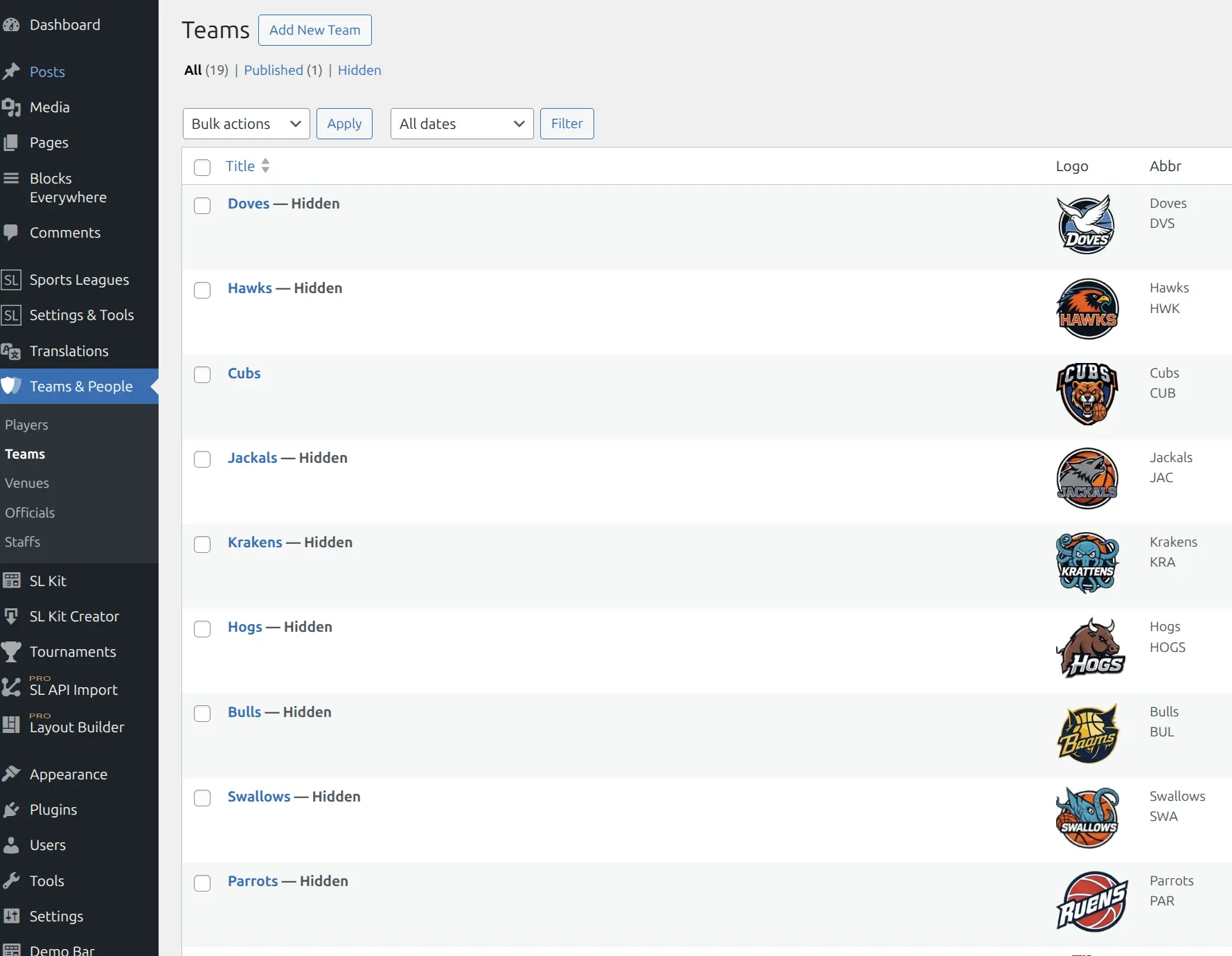
How to hide teams:
- Go to Teams & People → Teams
- Select teams to hide (use checkboxes)
- Choose Edit from Bulk Actions
- Set Status to Hidden
- Click Update
See Hidden Post Status for detailed instructions.
👤 Hiding Players
Two options for hiding opponent players:
Option 1: Hidden Status
Set player posts to Hidden status. Players appear in game lineups and statistics but have no profile pages.
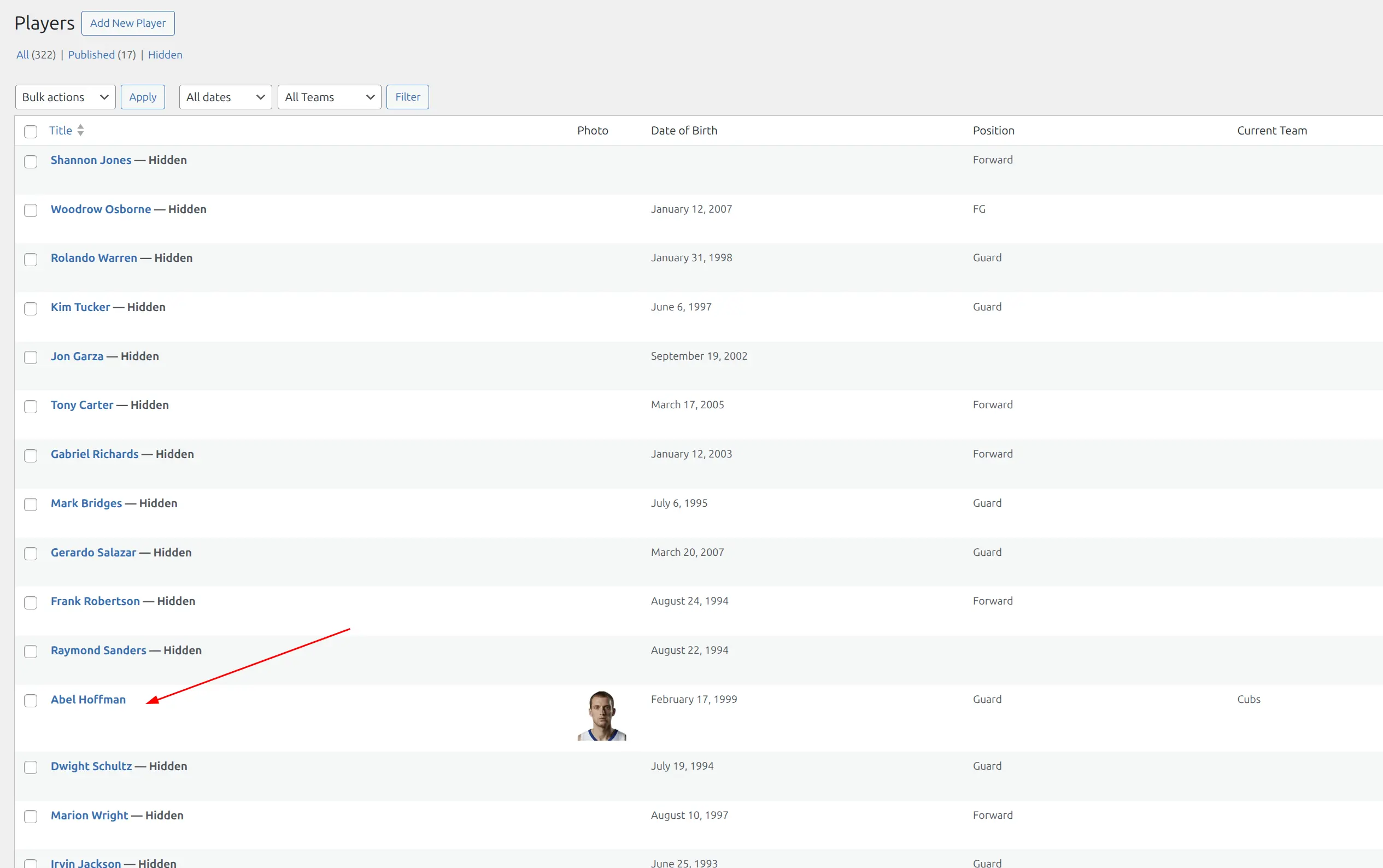
Best for: Players you need in your database but don’t want profile pages for.
Option 2: Temporary Players
Add players directly in the game editor as “temporary” players—text-only entries without creating database records.
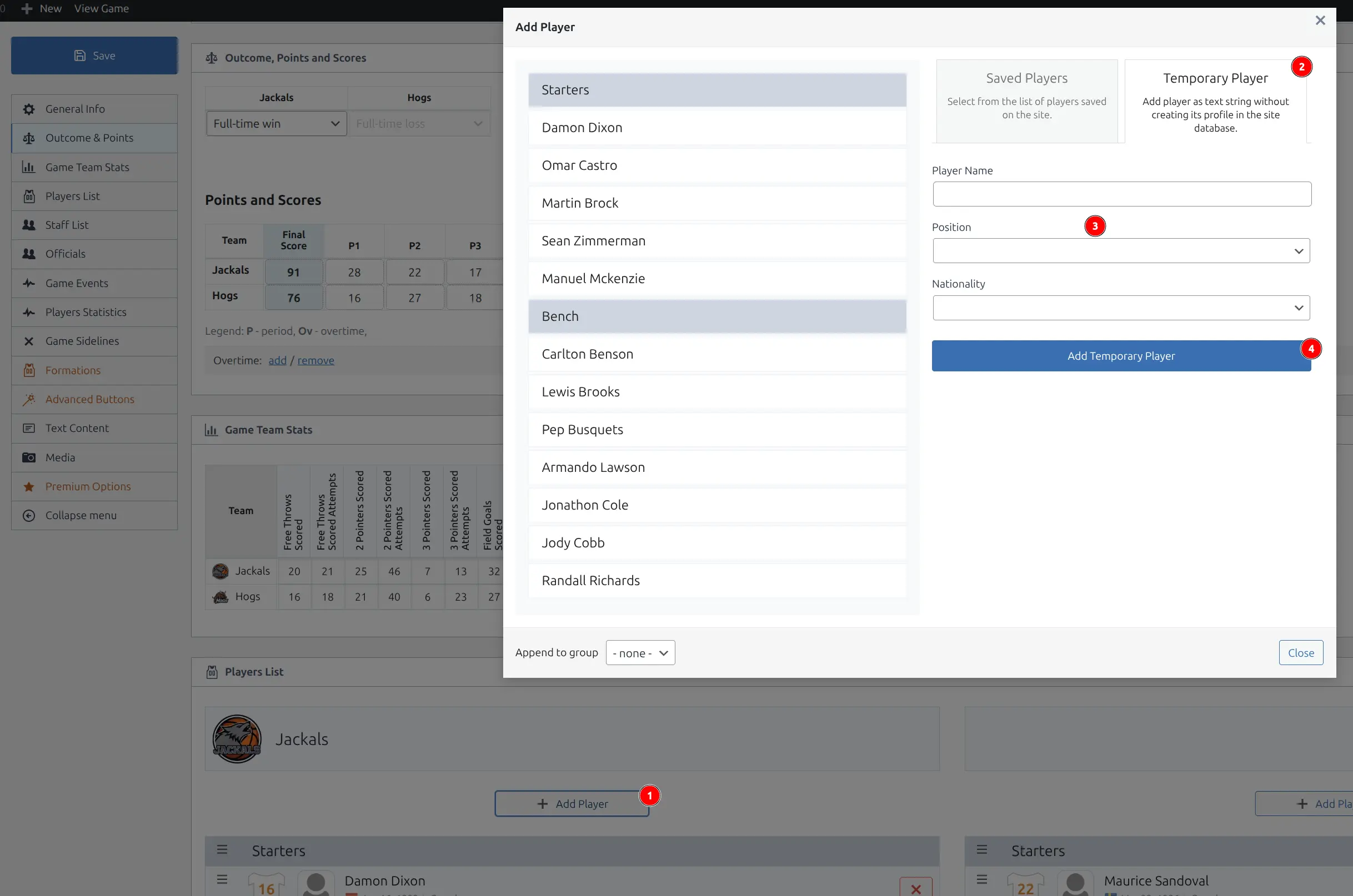
How to add temporary players:
- Edit the game
- Go to Players List section
- Click + Add Player
- Select Temporary Player tab
- Enter player name (and optionally position/nationality)
- Click Add Temporary Player
Best for: Opponent players you’ll never reference again—one-time entries that don’t clutter your player database.
🔄 Scenario: Player Transferred to Your Team
When a player previously played for another team and then joined your team, and you want to show statistics only for your team:
Recommended approach: Create two player profiles:
| Profile | Status | Purpose |
|---|---|---|
| Profile 1 | Hidden | Previous team history (opponent data) |
| Profile 2 | Published | Your team (active player page) |
Why this works:
- Hidden profile keeps historical game data for the previous team
- Published profile shows only your team’s statistics
- No confusion between team affiliations
- Clean player page showing only relevant stats
Tip
Alternative: Single profile with all data. Use if you want complete career history visible on the player page.
📋 Quick Reference
| Scenario | Solution |
|---|---|
| Hide opponent team pages | Set teams to Hidden status |
| Hide opponent player pages | Set players to Hidden status |
| One-time opponent players | Use Temporary Player in game editor |
| Player transferred to your team | Two profiles (hidden + published) |
| Retired players | Set to Hidden status |
📚 Related Documentation
- Hidden Post Status – Complete guide to the Hidden status feature
- Demo Import – Setting up demo content