

Blocks Everywhere lets you inject custom content at specific locations on your website using WordPress action hooks. Design content with the Gutenberg block editor and choose where it appears – no PHP coding required.
🎯 How It Works
- Create – Design content using Gutenberg blocks
- Choose – Select a WordPress action hook (use Hooks Visualizer to find hooks)
- Publish – Content automatically appears at that location
🚀 Activation
- Navigate to Sports Leagues > Add-ons
- Find the “AnWP Blocks Everywhere” card
- Click Activate
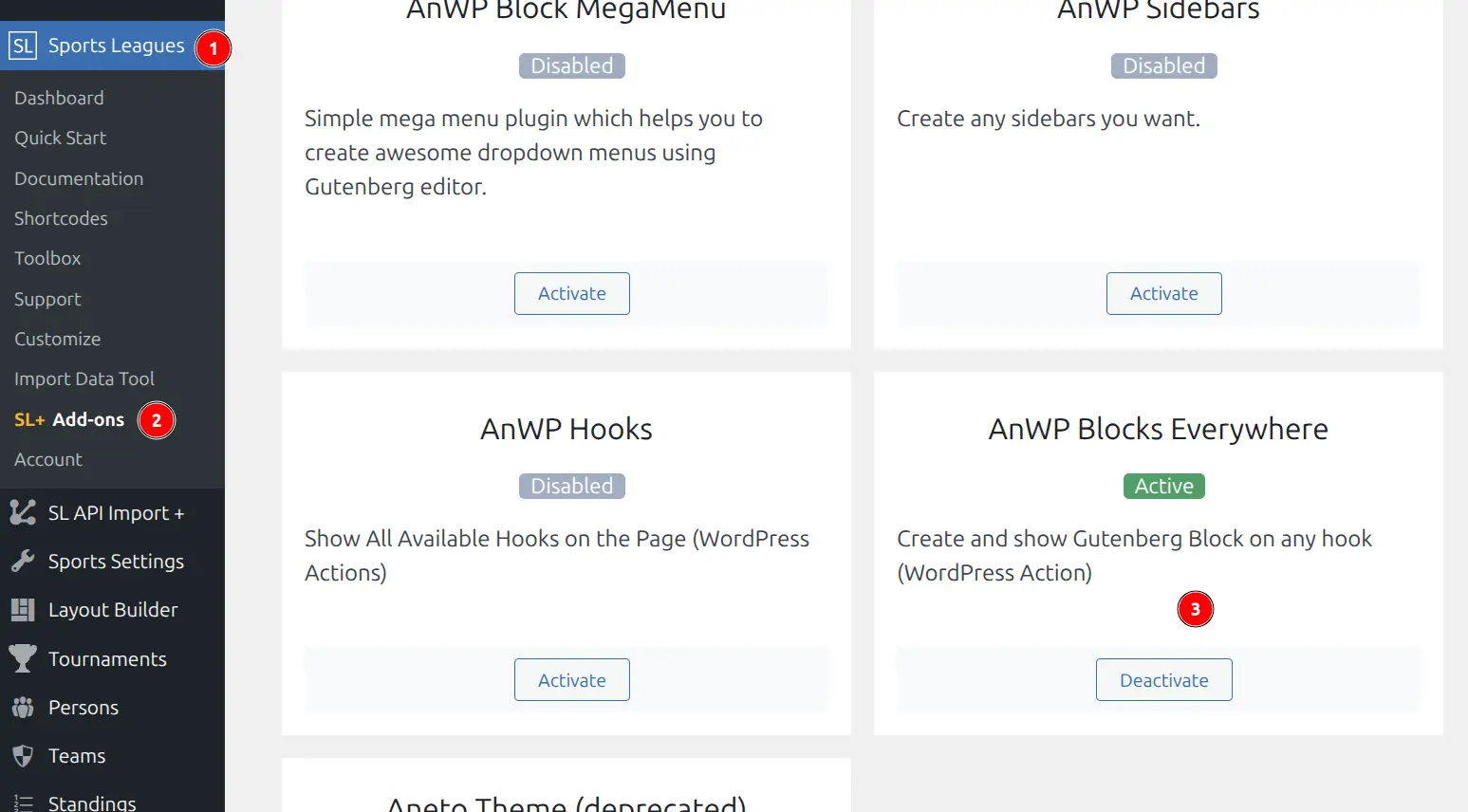
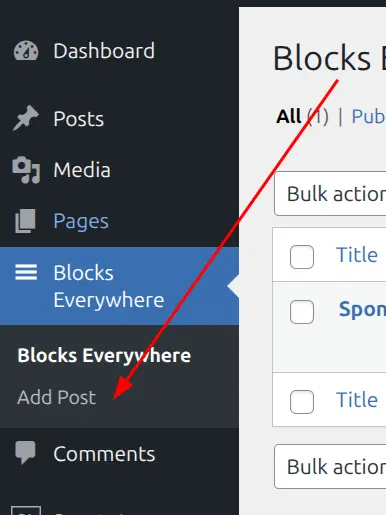
After activation, you’ll see Blocks Everywhere in your admin menu.
Creating a Block Everywhere
Step 1: Create New Item
Go to Blocks Everywhere > Add New and enter a descriptive title (for internal reference).
Step 2: Design Your Content
Use the Gutenberg block editor to create your content. You can use any blocks: paragraphs, headings, buttons, images, columns, Sports Leagues blocks, or third-party blocks.
Step 3: Configure Settings
In the sidebar panel “AnWP Blocks Everywhere”:
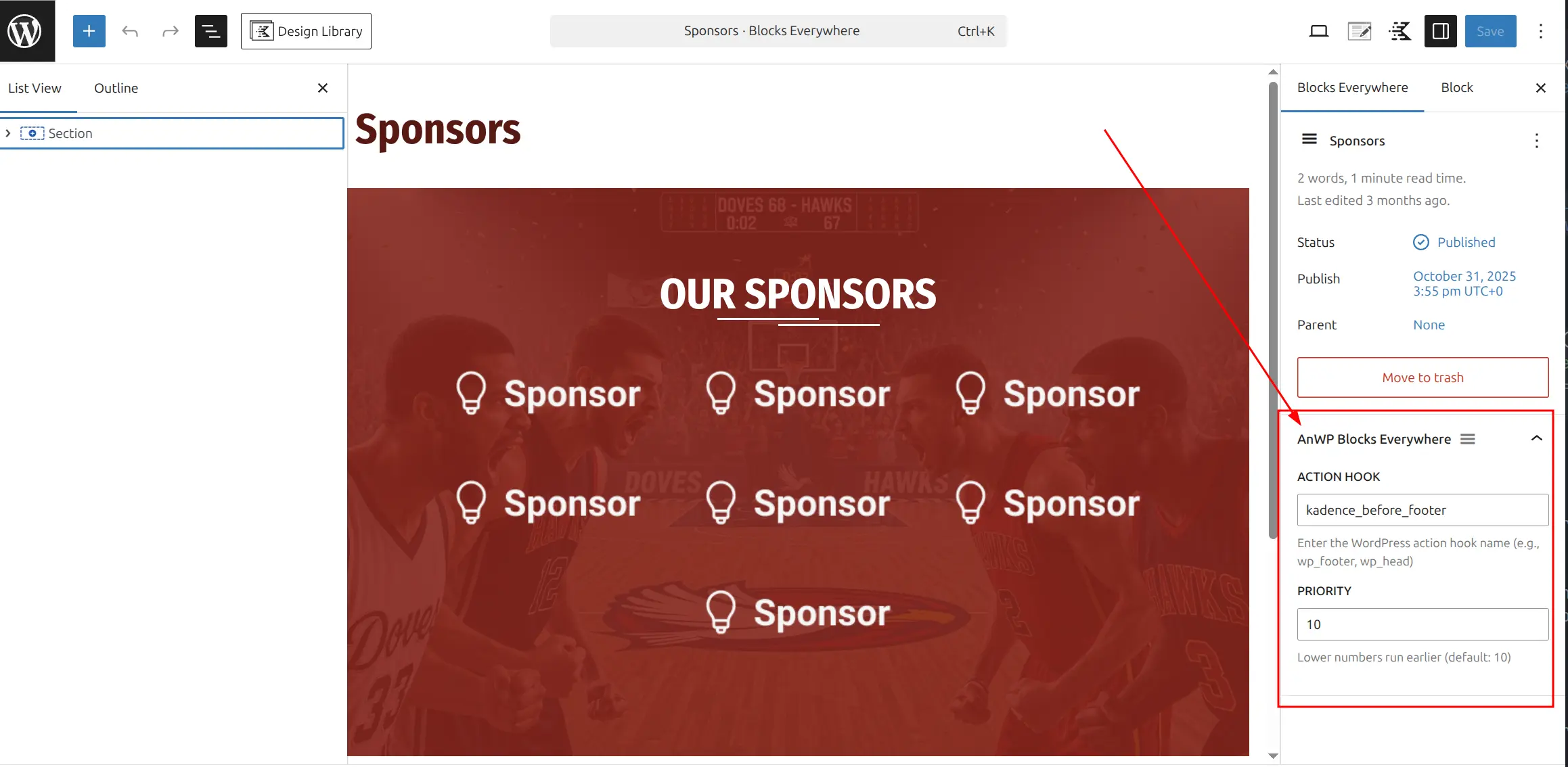
Action Hook – Enter the hook name where content should appear.
Tip
Use the Hooks Visualizer add-on to discover available hooks on any page. Click any hook indicator to copy its name.
Priority – Controls execution order when multiple items use the same hook:
- Lower numbers execute first (1, 5)
- Default is 10
- Higher numbers execute last (15, 20)
Step 4: Publish
Click Publish. Your content now appears at the selected hook location.
Managing Items
Edit or Update
Go to Blocks Everywhere, click the item, modify content or settings, click Update. Changes take effect immediately.
Temporarily Disable
Edit the item and change status to Draft. Content stops displaying but is preserved.
Delete
Hover over item in the list and click Trash.
🆘 Troubleshooting
Content Not Appearing
- Verify hook name spelling (use Hooks Visualizer to confirm)
- Check you’re viewing the correct page type for that hook
- Clear all caches (WordPress, page cache, browser)
Content in Wrong Location
- Double-check the hook name
- Adjust priority value to reorder content
Content Appears Multiple Times
Check for duplicate Blocks Everywhere items using the same hook.
❓ FAQ
How many items can I create?
Unlimited. 10-20 well-placed items is typical.
Can I use the same hook multiple times?
Yes. Control order with priority values.
Will deactivating the add-on delete my items?
No. Items are preserved and will work again when reactivated.
📚 Additional Resources
- Hooks Visualizer Add-on – Discover available hooks
- Add-ons Overview