

Keep your Sports API Hub plugin up to date for new features, bug fixes, and security patches. With an active license, updates are delivered through the standard WordPress update system.
🚀 How to Update
There are three ways to update the plugin. Pick whichever is most convenient for you.
Tip
Always back up your database before updating. Database tables are updated automatically when needed — your data is preserved.
Option 1: From the Plugins Page
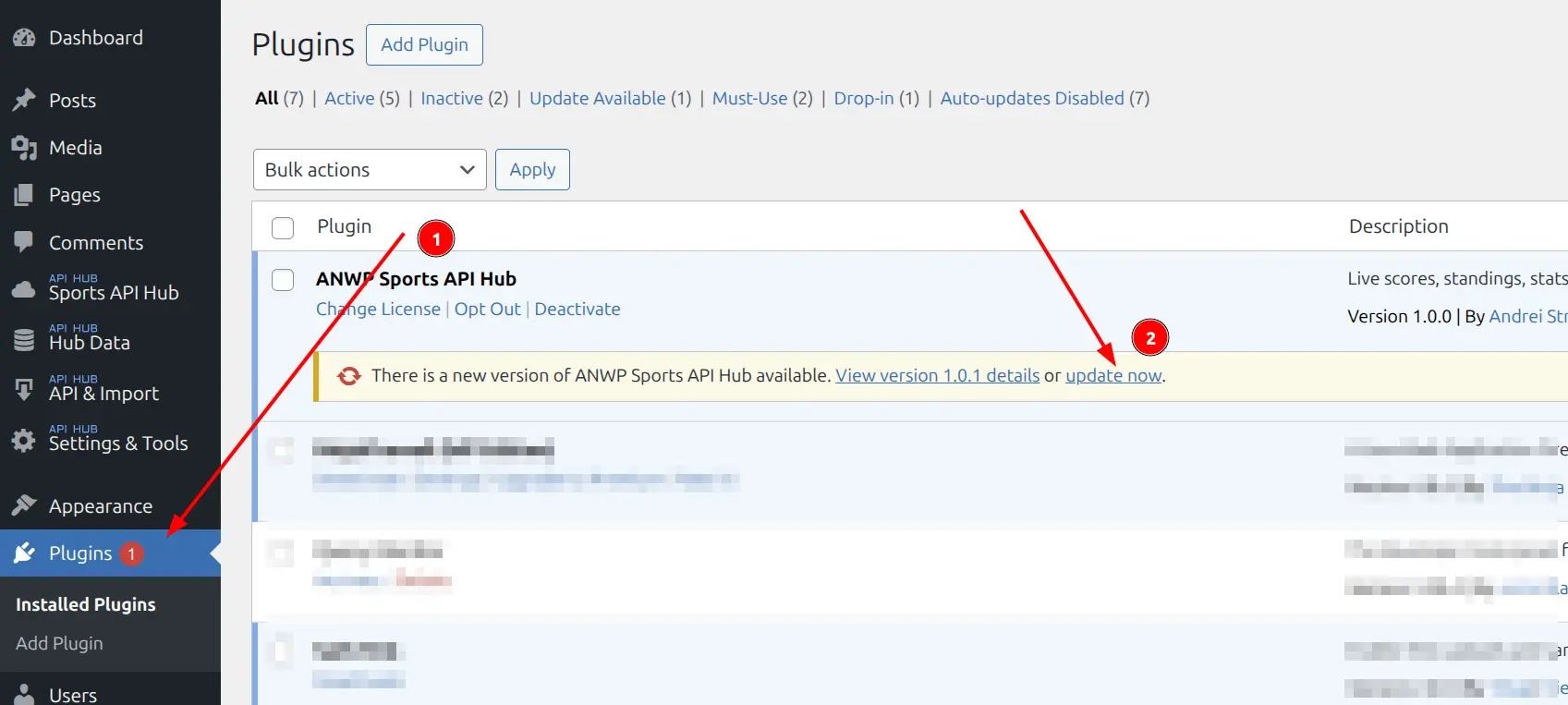
When a new version is available, you’ll see an update notice directly on the Plugins page:
- Go to Plugins > Installed Plugins
- Find the update notice under AnWP Sports API Hub (2)
- Click update now
Option 2: From Dashboard > Updates
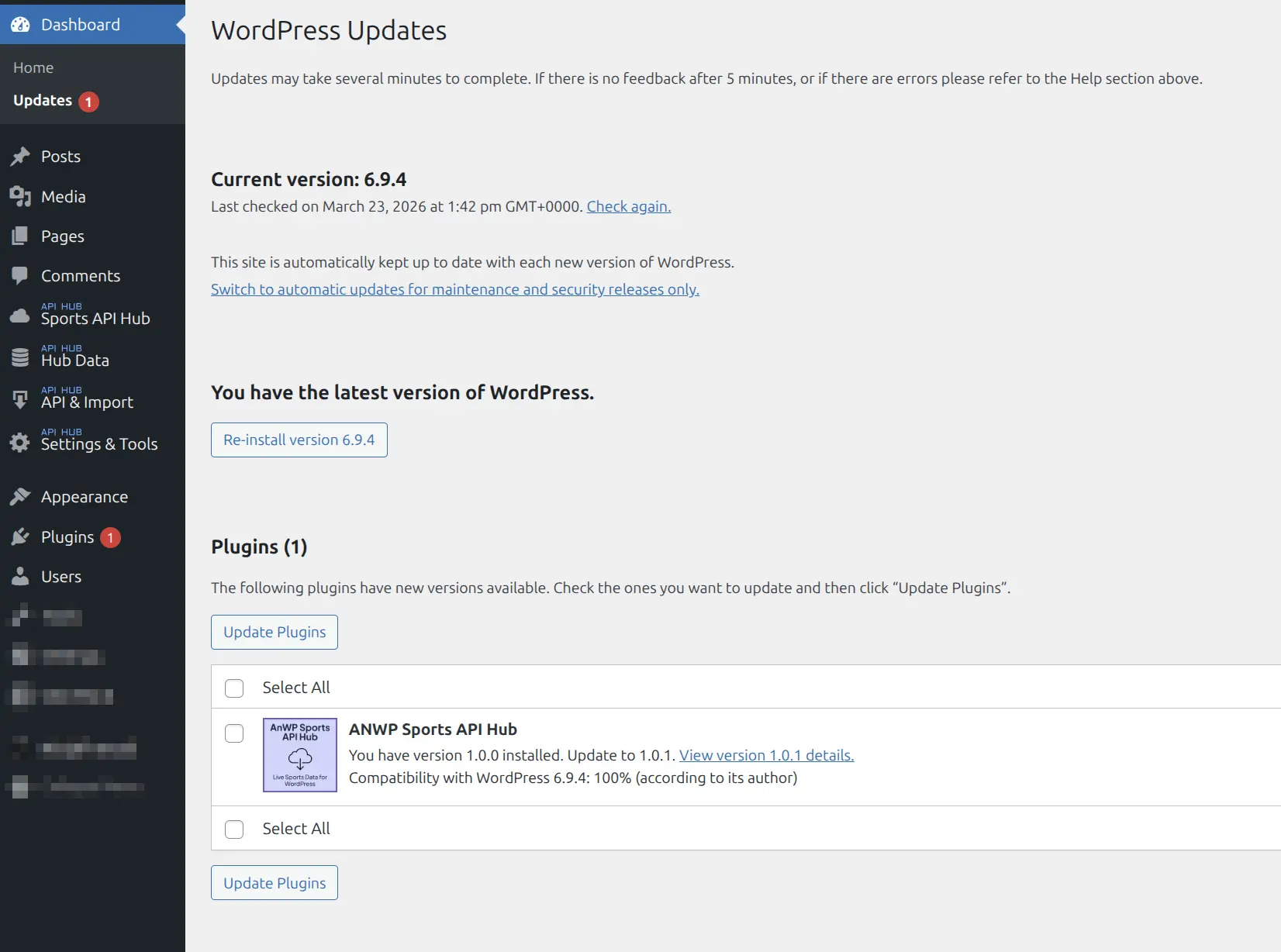
WordPress collects all available updates on one page:
- Go to Dashboard > Updates
- Find Sports API Hub in the Plugins section
- Check the box and click Update Plugins
Option 3: From the Account Page
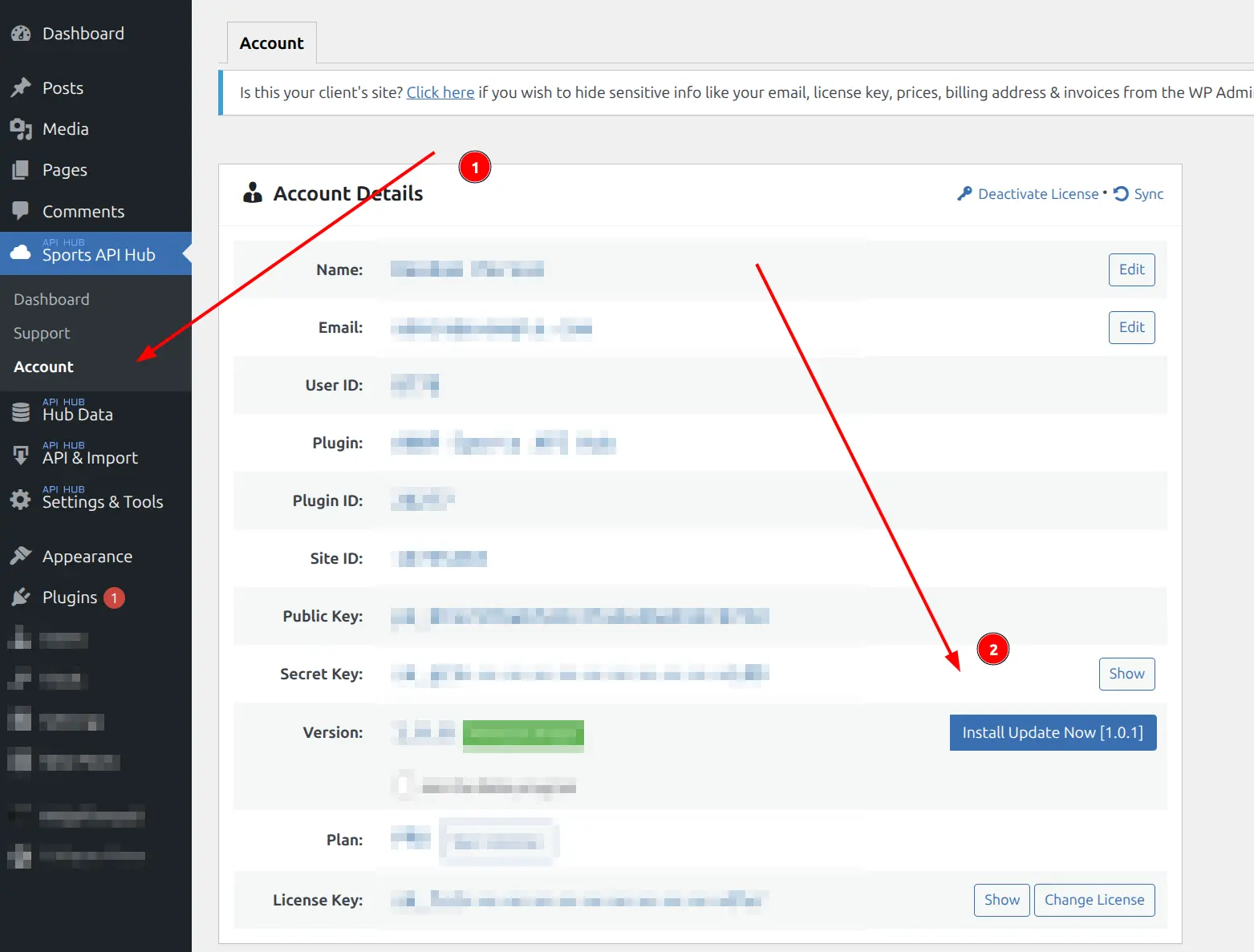
You can also update directly from within the plugin:
- Go to Sports API Hub > Account (1)
- Click the Install Update Now button next to the version number (2)
Manual Update
If the automatic update doesn’t appear or fails, download the latest version manually.
Download from the Customer Portal
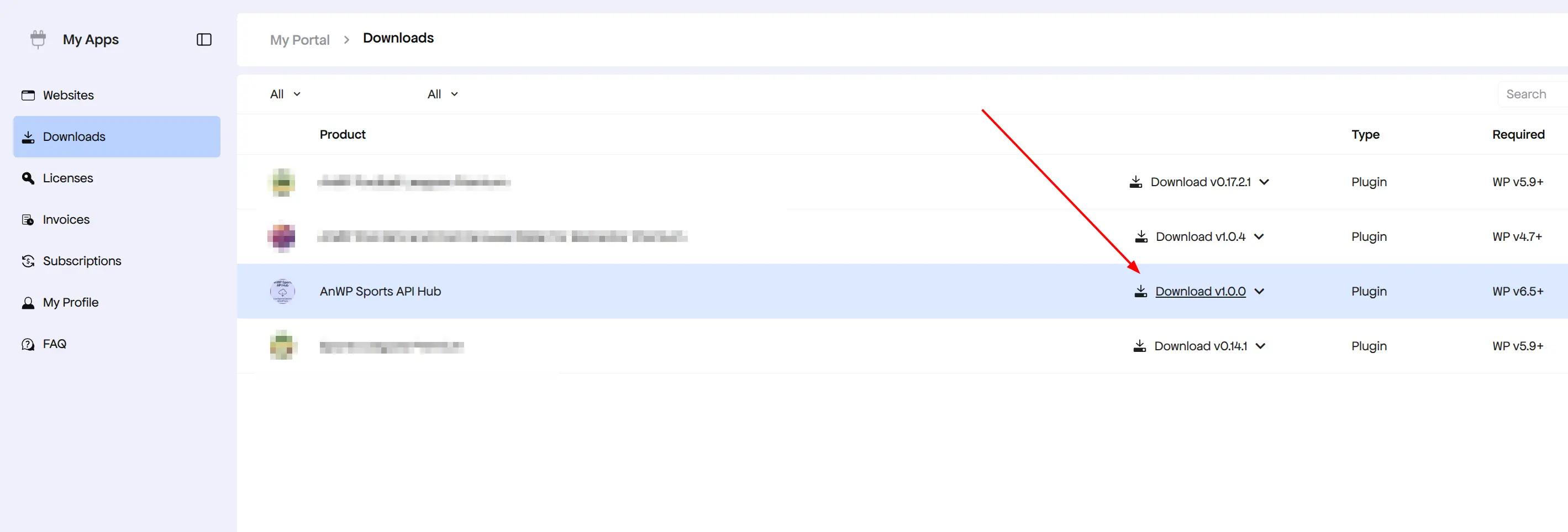
- Go to the Freemius customer portal
- Click Downloads in the sidebar
- Find AnWP Sports API Hub and click the Download button
Install the Update
- In WordPress admin, go to Plugins > Add New > Upload Plugin
- Select the downloaded ZIP file
- Click Install Now
- When prompted, click Replace current with uploaded
Alternative (FTP/SFTP): Extract the ZIP and upload the anwp-sports-api-hub folder to /wp-content/plugins/, replacing the existing folder.
Upgrading Your Plan
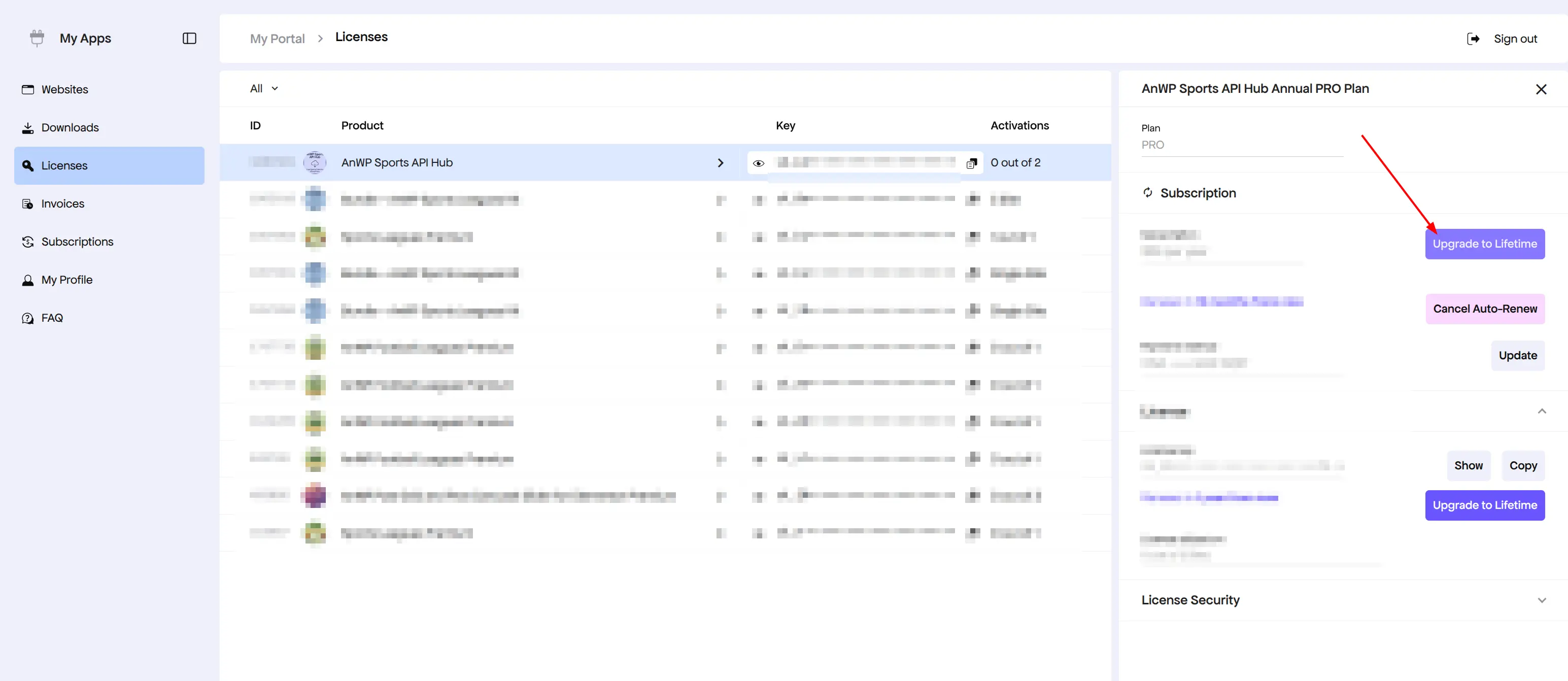
You can upgrade from Monthly to Annual or Lifetime at any time through the customer portal:
- Go to the Freemius customer portal
- Click Licenses in the sidebar
- Click on your AnWP Sports API Hub license
- In the right panel, click Upgrade to Lifetime (or use the Upgrade to dropdown for other options)
Managing Your Subscription
From the same Licenses panel, you can also:
- Cancel Auto-Renew — stops future charges while keeping access until the current period ends
- Update payment method — change your card or billing details
- Show / Copy your license key
What Happens When a License Expires?
| Plan | On Expiry |
|---|---|
| Monthly | Features are blocked until renewed |
| Annual | Plugin continues working — you lose access to updates and support |
| Lifetime | Never expires |
Lost Access to Your Account?
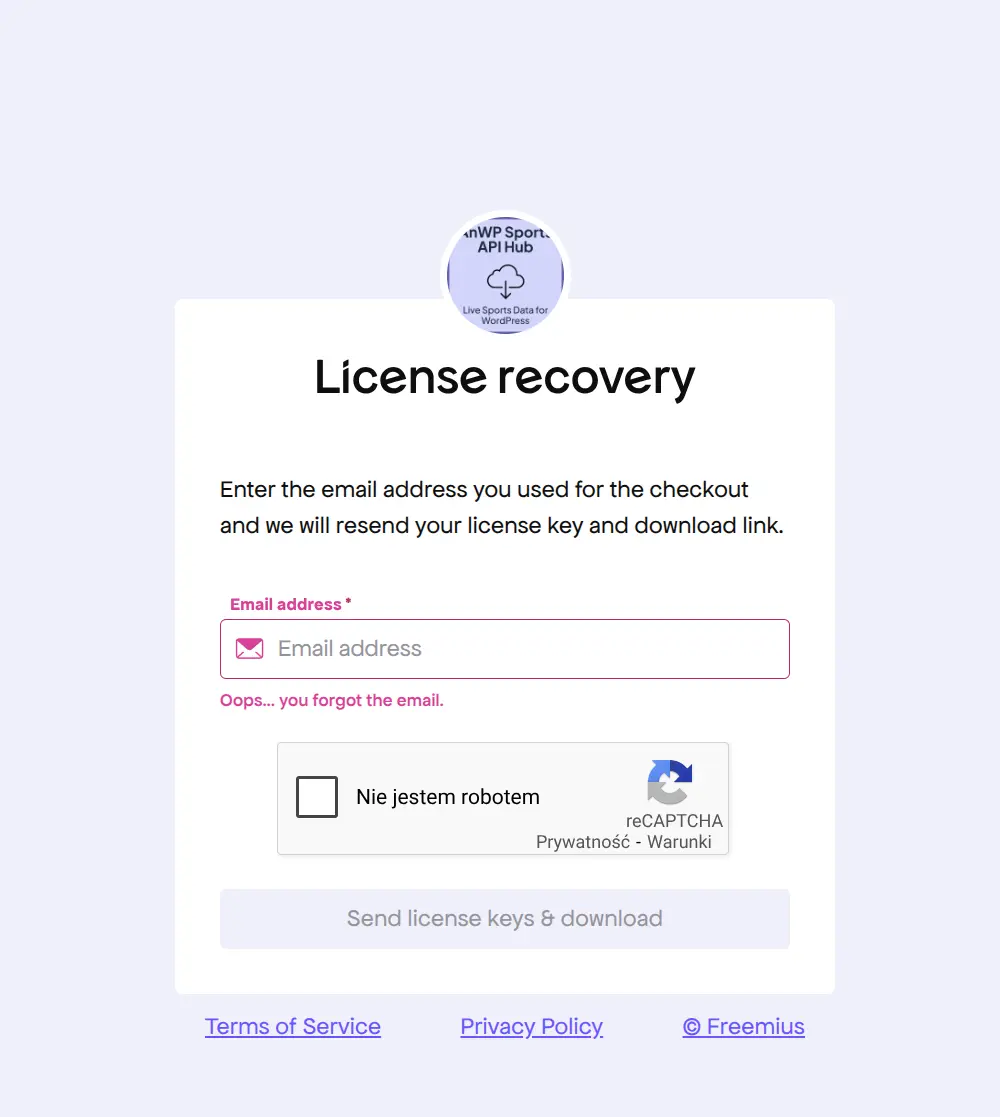
If you can’t log in to the customer portal, use the License Recovery page. Enter the email address you used at checkout and your license key and download link will be resent.
🆘 Troubleshooting Updates
| Issue | Solution |
|---|---|
| Update not showing | Verify license is active. Go to Dashboard > Updates and click Check Again |
| Update failed | Try the manual update method above. Check PHP error logs for details |
| Upload size limit exceeded | Increase upload_max_filesize in PHP settings, or use FTP upload |
| “Replace current” not offered | Deactivate and delete the old version first, then install the new ZIP |
| White screen after update | Clear caching plugins and browser cache. If persists, check PHP error log |
📚 Related
- License Activation — Ensure license is active for updates
- License Migration — Transfer between sites
- Invoices — Download purchase receipts
- Support — Get help with update issues