

Need to move your Sports API Hub license to a different website? Your license allows 2 active websites (localhost and staging don’t count). If you’ve reached the limit, deactivate on the old site first, then activate on the new one.
When to Migrate
- Moving your site to a new domain
- Switching from staging to production
- Closing a site and reusing the license elsewhere
- Rebuilding on a fresh WordPress installation
🚀 Option A: Deactivate via WordPress Admin
If you still have access to the old site’s WordPress admin, this is the fastest method.
Step 1: Go to the Account Page
In the old site’s WordPress admin, go to Sports API Hub > Account. You’ll see your license details and a Deactivate License button.
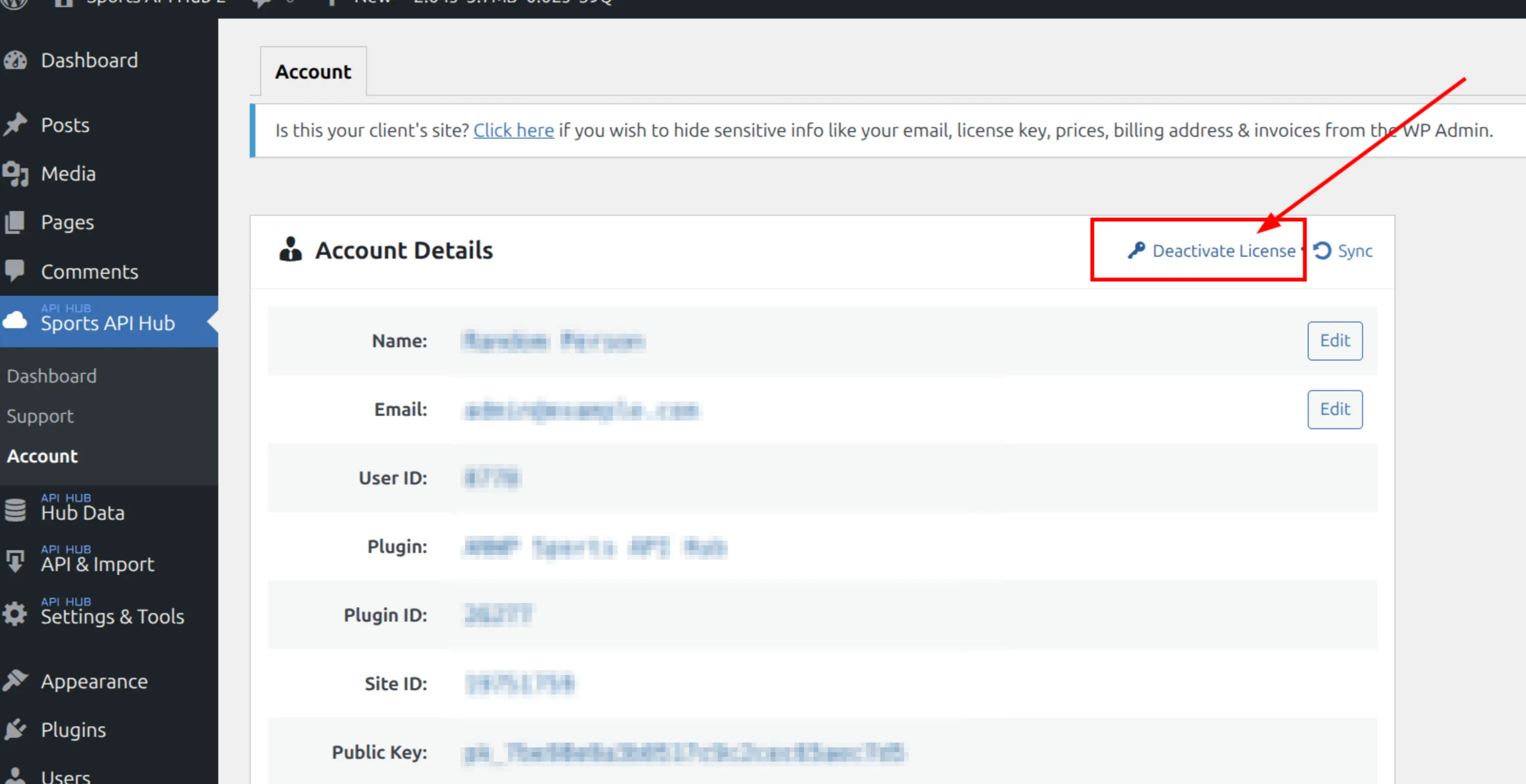
Step 2: Confirm Deactivation
Click Deactivate License. A confirmation dialog will appear — click OK to proceed.
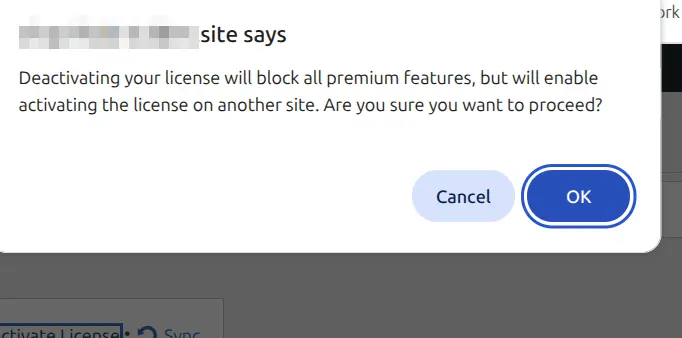
Step 3: Activate on the New Site
- Install Sports API Hub on the new site (see Installation)
- Enter your license key when prompted
- Click Activate License
Option B: Deactivate via Customer Portal
If you’ve lost access to the old site (server down, domain expired, site deleted), you can deactivate remotely from the Freemius customer portal.
Step 1: Log In to the Customer Portal
Go to the Freemius customer portal and sign in with the email you used at checkout.
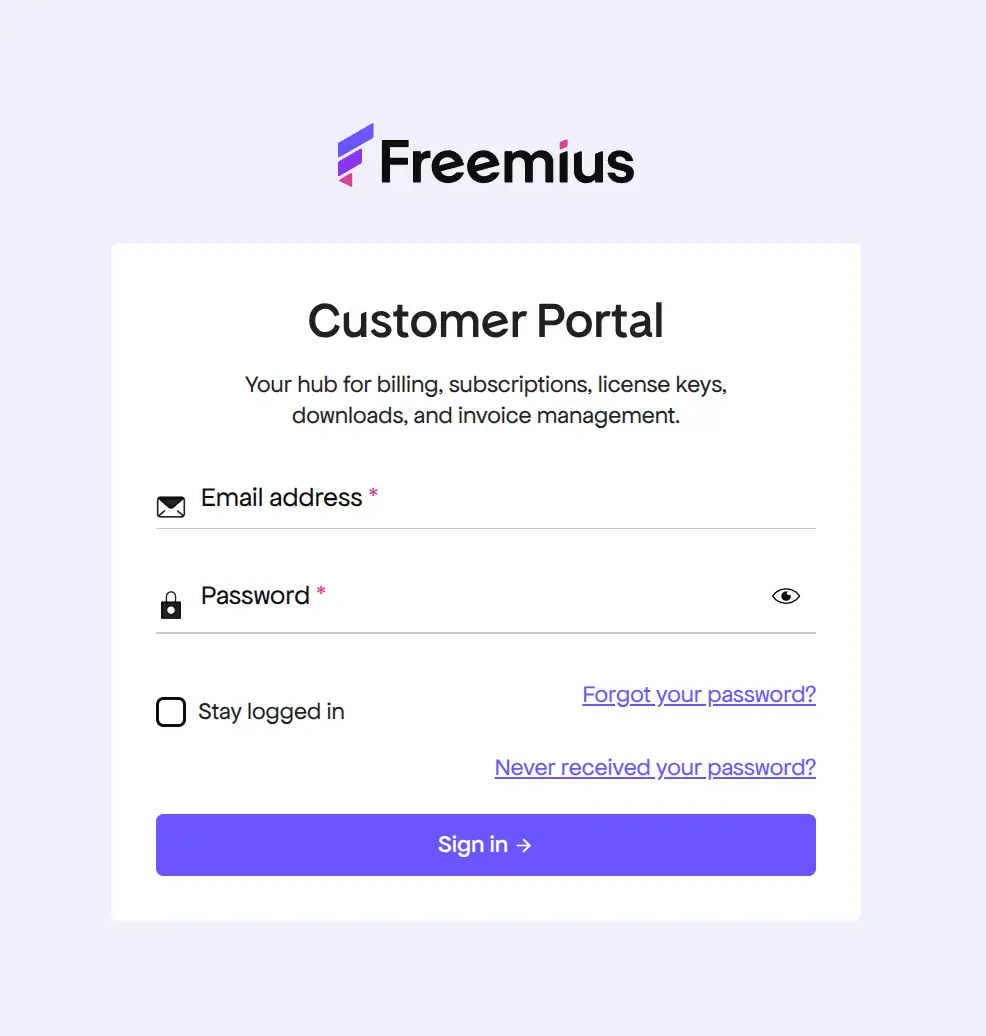
Step 2: Find Your Website and Deactivate
- Click Websites in the sidebar
- Click on the site you want to deactivate
- In the right panel, expand the License section
- Click Deactivate
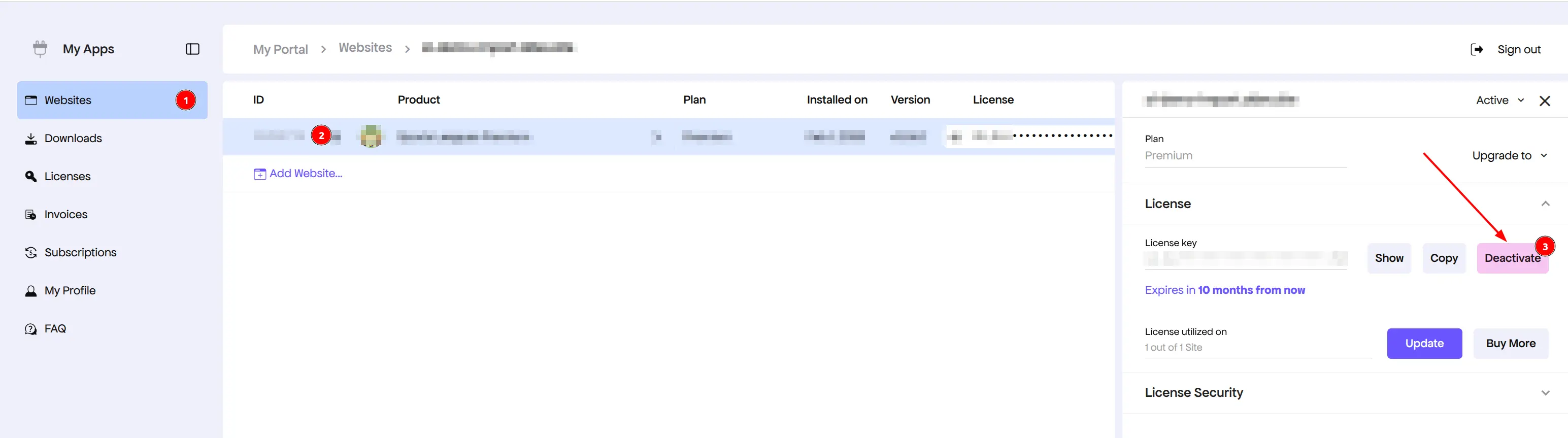
After deactivation, install and activate on your new site using the same license key.
Staging and Localhost
Localhost and staging sites don’t count toward your 2-site license limit. You can activate on unlimited development environments, including:
- Local development (e.g.,
localhost,.local,.test) - Staging subdomains (e.g.,
staging.yoursite.com) - Common staging platforms and environments
Tip
If you’re unsure whether your environment counts as localhost/staging, just activate it — Freemius detects non-production environments automatically.
What About My Data?
Deactivating the license does not delete your imported data. All games, teams, players, and stats remain in the database. If you reactivate on the same site later, everything will still be there.
To move data to a new site, you’ll need to migrate the WordPress database separately — the license migration only handles the license activation, not the content.
🆘 Troubleshooting
| Issue | Solution |
|---|---|
| “Site limit reached” on new site | Deactivate on old site first (Option A or B above) |
| Can’t access old site or portal | Contact support with your license key (first 8 chars) and the old site URL |
| Forgot which sites are active | Check Websites in the customer portal |
| Domain changed but same server | Deactivate and reactivate — the license is tied to the domain |
📚 Related
- License Activation — Initial activation steps
- Installation — Installing on a new site
- Support — Get help with license issues