

Entity Links connect your regular WordPress blog posts to sports entities — teams, players, games, and seasons. Once linked, those posts can appear automatically on entity pages, creating a bridge between your editorial content and your sports data.
Example use cases:
- Link a trade analysis article to the relevant players and teams
- Connect a game recap post to the specific game
- Associate a season preview article with the season entity
🔗 Linking Posts to Entities
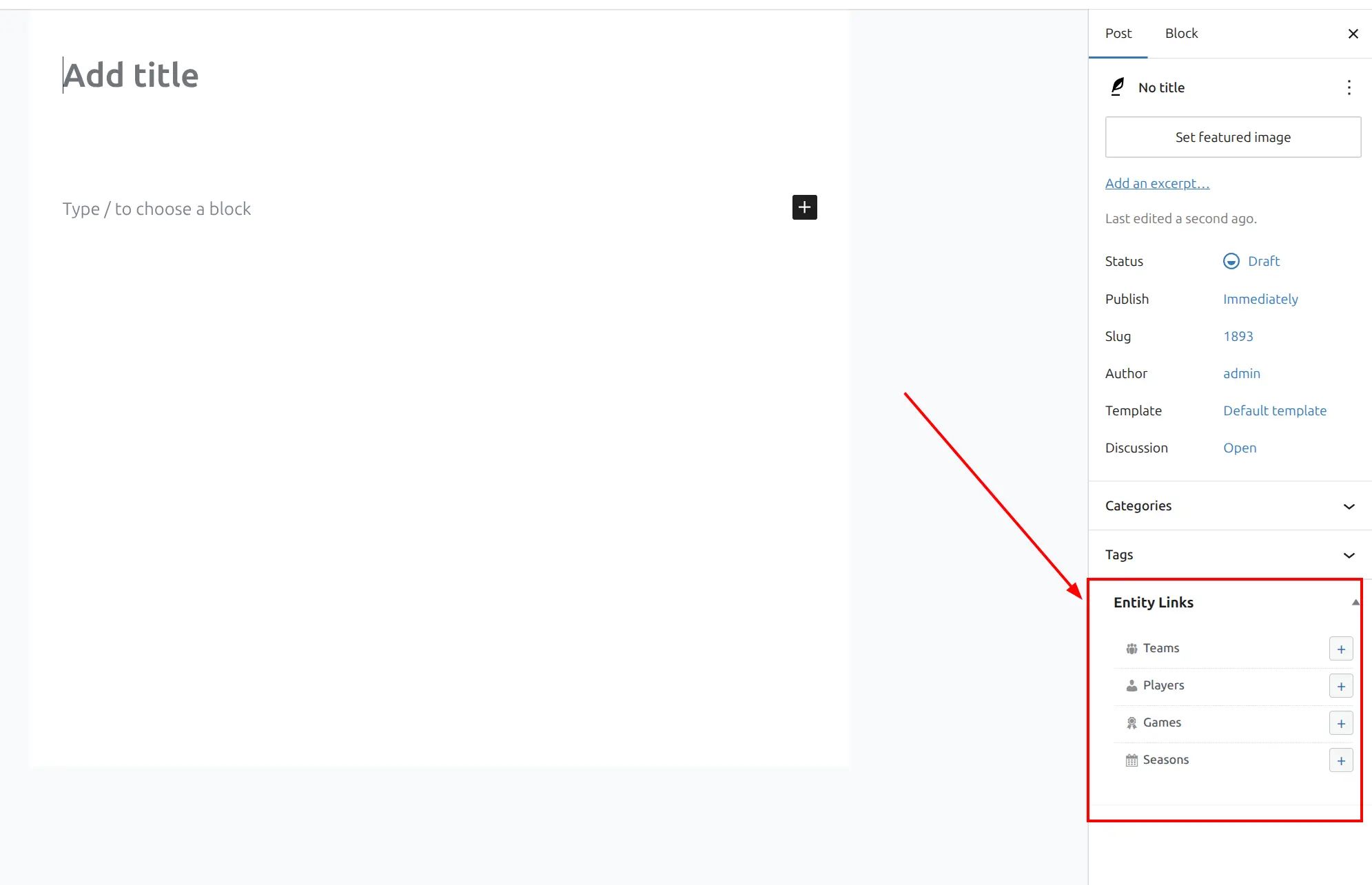
When editing any WordPress post, you will see an API Hub Entity Links metabox in the editor sidebar. This metabox shows four entity types you can link to: Teams, Players, Games, and Seasons.
How to Link
- Open any post for editing
- Find the API Hub Entity Links metabox in the sidebar
- Click the + button next to the entity type you want (Teams, Players, Games, or Seasons)
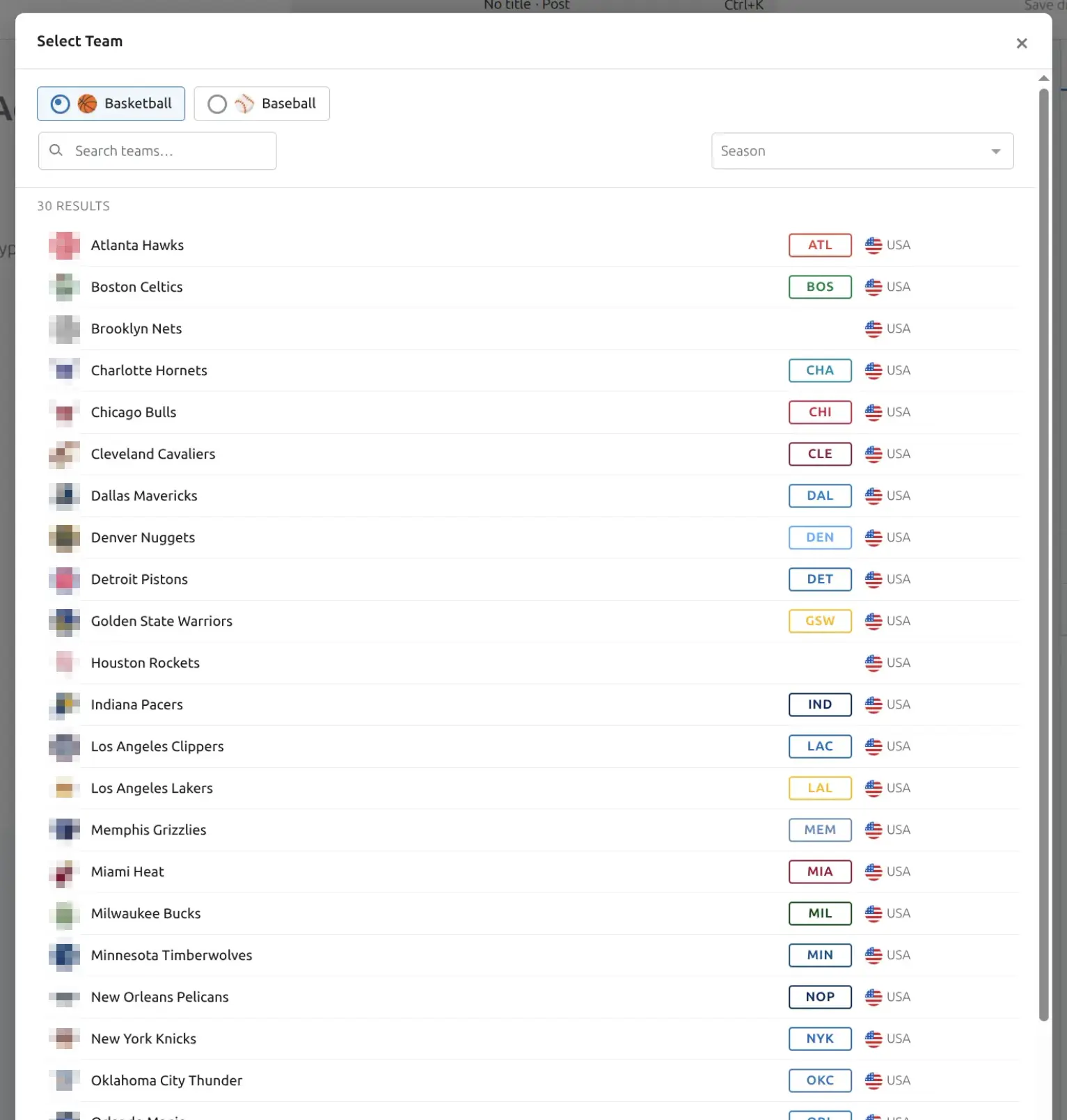
- The entity selector modal opens — search for and select one or more entities
- Selected entities appear as chips in the metabox
- Save or update the post
You can link a single post to multiple entity types. For example, a post about a player trade could be linked to two players, two teams, and one game.
When you click the + button, the entity selector modal opens. You can search by name, filter by sport, and browse entities with logos and metadata to find exactly what you need.
Removing Links
Click the remove icon on any entity chip to unlink it. Save or update the post to apply the change.
Supported Entity Types
| Entity Type | Use Case |
|---|---|
| Team | Team news, analysis, roster moves |
| Player | Player profiles, trade reports, injury updates |
| Game | Game recaps, previews, highlight analysis |
| Season | Season previews, wrap-ups, playoff breakdowns |
Tip
The Entity Links metabox works with both the Gutenberg block editor and the Classic Editor.
📄 Displaying Linked Posts
Once posts are linked to entities, you can display them on entity pages in two ways.
Layout Builder Block
Add an Entity Posts block to any entity layout in the Layout Builder. The block automatically detects the current entity context (which team, player, game, or season page it is on) — no manual configuration needed beyond choosing the display layout.
Shortcode
Use [anwphub-entity-posts] to display linked posts anywhere on your site. You can also build this shortcode visually in Settings & Tools > Shortcodes.
[anwphub-entity-posts entity_type="team" entity_post_id="142" layout="grid"]

[anwphub-entity-posts entity_type="player" entity_post_id="305" limit="5" layout="simple"]
Shortcode Attributes
| Attribute | Default | Description |
|---|---|---|
entity_post_id | — | The entity’s WordPress post ID. Auto-detected when used inside the Layout Builder |
entity_type | — | Entity type: team, player, game, or season. Auto-detected in the Layout Builder |
limit | 10 | Maximum number of posts to display |
layout | grid | grid (image cards) or simple (text list) |
show_header | 1 | Show section header: 1 (yes) or 0 (no) |
header_text | — | Custom header text. Defaults to “Related Posts” if empty |
no_data_text | — | Message shown when no linked posts exist |
class | — | Extra CSS class added to the wrapper element |
Display Layouts
| Layout | Description |
|---|---|
| Grid | Image cards in a responsive grid — shows featured image, title, and excerpt |
| Simple | Compact text list — title and date only |
📊 Entity Links Dashboard
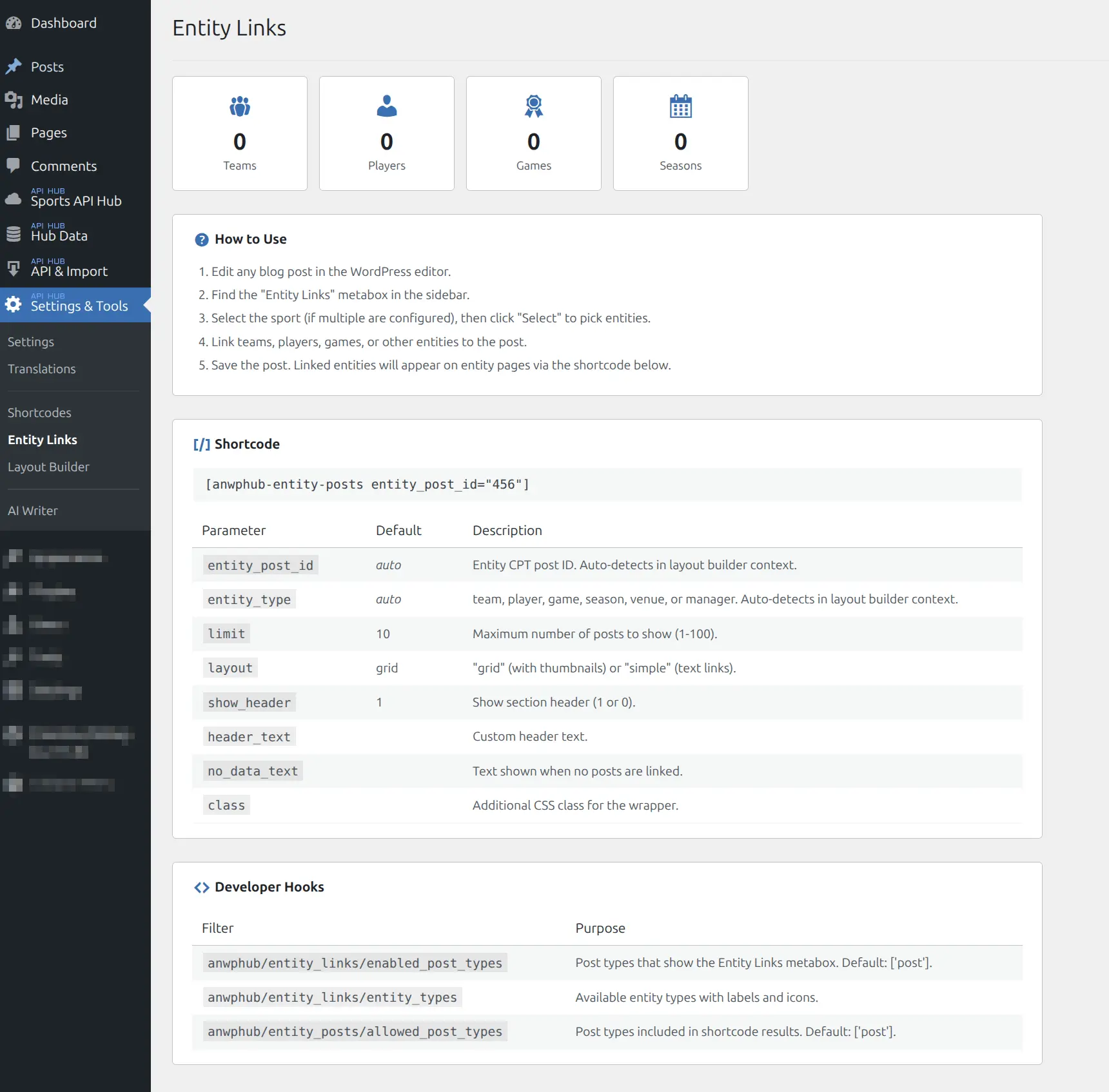
Go to Settings & Tools > Entity Links to view the dashboard. It shows link statistics — how many blog posts are connected to each entity type — giving you an overview of your editorial coverage.
The dashboard also includes a quick reference for the [anwphub-entity-posts] shortcode and available developer hooks.
Automatic Cleanup
The plugin handles link cleanup automatically:
- Blog post deleted — all entity links from that post are removed
- Entity deleted — all links pointing to that entity are removed
No orphaned links remain in the database. You do not need to manually unlink entities before deleting posts or entities.
Developer Hooks
Three filters are available for developers who want to customize Entity Links behavior.
| Filter | Default | Description |
|---|---|---|
anwphub/entity_links/enabled_post_types | ['post'] | Which post types show the Entity Links metabox in the editor |
anwphub/entity_links/entity_types | all types | Which entity types are available for linking |
anwphub/entity_posts/allowed_post_types | ['post'] | Which post types are queried when displaying linked posts |
Example: To enable Entity Links on a custom post type called “news”:
// Show the Entity Links metabox on "news" posts
add_filter( 'anwphub/entity_links/enabled_post_types', function ( $types ) {
    $types[] = 'news';
    return $types;
} );

// Include "news" posts in entity posts output
add_filter( 'anwphub/entity_posts/allowed_post_types', function ( $types ) {
    $types[] = 'news';
    return $types;
} );
Related
- Shortcodes — Full
[anwphub-entity-posts]shortcode reference - Layout Builder — Add the Entity Posts block to entity layouts
- Game Pages — Link blog posts to games
- Team Pages — Link blog posts to teams
- Player Pages — Link blog posts to players