

Teams are automatically created when games are imported. Each team stores its name, colors, logo, venue, and roster data from the API.
Admin Menu: Hub Data > Teams
Team Data
| Field | Description |
|---|---|
| Name / Short Name | Full and abbreviated team name |
| Name Code | 3-letter abbreviation (e.g., LAL, BOS, NYY) |
| Colors | Primary, secondary, and text colors from API |
| Country | Team’s country with flag |
| Venue | Home stadium or arena (linked entity) |
| Manager | Head coach (linked entity) |
| Roster | Current player list with positions and jersey numbers |
Team Colors
Team colors are imported from the API and used throughout the frontend — game headers show team-colored accent bars, badges use team colors, and statistics comparison bars are color-coded.
When two teams have similar colors in a game, the plugin automatically applies a diagonal stripe pattern to one team’s bars to maintain visual distinction.
🎨 Logos & Display Modes
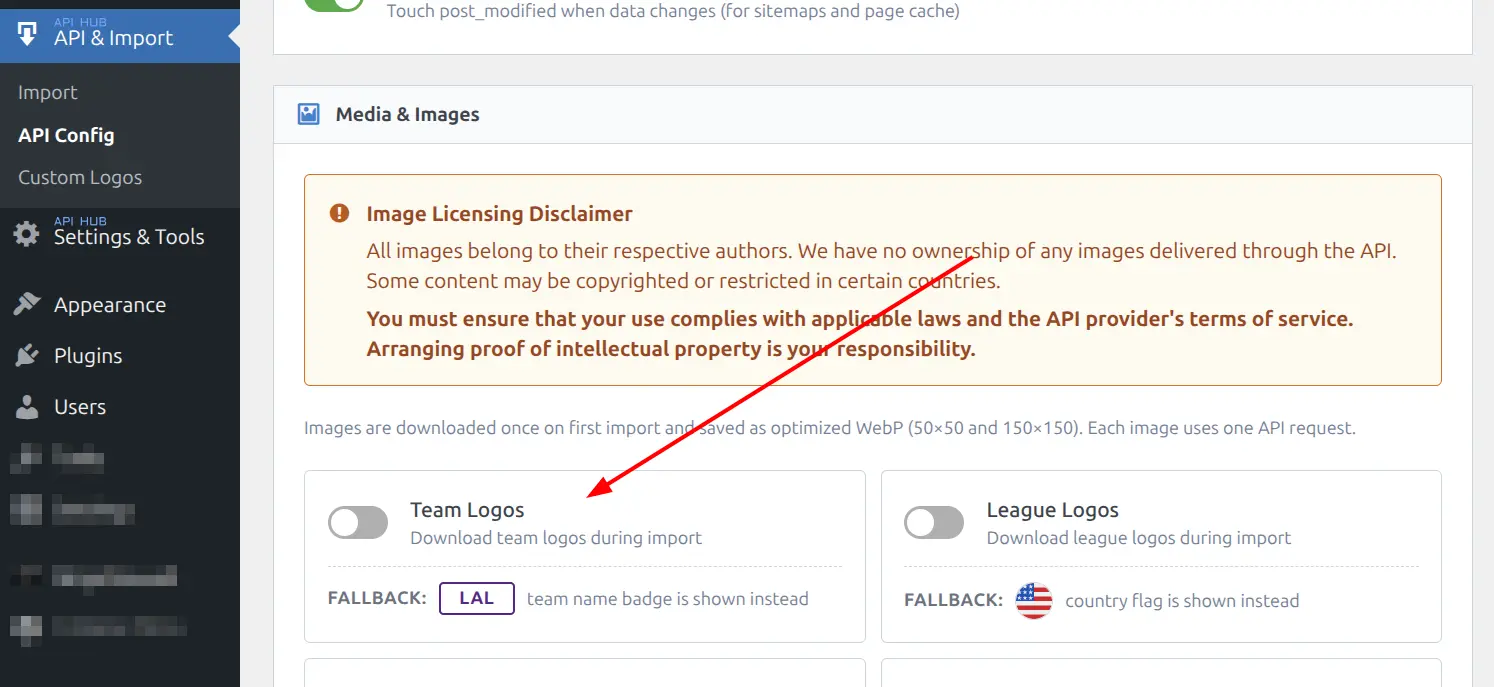
Team logos are downloaded from the API and converted to optimized WebP format (50×50 and 150×150 sizes). Logo downloading is enabled in API & Import > API Config under Media & Images. When logos are not downloaded, the plugin shows team name badges as a fallback.
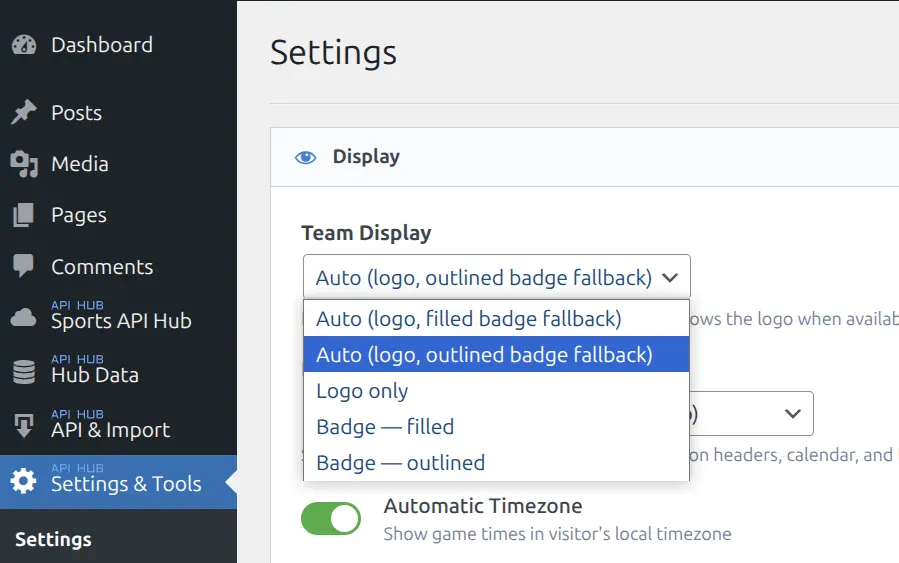
The Team Display setting in Plugin Settings controls how teams appear in game cards and lists:
Display Modes
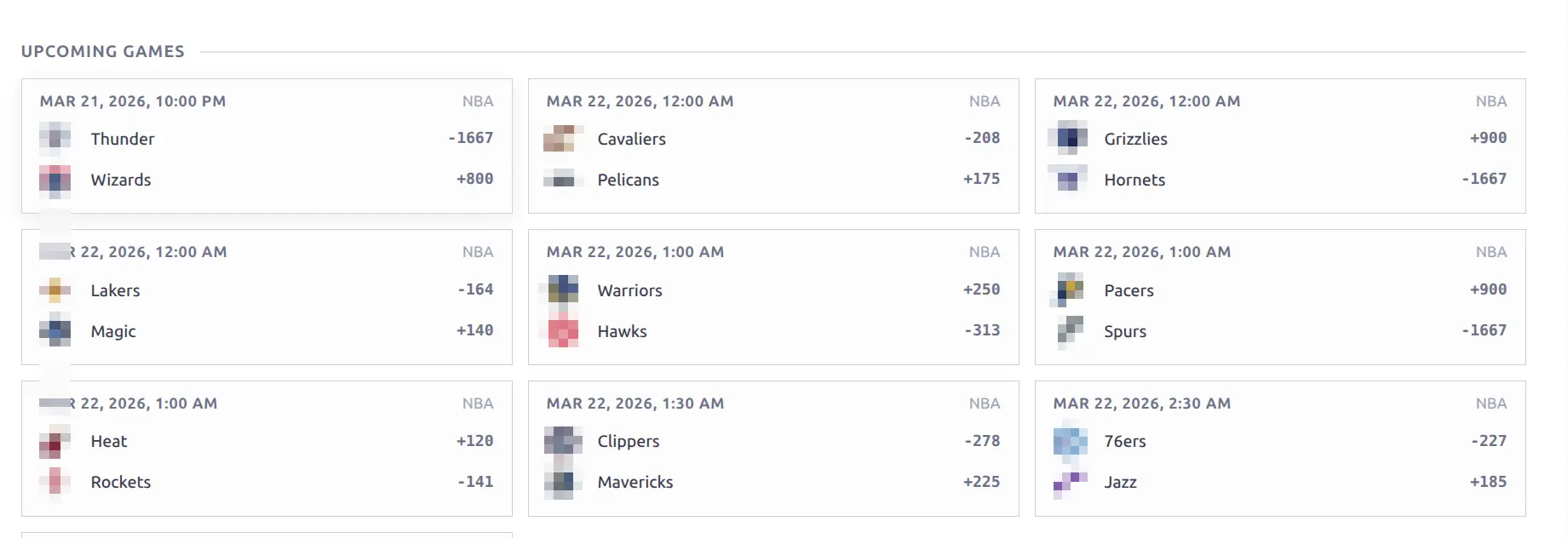
Logo mode — shows the team logo. Best when logos are imported:
Badge — outlined — team code in a bordered badge with team color:
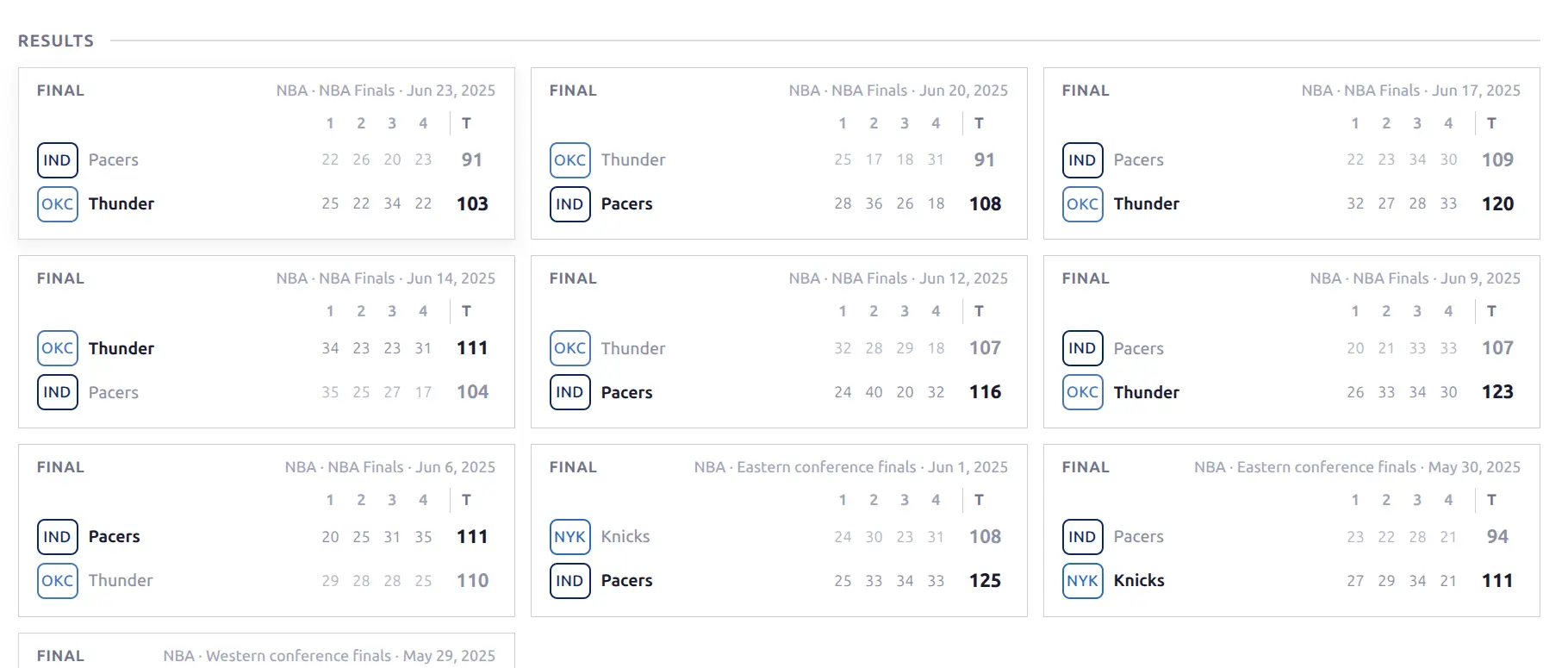
Badge — filled — team code on a solid team-colored background:
Auto modes show the logo when available and fall back to either outlined or filled badges when no logo exists.
Custom logos: You can override any API logo with your own upload. Custom logos are protected from being overwritten during future imports. See Custom Logos for details.
Roster
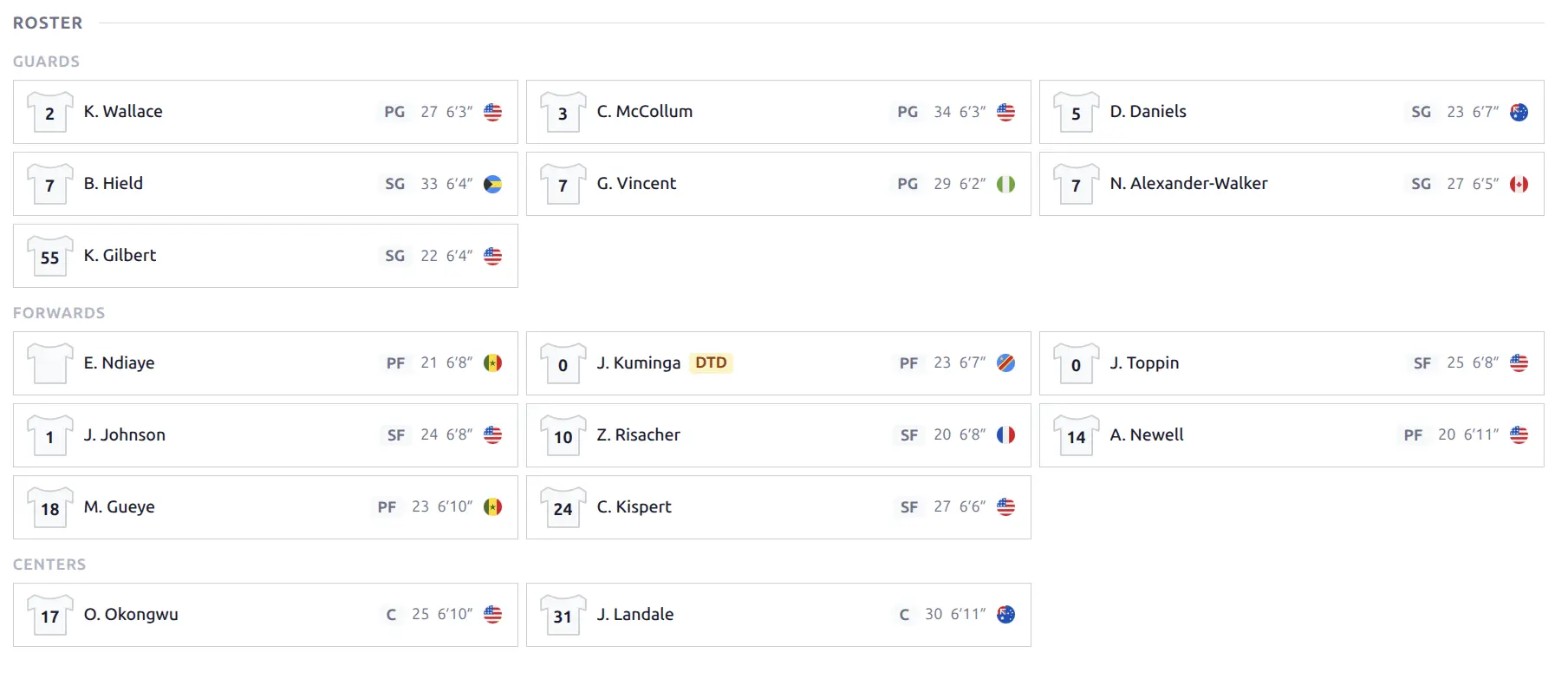
Team rosters list all players with their position, jersey number, photo, and key stats. Players are grouped by position:
- Basketball: Guards, Forwards, Centers
- Baseball: Pitchers, Infield, Outfield
- Other sports: Grouped alphabetically by position
Players are sorted by jersey number within each group. Each player card links to the player’s page.
Season Record & Form
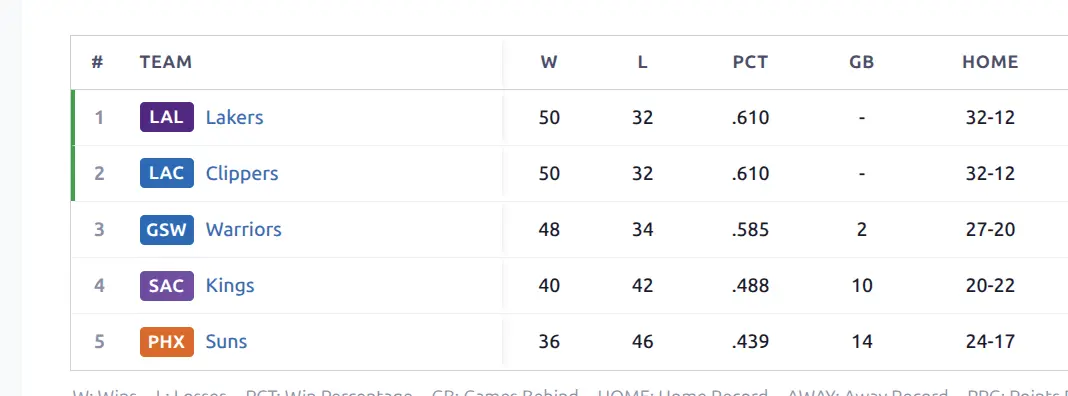
The plugin calculates each team’s W-L record from imported game data:
- Overall: Total wins and losses
- Home/Away splits: Separate records for home and away games
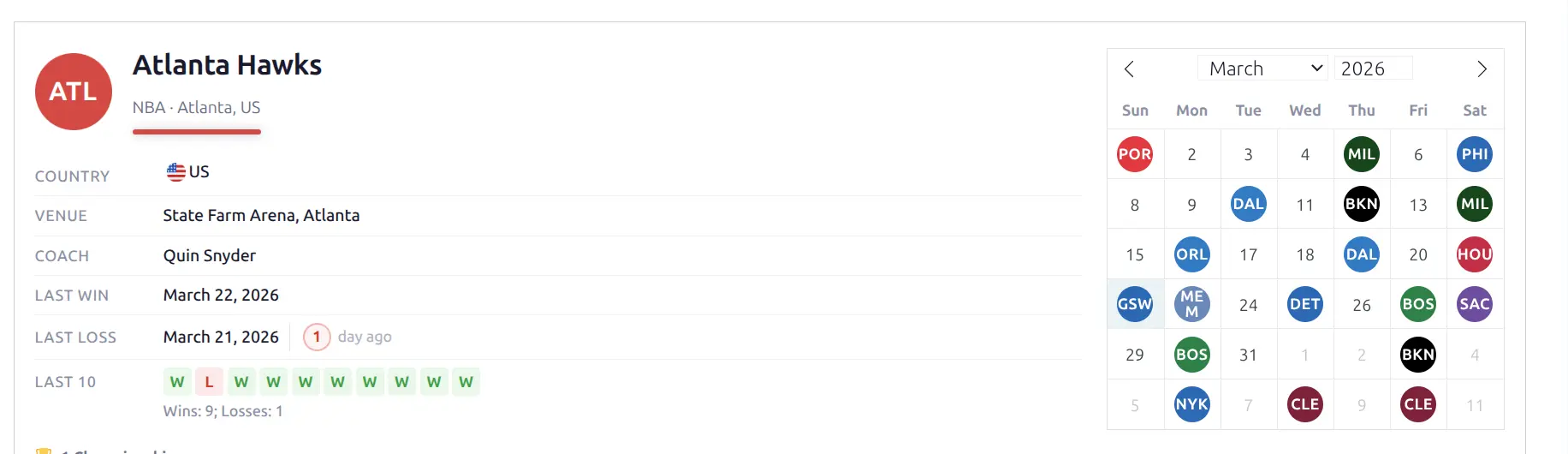
- Recent form: Last 10 game results as W/L indicators with game peek on hover
- Last Win / Last Loss: Date and “days ago” count in colored circles
Records update automatically as new games are imported.

The team header shows all key info at a glance — logo, league, venue, coach, last win/loss dates, recent form (last 10 W/L), and an interactive calendar with opponent logos:
📋 Admin List
The Teams admin list (Hub Data > Teams) shows logos, sport badges, country flags, and color swatches. You can filter by sport and country.
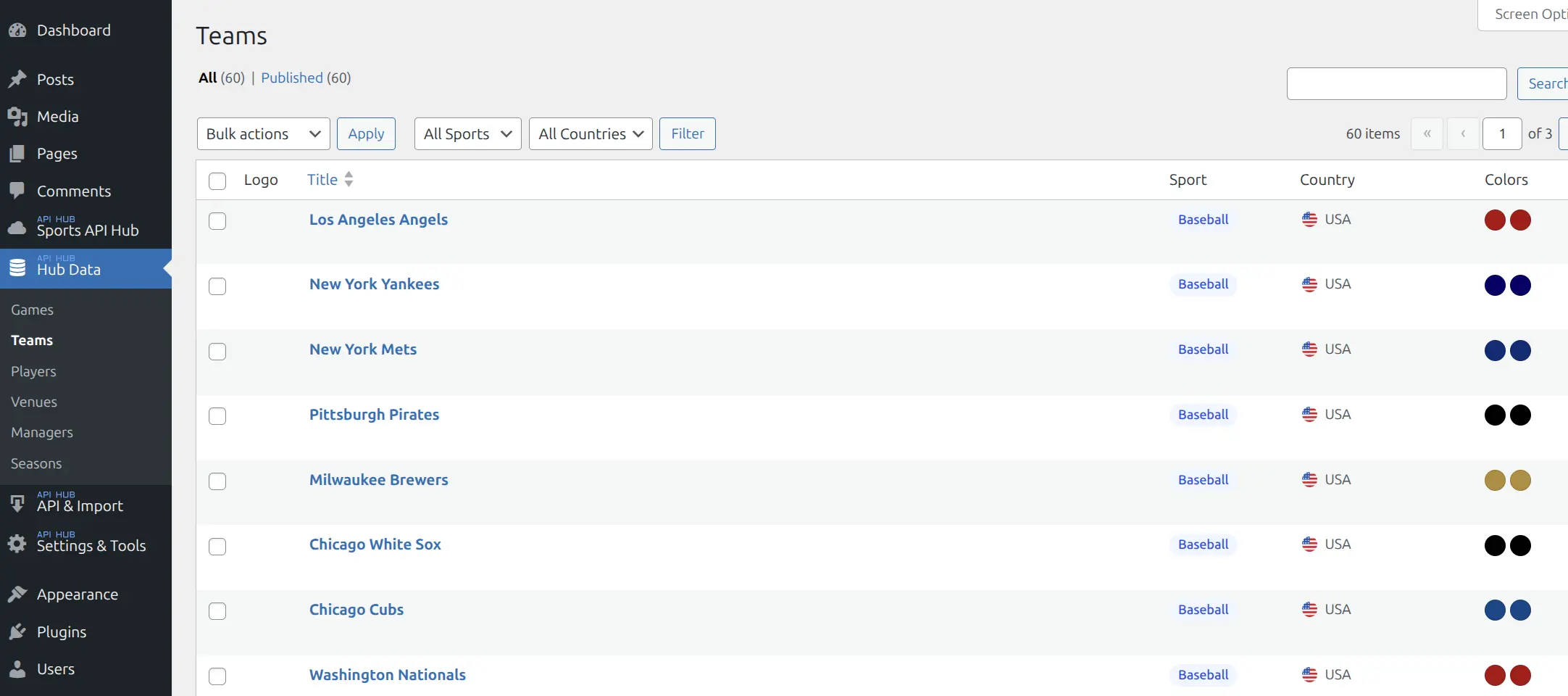
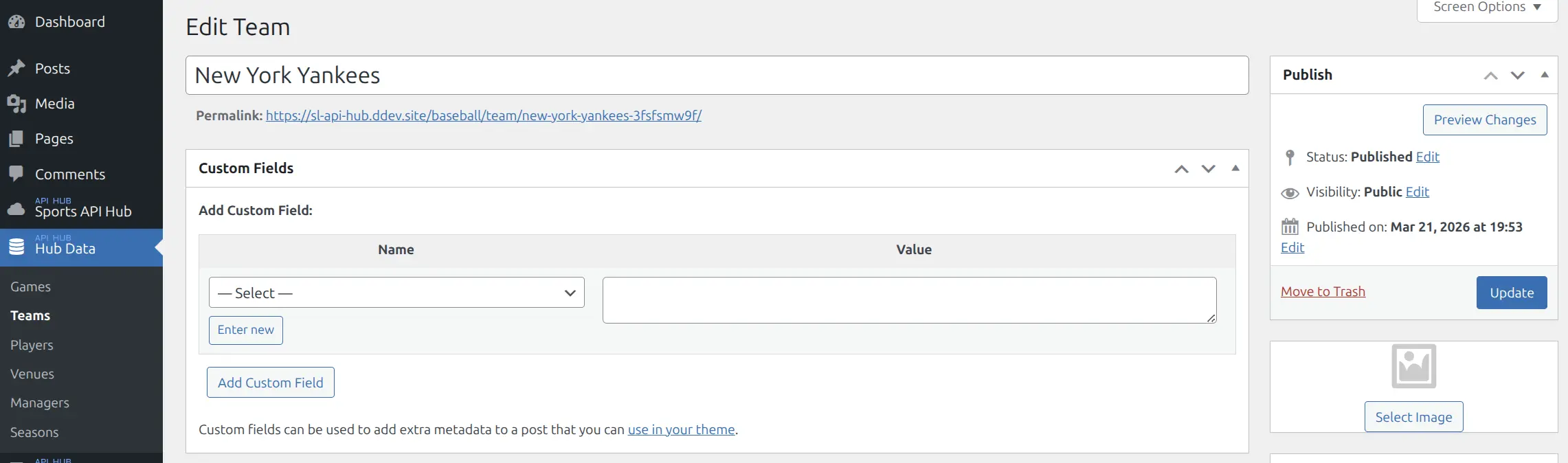
Clicking a team name opens the edit screen. Team posts are read-only — data comes from the API. You cannot create teams manually, but you can upload a custom logo via the featured image field.
📚 Related
- Team Pages — frontend display blocks (header, roster, calendar, standings, stats)
- Games — games involving teams
- Custom Logos — override API logos
- Entity Translations — translate team names