

This page gives you a 5-minute conceptual overview of what Sports API Hub does, how it works, and what to expect. No step-by-step instructions — just the big picture.
For hands-on setup, see Installation, API Setup, and First Import.
🚀 What Is Sports API Hub?
Sports API Hub is a WordPress plugin that connects to external sports data APIs and turns that data into rich, auto-updating sports pages on your website. It handles:
- Data import — teams, players, games, scores, statistics, standings
- Live scores — real-time updates during active games
- Frontend display — game pages, team pages, player pages with statistics, charts, and timelines
- Background sync — automatic updates for new fixtures, roster changes, and standings
The key idea: zero manual data entry. You connect to an API, select the leagues you want, and the plugin imports everything. Your job is to choose what to display and how to display it.
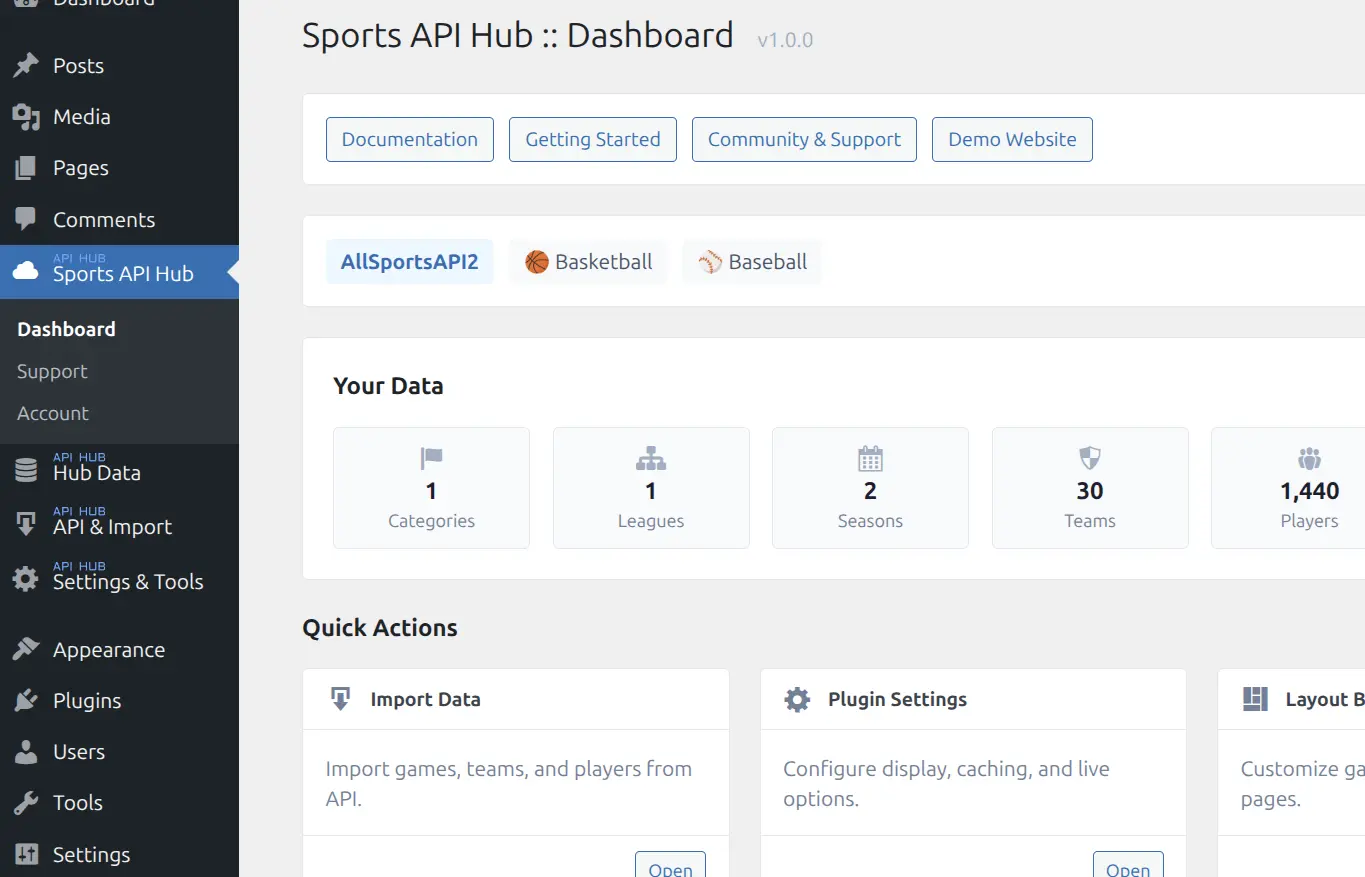
How It Works
| Step | What Happens |
|---|---|
| 🌐 External API | Sports data lives on third-party APIs (AllSportsAPI2, BasketAPI1, BaseballAPI) via RapidAPI |
| 🔌 Plugin Fetches | Sports API Hub sends server-side requests, handles rate limits, and normalizes the data |
| 🗃️ Stored in DB | Data goes into 19 custom MySQL tables optimized for sports queries |
| 📄 WordPress Posts | Thin CPT wrappers provide permalinks, search, and sitemaps |
| 🎨 Your Frontend | Game, Team, Player, Season pages + 18 shortcodes + live scores |
For the full technical breakdown, see How It Works.
Key Terminology
| Term | What It Means | Example |
|---|---|---|
| League | The competition itself | NBA, MLB, Euroleague |
| Season | One year of that competition | NBA 2025/26, MLB 2026 |
| Category | Country or region | USA, International |
The most important distinction: a league is the competition itself (NBA), while a season is one specific year of that competition (NBA 2025/26). You import data at the season level.
What Data Gets Imported
| Entity | Data Included |
|---|---|
| Games | Date, time, teams, scores, period scores, venue, status |
| Game Details | Box scores (player stats), team statistics, play-by-play, video highlights |
| Teams | Name, logo, colors, venue, coach, roster |
| Players | Name, photo, position, jersey number, height, nationality |
| Standings | League tables with W-L records, points, streaks |
| Venues | Name, city, country, capacity |
| Managers | Name, nationality, current team |
All of this is fetched from the API. You do not enter any of it manually.
🎨 What the Frontend Looks Like
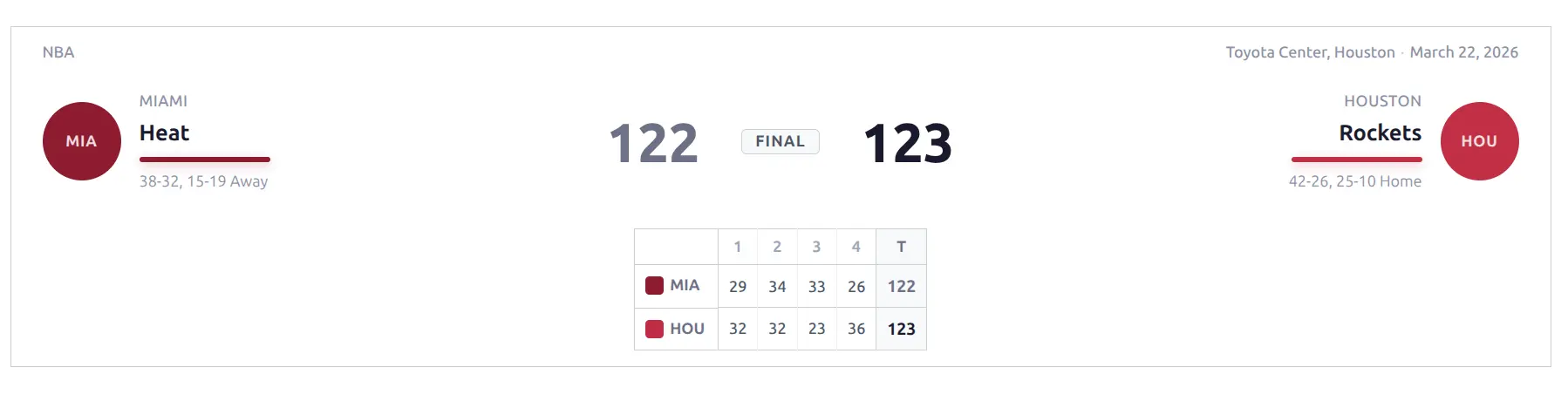
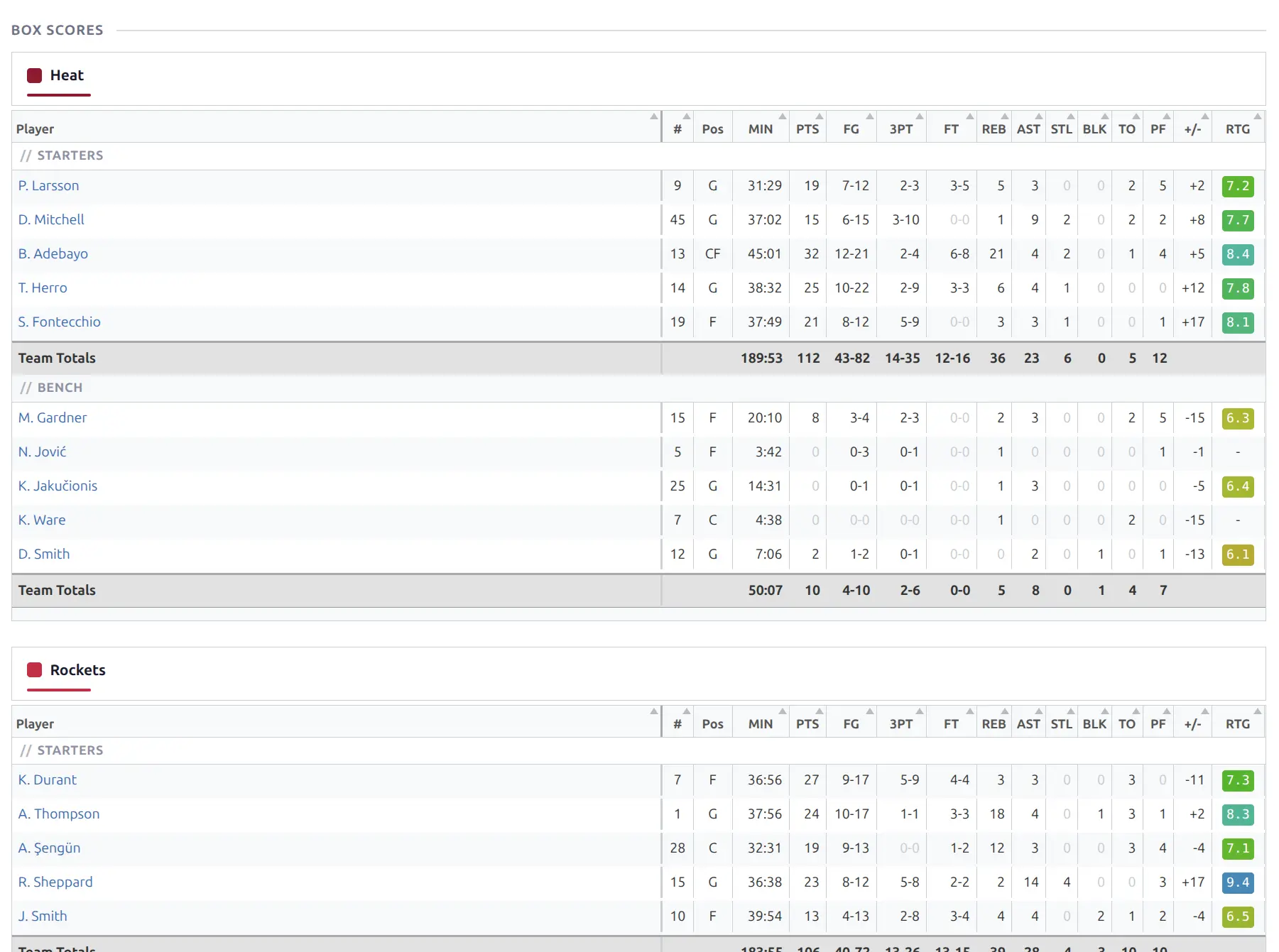
Game pages show a full game breakdown — header with scores, period-by-period scoring, box scores, team stat comparisons, play-by-play timeline, and game flow charts:
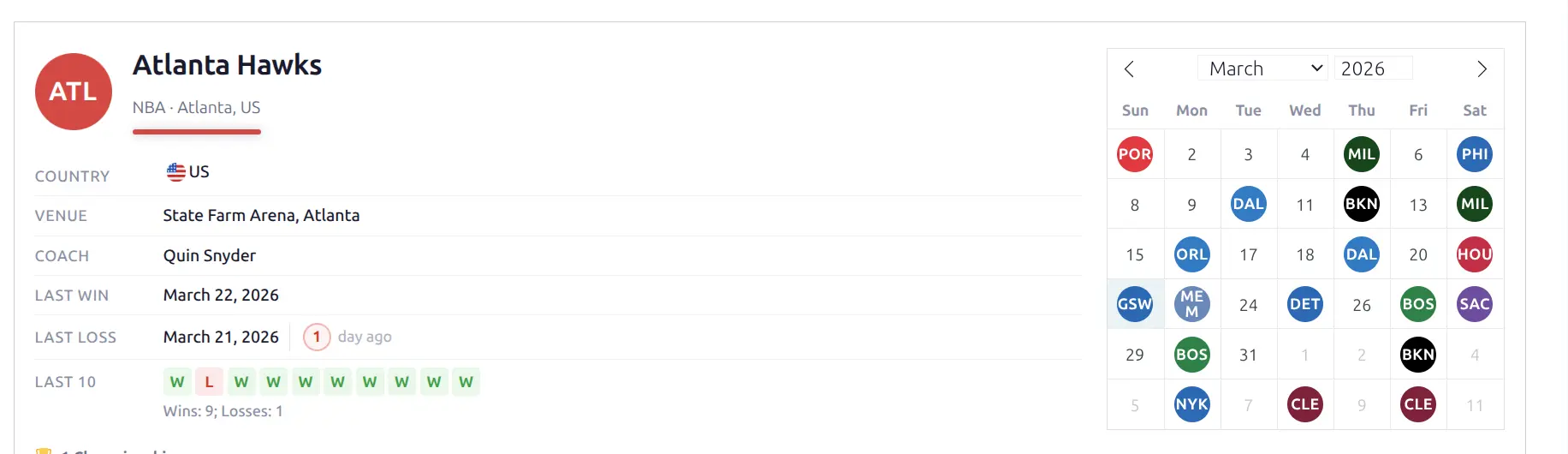
Team pages display team information, current roster, season record, recent results, standings, a calendar view of the schedule, and aggregate statistics:
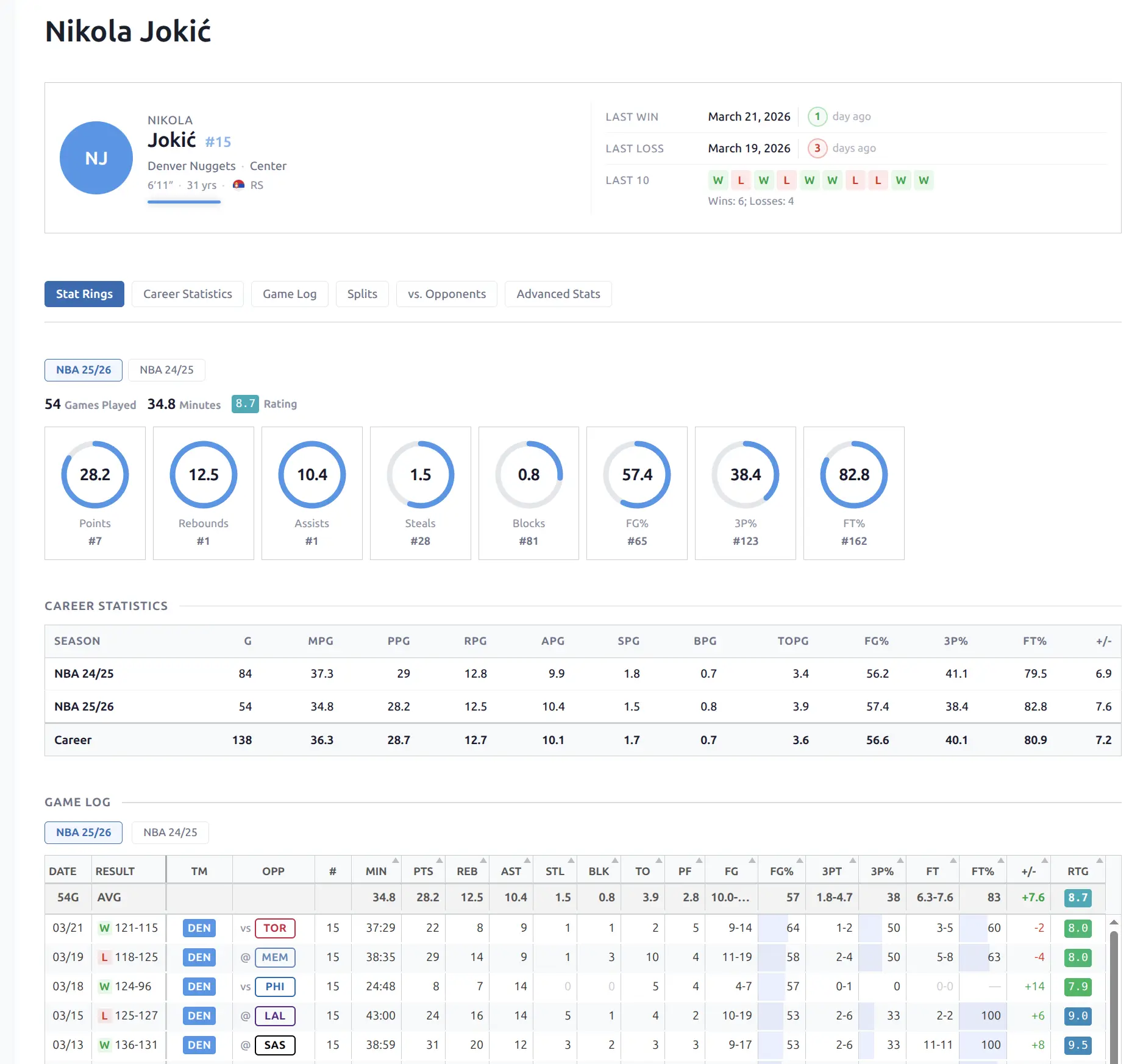
Player pages present player profile, current season averages, game-by-game log, career statistics, and stat ring charts:
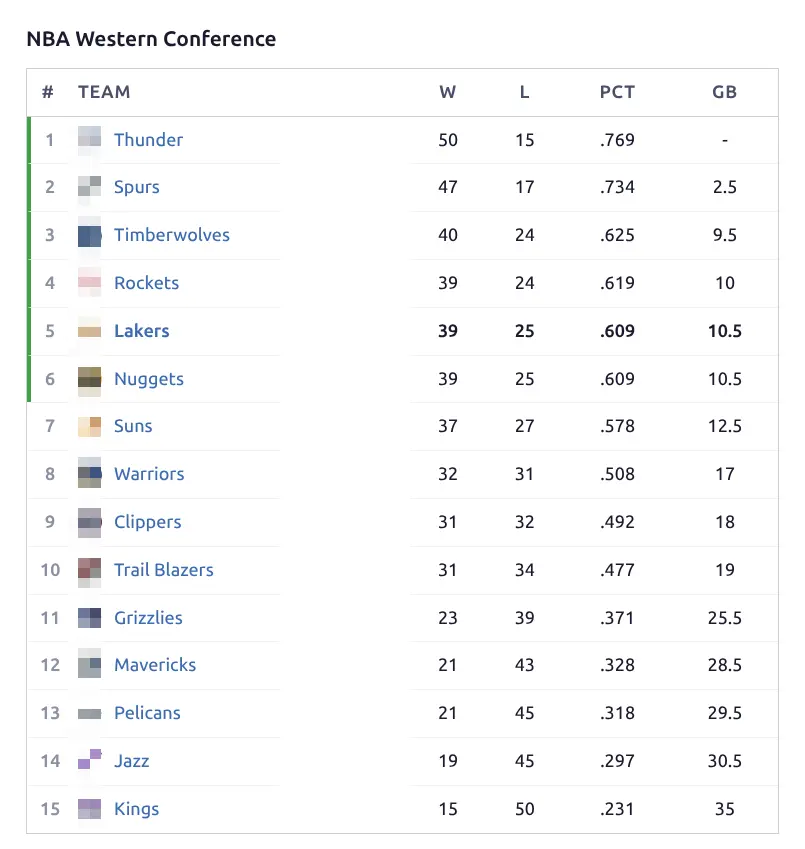
Standings and 18 shortcodes let you embed game lists, calendars, brackets, scoreboards, rosters, and more anywhere on your site:
All pages are responsive and use the plugin’s design token system for consistent styling. You can customize colors, border radius, and text through settings — no CSS required for basic adjustments. For more control, the Layout Builder lets you create custom page layouts by arranging blocks in a drag-and-drop interface.
Multi-Sport Support
Sports API Hub currently supports Basketball and Baseball with full feature sets, including detailed box scores, career statistics, and advanced visualizations. Six more sports are planned: Cricket, Rugby, Ice Hockey, American Football, Handball, and Volleyball.
Each sport gets its own permalink base (e.g., /basketball/game/123, /baseball/team/456), its own statistics tables, and sport-specific display logic. You can run multiple sports on one site without conflicts.
What It Does Not Do
- It does not create the data. All data comes from external APIs. If the API does not cover a league or a stat, the plugin cannot display it.
- It is not a manual data entry tool. The plugin is designed for automated data import, not manual sports management.
- It does not include fantasy sports features. No predictions, picks, or user-facing game mechanics.
- It requires an API subscription. The plugin is the connector; the data feed is a separate subscription through RapidAPI.
🎯 The Workflow at a Glance
- Install the plugin and activate it
- Connect to a sports API with your RapidAPI key
- Import a league and season
- Configure display settings (optional — defaults work well)
- Customize layouts with the Layout Builder (optional)
- Enable sync to keep data updated automatically (optional)
That is the entire workflow. Most of the effort is in step 3 (the initial import), and even that is just clicking buttons and waiting.
📚 Next Steps
Ready to get started? Follow these guides in order:
- Installation — upload and activate the plugin
- API Setup — get your API key and configure the connection
- First Import — import your first league and season
For a deeper understanding of the data model, see How It Works and Sports.