

If you no longer need a season’s data, you can permanently delete it along with all associated games, statistics, and cached data using the Delete with Data action.
How to Delete a Season
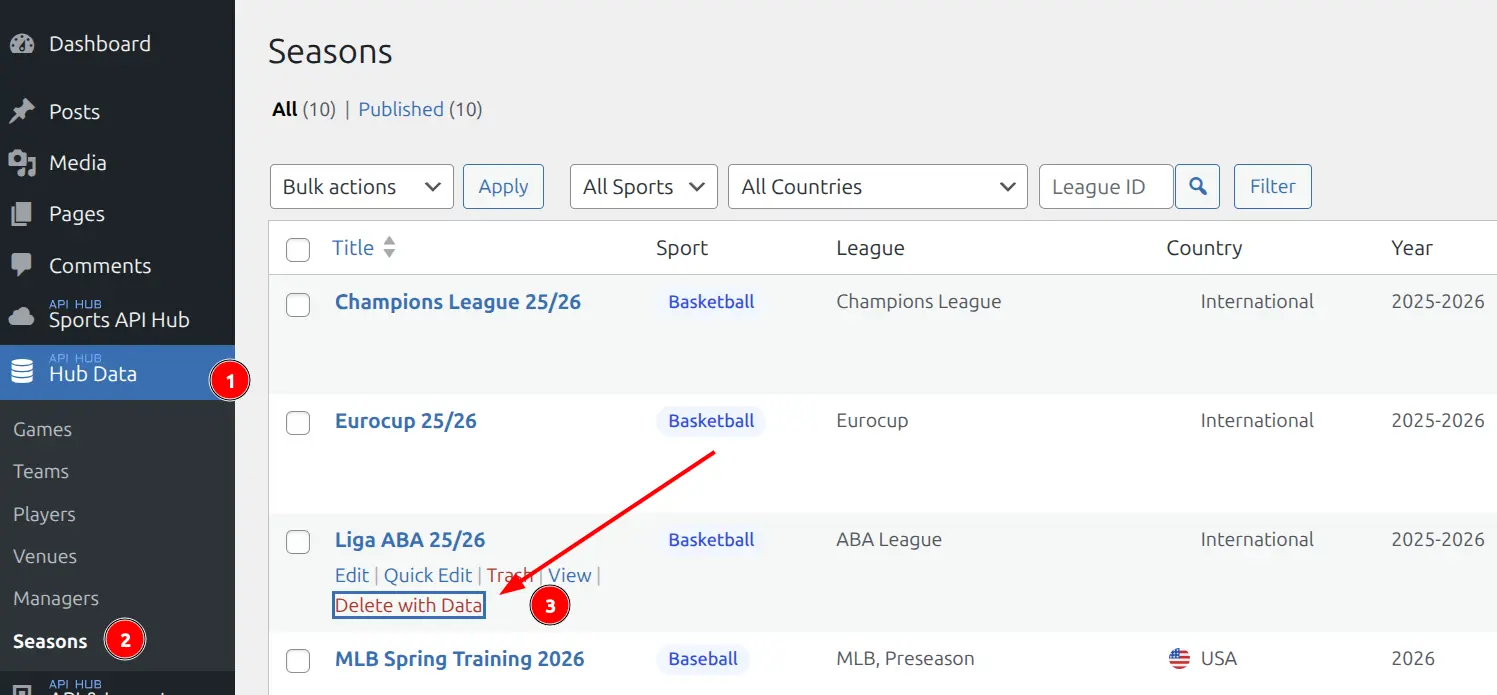
- Go to Hub Data > Seasons
- Hover over the season you want to remove
- Click Delete with Data in the row actions
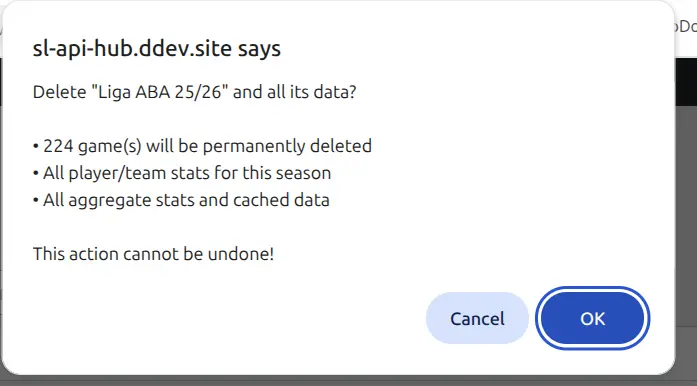
A confirmation dialog will appear showing the number of games that will be deleted. Review the summary and click OK to proceed.
Warning
This action is permanent and cannot be undone. To restore deleted data, you will need to re-import the season from the API.
What Gets Deleted
When you delete a season, all of the following data is permanently removed:
| Data | Description |
|---|---|
| Games | All game records for the season, including scores, periods, and match details |
| Player stats | Per-game player statistics (box scores, batting, pitching, fielding) |
| Team stats | Per-game team statistics |
| Standings | Season standings data |
| Bracket / Cup tree | Playoff bracket structure |
| Aggregate stats | Cached league rankings, averages, and leader boards |
| Incidents & timeline | Play-by-play events for all games |
| Video highlights | Highlight video references for all games |
What Is Preserved
The following data is shared across seasons and is not affected by deleting a season:
| Data | Why It’s Kept |
|---|---|
| Teams | Teams play across multiple seasons |
| Players | Players have careers spanning many seasons |
| Leagues | A league contains multiple seasons |
| Logos & photos | Media files belong to teams/players, not seasons |
| Venues & managers | Shared across all seasons |
| Odds | Stored by date, not by season |
| Layout Builder layouts | Layouts are per sport, not per season |
Linked Child Seasons
Some seasons have linked child seasons (for example, the NBA regular season may be linked to the NBA Cup). If the season you are deleting has children, you will see a second confirmation asking whether to also delete the child seasons or keep them.
- Delete children — Removes the child season(s) and all their data as well
- Keep children — The child seasons are preserved but unlinked from the parent
🆘 Restoring Deleted Data
If you need the data back after deleting a season, go to API & Import > Import, find the league, and re-import the season. All tasks (fixtures, details, standings, etc.) will need to run again.
📚 Related
- Import Workflow — How to import and re-import seasons
- Import Tasks — What each import task does