

Venues and managers are supporting entities that are auto-created during import — you do not need to add them manually. When a game references a venue or a team has a manager, the plugin creates the corresponding records automatically.
🏟️ Venues
What Is a Venue?
A venue represents a stadium, arena, or playing field where games take place. Venue data comes from the API as part of game and team imports.
Venue Data
| Field | Source | Example |
|---|---|---|
| Name | API | “TD Garden” |
| City | API | “Boston” |
| Country | API | “USA” |
| Capacity | API | 19,156 |
| Coordinates | API | Latitude/longitude (when available) |
| Sport | Auto | Links venue to the sport |
Note: Not all venues have complete data from the API. Capacity and coordinates may be missing for smaller or less prominent venues.
How Venues Are Created
Venues are created automatically in two ways:
- During game import — when a game references a venue ID that does not yet exist in the database
- During team import — when a team’s details include a home venue
The plugin checks for existing venue records before creating new ones, so re-importing does not create duplicates.
Venue in the Admin
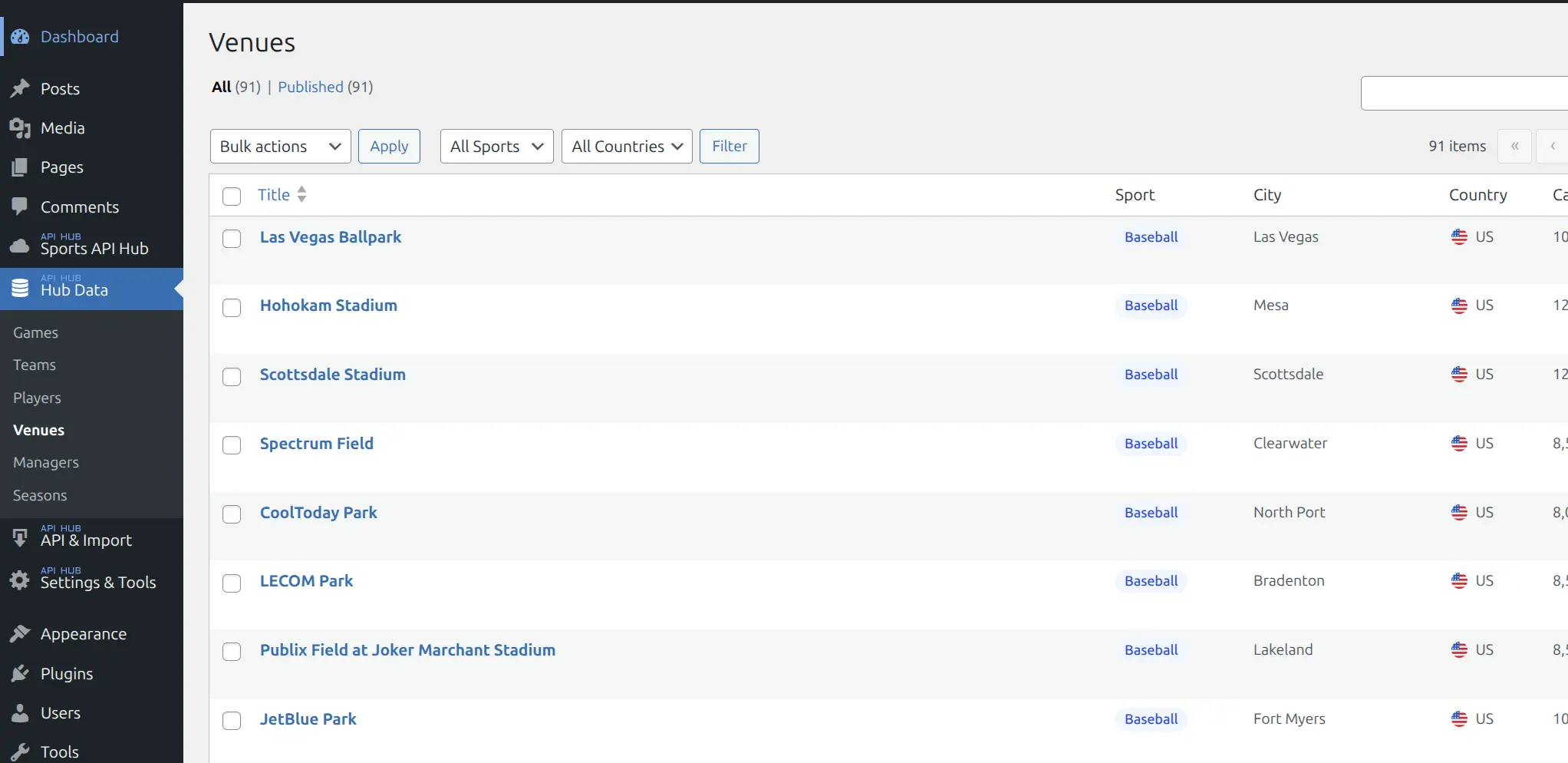
Go to Hub Data > Venues to see all imported venues. The admin list shows the venue name, sport, city, country, and capacity.
Venue on the Frontend
Venues appear as metadata on game and team pages — they do not have their own standalone frontend pages:
- Game header — venue name and city displayed in the game metadata area
- Game info block — venue details card on the game page
- Team header — home venue shown in the team metadata grid
- Team info block — home venue as a metadata field
👔 Managers
What Is a Manager?
A manager (or head coach) represents the person leading a team. Manager data comes from the API as part of team imports.
Manager Data
| Field | Source | Example |
|---|---|---|
| Name | API | “Joe Mazzulla” |
| Short Name | API | “J. Mazzulla” |
| Country | API | “USA” |
| Sport | Auto | Links manager to the sport |
| Photo | API (optional) | Manager headshot (if media downloading is enabled) |
How Managers Are Created
Managers are created automatically during the Teams import task. When a team’s details include a manager reference, the plugin creates a manager record if one does not already exist.
Manager in the Admin
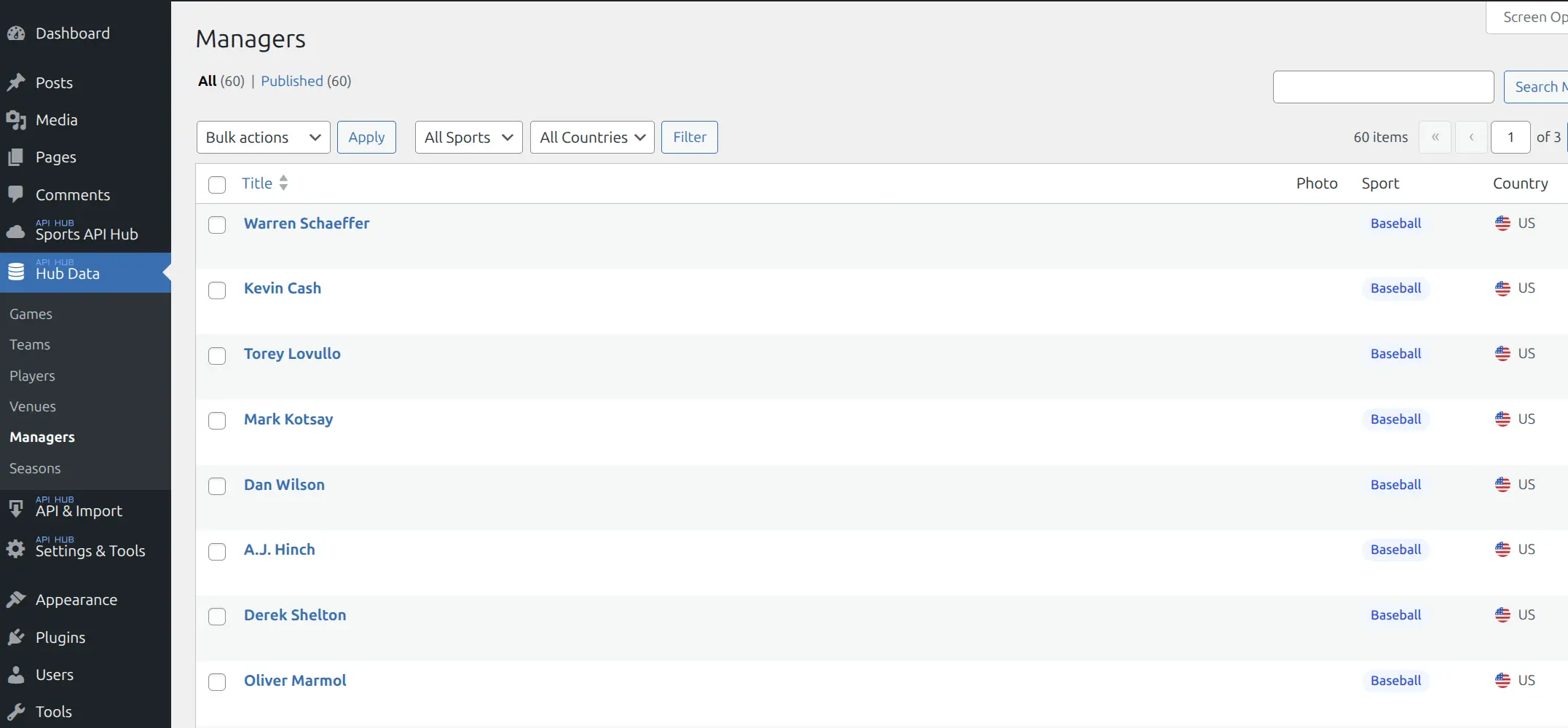
Go to Hub Data > Managers to see all imported managers. The admin list shows the manager name, photo (if downloaded), sport, and country.
Manager on the Frontend
Managers appear on team pages — they do not have their own standalone frontend pages:
- Team header — coach name displayed in the team metadata grid
- Team info block — coach as a metadata field
- Team staff block — a dedicated card showing the manager’s role and name
Shared Characteristics
Auto-Created, Not Manual
Neither venues nor managers can be created manually through the admin. The Add New action is disabled for both. All data comes from the API import process.
No Frontend Pages
Venues and managers do not have public frontend pages. They appear as metadata on game and team pages (e.g., venue name on game header, coach name on team staff block) but do not have their own standalone URLs.
Translatable Names
If you need to correct or localize a venue or manager name, use Entity Translations rather than editing the post directly. Translated names are protected from being overwritten during future imports.
Tip
Venues and managers are low-maintenance entities. They are created and updated automatically during import. You rarely need to interact with them directly in the admin.
📚 Related
- Teams — Teams reference venues (home arena) and managers (head coach)
- Games — Games reference venues (where the game is played)
- Entity Translations — Override venue and manager names