

Link your blog posts directly to Sports Leagues entities (teams, players, games, tournaments) and display related posts on entity pages using the [sl-entity-posts] shortcode.
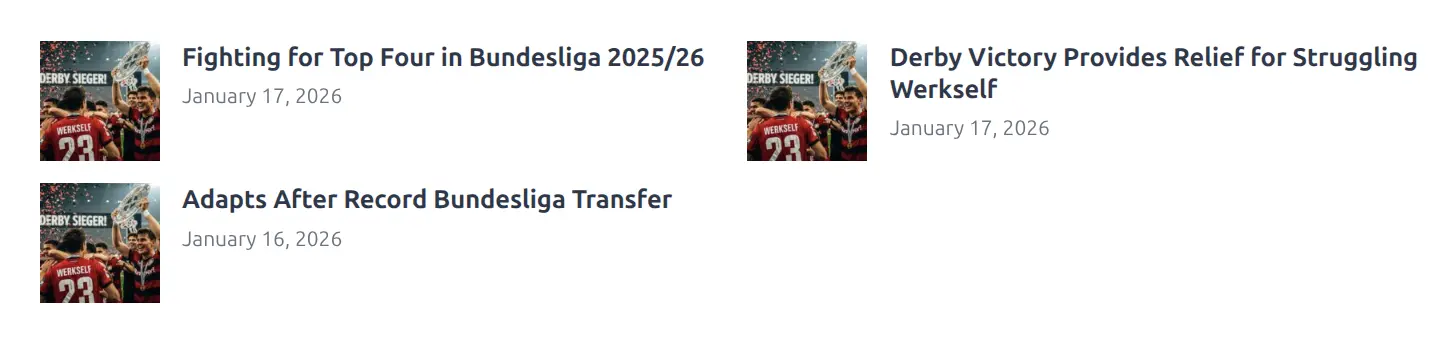
User benefit: Fast workflow – link posts to entities via the SL Selector modal instead of creating and managing WordPress tags.
How to Use
Step 1: Edit a Blog Post
- Edit a blog post in WordPress (Gutenberg or Classic Editor)
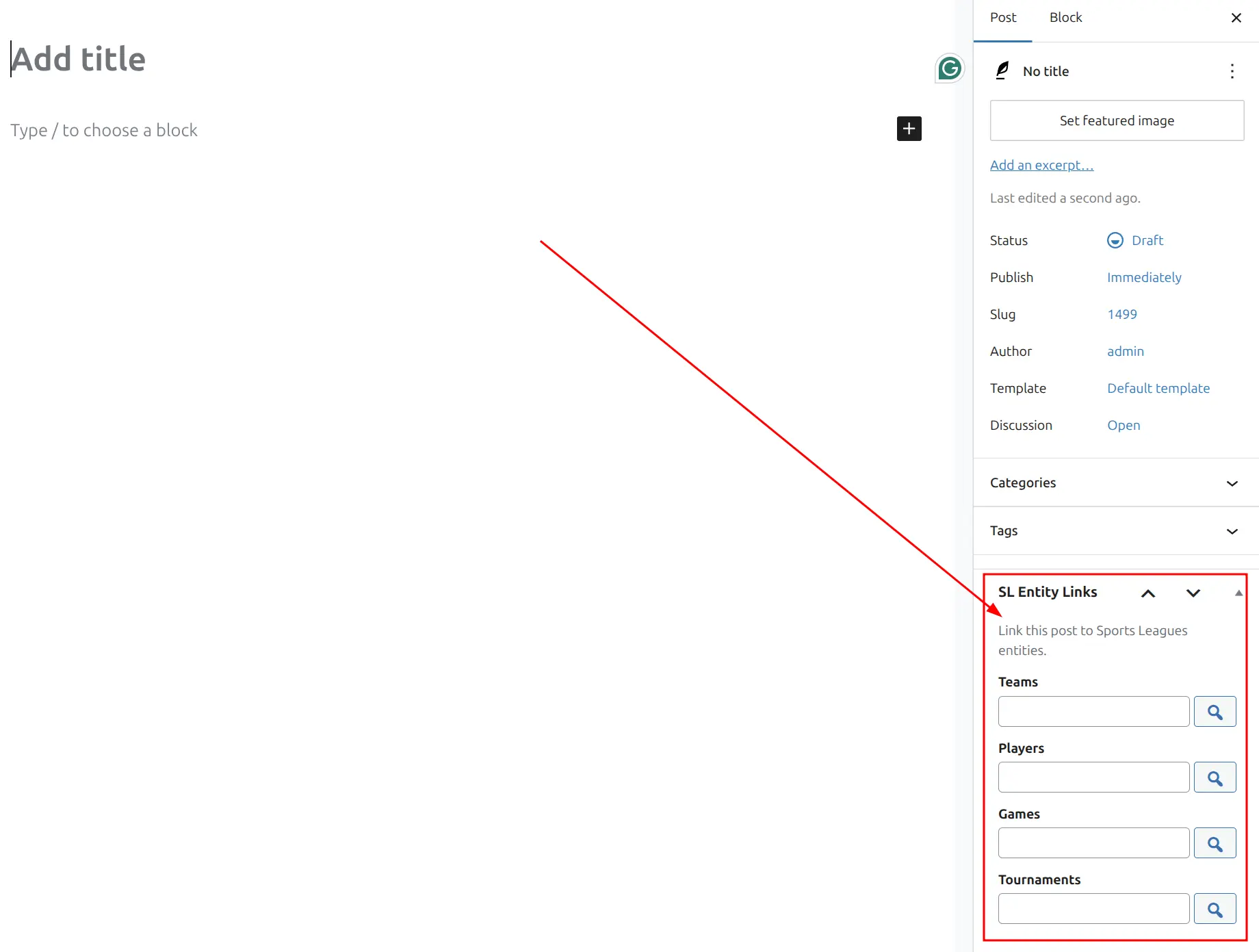
- Find the “SL Entity Links” metabox in the sidebar
Step 2: Link Entities
- Click the search button next to the entity type you want to link (Teams, Players, Games, Tournaments)
- The SL Selector modal opens
- Search and select one or more entities
- Selected entity IDs appear in the input field
Step 3: Save the Post
- Click Update or Publish to save the post
- The links are now stored in the database
Step 4: Display Linked Posts
Use the [sl-entity-posts] shortcode on your entity pages (teams, players, etc.) to display the linked posts.
[sl-entity-posts id="123"]Supported Entity Types
| Entity Type | Description |
|---|---|
| Teams | Team/club pages |
| Players | Player profiles |
| Games | Game/match pages |
| Tournaments | Tournament pages |
Note
Venue, Staff, and Official entity types are not included by default but can be added via filter hook (see Developer Notes below).
Entity Links Dashboard
Go to SL Settings & Tools > Entity Links [PRO] to access the dashboard.
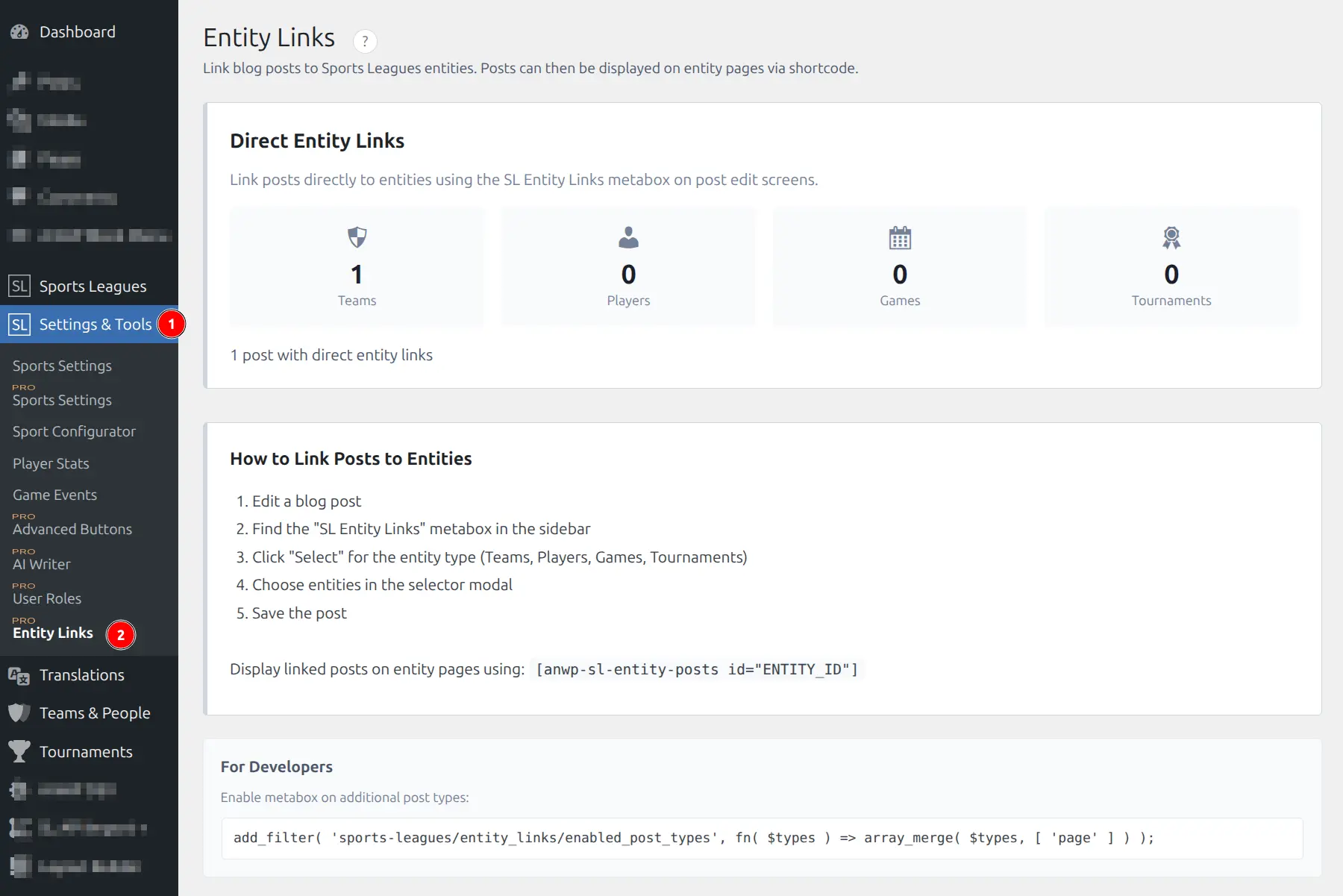
The dashboard shows:
- Statistics for each entity type (number of linked posts)
- Total posts with entity links
- How to use instructions
Displaying Linked Posts
Use the [sl-entity-posts] shortcode to display posts linked to an entity.
Basic Usage
[sl-entity-posts id="123"]Where 123 is the ID of your entity (team, player, game, or tournament).
All Parameters
| Parameter | Type | Default | Description |
|---|---|---|---|
id | int | (required) | Entity ID |
limit | int | 10 | Maximum posts to display (max 100) |
layout | string | grid | Display style: grid or simple |
min_width | int | auto | Minimum card width: 150, 200, 250, 300, 350, 400 |
Examples
Display posts for a team:
[sl-entity-posts id="42"]Limit to 6 posts:
[sl-entity-posts id="42" limit="6"]Simple text layout:
[sl-entity-posts id="42" layout="simple"]Wide cards:
[sl-entity-posts id="42" min_width="400"]Layout Options
Grid layout (default)
- Cards with featured image thumbnail, title, and date
- Best for visual content presentation
- Default min-width: 350px
Simple layout
- Text links only (no thumbnails)
- Compact, efficient use of space
- Default min-width: 200px

Both layouts use fluid CSS Grid that automatically adjusts columns based on container width.
Using with Layout Builder
The Entity Posts shortcode works with Layout Builder templates. This allows you to automatically display related posts on every entity page without manual shortcode placement.
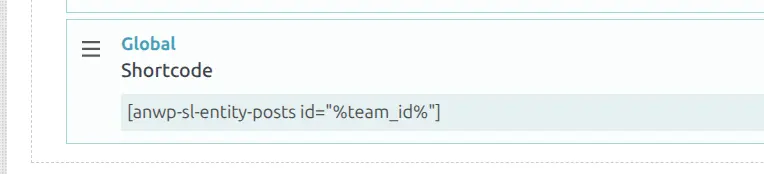
To add Entity Posts to a Layout Builder template:
- Edit your entity layout (Team, Player, Game, or Tournament)
- Add a Global > Shortcode block
- Enter the shortcode with dynamic ID placeholder:
[sl-entity-posts id="%team_id%"]
Tip
Use the appropriate ID placeholder for each entity type: %team_id%, %player_id%, %game_id%, or %tournament_id%. The Layout Builder will automatically replace it with the actual entity ID.
Troubleshooting
Shortcode shows as text
- In Gutenberg: Use a Shortcode block to wrap the shortcode
- In Classic Editor: Switch to Text mode and paste the shortcode
No posts display
- Verify the entity ID is correct and the entity exists
- Check that linked posts are published (not draft)
- Confirm posts have been linked via the “SL Entity Links” metabox
- Verify you’re using the correct entity type
Posts appear on wrong entity
- Edit the post and verify the entity links in the metabox
- Ensure you’re using the correct entity ID in the shortcode
Metabox not appearing
- Verify Sports Leagues Premium is activated
- Check that you’re editing a standard post (not page or custom post type by default)
- Use the filter hook to enable on additional post types (see Developer Notes)
Developer Notes
Enable on Additional Post Types
Show the “SL Entity Links” metabox on pages, custom post types, or other content types:
// Enable metabox on additional post types (default: only 'post')
add_filter( 'sports-leagues/entity_links/enabled_post_types', function( $types ) {
    return array_merge( $types, [ 'page', 'news' ] );
});
Add Additional Entity Types
Enable linking to Venue, Staff, or Official entities:
// Add additional entity types (default: team, player, game, tournament)
add_filter( 'sports-leagues/entity_links/entity_types', function( $types ) {
    return array_merge( $types, [ 'venue', 'staff', 'official' ] );
});
Include Additional Post Types in Results
By default, only standard post type appears in shortcode results. Add custom post types:
// Include additional post types in shortcode results
add_filter( 'sports-leagues/entity_posts/allowed_post_types', function( $types ) {
    return array_merge( $types, [ 'news', 'article' ] );
});
Template Override
The shortcode template can be overridden in your theme:
- Copy
templates/shortcode-premium-entity-posts.phpfrom the premium plugin - Paste to
yourtheme/anwp-sports-leagues/shortcode-premium-entity-posts.php - Modify as needed