

Players are created automatically when team rosters are imported. Each player stores biographical info, position, and per-game statistics.
Admin Menu: Hub Data > Players
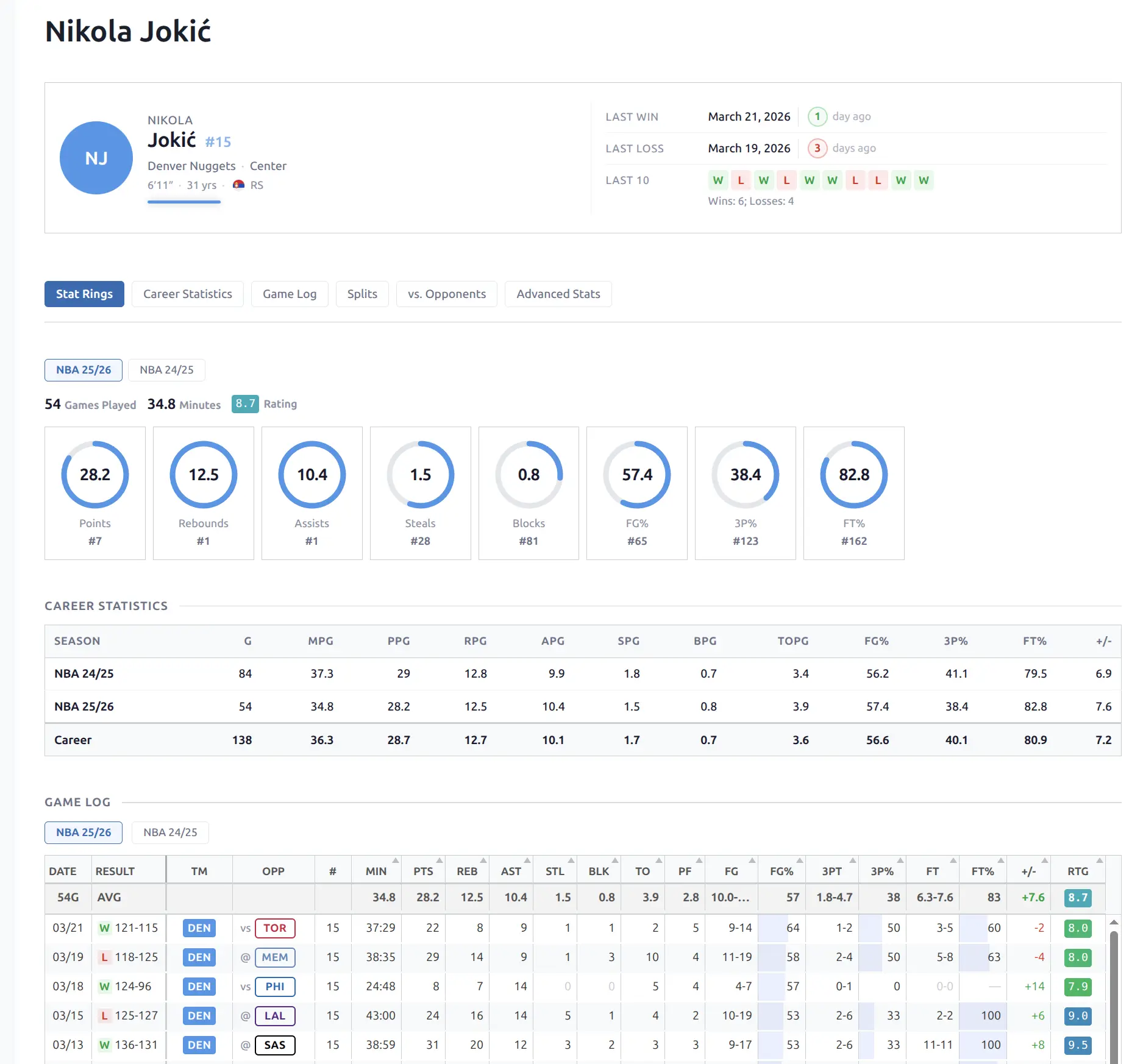
Player Data
| Field | Description |
|---|---|
| Name | Full player name |
| Position | Primary position (sport-specific abbreviation + full name) |
| Jersey Number | Current number |
| Country | Nationality (with flag) |
| Date of Birth | Birth date + calculated age |
| Height | Imperial for US sports, metric for others |
| Status | Active, injured, or other |
| Team | Current team (with logo and link) |
🏀 Per-Game Statistics
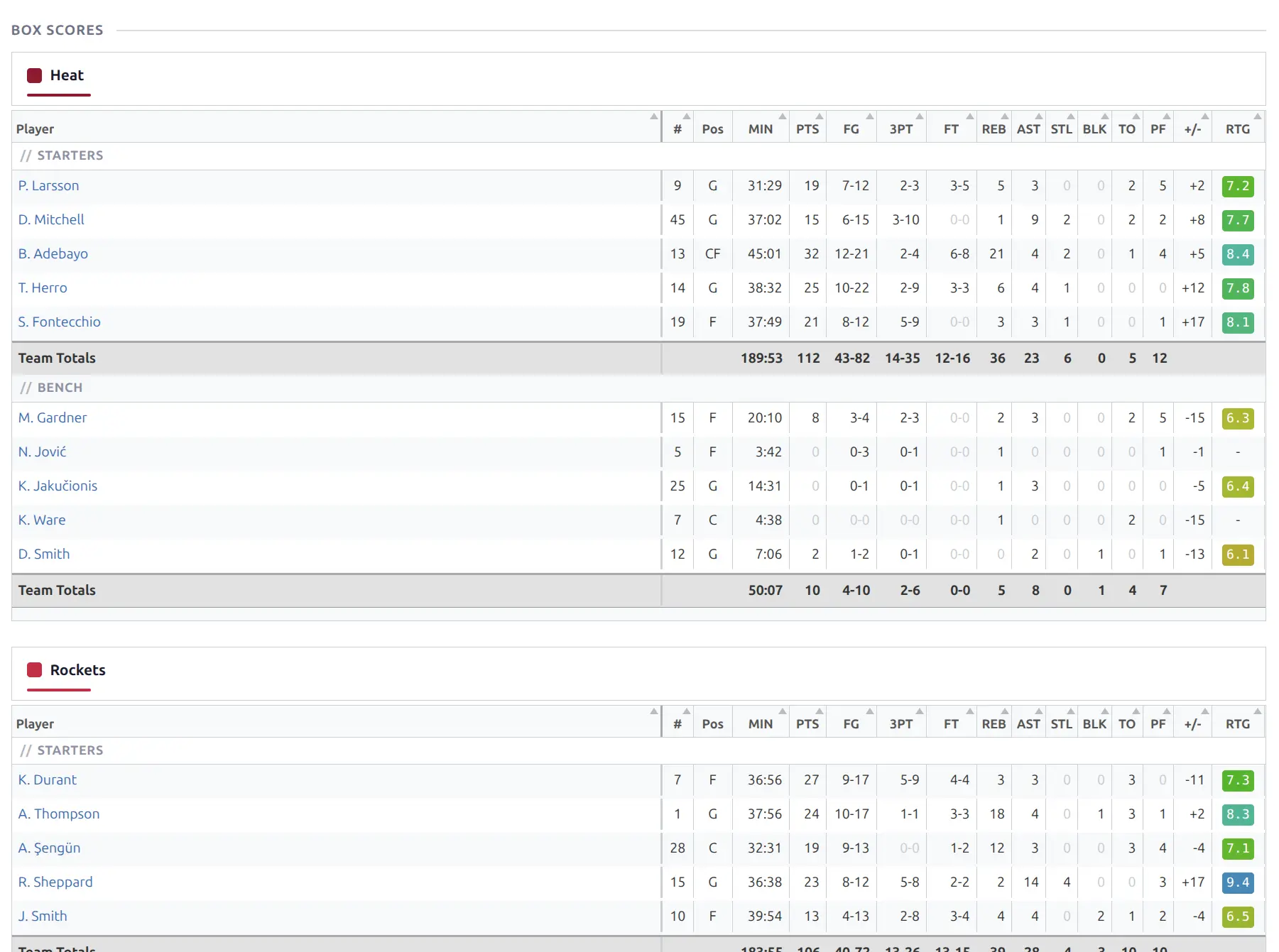
Player statistics are stored per-game when box scores are imported. The stat columns vary by sport:
Basketball (25 stat columns)
Points, rebounds, assists, steals, blocks, turnovers, field goals (made/attempted), 3-pointers, free throws, minutes, plus/minus, and more.
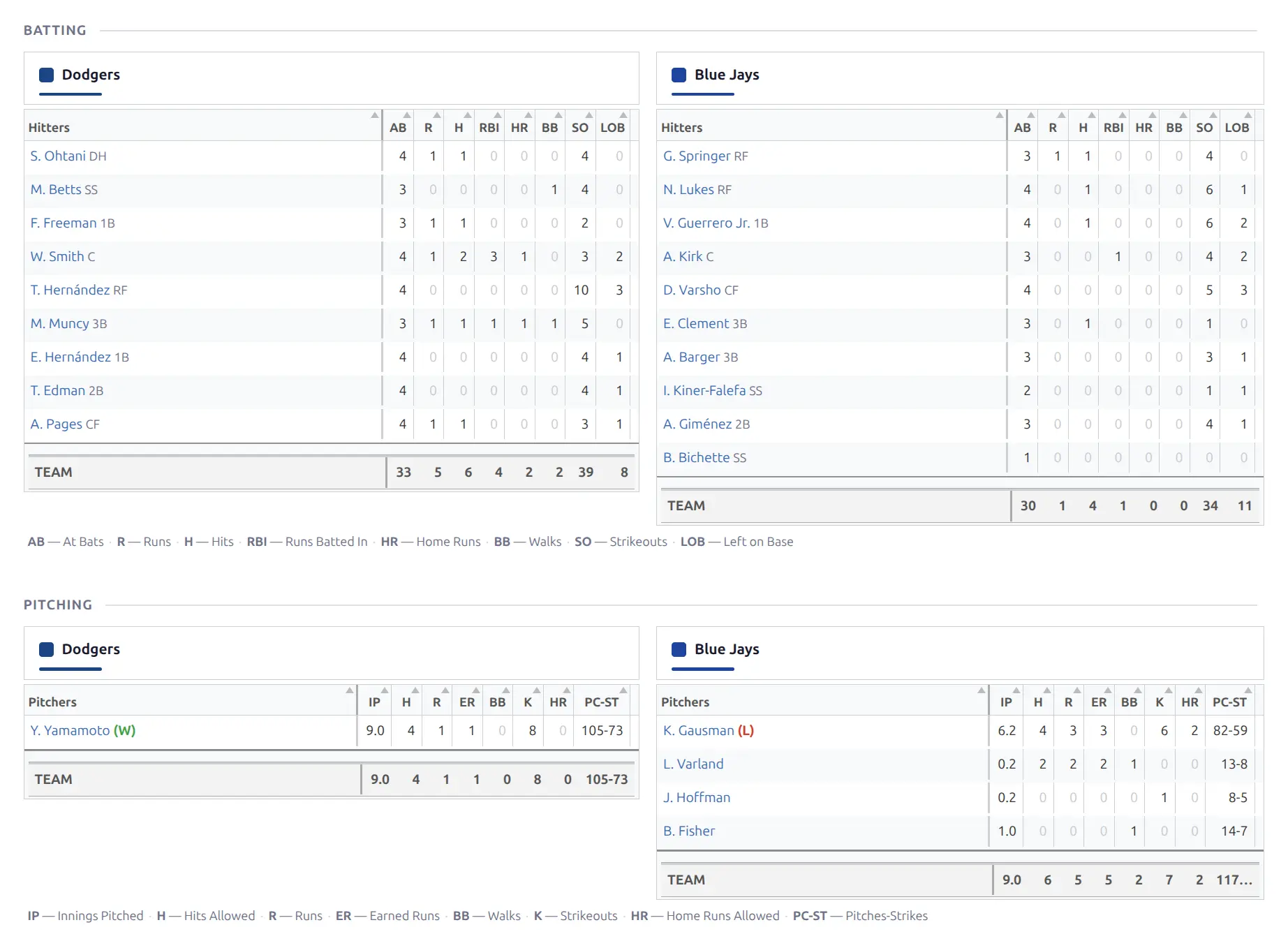
Baseball Batting
At bats, hits, runs, RBIs, home runs, walks, strikeouts, stolen bases, batting average, OBP, SLG, OPS.
Baseball Pitching
Innings pitched, hits allowed, earned runs, ERA, strikeouts, walks, WHIP, wins, losses, saves.
Highlight Stats
Player headers display 3 key season statistics as hero numbers:
| Sport | Stats Shown |
|---|---|
| Basketball | PPG, RPG, APG |
| Baseball (Batting) | AVG, HR, RBI |
| Baseball (Pitching) | ERA, SO, W-L |
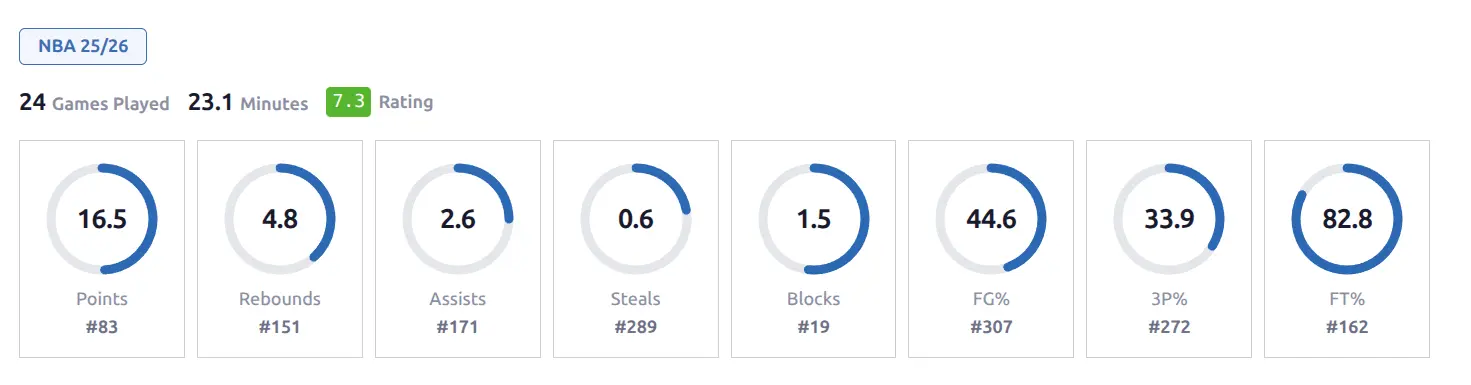
These are season averages computed from all imported games. On the player page, highlight stats are also shown as SVG ring charts with league rank badges:
⭐ Player Ratings
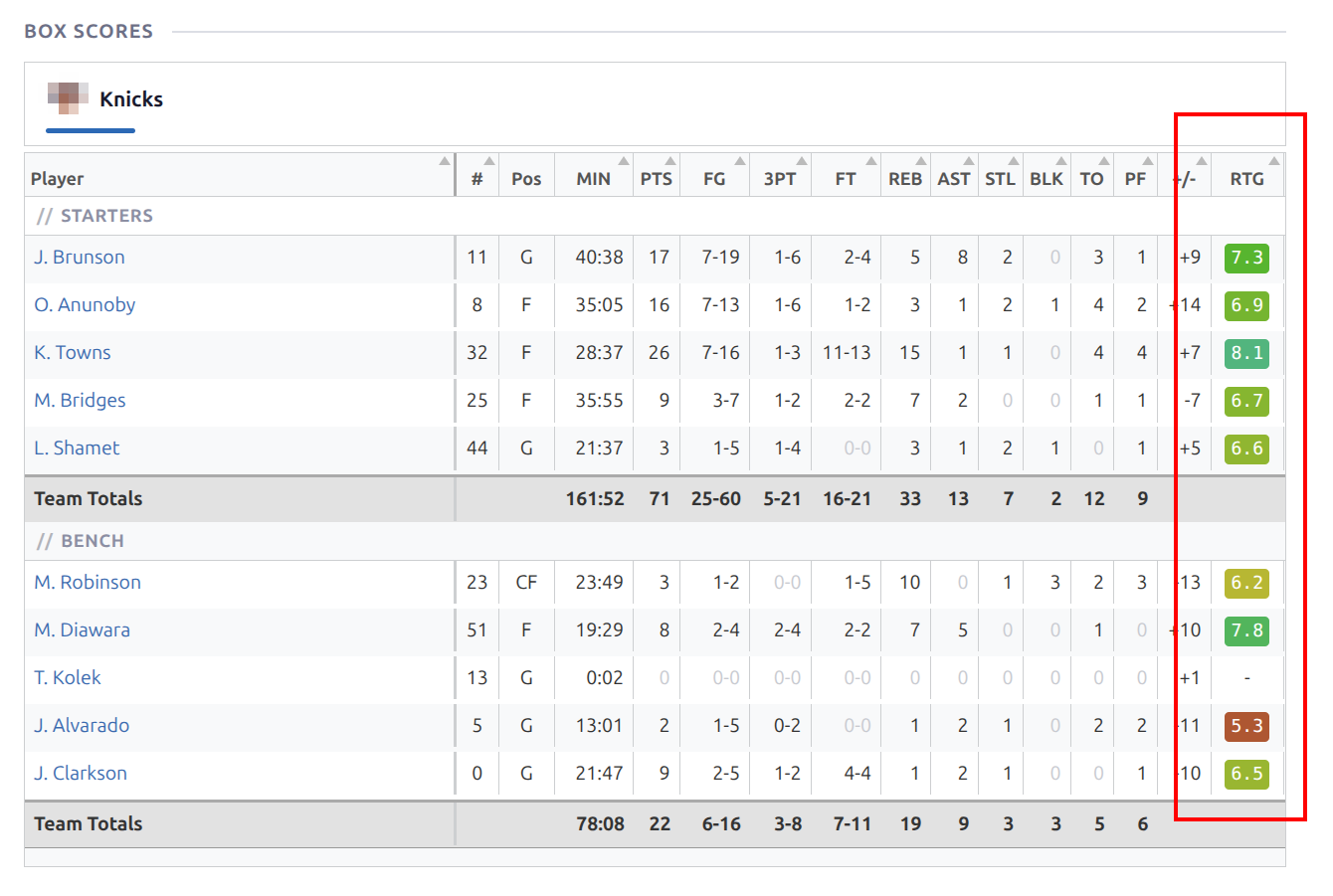
Each player receives a per-game rating from the API, displayed as an HSL-colored badge in box scores and game logs. The color ranges from red (low) through yellow to cyan (high).
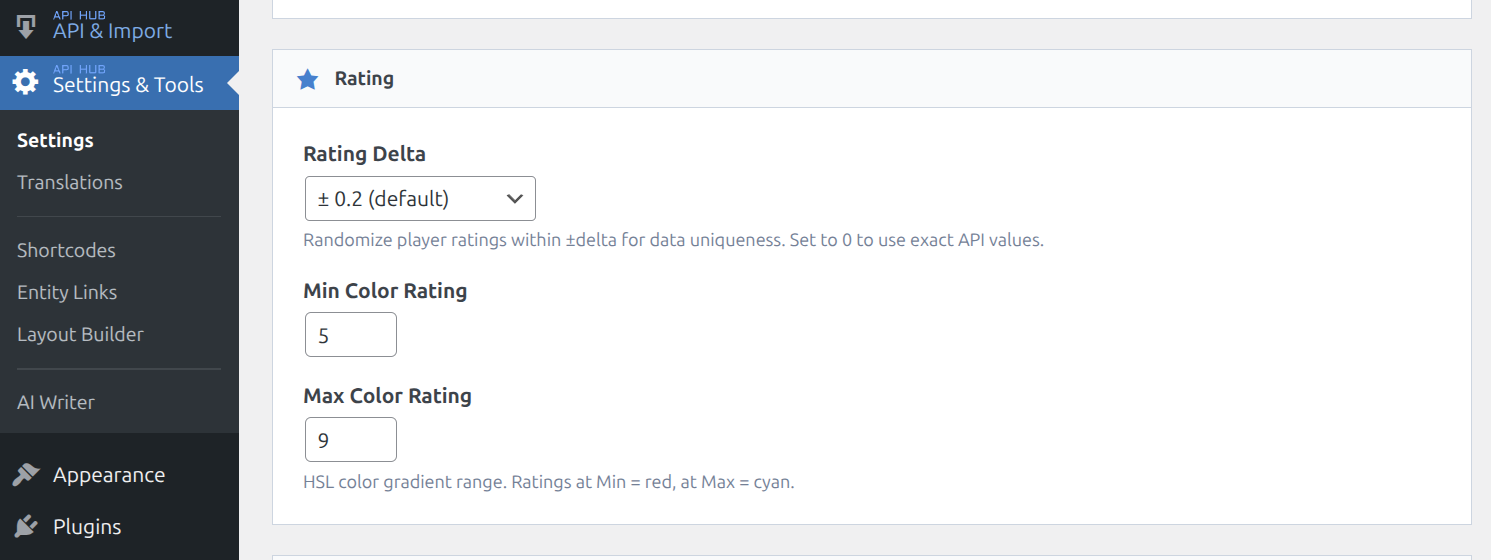
Rating settings are configurable in Settings & Tools > Settings under the Rating section:
- Rating Delta — randomizes ratings within ±delta for data uniqueness. Set to 0 to use exact API values.
- Min / Max Color Rating — defines the HSL color gradient range. Ratings at Min = red, at Max = cyan.
Career Stats & Game Log
Career stats show a season-by-season statistical breakdown with a career totals row. Basketball shows per-game averages; baseball shows season totals with computed rates (AVG, OBP, ERA, etc.).
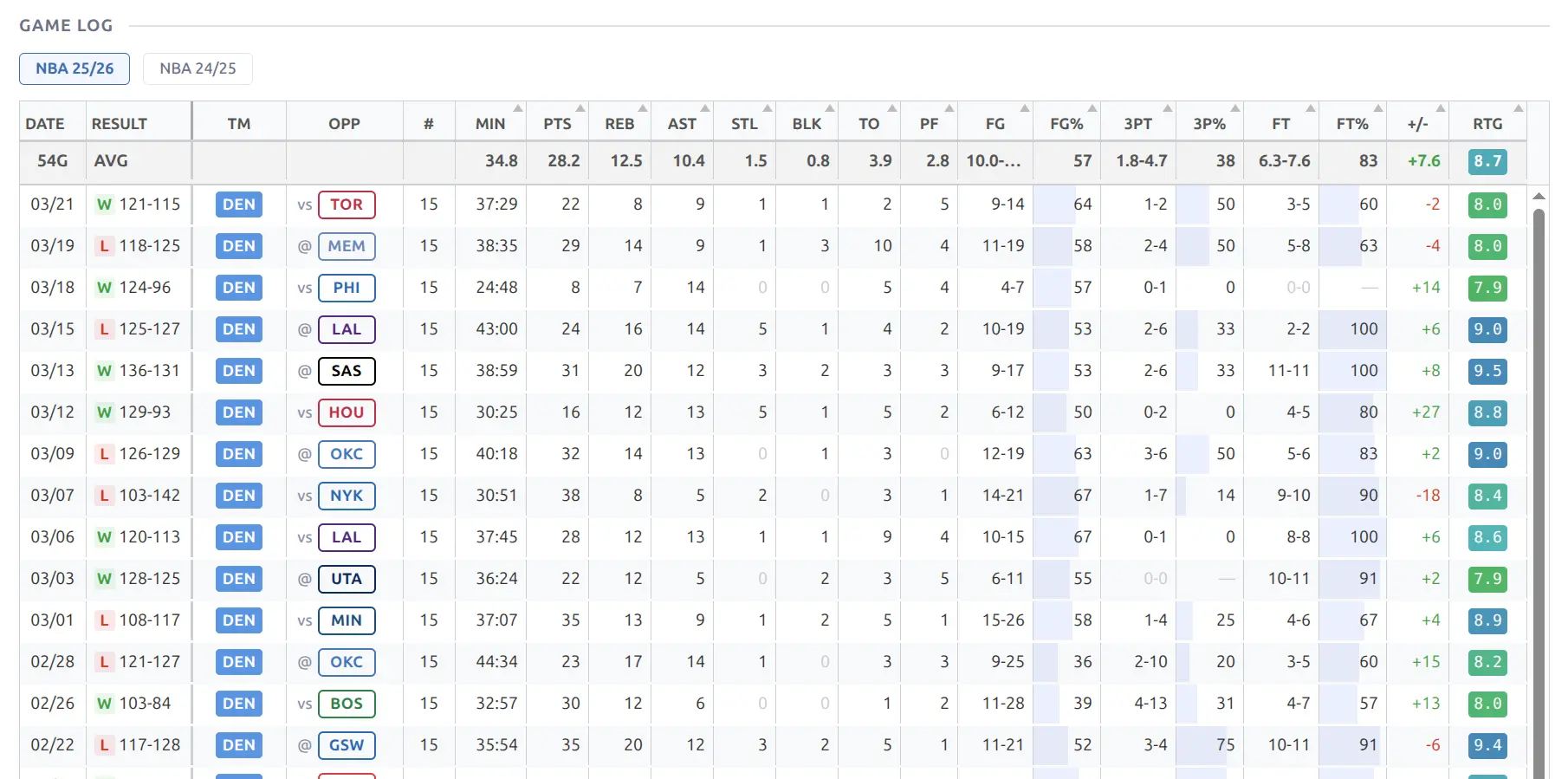
Game log provides a detailed game-by-game statistical table with an instant season switcher — select a different season from the dropdown to load stats without page reload. Each row shows the opponent team, home/away indicator, and full stat line.
See Player Pages for all available blocks including splits, opponent stats, and highlight charts.
📋 Admin List
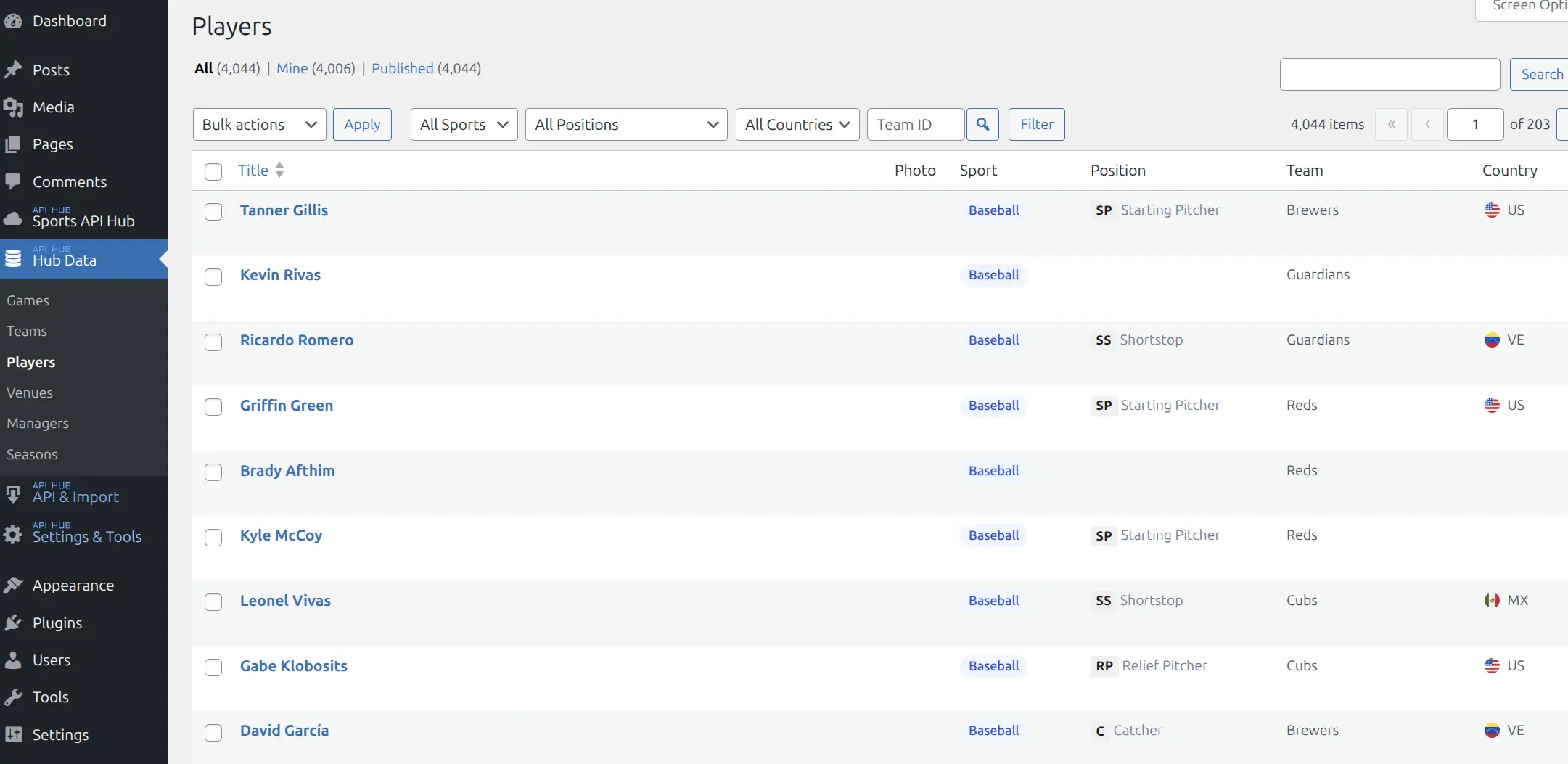
The Players admin list (Hub Data > Players) provides sport, position, team, and country filters. Position badges show abbreviated codes (SP, SS, C, RP, etc.) alongside the full position name.
Player posts are read-only — data comes from the API. You cannot create players manually.
📚 Related
- Player Pages — frontend display blocks (header, game log, career, splits, highlight chart)
- Teams — teams that players belong to
- Game Pages — box scores showing player stats
- Entity Translations — translate player names