

Almost every failed activation comes down to one of six things: the wrong key or plugin, a license that’s already on its site limit, an expired license, a server that can’t reach Freemius (our licensing partner), a site that was copied or moved, or a license that activated but still shows the free version. Find the message you see below. Each heading is the exact text the plugin shows.
This page covers Football Leagues Premium, Sports Leagues Premium, Sports API Hub and Tennis API Hub. They all use the same Freemius activation screen.
🚀 Quick checks first
- Is it the premium plugin? Football Leagues Premium and Sports Leagues Premium are separate plugins from the free ones on WordPress.org. Install the ZIP from your purchase email, not the free plugin.
- Is the key for this plugin? Each plugin has its own key. A Sports API Hub key won’t activate Tennis API Hub.
- Did it paste cleanly? No spaces before or after, nothing cut off. Copy it again from the email or the Freemius Customer Portal.
Can’t find the key? Click Can’t find your license key? under the key field, enter the email you bought with, and Freemius sends it again. More ways are on Find Your License Key. The License issues? link below the button opens Freemius’ own activation help.
Where is the activation screen?
It opens right after you activate the plugin. Once the license is active, the same details live on the plugin’s Account screen:
| Plugin | Account screen in wp-admin | Activation steps |
|---|---|---|
| Football Leagues Premium | Football Leagues > Account | Installation |
| Sports Leagues Premium | Sports Leagues > Account | Installation |
| Sports API Hub | Sports API Hub > Account | License Activation |
| Tennis API Hub | Tennis API Hub > Account | License Activation |
“We use PHP cURL library for the API calls… cURL is not activated (or disabled) on your server”
Your server can’t connect to Freemius, and the usual cause is a firewall, not cURL. The plugin shows this same message when cURL is missing and when the connection is simply refused, so it blames cURL even on servers where cURL works fine. The fix is the one the message gives: ask your host to allow api.freemius.com and wp.freemius.com.
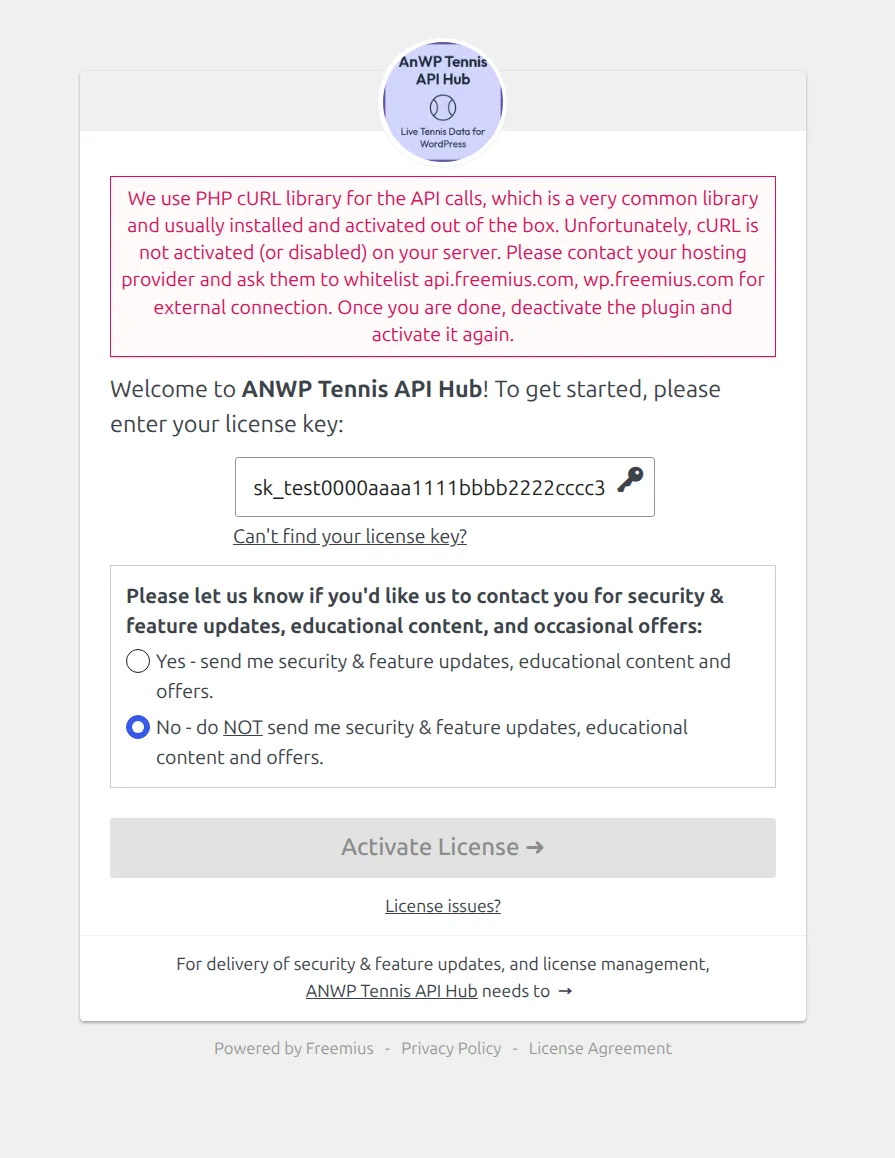
The full message reads: “We use PHP cURL library for the API calls, which is a very common library and usually installed and activated out of the box. Unfortunately, cURL is not activated (or disabled) on your server. Please contact your hosting provider and ask them to whitelist api.freemius.com, wp.freemius.com for external connection. Once you are done, deactivate the plugin and activate it again.”
What should I send my host?
Copy this into a ticket:
Hello, a WordPress plugin on my site can't reach its licensing service.
Please allow outgoing HTTPS (port 443) connections from my server to
api.freemius.com and wp.freemius.com. Thank you.
Once they confirm, deactivate the plugin on Plugins, activate it again, and enter the key.
How do I test the connection myself?
If you have SSH access, run this on the server:
curl -I https://api.freemius.comAny HTTP status line in the reply means the server can reach Freemius. Could not resolve host, Connection timed out or Failed to connect means it’s blocked. cURL error 35 (an SSL connect error) points to an outdated OpenSSL on the server, which only your host can update.
My host says nothing is blocked. What else can stop it?
- wp-config.php blocks outside requests. If it has
define( 'WP_HTTP_BLOCK_EXTERNAL', true );, add both domains to the allow list:define( 'WP_ACCESSIBLE_HOSTS', 'api.freemius.com,wp.freemius.com' );(keep any hosts already listed there). - A security plugin or ModSecurity rule. Some flag the license key’s characters as suspicious. Pause them for the activation, then turn them back on.
- Your internet provider blocks Cloudflare-hosted services. Freemius reports this in a few countries. Their activation issues guide shows how to activate through a proxy.
“Your server is blocking the access to Freemius’ API, which is crucial for [plugin] synchronization”
Same problem, later on. This version appears on a site where the license is already active, when the regular license check can’t get through. It lists the 2 domains to allow (api.freemius.com and wp.freemius.com) and has a Show error details link. The fix is the same: send your host the message above. Include the error details in your ticket, since they tell the host exactly what was refused.
“You have already reached the license activations limit of N sites”
The license is already active on as many sites as it covers. Free one of them, or switch to a plan with more sites. The full message reads: “You have already reached the license activations limit of N sites. If you are trying to move a license from another site, open the Account page under the plugin settings in the admin dashboard, click on deactivate license first, and then try again.”
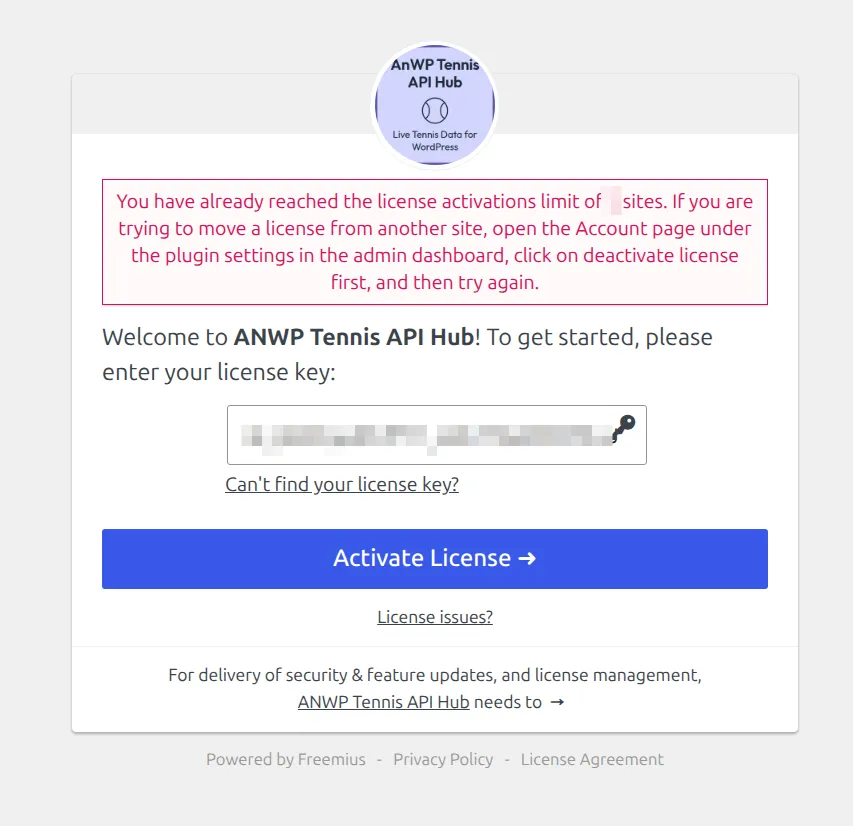
- On a site you no longer need, open the plugin’s Account screen (table above) and click Deactivate License. If you can’t log in to that site, deactivate it from the Freemius Customer Portal instead: Move a License to Another Site has both ways.
- Come back to this site and activate again.
Hit the limit on a staging copy? Only staging and local addresses Freemius recognizes are free. A stage2. subdomain or a .ddev.site copy uses a real activation. What a License Covers has the full list of free addresses.
“Invalid license key.” or “License key too short (license key is 32 characters long).”
The key isn’t one Freemius knows for this plugin. License keys are 32 characters long, and the screen checks the length before it sends anything. So “too short” means part of the key didn’t paste.
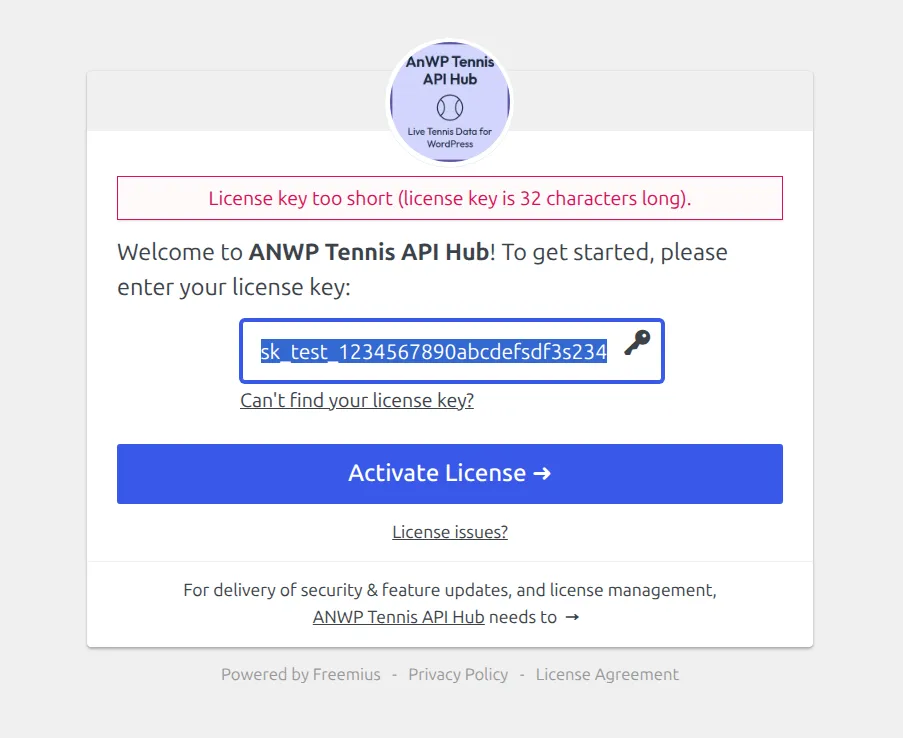
A full-length key that still fails shows Invalid license key. instead:
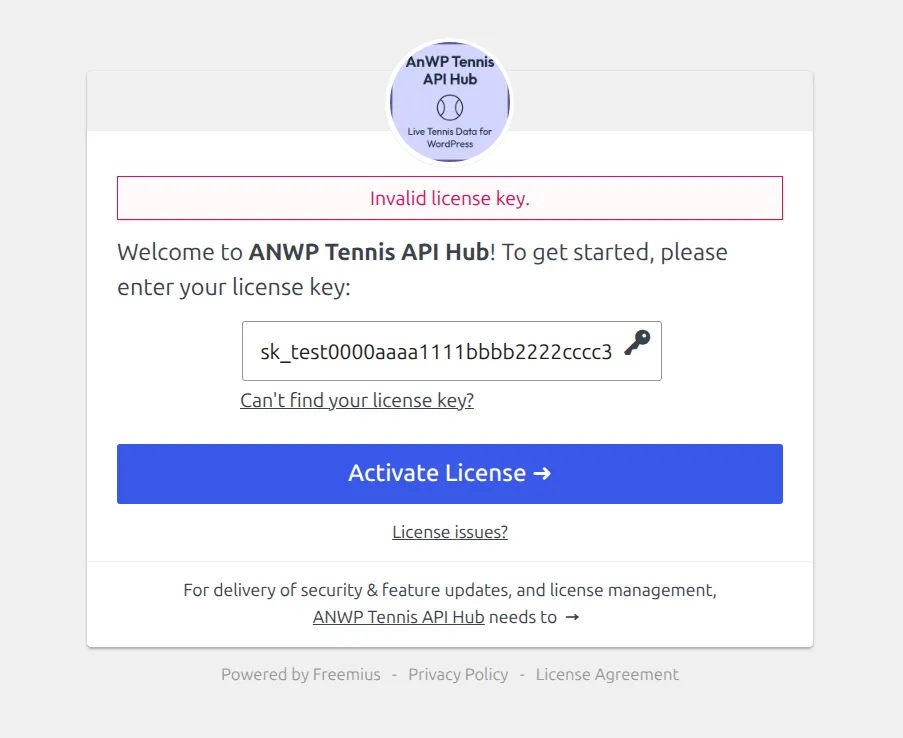
- Typo or extra characters – copy the key again from the purchase email or the Customer Portal.
- Key for another plugin – check the plugin name in the email the key came in.
- Refunded or cancelled license – a refunded license is closed for good and its key stops working. Buy again from the plugin’s page.
My license has expired
Renew it first. An expired monthly license no longer turns on the premium features, so activating it changes nothing. An expired annual license keeps the plugin working but brings no updates. What Happens When a License Expires explains what stops and how to renew.
The license is active, but the plugin still acts like the free version
Usually the site has an old copy of the license status. Work down this list:
- Open the plugin’s Account screen and click Sync. This pulls the current license from Freemius.
- Football Leagues Premium and Sports Leagues Premium: check on Plugins that the Premium plugin itself is installed and active, not just the free one.
- Using Redis or Memcached? Flush the object cache. Freemius keeps its settings in one large database option, and some caches can’t store it, so the old status keeps coming back. If that fixes it only for a while, turn the object cache off during activation, then back on.
“[Plugin] has been placed into safe mode because we noticed that [new site] is an exact copy of [old site]”
The plugin found that this site is a copy of another site that uses the license, and it wants to know what the copy is for. Pick the answer that fits. The plugin keeps working while the notice is up. Safe mode only pauses license syncing and some Account screen actions until you choose.

| Button | Pick it when | What happens |
|---|---|---|
| Duplicate Website | The copy is for testing, staging or development | Updates and premium features keep working on the copy for 2 weeks (or until the license expires, if that’s sooner). No activation is used. After that, the plugin offers to activate a license on it, which does use one |
| Migrate License | The copy replaces the old site (new domain, new host) | The license moves to the new address. If the old site is still online, it goes into safe mode |
| Activate License | The copy is a separate site that will stay live | The license is activated on this site too and uses one of your sites |
Migrate License can fail if the license has no free site left. Free one first (see the site limit section above). Freemius explains the three options in more detail in Safe Mode and clone resolution.
How do I activate on a multisite network?
Network-activate the plugin from Network Admin > Plugins. The activation screen then offers to activate the license on all sites in the network, or you can pick the sites. Pick only the sites that need the plugin. If you hit the site limit, see the section above, and check Websites in the Freemius Customer Portal to see which sites use the license.
🆘 Still stuck? What to send support
Send us the details below and we’ll get it working. It saves a round of back-and-forth:
- The exact message, or a screenshot of the activation screen
- The text behind Show error details, if your notice has that link
- The site address, plus your WordPress and PHP versions (Tools > Site Health > Info)
- The email you bought the license with
Keep your key private
Never post a license key in a public forum thread. If we need it, send only the first 8 characters, or use a private ticket.
| Plugin | Where to ask |
|---|---|
| Football Leagues Premium | How to Get Support |
| Sports Leagues Premium | How to Get Support |
| Sports API Hub | Support |
| Tennis API Hub | Support |
📚 Related
- Find Your License Key
- What a License Covers – site limits and free staging addresses
- Move a License to Another Site
- What Happens When a License Expires