

Tennis API Hub is sold through Freemius. When you buy it, you get a download link and a license key by email. Activating the key on your site connects it to your purchase and turns on plugin updates and support. This page covers the whole path, from the purchase email to a working plugin.
🚀 Step 1: Purchase
Choose a monthly, annual or lifetime plan on the Tennis API Hub product page and complete the checkout.
Step 2: Find Your Download Link and License Key
Right after checkout you’ll get a welcome email from plugins@anwp.pro. It contains:
- A download link for the plugin ZIP
- Your license key
No email? Check your spam folder first. You can always log in to the Freemius customer portal with the email address you used at checkout to download the plugin and copy your key.
Step 3: Install the Plugin
Upload the ZIP under Plugins > Add New Plugin > Upload Plugin and click Activate Plugin. The Installation guide has the details.
🎯 Step 4: Activate Your License
As soon as the plugin is active, the Tennis API Hub menu opens a welcome screen: “Welcome to ANWP Tennis API Hub! To get started, please enter your license key”.
- Paste the key from your email into the License key field
- Click Activate License
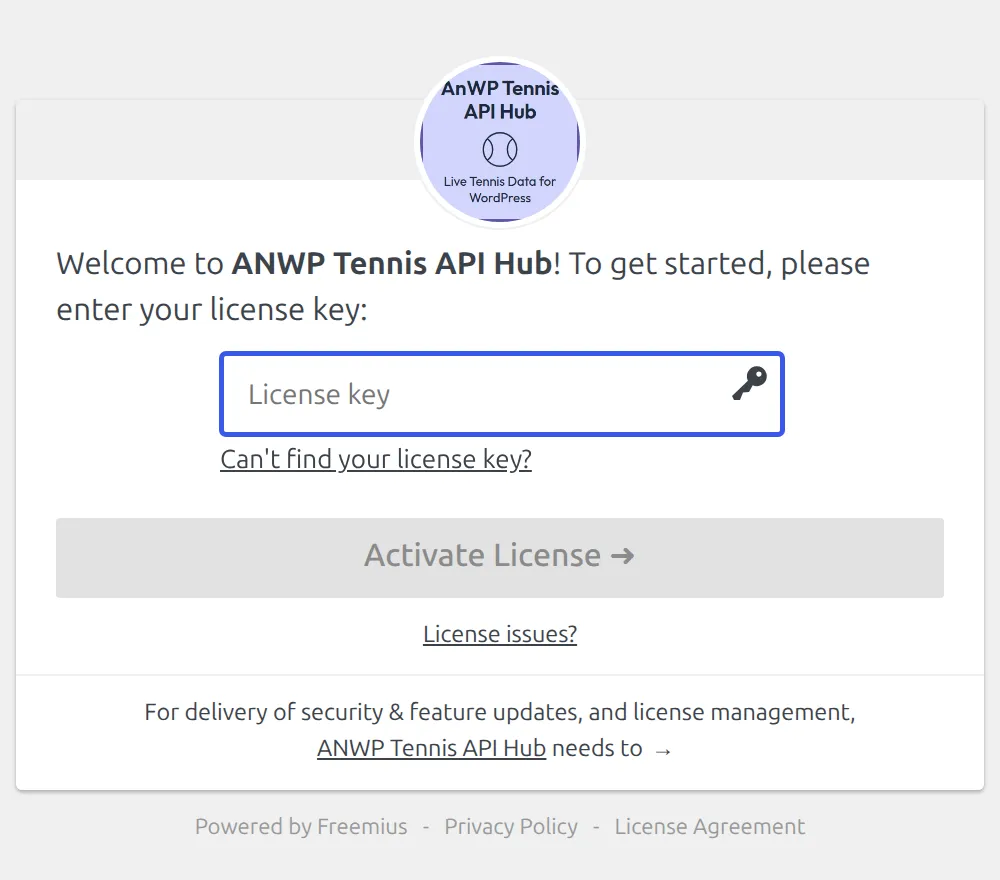
Once the key is accepted, you’re taken to API & Import > API Config, where you connect your data source. Carry on with API Setup.
License Details
| Detail | Value |
|---|---|
| Sites per license | 2 live websites |
| Local and staging sites | Unlimited, and they don’t count toward the limit |
| What an active license gives you | Plugin updates and support |
| Refunds | 7-day money-back guarantee |
Your license, plan and renewal date are shown under Tennis API Hub > Account.
Moving the License to Another Site
- On the old site, go to Tennis API Hub > Account and click Deactivate License
- Install the plugin on the new site and activate the same key there
Lost access to the old site? Write to support with both the old and new site addresses, and we’ll release the activation for you.
🆘 Troubleshooting
| Problem | Fix |
|---|---|
| The key is rejected as invalid | Copy it again from the email or the Freemius customer portal. Watch for spaces at the start or end |
| Activation limit reached | The key is already active on 2 live sites. Deactivate it on one of them first (see above) |
| Activation hangs or times out | Your server has to reach the Freemius licensing server. Some hosts block outgoing connections, so ask yours to allow them |
| Can’t find the key | Check spam for the email from plugins@anwp.pro, or log in to the Freemius customer portal |
Still stuck? Contact support with the exact error message, your site address, and the last 4 characters of your key.
📚 Related
- Installation – requirements and plugin upload
- API Setup – connect your AllSportsAPI2 key
- Support – how to reach us