

Every invoice, for the first purchase and for each renewal, is in the Freemius Customer Portal under Invoices. Sign in at users.freemius.com with the email you bought with, open the invoice and save it as a PDF. To get your company name or VAT number on it, fill in My Profile first.
Freemius, our licensing partner, takes the payments and issues the invoices for Football Leagues Premium, Sports Leagues Premium, Sports API Hub and Tennis API Hub.
🚀 How do I download an invoice?
- Sign in to the Customer Portal with the email you used at checkout.
- Click Invoices in the sidebar.
- Find the payment and click View Invoice.
- Print it or save it as a PDF from your browser.
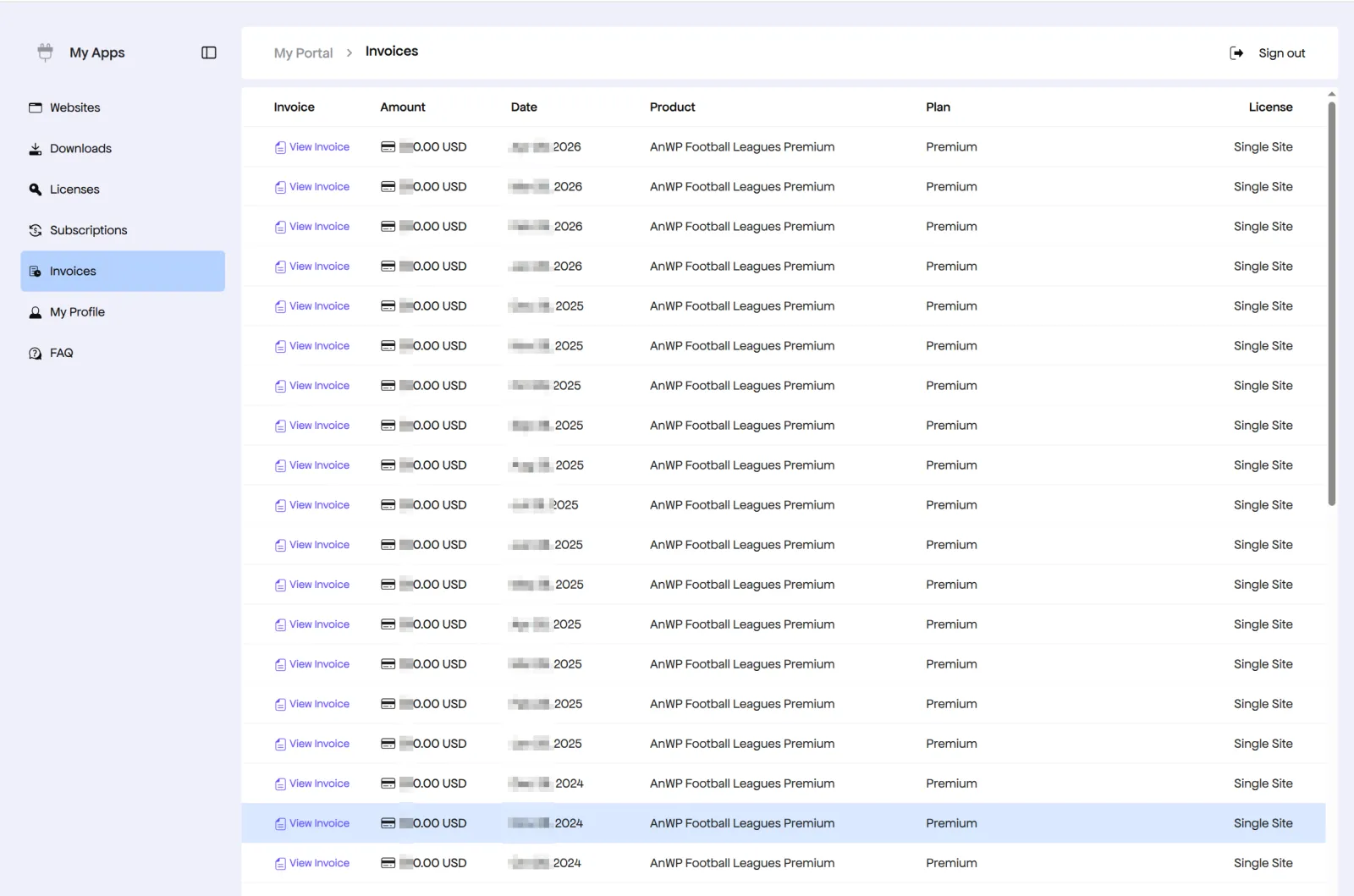
Each invoice shows the invoice number, payment date, plugin, plan, amount, any VAT or tax, and the billing details from your profile.
Your purchase confirmation email also links to the invoice for that first payment.
How do I add my company name or VAT number?
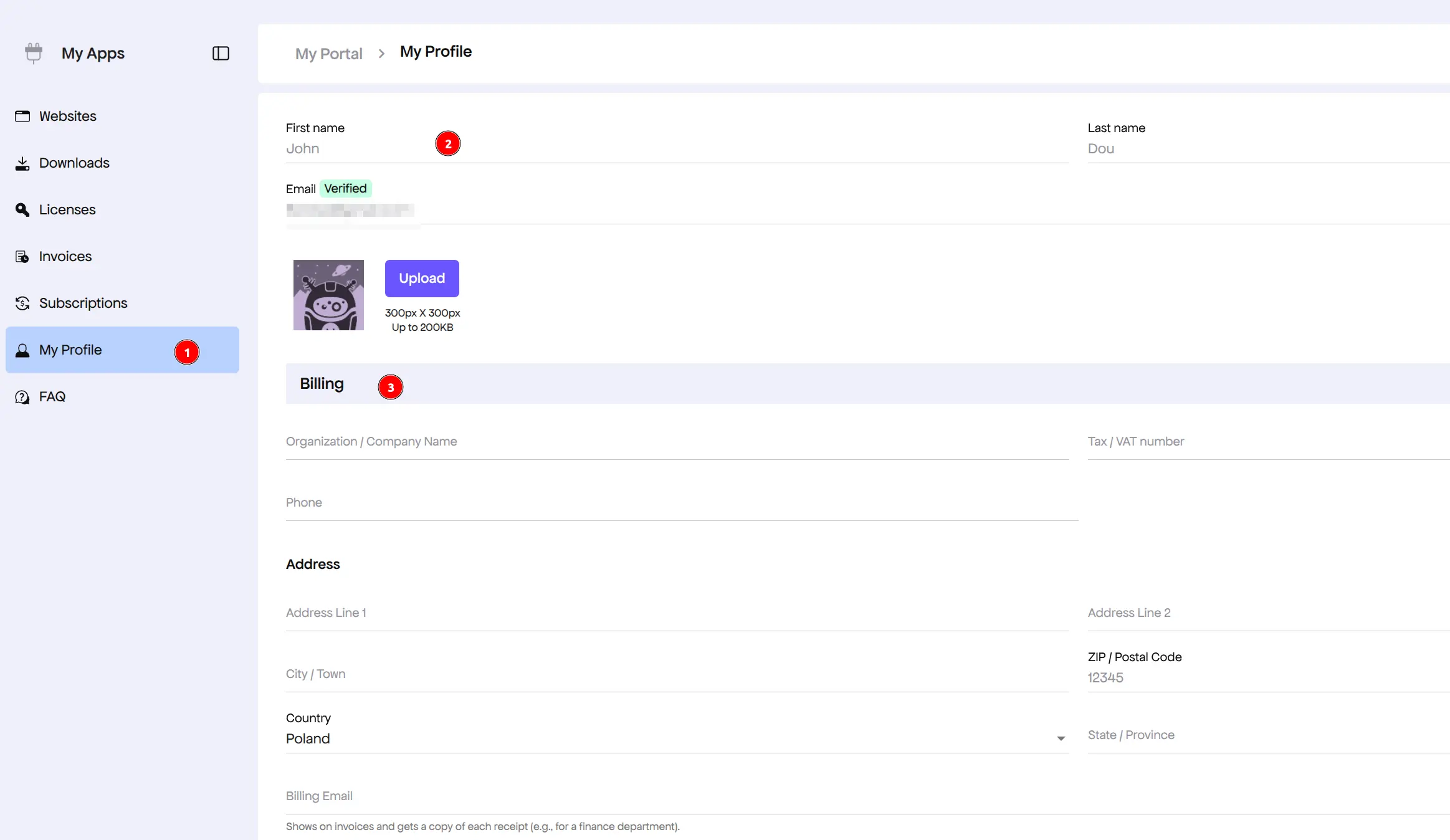
Fill in the billing section of your profile:
- In the Customer Portal, click My Profile.
- Scroll to the Billing section.
- Enter the company name, Tax / VAT number and address, then save.
Need the new details on an old invoice?
Save your profile first, then open the invoice again from Invoices. It shows the updated billing details. Still showing the old ones? Ask us for a corrected copy (see below).
Buying as a business? Enter your VAT number at checkout too, so the tax on that first payment is handled correctly.
🆘 I can’t find an invoice. What now?
| Problem | Fix |
|---|---|
| The payment isn’t in the list | Check you signed in with the address used at checkout. A license bought with another email sits under that account |
| Can’t sign in to the portal | Use the password reset on the login form, or recover your license to the purchase email |
| The invoice has the wrong name or no VAT number | Contact support with the invoice number and the details it should show |
| A charge you don’t recognize | Search your inbox for the plugin name around that date, then contact support with the amount and date |