

Updates arrive in your WordPress dashboard like any other plugin update, as long as the license on the site is active. Click update now on the Plugins screen and you’re done. If the update doesn’t show up, download the latest ZIP from the Freemius Customer Portal and upload it.
This works the same for Football Leagues Premium, Sports Leagues Premium, Sports API Hub and Tennis API Hub.
Back up first
Take a database backup before any update. The plugins update their own tables when needed and keep your data, but a backup is what lets you go back.
🚀 How do I update from the dashboard?
Use whichever of these three is handy. They all install the same update:
- Plugins screen – find the update notice under the plugin and click update now.
- Dashboard > Updates – tick the plugin in the Plugins list and click Update Plugins.
- The plugin’s Account screen (for example Sports API Hub > Account) – click Install Update Now next to the version number.
WordPress’s own automatic background updates work too, if you turn them on for the plugin on the Plugins screen.
How do I update manually?
Download the latest ZIP from the Freemius Customer Portal and upload it over the installed version. Installing on a site that doesn’t have the plugin yet? See Download the Plugin.
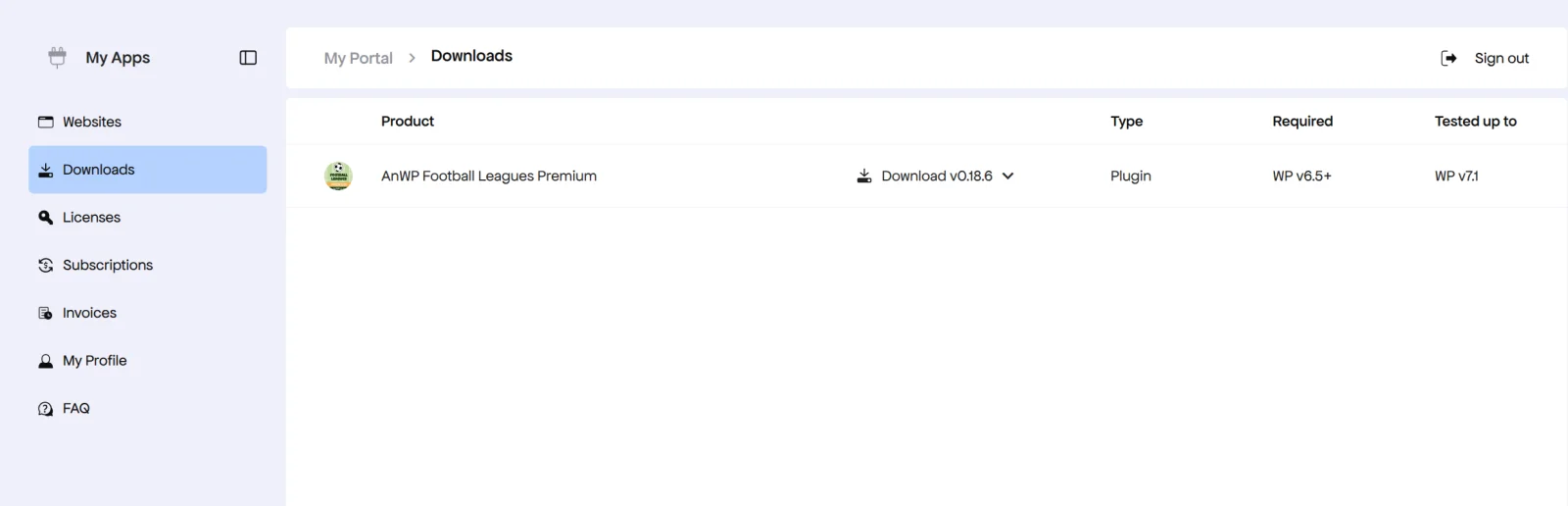
- Sign in at users.freemius.com and click Downloads.
- Click Download next to the plugin.
- In wp-admin, go to Plugins > Add New Plugin > Upload Plugin, pick the ZIP and click Install Now.
- When WordPress asks, click Replace current with uploaded.
Prefer FTP or SFTP? Unzip the file and upload the plugin folder to /wp-content/plugins/, replacing the old folder:
| Plugin | Folder |
|---|---|
| Football Leagues Premium | football-leagues-by-anwppro-premium |
| Sports Leagues Premium | sports-leagues-premium |
| Sports API Hub | anwp-sports-api-hub |
| Tennis API Hub | anwp-tennis-api-hub |
Why don’t I see the update?
Usually because the license on this site isn’t active anymore. Updates only reach sites with an active license, and an annual license that wasn’t renewed keeps the plugin running without updates. Open the plugin’s Account screen and check the plan and its expiry date. Then:
- License expired – renew it (What Happens When a License Expires) and the update appears.
- License active – click Sync on the Account screen, then Check Again on Dashboard > Updates. WordPress only checks for updates every few hours.
- Still nothing – your server may not reach Freemius. See License Won’t Activate, or update manually as above.
🆘 The update failed. What now?
| Problem | Fix |
|---|---|
| Update failed in the dashboard | Update manually with the ZIP from the portal |
| “The uploaded file exceeds the upload_max_filesize directive” | Ask your host to raise upload_max_filesize, or upload the folder over FTP |
| No “Replace current with uploaded” button | Deactivate and delete the old version first (your data stays in the database), then upload the new ZIP |
| Blank screen or error after updating | Clear your caching plugin and browser cache. If it stays, check the PHP error log and contact support with what it says |
Can I go back to an older version?
Yes. Restore the backup you took before updating, or install the older version over the new one:
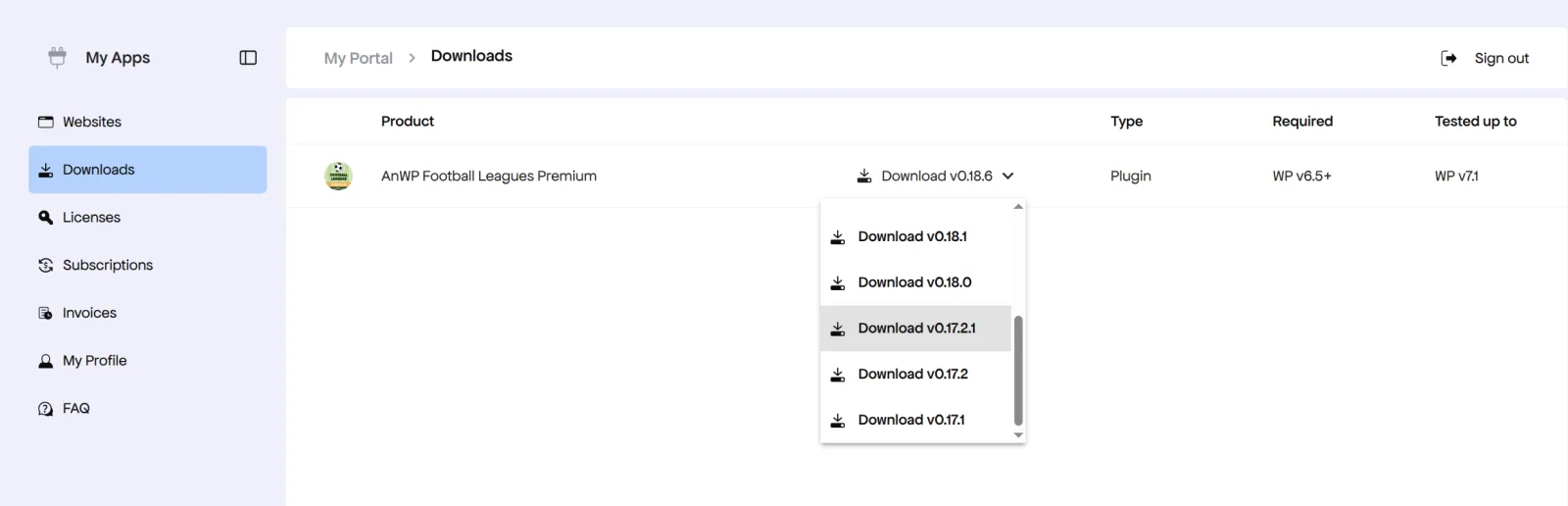
- In the Customer Portal, open Downloads, click the arrow next to the plugin’s Download button and pick the version you want. Need one that isn’t in the list? Contact support for your plugin and we’ll send you the ZIP.
- Upload it in wp-admin the same way as a manual update and click Replace current with uploaded.
Rolling back after a database update
If the new version changed the plugin’s database tables, an older version may not read them correctly. Restoring the database backup together with the old version is the safe way back. And tell us what went wrong, so we can fix it in the next release.
📚 Related
- Download the Plugin – the ZIP for a fresh install or a second site
- What Happens When a License Expires – why updates stop
- Find Your License Key – and the download link
- Support: Football Leagues, Sports Leagues, Sports API Hub, Tennis API Hub