

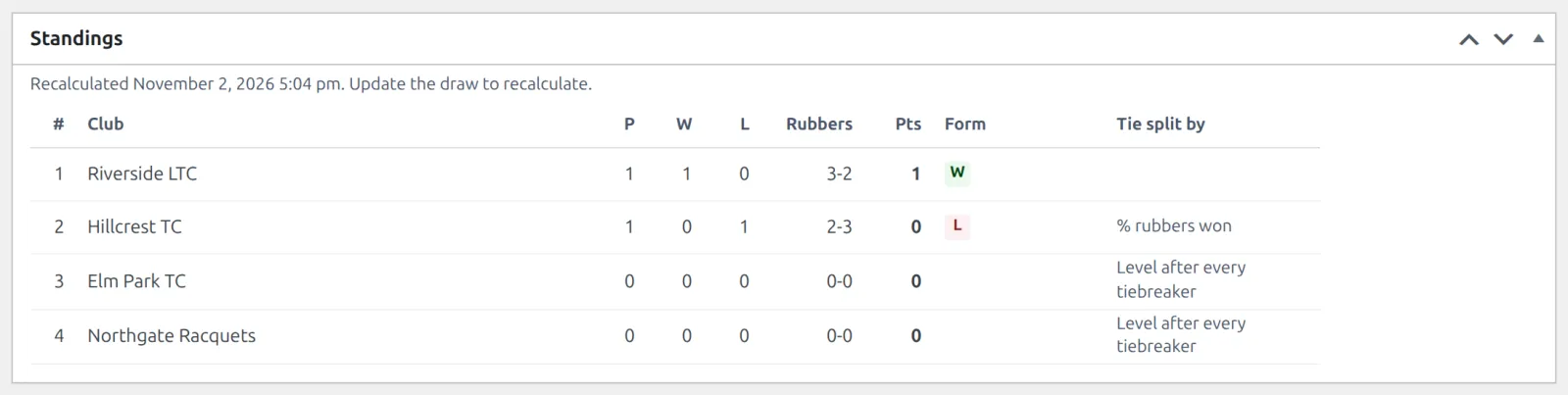
In a team league, clubs play clubs. Each fixture is a tie of several rubbers (the individual singles and doubles matches), and the club that wins more of them wins the tie. You record each tie as the rubbers won by each club, and the table ranks the clubs on that.
Before you start
- Your site runs in multi-club mode. In single-club mode Team League isn’t offered: see Single Club or Multi-Club.
- Each club taking part exists under Tennis Leagues > Clubs. Any club type can play: Club, Club Team, Nation or Select Team. See Players, Pairs, Clubs & Courts.
🚀 Set up the league
- Go to Tennis Leagues > Competitions > Add New and give it a title.
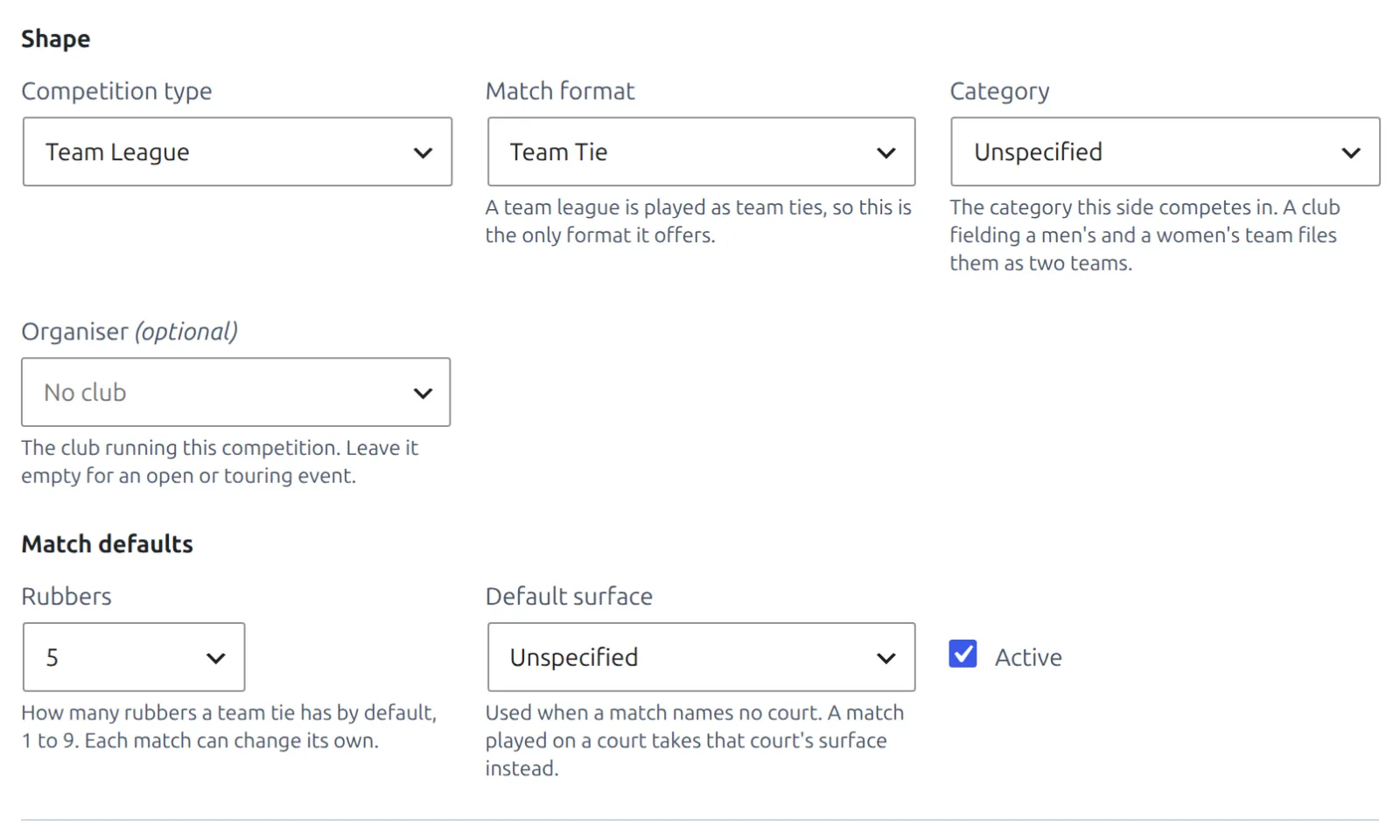
- Set Competition type to Team League. Match format switches to Team Tie, the only format a team league offers.
- Under Match defaults, set Rubbers: how many rubbers a tie has, from 1 to 9 in every sport. Every tie in the league starts with this number.
- Click Publish. The competition gets its current season and a Round Robin draw.
Then make the fixtures as for any round robin: open the draw from the Seasons box, add the clubs in the Entries box, click Update and then Generate fixtures. Groups and knockouts work for clubs too. See Round Robin & Groups.
- Each tie keeps its own rubber count in Match Details. Change it there for a one-off tie of a different size.
- Once the league has matches, its type and match format are locked. Make a new competition for another format.
Enter a tie’s result
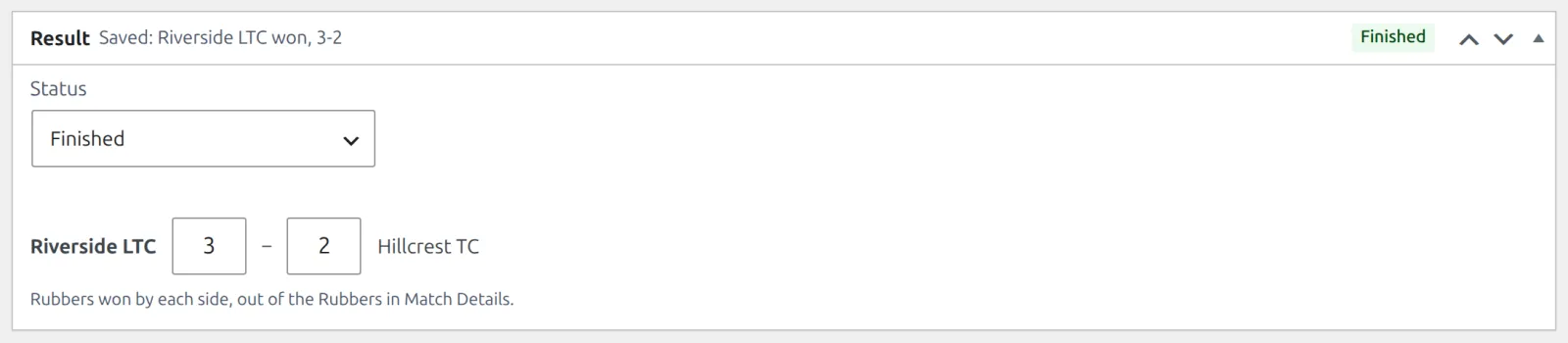
- Open the tie and set Status to Finished in the Result box.
- Type the rubbers each club won into the two boxes between the club names, for example 3 and 2.
- Click Update. The box header confirms it: Saved: Riverside LTC won, 3-2.
- The winner is worked out from the rubbers, and needs more than half of the tie: 2 of 3, 3 of 4, 3 of 5. A level finish is refused.
- Not every rubber has to be played. A 5-rubber tie can finish 3-0 when the last two are never played. But the total can’t be more than the tie’s rubbers.
- The tie is recorded as rubbers won per club. Who played each rubber isn’t entered.
Walkovers and defaults
| What happened | Status | What you enter |
|---|---|---|
| A club didn’t turn up | Walkover | No rubbers. Pick the Winner: the club that turned up |
| A club stopped part-way | Default | The rubbers already played, and the Winner: the club awarded the tie |
| The tie won’t be played | Cancelled | Nothing. It doesn’t count |
A tie has no Retired status: a club stopping mid-tie is a Default. Switching to a status that takes no score clears the rubbers, with an Undo link in case it was a slip.
The team table
- A tie win earns the competition’s points for a win, and a loss the points for a loss. Walkovers, and defaults with no rubbers, use the walkover points. Set them in the League table group of the competition’s Match Rules box.
- The table shows Rubbers (won-lost) in place of Sets and Games, on the draw screen and on your site.
- The standard order is Points, Matches won, Head-to-head, % rubbers won. % sets won and % games won follow, but since a tie records only rubbers, they never separate two clubs.
Standings covers points, the tiebreakers and when the table updates.
On your site
A finished tie shows its rubbers, such as 3-2. A walkover shows W/O and a default shows def. Club names print as plain text for now, without a link to a club page.
🆘 Troubleshooting
| You see | What to do |
|---|---|
| No Team League in the Competition type list | The site is in single-club mode. Switch to multi-club under Tennis Leagues > Settings, in the Clubs box. |
| A finished tie needs a side that won more than half of its 5 rubbers. | Check the score: a 5-rubber tie needs 3 for one club. If the tie stopped early, use Default. |
| 4 rubbers are entered, but this tie has only 3 rubbers. | Fix the score, or raise Rubbers in Match Details if the tie really was bigger. |
| A team tie can’t be retired. If a club stops mid-tie, set Default and pick the winner. | Set Default and pick the winner. |
| This side is not entered in the selected draw. Enter it in the draw first. | Add the club in the draw’s Entries box, or pick another draw. |
| This competition already has 6 matches, so its match format cannot change. Create a new competition for another format. | Create a new competition. |
📚 Related
- Competitions, Seasons & Draws – the three competition types.
- Round Robin & Groups – generating the fixtures.
- Entering Results – the Result box for singles and doubles.
- Standings – points and tiebreakers.