

A knockout draw is a bracket: lose a match and you’re out. You enter the players, type the seeds, and one click makes every match from the first round to the Final. After that, each winner moves into the next round by themselves.
🎯 Before you start
- A Tournament competition starts with a knockout draw called Main Draw. Open it from the competition’s Seasons box with Edit.
- Any other competition can have one too: click Add draw under a season and set its Type to Knockout. See Competitions, Seasons & Draws.
- Singles draws take players, doubles draws take pairs. Add them first under Tennis Leagues > Players or Pairs.
1. Enter the players and seeds
- In the draw’s Entries box, open the Choose players picker, pick everyone, and click Add selected (it shows how many you picked).
- Type the seeds in the Seed column: a number from 1, or one of the letters Q, WC, LL, PR, SE or ALT.
- Click Update. The bracket is built from the saved entries.
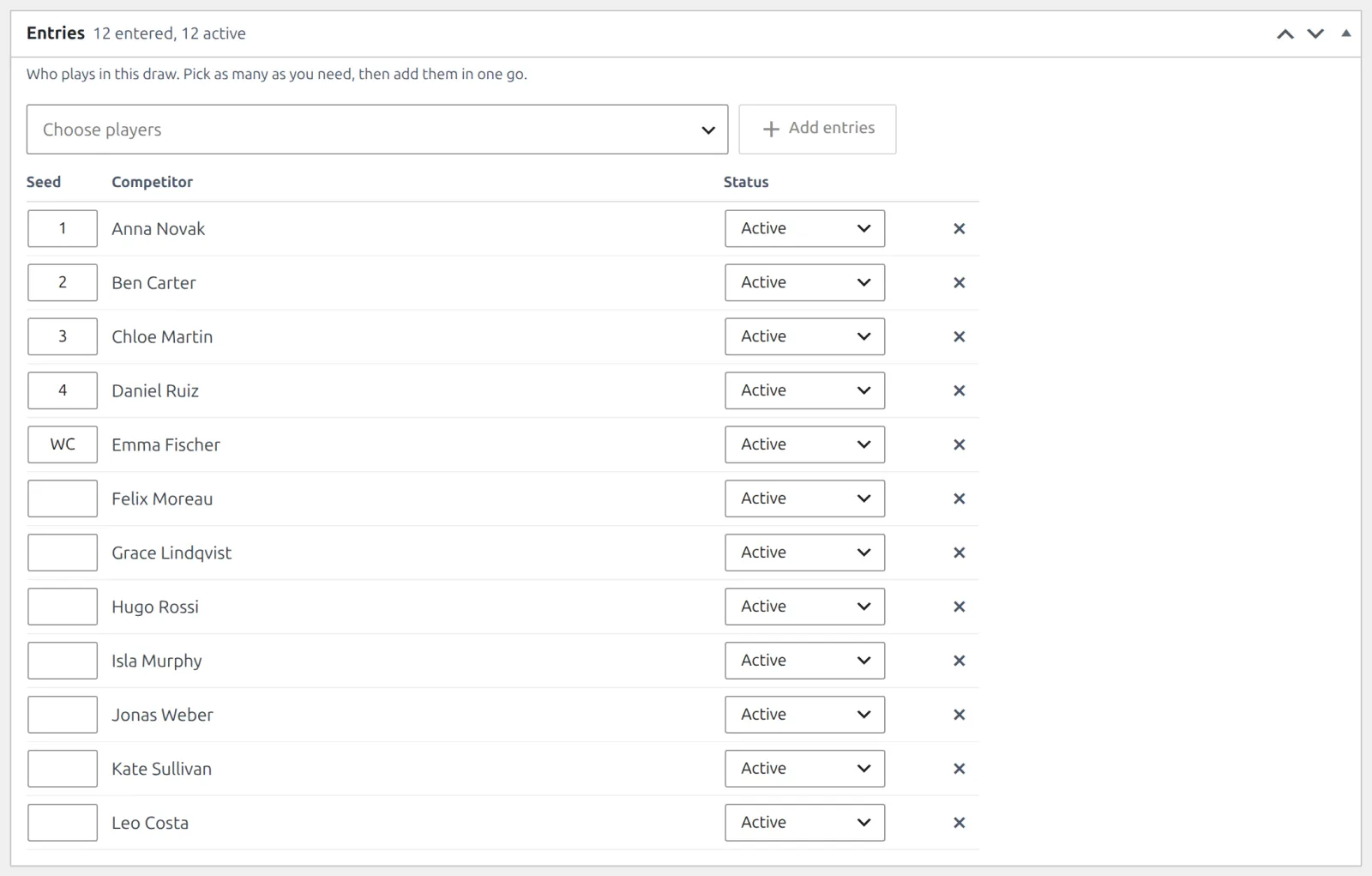
- Only Active entries go into the bracket. A Withdrawn entry stays on the list but isn’t placed.
- Each seed number goes to one active entry only. Gaps are closed, so seeds 1, 2 and 5 are placed as the top three.
- Letter seeds show on the bracket, but those players are drawn like the unseeded ones.
2. Check the plan
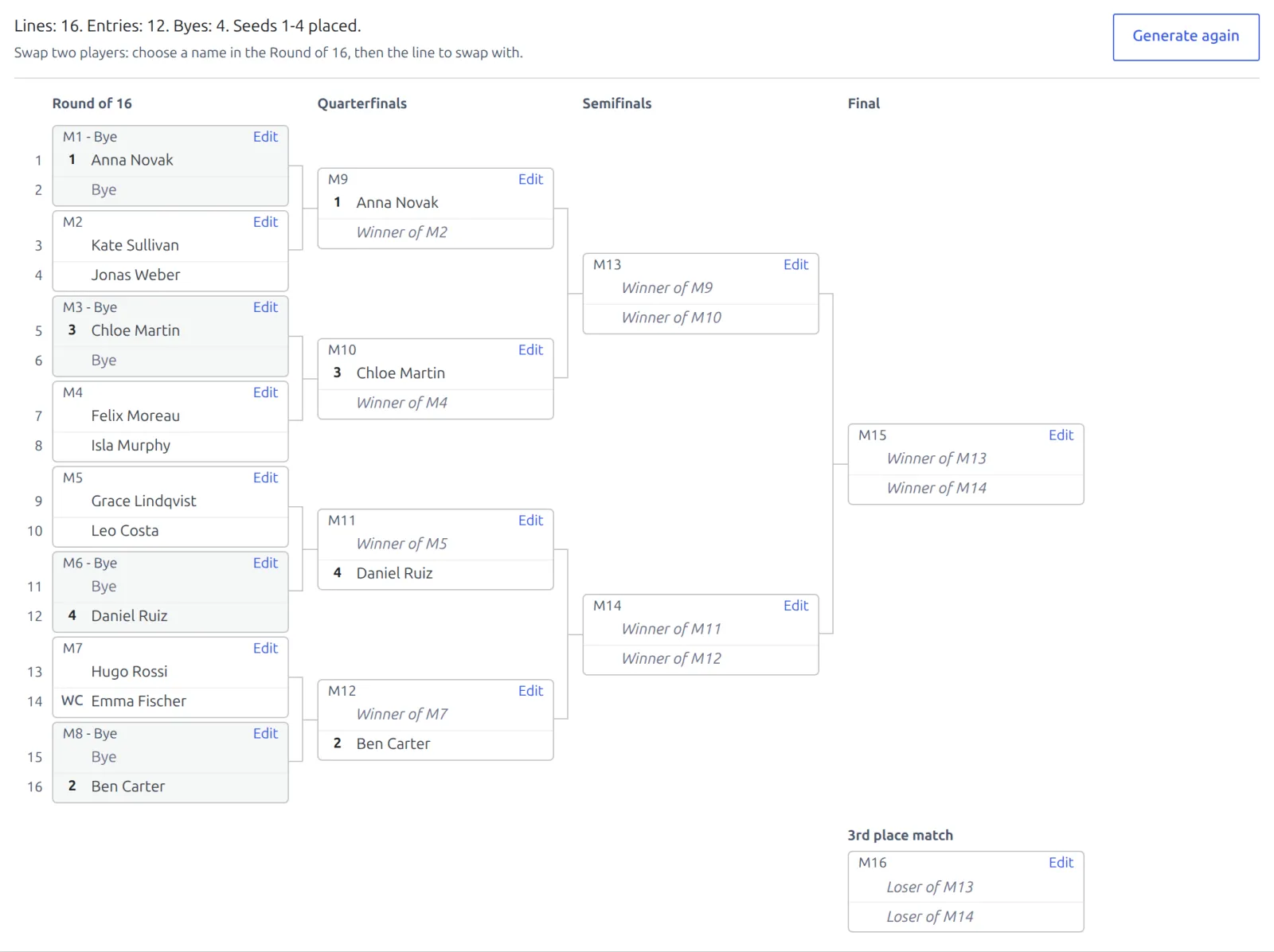
The Bracket box on the same screen says what Generate will make, for example Active entries: 12. Draw size: 16 lines. Byes: 4. Seeds 1-4 will be placed. The draw size is the smallest that fits everyone:
| Active entries | Draw size | First round | Seeds placed, at most |
|---|---|---|---|
| 2 | 2 lines | Final | 1 |
| 3-4 | 4 lines | Semifinals | 2 |
| 5-8 | 8 lines | Quarterfinals | 4 |
| 9-16 | 16 lines | Round of 16 | 8 |
| 17-32 | 32 lines | Round of 32 | 16 |
| 33-64 | 64 lines | Round of 64 | 32 |
| 65-128 | 128 lines | Round of 128 | 64 |
- Seeds go on fixed lines. Seed 1 is at the top and seed 2 at the bottom, so they can only meet in the Final. Seeds 3-4, then 5-8 and so on, are drawn by lot onto their own lines. A numeric seed past half the draw size is placed as unseeded, and the box tells you which one.
- Byes fill the empty lines: 12 entries in 16 lines leave 4. They go to the seeds first, in seed order, and the rest are spread evenly over the halves and quarters. A player with a bye is in round 2 from the start.
- Everyone else is drawn by lot.

3. Add a 3rd place match (optional)
In the Draw Details box, tick 3rd place match and click Update. The two semifinal losers play for 3rd place. It needs at least 4 active entries.
You can switch it on or off after generating too. The bracket shows the change, added when you update or removed when you update, and it happens on Update. Once the 3rd place match is played, it can’t be removed.
4. Generate the bracket
Click Generate bracket. Every match of the draw is created at once, Final included, and numbered M1, M2 and on. Matches further on read Winner of M3 until that match is played. Open any match with Edit on its card to set its kickoff and court.
Swap two lines
Not happy with the lot? Click a name in the first round, then the line to swap it with. The two change places at once. You can also move a player onto a bye’s line, as long as two byes never end up in one match. A first-round line is locked once its match is played.
🏆 Winners move on
Enter a result and the winner moves into their next match. That happens for Finished, Retired, Walkover and Default. With a 3rd place match, the semifinal losers move into it the same way.
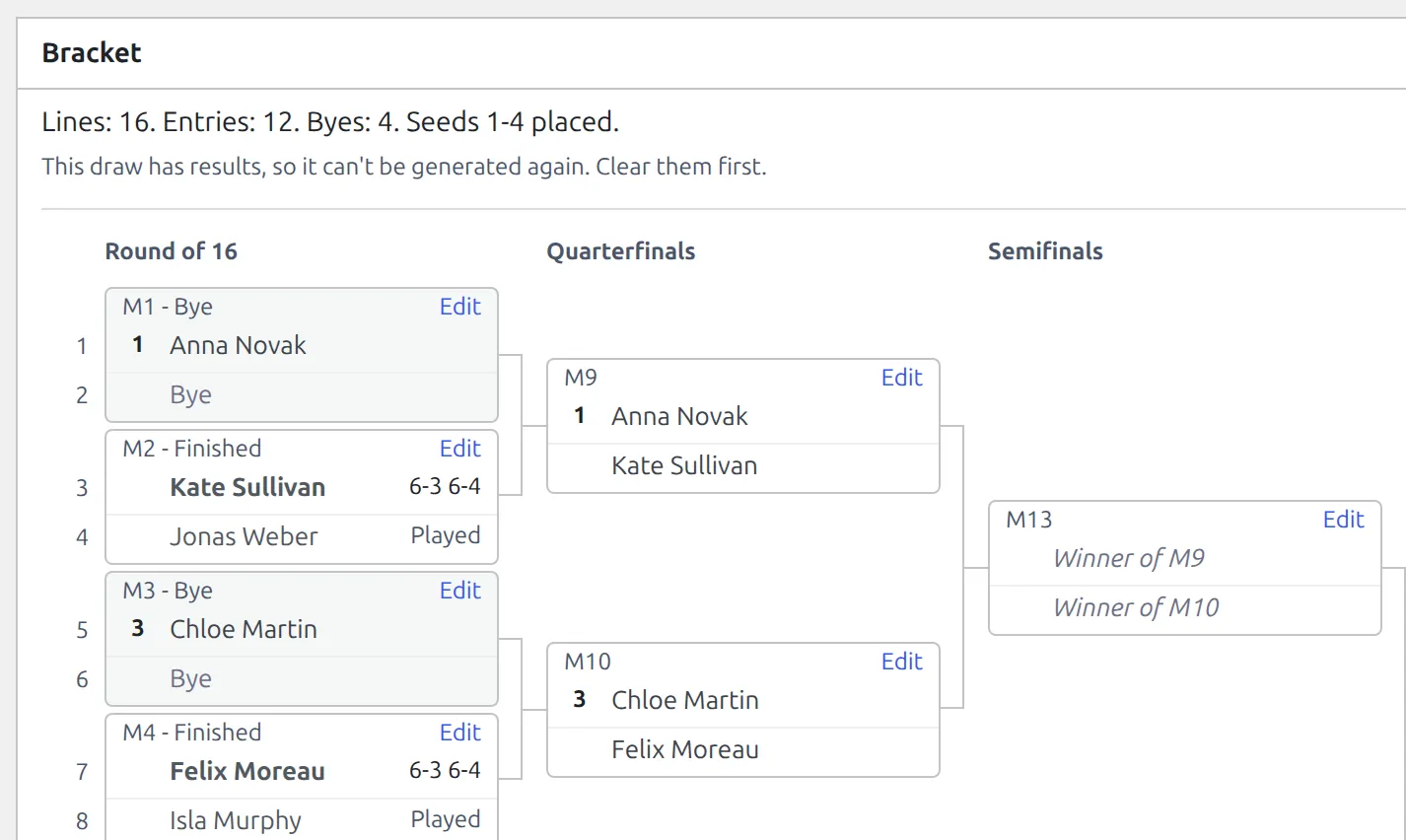
- Change or clear a result and the next round follows, until that next match is played. After that the earlier result is locked: The winner already played their next match in this draw. Clear that result first.
- A match with an undecided side can’t take a result yet.
- A player who pulls out once the draw is made: enter their match as a Walkover for the opponent.
Entering Results walks through the Result box itself.
What you can change after generating
| Change | Before any result | Once a result is in |
|---|---|---|
| Add or withdraw entries, change seeds | Yes, then Generate again | No new draw. Use Walkover for a player who pulls out. |
| Generate again | Yes. Every match is deleted and made anew, and kickoffs and courts set on them are lost. | No |
| Swap two first-round lines | Yes | Yes, for lines whose match isn’t played |
| 3rd place match on or off | Yes | Yes, until it’s played |
| Draw Type | No – the type is fixed once the draw has matches | No |
Update first
Generate and swap work on the saved draw and reload the screen. With unsaved changes on the screen, the Bracket box waits: it says Unsaved changes. Update the draw to save them first. and offers Update Draw in place of Generate bracket. Save, and generate and swap come back.
🆘 Troubleshooting
| You see | What to do |
|---|---|
| A draw holds at most 128 entries. This one has 130 active. | Split the field over two draws, such as a qualifying draw and a main draw. |
| Seed 9 (…) is placed as unseeded: a draw of 16 holds 8 seeds. | Nothing to fix. A 16-line draw places 8 seeds at most. |
| Seed 3 is already taken in this draw. | Give each seed number to one active entry only. Letter seeds can repeat. |
| This draw has results, so it can’t be generated again. Clear them first. | Set every played match back to Scheduled, or keep the bracket and swap lines instead. |
| … is in the trash. Restore it or withdraw the entry. | Restore the player or pair from the Trash, or set the entry to Withdrawn. |
📚 Related
- Competitions, Seasons & Draws – draw types and entries.
- Sports & Scoring – match statuses and who moves on.
- Round Robin & Groups – the other way to play a draw.
- Printable Sheets – the bracket on paper for the club noticeboard.