

Every match sits in the same chain. A competition holds seasons, a season holds draws, a draw holds its entries, and the entries play the matches. This page explains each link, and how a box league fits in.
| Level | What it is | Example |
|---|---|---|
| Competition | The event or league. It sets the sport, singles or doubles, and the match rules. | Club Championship |
| Season | One edition of the competition, usually a year. | 2026 |
| Draw | One way of playing inside a season: a bracket, a round robin or groups. | Main Draw |
| Entry | A player, pair or club entered in a draw. | 12 players |
| Match | Two entries playing each other. | Round of 16, match 3 |
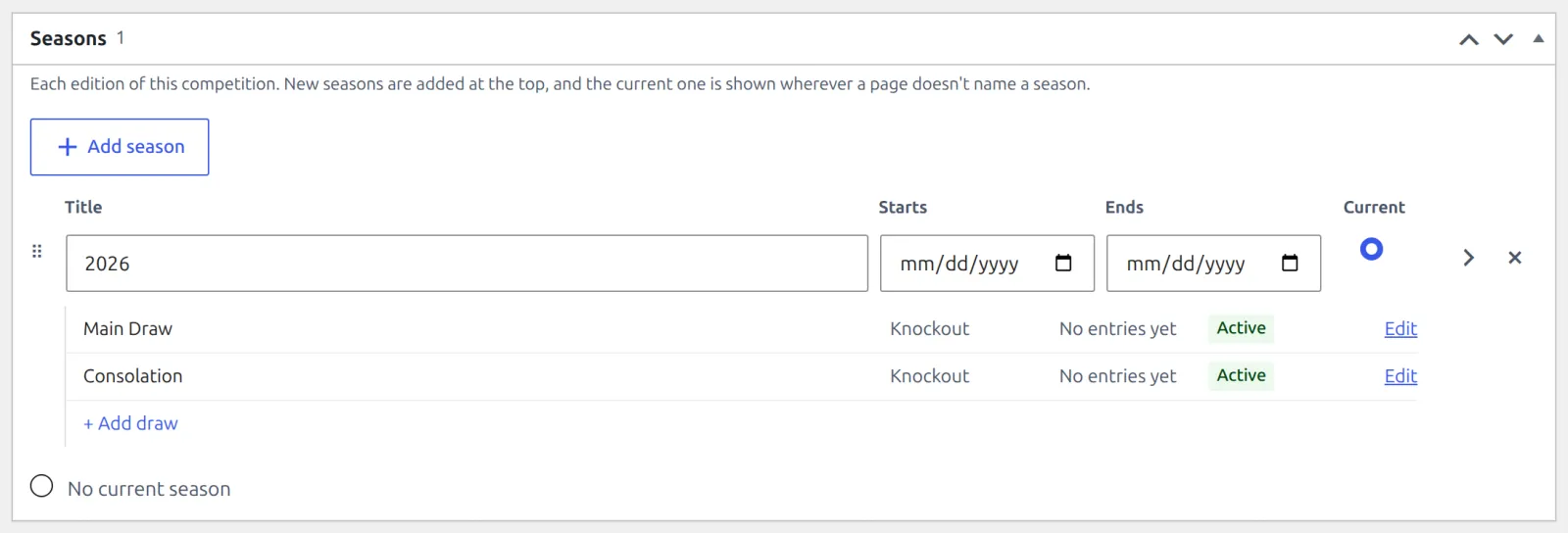
Seasons and draws are managed from the competition itself, in its Seasons box. Draws have no menu item of their own: click Edit on a draw’s line to open it.
🏆 Competitions
Pick the Competition type when you create one. It decides the draw the competition starts with.
| Type | What it’s for | Starts with |
|---|---|---|
| Tournament | A knockout event: lose a match and you’re out. | A Main Draw (Knockout) |
| League | Everyone plays everyone, with a league table. | A Round Robin draw |
| Team League | Club against club. Each match is a team tie of 1 to 9 rubbers. | A Round Robin draw |
- The type is a starting point, not a limit. A league can add a knockout draw for its playoff, and a tournament can be played as one round robin.
- The Sport, Match format (Singles, Doubles or Mixed Doubles – a Team League plays Team Tie only) and Best of (Rubbers on a Team League, 1 to 9) set the defaults for every match inside. See Sports & Scoring.
- Once a competition has entries or matches, its sport and match format can’t change. Create a new competition for another sport.
- Team League isn’t offered in single-club mode. See Single Club or Multi-Club.
📅 Seasons
A season is one edition of a competition. You don’t have to make the first one: when you first save a new competition, it gets this year’s season, marked Current, with its first draw inside.
- Add season in the Seasons box starts the next edition. New seasons go to the top of the list, and each one gets its own first draw when you click Update.
- The current season is the one a page shows when it doesn’t name a season. One season is current at most. Pick No current season for the gap between editions.
- Each season has a Title, optional Starts and Ends dates, and a Slug for its web address (built from the title when left empty).
- A season that holds matches, or draws with entries or matches, can’t be removed. It shows a lock instead of Remove.
Draws
A draw is how the entries meet. A season can hold more than one: click Add draw under a season to add another, for example a consolation draw you enter by hand. Each draw has one of three types:
| Type | How it plays | Size |
|---|---|---|
| Knockout | A bracket where the loser goes out. Byes fill it up to the next size (4, 8, 16 lines and so on). Turn on 3rd place match and the semifinal losers play for 3rd place. | 2 to 128 lines |
| Round Robin | Everyone plays everyone, in one table. Each pair plays Once or Twice (the second leg swaps home and away). | 2 to 32 active entries |
| Group | A round robin split into named groups. Each group plays its own round robin and gets its own table. | 2 to 32 active entries per group |
- A knockout draw has a Bracket box with Generate bracket. A round robin or group draw has a Fixtures box with Generate fixtures, and a Standings box for its table.
- The type can’t change once the draw has matches. A draw stays in the season it was created in. Order sets where it sits in its season: lower comes first.
Seeds, byes and generating are covered step by step in Knockout Draws and Round Robin & Groups.
Entries
The Entries box on a draw lists who plays in it. The competition’s match format decides who can be entered:
| Match format | Entries are |
|---|---|
| Singles | Players |
| Doubles, Mixed Doubles | Pairs (make them under Tennis Leagues > Pairs first) |
| Team Tie | Clubs – a club, a club team, a nation or a select team |
- Each entry is Active or Withdrawn. Only active entries are placed in the bracket or get fixtures. Once an entry has matches in the draw, generated fixtures included, it can’t be removed – set it to Withdrawn instead.
- A knockout entry can carry a Seed: a number from 1, or a letter such as WC or Q.
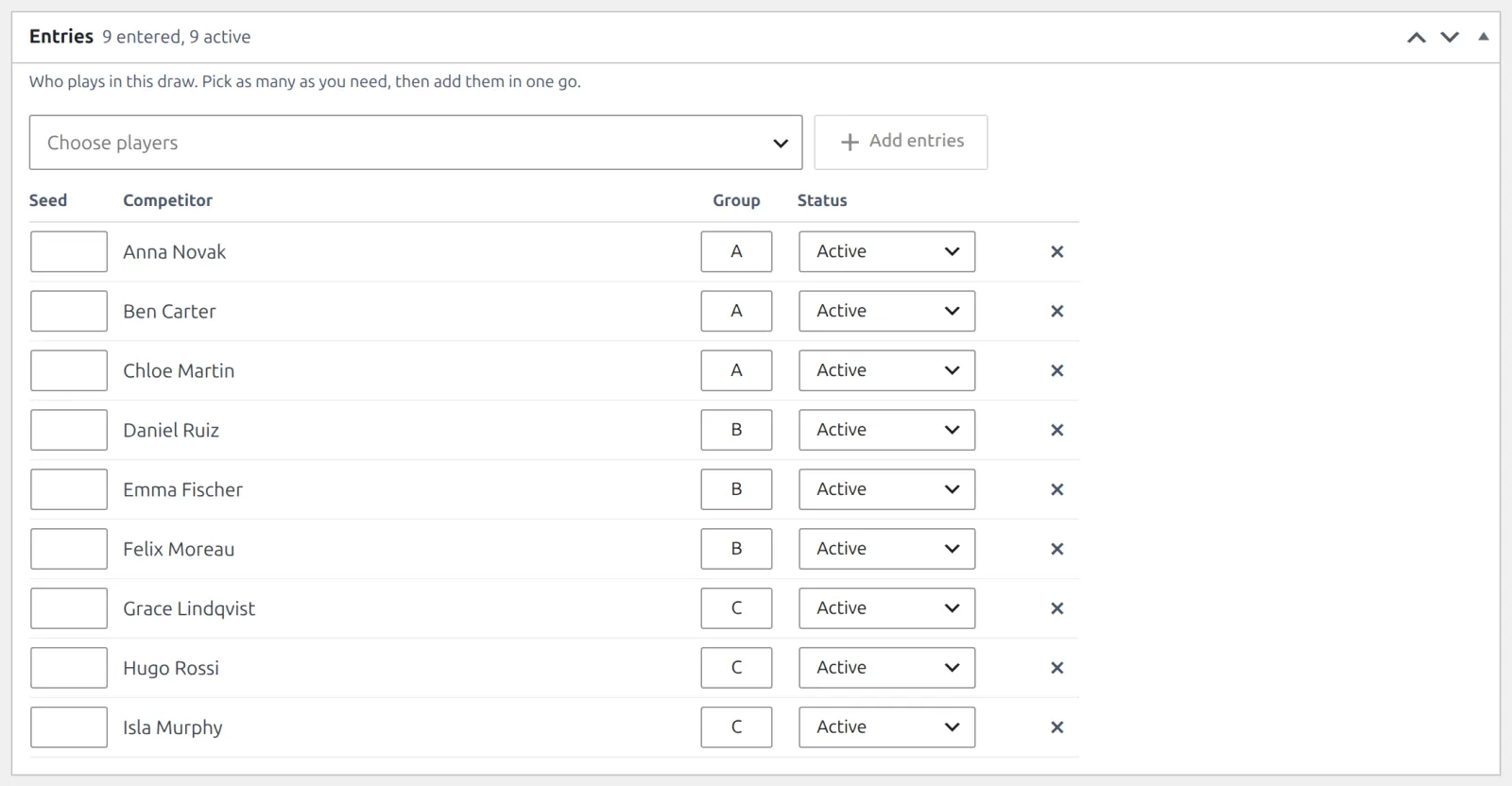
- A group draw adds a Group column. It can’t change once the entry has matches in that draw, so set the groups before you generate.
- Need a one-off match outside any draw? Add it under Tennis Leagues > Matches. The draw is optional there.
📦 Box leagues
A box league is a League with one Group draw: each box is a group. Everyone plays everyone in their box, and each box gets its own table.
With the setup wizard: pick Box league as the format and list the entrants strongest first. The top of the list makes Box A. Choose 2 to 8 boxes, and they’re kept as even as possible (14 entrants in 3 boxes are 5, 5 and 4). The wizard names the draw Box League. See Installation & Setup Wizard.
By hand:
- Create a competition with the type League.
- Open its Round Robin draw, set Type to Group and click Update. Do this before the draw has matches. The draw’s title shows above the box tables on your site, so rename it too, for example to Box League.
- Add the entries and type a box letter in each one’s Group field: A, B, C. Every active entry needs one. Click Update.
- Click Generate fixtures. Each box gets its own round robin.
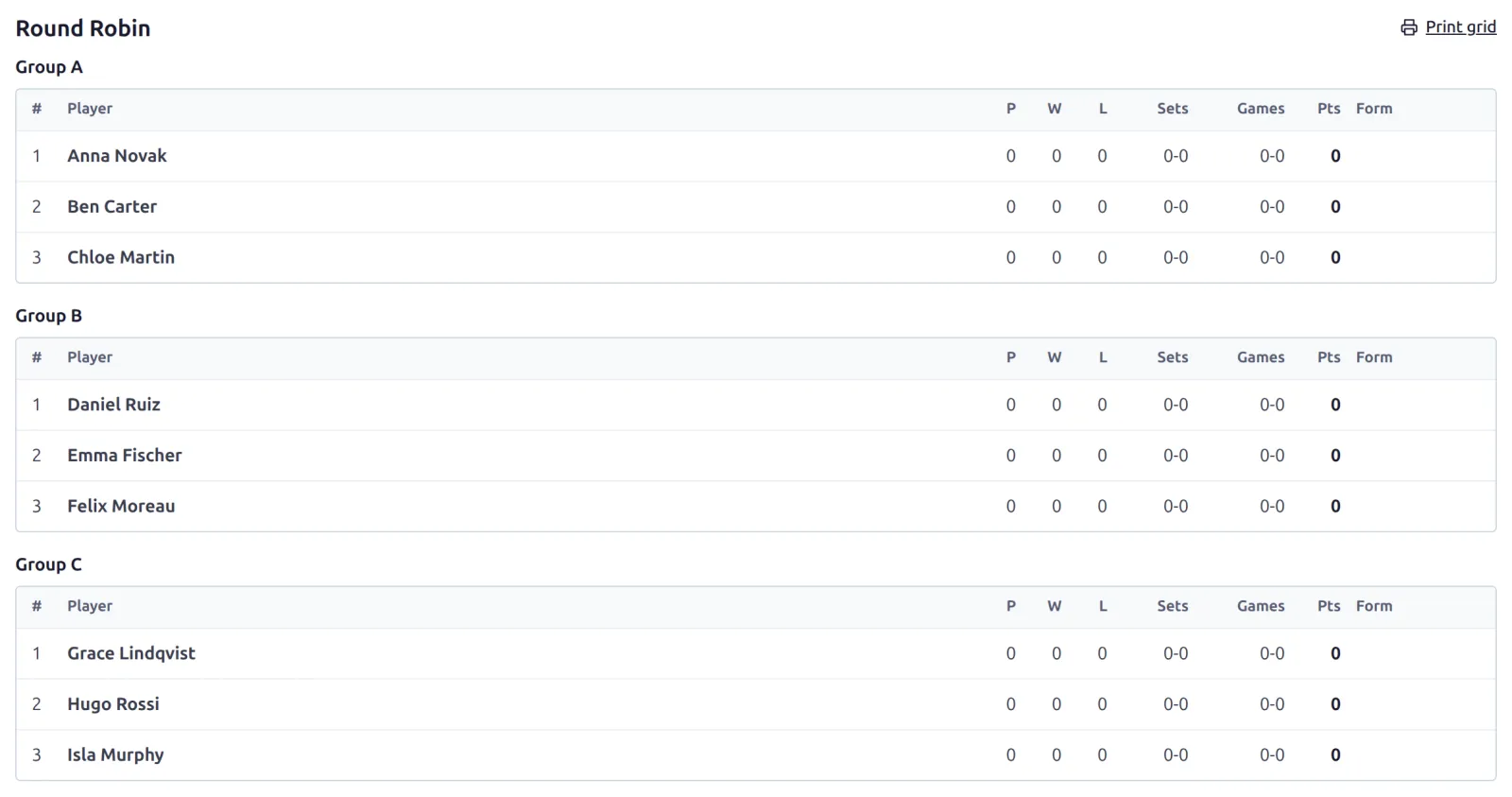
On your site the box tables are headed Group A, Group B and so on. To read Box A instead, go to Tennis Leagues > Settings, open the Text tab and set Group heading to Box %s. It applies to every group draw on the site.
The next round of boxes
Players don’t move between boxes by themselves. When a round ends, add a season (or a new Group draw) and set the boxes for the next round in the Entries box.
📚 Related
- Sports & Scoring – the rules each sport plays by, and the match statuses.
- Single Club or Multi-Club – what changes when the site runs one club.
- Your First Competition – the chain above, built by hand.