

Every draw is built from four kinds of record. Players play singles, pairs play doubles, clubs play team ties and own the courts. You add each one once and use it in as many competitions as you like. Only the name is required. The rest can be filled in later.
| Record | Where | Plays in | Own page on your site |
|---|---|---|---|
| Player | Tennis Leagues > Players | Singles | Yes |
| Pair | Tennis Leagues > Pairs | Doubles, Mixed Doubles | Yes |
| Club | Tennis Leagues > Clubs (Your Club in single-club mode) | Team ties | Yes, with its name |
| Court | The Courts box on a club | – | No |
A player, pair or club shows on your site once it’s published, and not while it’s a draft, private or password protected.
👤 Players
Go to Tennis Leagues > Players and click Add New Player. Type the name in the title field, fill in what you know in the Player Details box, and click Publish. A photo goes in the Player Photo box beside it.
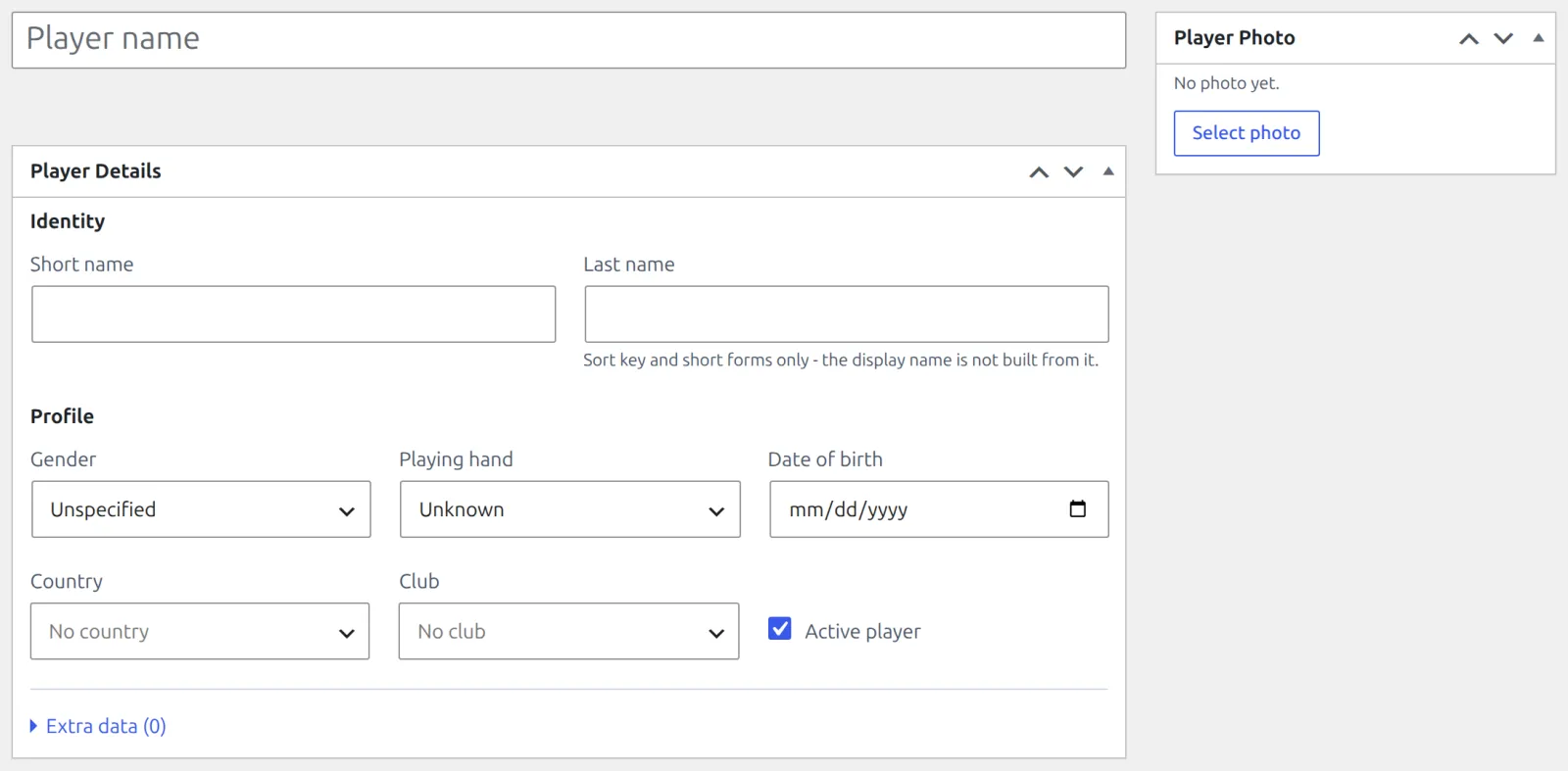
| Field | What it does | On your site |
|---|---|---|
| Last name | Sorting and short forms, like the three-letter badge on a player’s page. The display name is still the title. | As the badge |
| Playing hand | Right-handed or Left-handed. | Yes, as Plays |
| Date of birth | Kept private. | Never. The player’s page shows the Age instead. |
| Country | Shown with its flag. | Yes |
| Club | A club or a club team. Hidden in single-club mode. | Yes, in multi-club mode |
| Active player | Clear it for someone who has stopped playing. The record and its history stay, and the Players list can filter on it. | – |
Pairs
A doubles draw takes pairs, not players. Add both players first, then go to Tennis Leagues > Pairs and click Add New Pair.
- In the Pair Details box, pick the First player and the Second player. They’re listed in that order everywhere.
- Leave the title empty to name the pair after both of them, for example Anna Novak / Ben Carter. Or type a team name.
- Set the Category (Men, Women or Mixed) if you like, and click Publish.
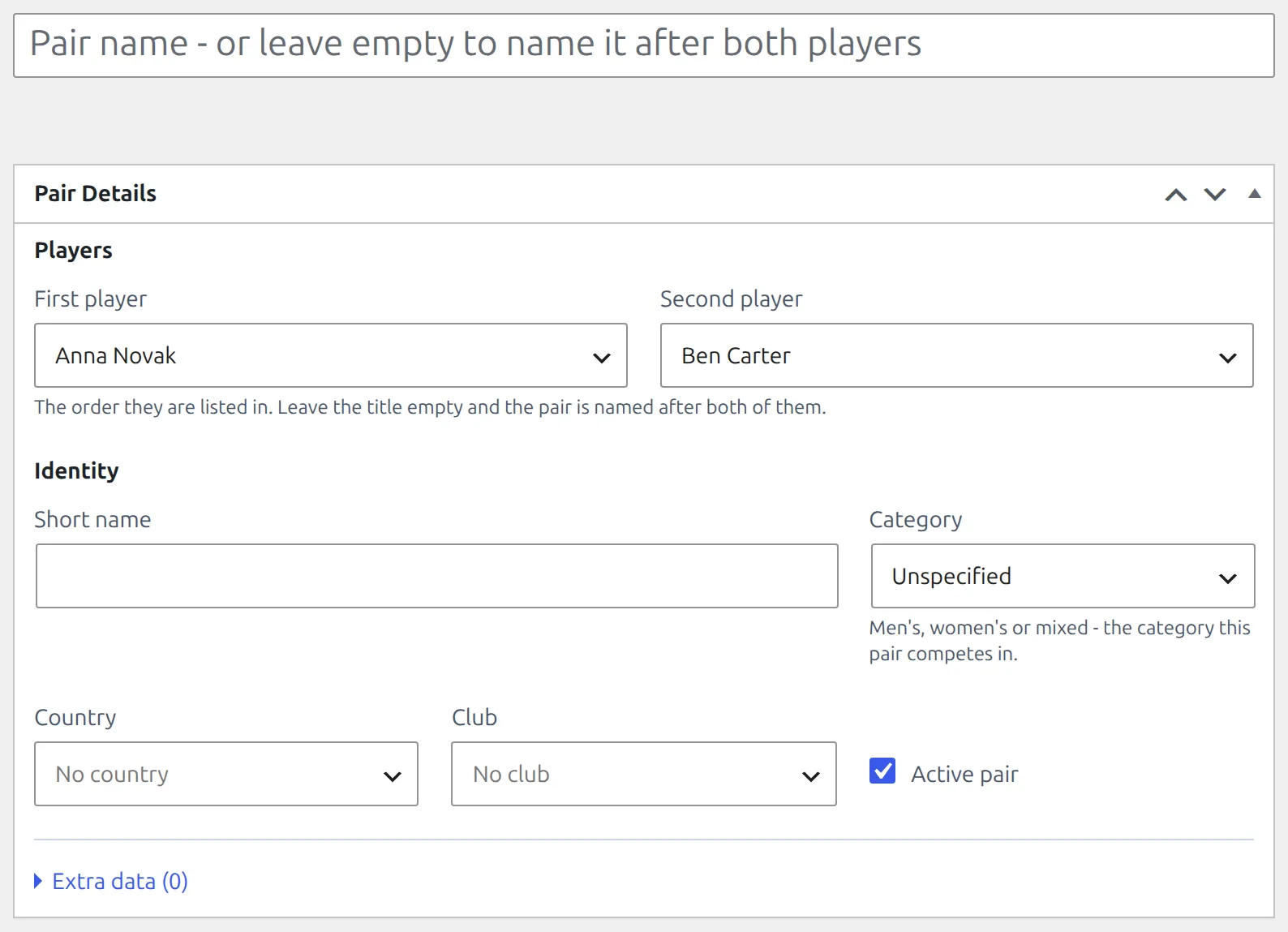
- A pair is two different players, and the same two players make one pair only. Try again and the form names the pair they already form.
- A player can be in several pairs, but only one of them per draw. Entering a second is refused: A player in this pair is already entered in this draw with another partner.
- A pair’s page on your site shows both players.
Clubs
Go to Tennis Leagues > Clubs and click Add New Club. The Type comes first, because it decides which fields apply:
| Type | Use it for | Extra fields |
|---|---|---|
| Club | A real club with a ground | Address, City, Website, and the Courts box |
| Club Team | One team of a club, such as its second team | Parent club, Category |
| Nation | A national side | Category. It shows its country’s flag instead of a logo. |
| Select Team | A one-off side, such as a county select | Category |
- Every type has a Short name and an Abbreviation (up to 5 characters, for places too tight for the name). The logo goes in the Club Logo box.
- A player or pair can belong to a Club or a Club Team. In a team league, any of the four types can be entered.
- Running one club? In single-club mode the menu reads Your Club and opens that club’s own screen. See Single Club or Multi-Club.
Courts
Courts belong to a club of the type Club. Open the club and find the Courts box: click Add court, give it a Name and a Surface, tick Indoor if it is, and click Update. Drag the rows to put them in order.
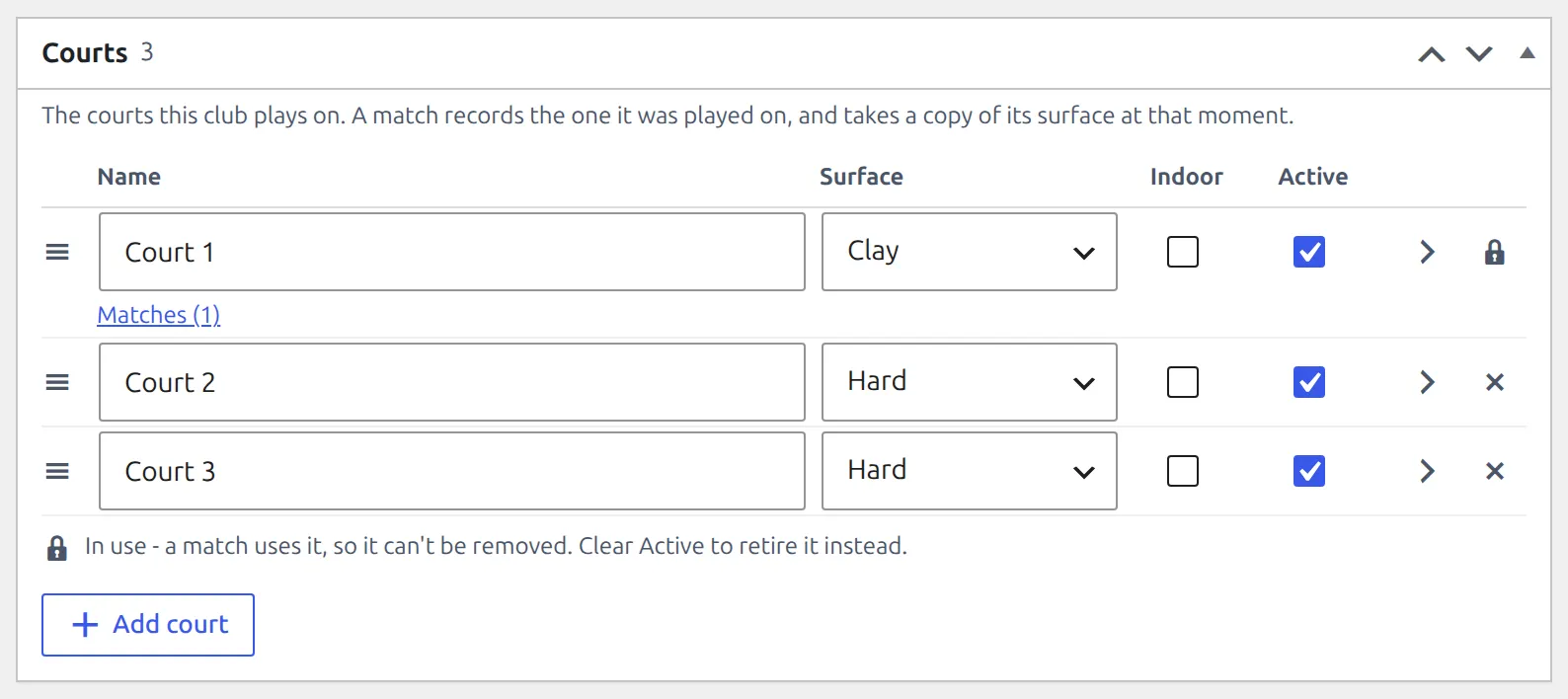
- A court is picked on the match, in the Court field of Match Details. The match takes a copy of the court’s surface and indoor setting at that moment, so a court resurfaced later never changes old results.
- The match page on your site names the court, and in multi-club mode its club too.
- In single-club mode the Court field offers your club’s courts only.
- Clearing a court’s Active takes it out of the Court field. Matches already on it keep showing it. To enter an old match on a court you’ve closed, tick Active again.
🔒 Why some records can’t be deleted
Results are history, so a record that a draw or a match points at stays. You can always move it to the Trash, which takes it off your site. Delete Permanently is what’s refused, and in the Trash view the reason takes that link’s place, so you see it before you click.
| Record | Can’t be deleted while | Instead |
|---|---|---|
| Player | It belongs to a pair, or it’s in a match, a draw’s entries, a table or a ranking | Delete the pair first, or clear Active player |
| Pair | It’s in a match, a draw’s entries, a table or a ranking | Clear Active pair |
| Club | It’s your site’s club in single-club mode, it has club teams under it or courts, or it’s in a match, a draw’s entries, a table or a ranking | Clear Active |
| Court | A match has it set as its court. The Courts box shows a lock in place of Remove. | Clear Active in the Courts box |
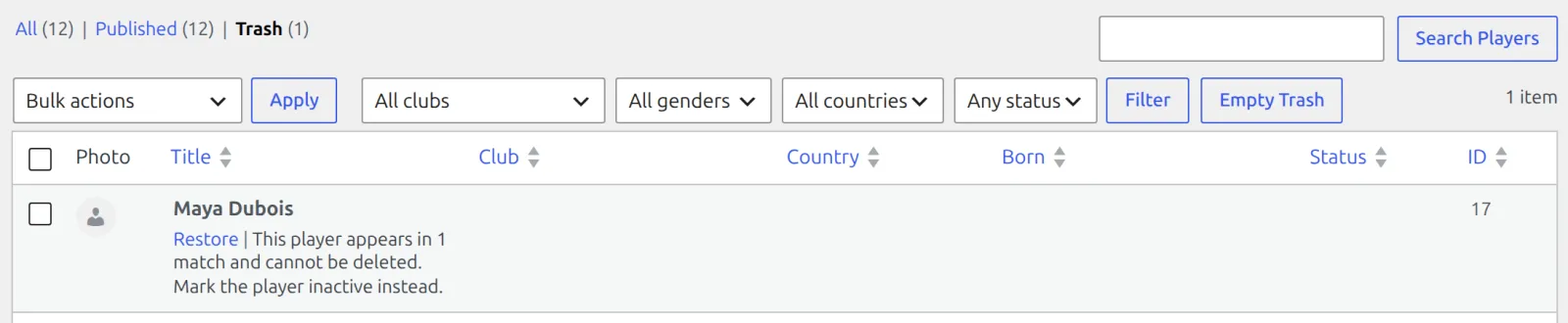
A record with nothing pointing at it deletes as normal. Players and pairs filed under a club don’t hold the club back.
Trash and draws
A player or pair in the Trash still holds its place in a draw’s entries, and the draw won’t generate around it. Restore it from the Trash, or set its entry to Withdrawn.
🆘 Troubleshooting
| You see | What to do |
|---|---|
| These two players already form the pair “…”. | Use the pair that exists. Rename it if the name is wrong. |
| This club has 2 courts and cannot be deleted. Remove them in the Courts box first. | Remove the courts, then delete. A court a match has used can’t be removed, so clear the club’s Active instead. |
| No Courts box on a club | Only the type Club owns courts. A club team plays at its parent club’s ground. |
| No Club field on the player form | The site is in single-club mode, and every player is filed under your club. |
📚 Related
- Competitions, Seasons & Draws – which records a draw takes, by match format.
- Your First Competition – from players to a league table.